Evals / documents / Multi-step jobs
Put a long Word guide on a wiki
Put guidelines.docx on our team wiki: convert it to Markdown as guidelines.md, with a clickable table of contents near the top. The page numbers in the Word contents list mean nothing on a wiki.
The task
The reference answer shows the job can be done with deft. It is not an agent run.
deft doc to-md guidelines.docx -o plain.md
deft md toc plain.md -o guidelines.md
Input
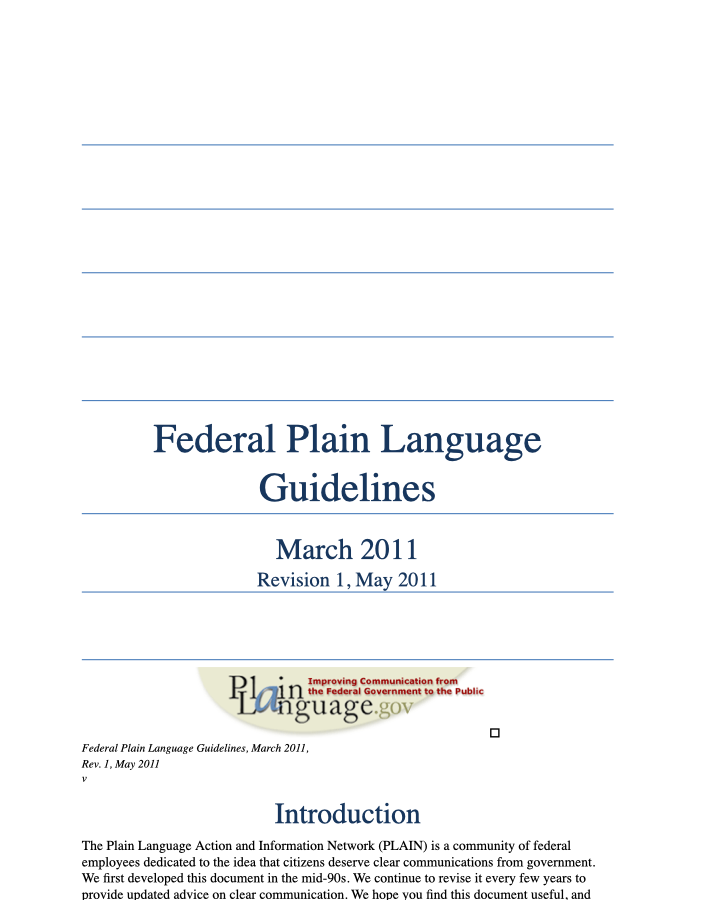
Rendered by macOS Quick Look, first page
Text inside
Federal Plain Language Guidelines

March 2011
Revision 1, May 2011


Introduction
The Plain Language Action and Information Network (PLAIN) is a community of federal employees dedicated to the idea that citizens deserve clear communications from government. We first developed this document in the mid-90s. We continue to revise it every few years to provide updated advice on clear communication. We hope you find this document useful, and that it helps you improve your writing — and your agency’s writing — so your users can:
find what they need,
understand what they find; and
use what they find to meet their needs.
We’ve divided the document into five major topics, although many of the subtopics fit within more than one topic. We start with a discussion of your audience because you should think about them before you start to write your document or your web content. In fact, you should start to think about them before you start to plan. From there we move to organization, because developing a good organization is important during your planning stage. Next, we discuss writing principles, starting at the word level and moving up through paragraphs and sections. This is the most extensive topic.  We follow principles of writing documents with principles of writing for the web.  We conclude with a short discussion of testing techniques.
When we first wrote this document, we were primarily interested in regulations. We’ve broadened our coverage, but the document still bears the stamp of its origin. If you have a suggestion about something we should add to address other types of writing, or have a comment on this edition, contact us at www.plainlanguage.gov/contactus.cfm.

Revision 1 Changes

We have not made any substantive changes in revision 1.  We fixed the footer, corrected a few misspelled words, and modified our choice of words to be more concise.  We made the formatting more consistent in Section V – Test.  We added a few more references to outside publications.  And, we changed the file name of this document to make it more descriptive and user-friendly.
Table of Contents
Introduction	i
Revision 1 Changes	ii
Table of Contents	iii
I. Think about your audience	1
a. Identify and write for your audience	2
b. Address separate audiences separately	3
II. Organize	5
a. Organize to meet your readers’ needs	6
b. Address one person, not a group	10
c. Use lots of useful headings	11
d. Write short sections	15
III. Write your document	17
a. Words	18
1. Verbs	19
i. Use active voice	20
ii. Use the simplest form of a verb	22
iii. Avoid hidden verbs	23
iv. Use “must” to indicate requirements	25
v. Use contractions when appropriate	27
2. Nouns and pronouns	28
i. Don’t turn verbs into nouns	29
ii. Use pronouns to speak directly to readers	30
iii. Minimize abbreviations	33
3. Other word issues	35
i. Use short, simple words	36
ii. Omit unnecessary words	38
iii. Dealing with definitions	41
iv. Use the same term consistently for a specific thought or object	45
v.
… 134693 more characters
Reference output
# Federal Plain Language Guidelines

<!-- toc -->
- [Revision 1 Changes](#revision-1-changes)
- [I. Think about your audience](#i-think-about-your-audience)
  - [a. Identify and write for your audience](#a-identify-and-write-for-your-audience)
  - [b. Address separate audiences separately](#b-address-separate-audiences-separately)
- [II. Organize](#ii-organize)
  - [a. Organize to meet your readers’ needs](#a-organize-to-meet-your-readers-needs)
  - [b. Address one person, not a group](#b-address-one-person-not-a-group)
  - [c. Use lots of useful headings](#c-use-lots-of-useful-headings)
  - [d. Write short sections](#d-write-short-sections)
- [III. Write your document](#iii-write-your-document)
  - [a. Words](#a-words)
    - [1. Verbs](#1-verbs)
    - [2. Nouns and pronouns](#2-nouns-and-pronouns)
    - [3. Other word issues](#3-other-word-issues)
  - [b. Sentences](#b-sentences)
    - [1. Write short sentences](#1-write-short-sentences)
    - [2. Keep subject, verb, and object close together](#2-keep-subject-verb-and-object-close-together)
    - [3. Avoid double negatives and exceptions to exceptions](#3-avoid-double-negatives-and-exceptions-to-exceptions)
    - [4. Place the main idea before exceptions and conditions](#4-place-the-main-idea-before-exceptions-and-conditions)
    - [5. Place words carefully](#5-place-words-carefully)
  - [c. Paragraphs](#c-paragraphs)
    - [1. Have a topic sentence](#1-have-a-topic-sentence)
    - [2. Use transition words](#2-use-transition-words)
    - [3. Write short paragraphs](#3-write-short-paragraphs)
    - [4. Cover only one topic in each paragraph](#4-cover-only-one-topic-in-each-paragraph)
  - [d. Other aids to clarity](#d-other-aids-to-clarity)
    - [1. Use examples	](#1-use-examples)
    - [2. Use lists](#2-use-lists)
    - [3. Use tables to make complex material easier to understand](#3-use-tables-to-make-complex-material-easier-to-understand)
    - [4. Consider using illustrations](#4-consider-using-illustrations)
    - [5. Use emphasis to highlight important concepts](#5-use-emphasis-to-highlight-important-concepts)
    - [6. Minimize cross-references](#6-minimize-cross-references)
    - [7. Design your document for easy reading](#7-design-your-document-for-easy-reading)
- [IV. Write for the web](#iv-write-for-the-web)
  - [a. How do people use the web?](#a-how-do-people-use-the-web)
  - [b. Write for your users](#b-write-for-your-users)
  - [c. Identify your users and their top tasks](#c-identify-your-users-and-their-top-tasks)
  - [d. Write web content](#d-write-web-content)
  - [e. Repurpose print material for the web](#e-repurpose-print-material-for-the-web)
  - [f. Avoid PDF overload](#f-avoid-pdf-overload)
  - [g. Use plain-language techniques on the web](#g-use-plain-language-techniques-on-the-web)
  - [h. Avoid meaningless formal language](#h-avoid-meaningless-formal-language)
  - [i. Write effective links](#i-write-effective-links)
- [V. Test](#v-test)
  - [a. Paraphrase Testing](#a-para
… 147043 more characters# Federal Plain Language Guidelines March 2011 Revision 1, May 2011  Introduction The Plain Language Action and Information Network (PLAIN) is a community of federal employees dedicated to the idea that citizens deserve clear communications from government. We first developed this document in the mid-90s. We continue to revise it every few years to provide updated advice on clear communication. We hope you find this document useful, and that it helps you improve your writing — and your agency’s writing — so your users can: - find what they need, - understand what they find; and - use what they find to meet their needs. We’ve divided the document into five major topics, although many of the subtopics fit within more than one topic. We start with a discussion of your audience because you should think about them before you start to write your document or your web content. In fact, you should start to think about them before you start to plan. From there we move to organization, because developing a good organization is important during your planning stage. Next, we discuss writing principles, starting at the word level and moving up through paragraphs and sections. This is the most extensive topic. We follow principles of writing documents with principles of writing for the web. We conclude with a short discussion of testing techniques. When we first wrote this document, we were primarily interested in regulations. We’ve broadened our coverage, but the document still bears the stamp of its origin. If you have a suggestion about something we should add to address other types of writing, or have a comment on this edition, contact us at [www.plainlanguage.gov/contactus.cfm](http://www.plainlanguage.gov/contactus.cfm). <!-- page break --> # Revision 1 Changes We have not made any substantive changes in revision 1. We fixed the footer, corrected a few misspelled words, and modified our choice of words to be more concise. We made the formatting more consistent in Section V – Test. We added a few more references to outside publications. And, we changed the file name of this document to make it more descriptive and user-friendly. <!-- page break --> Table of Contents Introduction i Revision 1 Changes ii Table of Contents iii I. Think about your audience 1 a. Identify and write for your audience 2 b. Address separate audiences separately 3 II. Organize 5 a. Organize to meet your readers’ needs 6 b. Address one person, not a group 10 c. Use lots of useful headings 11 d. Write short sections 15 III. Write your document 17 a. Words 18 1\. Verbs 19 i. Use active voice 20 ii. Use the simplest form of a verb 22 iii. Avoid hidden verbs 23 iv. Use “must” to indicate requirements 25 v. Use contractions when appropriate 27 2\. Nouns and pronouns 28 i. Don’t turn verbs into nouns 29 ii. Use pronouns to speak directly to readers 30 iii. Minimize abbreviations 33 3\. Other word issues 35 i. Use short, simple … 143616 more characters
How a result is judged (1 check)
- python: code = "import re\nmd = open('guidelines.md', encoding='utf-8').read()\nnorm = lambda s: re.sub(r'\\s+', ' ', re.sub(r'[\\\\*_`]', '', s)).strip().lower()\nheads = {norm(h) for h in re.findall(r'^#{1,6}\\s+(.+?)\\s*#*\\s*$', md, re.M)}\nassert len(heads) > 50, 'headings were not kept'\nassert any('use active voice' in h for h in heads), 'the body is missing'\n# Contents entries: links to anchors in the page whose text is a heading.\ntoc = [m.start() for m in re.finditer(r'\\[([^\\]]+)\\]\\((#[^)\\s]+)\\)', md)\n if not m.group(2).startswith('#_') and norm(m.group(1)) in heads]\nassert len(toc) >= 10, f'only {len(toc)} contents links to headings'\nfirst = md.find('The Plain Language Action and Information Network')\nassert first > 0 and toc[0] < first, 'the contents are not near the top'\n"
Runs
Claude Opus 5.5Without deftPassed2026-11-15
- Time
- 149s
- New tokens
- 49.6k
- Total input
- 359.0k
- Output tokens
- 15.7k
- Commands
- 11
- Failed
- 1
Trace
ls -la; which pandoc; python3 -c "import docx" 2>&1 (exit 1)output
Exit code 1
total 928
drwxr-xr-x@   4 user  staff     128 Nov 14 19:51 .
drwx------@ 304 user  staff    9728 Nov 14 19:51 ..
drwxr-xr-x@   3 user  staff      96 Nov 14 19:51 .claude
-rw-r--r--@   1 user  staff  473565 Nov 14 11:00 guidelines.docx
pandoc not found
Traceback (most recent call last):
  File "<string>", line 1, in <module>
ModuleNotFoundError: No module named 'docx'
mkdir -p $TMPDIR/dx && cd $TMPDIR/dx && unzip -o -q guidelines.docx && find . -type f | head -50 && wc -c word/document.xml && python3 -I -c "
import re;d=open('word/document.xml').read()
print(sorted(set(re.findall(r'w:pStyle w:val=\"([^\"]+)\"',d))))
print(len(re.findall('<w:tbl>',d)),'tables', len(re.findall('<w:drawing',d)),'drawings', len(re.findall('<w:hyperlink',d)),'links', len(re.findall('<w:numPr',d)),'numPr')"
output
./[Content_Types].xml
./docProps/app.xml
./docProps/core.xml
./customXml/item1.xml
./customXml/item2.xml
./customXml/_rels/item2.xml.rels
./customXml/_rels/item1.xml.rels
./customXml/itemProps2.xml
./customXml/itemProps1.xml
./_rels/.rels
./word/fontTable.xml
./word/document.xml
./word/header1.xml
./word/footer3.xml
./word/settings.xml
./word/footer2.xml
./word/numbering.xml
./word/footer1.xml
./word/webSettings.xml
./word/styles.xml
./word/theme/theme1.xml
./word/_rels/document.xml.rels
./word/_rels/fontTable.xml.rels
./word/_rels/numbering.xml.rels
./word/endnotes.xml
./word/footnotes.xml
./word/fonts/font2.odttf
./word/fonts/font6.odttf
./word/fonts/font4.odttf
./word/fonts/font3.odttf
./word/fonts/font1.odttf
./word/fonts/font5.odttf
./word/media/image8.png
./word/media/image6.jpeg
./word/media/image1.gif
./word/media/image7.jpeg
./word/media/image4.jpeg
./word/media/image5.jpeg
./word/media/image4.png
./word/media/image1.png
./word/media/image2.png
./word/media/image3.jpeg
./word/media/image3.png
  823478 word/document.xml
['Heading1', 'Heading2', 'Heading3', 'Heading4', 'Heading5', 'Heading6', 'Heading7', 'List', 'ListParagraph', 'NoSpacing', 'PLDate', 'Quote', 'Quotebullet', 'TOC1', 'TOC2', 'TOC3', 'TOC4', 'Title', 'ifthenTableHeading0', 'sourceText', 'tableHeading']
68 tables 0 drawings 138 links 72 numPr
Shell cwd was reset to
cd $TMPDIR/dx && python3 -I -c "
import re;d=open('word/document.xml').read()
print(len(re.findall('<w:pict',d)),'pict',len(re.findall('<v:imagedata',d)),'imagedata', len(re.findall('<w:footnoteReference',d)),'fnrefs', len(re.findall('<w:fldSimple',d)),'fldSimple',len(re.findall('<w:instrText',d)),'instr')
print(set(re.findall(r'<w:instrText[^>]*>([^<]{0,40})',d)))
" ; cat word/_rels/document.xml.rels | tr '>' '>\n' | grep -o 'Type="[^"]*/\([a-z]*\)" Target="[^"]*"' | sort | uniq -c | sort -rn | head -30
output
67 pict 7 imagedata 0 fnrefs 0 fldSimple 68 instr
{' PAGEREF _Toc293666229 \\h ', ' PAGEREF _Toc293666236 \\h ', ' PAGEREF _Toc293666178 \\h ', ' PAGEREF _Toc293666185 \\h ', ' PAGEREF _Toc293666220 \\h ', ' PAGEREF _Toc293666219 \\h ', ' PAGEREF _Toc293666181 \\h ', ' PAGEREF _Toc293666191 \\h ', ' PAGEREF _Toc293666206 \\h ', ' PAGEREF _Toc293666217 \\h ', ' PAGEREF _Toc293666234 \\h ', ' PAGEREF _Toc293666180 \\h ', ' PAGEREF _Toc293666239 \\h ', ' PAGEREF _Toc293666176 \\h ', ' PAGEREF _Toc293666212 \\h ', ' PAGEREF _Toc293666204 \\h ', ' PAGEREF _Toc293666208 \\h ', ' PAGEREF _Toc293666187 \\h ', ' PAGEREF _Toc293666214 \\h ', ' PAGEREF _Toc293666201 \\h ', ' PAGEREF _Toc293666235 \\h ', ' PAGEREF _Toc293666197 \\h ', ' PAGEREF _Toc293666209 \\h ', ' PAGEREF _Toc293666218 \\h ', ' PAGEREF _Toc293666224 \\h ', ' PAGEREF _Toc293666198 \\h ', 'HYPERLINK  \\l "_a._Organize_to"', ' PAGEREF _Toc293666232 \\h ', ' PAGEREF _Toc293666196 \\h ', ' PAGEREF _Toc293666199 \\h ', ' PAGEREF _Toc293666192 \\h ', ' PAGEREF _Toc293666195 \\h ', ' PAGEREF _Toc293666215 \\h ', ' PAGEREF _Toc293666188 \\h ', ' PAGEREF _Toc293666182 \\h ', ' PAGEREF _Toc293666240 \\h ', ' PAGEREF _Toc293666179 \\h ', ' PAGEREF _Toc293666205 \\h ', ' PAGEREF _Toc293666216 \\h ', ' PAGEREF _Toc293666237 \\h ', ' PAGEREF _Toc293666226 \\h ', ' PAGEREF _Toc293666186 \\h ', ' PAGEREF _Toc293666183 \\h ', ' PAGEREF _Toc293666177 \\h ', ' PAGEREF _Toc293666207 \\h ', ' PAGEREF _Toc293666241 \\h ', ' PAGEREF _Toc2936
… 4723 more characters
cd $TMPDIR/dx && python3 -I -c " import re;d=open('word/document.xml').read() for m in re.finditer(r'<w:pict>.*?</w:pict>',d,re.S): s=m.group(0); print(len(s), re.sub(r'<[^>]+>','',s)[:60].strip() or '-', re.findall(r'<v:(\w+)',s)[:4]) " | sort | uniq -c | head -30; grep -o '<w:numFmt w:val="[^"]*"' word/numbering.xml | sort | uniq -coutput
60 158 - ['rect']
   1 182 - ['shape', 'imagedata']
   1 215 - ['shape', 'imagedata']
   1 216 - ['shape', 'imagedata']
   1 218 - ['shape', 'imagedata']
   1 251 - ['shape', 'imagedata']
   1 269 - ['shape', 'imagedata']
   1 293 - ['shape', 'imagedata']
 101 <w:numFmt w:val="bullet"
  22 <w:numFmt w:val="decimal"
  97 <w:numFmt w:val="lowerLetter"
  15 <w:numFmt w:val="lowerRoman"
Shell cwd was reset to
Edited convert.py
I've written a converter script, since neither pandoc nor python-docx is installed. Running it now:
python3 -I ../claude_docx2md/convert.py $TMPDIR/dx guidelines.md guidelines_images && wc -l guidelines.md && ls guidelines_images && head -60 guidelines.mdoutput
headings=151 toc_entries=64 images=7 blocks=863
    1854 guidelines.md
image2.png
image3.jpeg
image4.jpeg
image5.jpeg
image6.jpeg
image7.jpeg
image8.png
# Federal Plain Language Guidelines

## Contents

- [Revision 1 Changes](#revision-1-changes)
- [I. Think about your audience](#i-think-about-your-audience)
  - [a. Identify and write for your audience](#a-identify-and-write-for-your-audience)
  - [b. Address separate audiences separately](#b-address-separate-audiences-separately)
- [II. Organize](#ii-organize)
  - [a. Organize to meet your readers’ needs](#a-organize-to-meet-your-readers-needs)
  - [b. Address one person, not a group](#b-address-one-person-not-a-group)
  - [c. Use lots of useful headings](#c-use-lots-of-useful-headings)
  - [d. Write short sections](#d-write-short-sections)
- [III. Write your document](#iii-write-your-document)
  - [a. Words](#a-words)
    - [1. Verbs](#1-verbs)
      - [i. Use active voice](#i-use-active-voice)
      - [ii. Use the simplest form of a verb](#ii-use-the-simplest-form-of-a-verb)
      - [iii. Avoid hidden verbs](#iii-avoid-hidden-verbs)
      - [iv. Use “must” to indicate requirements](#iv-use-must-to-indicate-requirements)
      - [v. Use contractions when appropriate](#v-use-contractions-when-appropriate)
    - [2. Nouns and pronouns](#2-nouns-and-pronouns)
      - [i. Don’t turn verbs into nouns](#i-dont-turn-verbs-into-nouns)
      - [ii. Use pronouns to speak directly to readers](#ii-use-pronouns-to-speak-directly-to-read
… 2649 more characters
Contents list looks right. Next I'm checking it against Word's own list, plus the links and the body text.
python3 -I - <<'EOF'
import re
md=open('guidelines.md').read()
d=open('/'.join([__import__('os').environ['TMPDIR'],'dx/word/document.xml'])).read()
# Word TOC entries text
toc=[]
for m in re.finditer(r'<w:p\b[^>]*>(?:(?!</w:p>).)*?w:pStyle w:val="TOC\d"(?:(?!</w:p>).)*</w:p>',d,re.S):
    s=re.sub(r'<w:instrText.*?</w:instrText>','',m.group(0),flags=re.S)
    t=''.join(re.findall(r'<w:t(?:\s[^>]*)?>([^<]*)</w:t>',s)); toc.append(re.sub(r'\d+$','',t).strip())
mine=[re.sub(r'\\','',x) for x in re.findall(r'^\s*- \[(.*)\]\(#',md.split('\n## ',2)[1] if False else md[:md.find('Revision 1 Changes\n')],re.M)]
print(len(toc),len(mine)); print('word-only:',[t for t in toc if t not in mine]); print('mine-only:',[t for t in mine if t not in toc])
slugs=set()
for h in re.findall(r'^#+ (.+)$',md,re.M):
    s=re.sub(r'[^\w\- ]','',h.lower().strip()).replace(' ','-'); b=s;i=0
    while s in slugs: i+=1; s=f'{b}-{i}'
    slugs.add(s)
bad=[a for a in re.findall(r'\]\(#([^)]*)\)',md) if a not in slugs]
print('broken anchors:',bad)
print('localhost links:',re.findall(r'\]\((http://localhost[^)]*)\)',md))
EOF
sed -n 150,230p guidelines.md
output
66 64
word-only: ['Introductioni', 'Revision 1 Changesii', 'Table of Contentsiii', 'b.  Usability Testing']
mine-only: ['Revision 1 Changes', 'b. Usability Testing']
broken anchors: ['', '', '', '', '', '', '', '', '', '', '', '', '', '', '', '', '', '', '', '', '', '', '', '', '', '', '', '', '', '']
localhost links: ['http://localhost:8500/www.plainlanguage/howto/guidelines/bigdoc/testing.cfm', 'http://localhost:8500/www.plainlanguage/howto/guidelines/bigdoc/testing.cfm']
\* \* \*

Subpart F — Disclosure Of Known Lead-Based Paint And/Or Lead-Based Paint Hazards Upon Sale Or Lease Of Residential Property

*(Sellers/Lessors)*

| 745.107 | Disclosure requirements for sellers and lessors. |
| --- | --- |
| 745.110 | Opportunity to conduct an evaluation. |
| 745.113 | Certification and acknowledgment of disclosure. |

\* \* \*

Subpart L — Lead-Based Paint Activities

*(Training programs)*

| 745.225 | Accreditation of training programs: target housing and child-occupied facilities. |
| --- | --- |
| 745.226 | Certification of individuals and firms engaged in lead-based paint activities: target housing and child-occupied facilities. |
| 745.227 | Work practice standards for conducting lead-based paint activities: target housing and child-occupied facilities. |

\* \* \*

Subpart Q — State And Indian Tribal Programs

*(States and Tribes)*

\* \* \*

| 745.324 | Authorization of State or Tribal programs. |
| --- | --- |
| 745.325 | Lead-based paint activities: State and Tribal pro
… 2775 more characters
Three problems to fix: the "Introduction" heading is missing, 30 internal links point to empty anchors, and line breaks inside boxed examples get collapsed. Investigating:
cd $TMPDIR/dx && python3 -I - <<'EOF'
import re
d=open('word/document.xml').read()
i=d.find('>Introduction<');
for m in re.finditer(r'>Introduction<',d):
    s=d.rfind('<w:p ',0,m.start()); print(re.findall(r'pStyle w:val="([^"]+)"',d[s:m.start()]), re.findall(r'bookmarkStart[^>]*name="([^"]+)"',d[s-300:m.start()]))
anchors=set(re.findall(r'w:anchor="([^"]+)"',d)); bms=set(re.findall(r'w:bookmarkStart[^>]*w:name="([^"]+)"',d))
print('missing bookmarks:',sorted(anchors-bms))
EOF
output
['NoSpacing'] ['_Toc293666176']
['TOC1'] ['_Toc293666178']
missing bookmarks: ['_1._Write_short', '_2._Use_lists', '_3._Use_tables', '_3._Write_short', '_4._Cover_only', '_II._Organize', '_IV._Writing_for', '_a._Paraphrase_Testing', '_b._Address_separate', '_b.__Usability', '_c._Controlled_Comparative', '_c._Use_lots', '_d._Write_web', '_i._Use_active', '_i._Use_short,', '_ii._Omit_unnecessary', '_ii._Use_pronouns', '_iii._Avoid_hidden', '_iii._Dealing_with', '_iii._Minimize_abbreviations', '_iv._Use_', '_v._Avoid_legal,', 'ui']
Shell cwd was reset to
cd claude_docx2md && python3 -I - <<'EOF'
p='convert.py'; s=open(p).read()
s=s.replace('''def heading_level(p):
    ps = p.find(f"{w('pPr')}/{w('pStyle')}")
    if ps is None:
        return None
    v = ps.get(w('val'))''','''# Word TOC: bookmark -> level, so TOC targets without a Heading style still become headings
toc_level = {}
for p in doc.iter(w('p')):
    ps = p.find(f"{w('pPr')}/{w('pStyle')}")
    if ps is not None and re.fullmatch(r'TOC\\d', ps.get(w('val'))):
        instr = ''.join(t.text or '' for t in p.iter(w('instrText')))
        m = re.search(r'PAGEREF\\s+(\\S+)', instr)
        if m:
            toc_level[m.group(1)] = int(ps.get(w('val'))[3:])

def heading_level(p):
    ps = p.find(f"{w('pPr')}/{w('pStyle')}")
    v = ps.get(w('val')) if ps is not None else ''
    if not re.fullmatch(r'Heading\\d|Title', v) and not v.startswith('TOC'):
        for b in p.iter(w('bookmarkStart')):
            if b.get(w('name')) in toc_level:
                return toc_level[b.get(w('name'))]
    if not v:
        return None''')
# skip Word's own "Table of Contents" heading
s=s.replace('''        txt = re.sub(r'\\s+', ' ', plain_text(p)).strip()
        if not txt:
            continue''','''        txt = re.sub(r'\\s+', ' ', plain_text(p)).strip()
        if not txt or txt.lower() == 'table of contents':
            continue''')
s=s.replace('''                txt = re.sub(r'\\s+', ' ', txt).strip()
                if txt:''','''                txt = re.sub(r'\\s+', ' ', txt).strip()
                if txt and txt.lower() != 'table of contents':''')
# stale bookmark resolution
s=s.replace('''# ---- inline rendering''','''def norm(t):
    return re.sub(r'[^0-9a-z]+', '_', t.lower()).strip('_')

def resolve_anchor(name):
    if name in bookmark_slug:
        return boo
… 1292 more characters
output
Traceback (most recent call last):
  File "<stdin>", line 64, in <module>
PermissionError: [Errno 1] Operation not permitted: 'convert.py'
Shell cwd was reset to
The sandbox won't let me write to the script's folder, so I'm saving the patched copy under `$TMPDIR`:
mkdir -p $TMPDIR/scripts && cat > $TMPDIR/scripts/patch.py <<'EOF'
import sys
src,dst=sys.argv[1],sys.argv[2]
s=open(src).read()
def rep(a,b):
    global s
    assert a in s, a[:60]; s=s.replace(a,b)
rep('''def heading_level(p):
    ps = p.find(f"{w('pPr')}/{w('pStyle')}")
    if ps is None:
        return None
    v = ps.get(w('val'))''','''toc_level = {}
for p in doc.iter(w('p')):
    ps = p.find(f"{w('pPr')}/{w('pStyle')}")
    if ps is not None and re.fullmatch(r'TOC\\d', ps.get(w('val'))):
        instr = ''.join(t.text or '' for t in p.iter(w('instrText')))
        m = re.search(r'PAGEREF\\s+(\\S+)', instr)
        if m:
            toc_level[m.group(1)] = int(ps.get(w('val'))[3:])

def heading_level(p):
    ps = p.find(f"{w('pPr')}/{w('pStyle')}")
    v = ps.get(w('val')) if ps is not None else ''
    if not re.fullmatch(r'Heading\\d|Title', v) and not v.startswith('TOC'):
        for b in p.iter(w('bookmarkStart')):
            if b.get(w('name')) in toc_level:
                return toc_level[b.get(w('name'))]
    if not v:
        return None''')
rep('''        if not txt:
            continue
        slug''','''        if not txt or txt.lower() == 'table of contents':
            continue
        slug''')
rep('''                if txt:
                    emit('heading\'''','''                if txt and txt.lower() != 'table of contents':
                    emit('heading\'''')
rep('''# ---- inline rendering''','''def norm(t):
    return re.sub(r'[^0-9a-z]+', '_', t.lower()).strip('_')

def resolve_anchor(name):
    if name in bookmark_slug:
        return bookmark_slug[name]
    key = norm(name)
    if not key:
        return None
    cands = [h for h in headings if norm(h[1]).startswith(key)]
    if not cands:
        lead = key.split('_')[0]
        words
… 1183 more characters
output
headings=152 toc_entries=65 images=7 blocks=862
# Federal Plain Language Guidelines

## Table of Contents

- [Introduction](#introduction)
- [Revision 1 Changes](#revision-1-changes)
- [I. Think about your audience](#i-think-about-your-audience)
  - [a. Identify and write for your audience](#a-identify-and-write-for-your-audience)
1:# Federal Plain Language Guidelines
76:# Introduction
88:# Revision 1 Changes
92:# I. Think about your audience
190:# II. Organize
367:# III. Write your document
1431:# IV. Write for the web
1641:# V. Test
1769:[User Interface Engineering](http://www.uie.com/events/#ui) holds an annual conference and training events
Now re-checking the anchors and the remaining output:
python3 -I - <<'EOF'
import re
md=open('guidelines.md').read()
slugs=set()
for h in re.findall(r'^#+ (.+)$',md,re.M):
    s=re.sub(r'[^\w\- ]','',h.lower().strip()).replace(' ','-'); b=s;i=0
    while s in slugs: i+=1; s=f'{b}-{i}'
    slugs.add(s)
a=re.findall(r'\]\(#([^)]*)\)',md)
print(len(a),'internal links; broken:',[x for x in a if x not in slugs])
print('images:',re.findall(r'!\[[^]]*\]\([^)]*\)',md))
print('leftover page numbers/TOC lines:',re.findall(r'^.*\t\d+$',md,re.M)[:3])
EOF
sed -n 76,92p guidelines.md; grep -n -B2 -A2 'image' guidelines.md | head -20
output
98 internal links; broken: [] images: ['', '', '', '', '', '', ''] leftover page numbers/TOC lines: [] # Introduction The Plain Language Action and Information Network (PLAIN) is a community of federal employees dedicated to the idea that citizens deserve clear communications from government. We first developed this document in the mid-90s. We continue to revise it every few years to provide updated advice on clear communication. We hope you find this document useful, and that it helps you improve your writing — and your agency’s writing — so your users can: - find what they need, - understand what they find; and - use what they find to meet their needs. We’ve divided the document into five major topics, although many of the subtopics fit within more than one topic. We start with a discussion of your audience because you should think about them before you start to write your document or your web content. In fact, you should start to think about them before you start to plan. From there we move to organization, because developing a good organization is important during your planning stage. Next, we discuss writing principles, starting at the word level and moving up through paragraphs and sections. Th … 1870 more characters
All 98 internal links now resolve. One last look at the cover-page text between the contents list and "Introduction":
sed -n 60,75p guidelines.mdoutput
- [g. Use plain-language techniques on the web](#g-use-plain-language-techniques-on-the-web) - [h. Avoid meaningless formal language](#h-avoid-meaningless-formal-language) - [i. Write effective links](#i-write-effective-links) - [V. Test](#v-test) - [a. Paraphrase Testing](#a-paraphrase-testing) - [b. Usability Testing](#b-usability-testing) - [c. Controlled Comparative Studies](#c-controlled-comparative-studies) - [d. Testing Successes](#d-testing-successes) - [1. Paraphrase Testing from the Veterans Benefits Administration](#1-paraphrase-testing-from-the-veterans-benefits-administration) - [2. Usability Testing from the National Cancer Institute](#2-usability-testing-from-the-national-cancer-institute) March 2011 Revision 1, May 2011 I converted `guidelines.docx` to `guidelines.md`. Its 7 images are in `guidelines_images/`, linked by relative paths, so upload that folder alongside the page. **Table of contents** - The table of contents sits right under the title. It has 65 clickable entries going four heading levels deep, the same depth as Word's contents list. - It has no page numbers. Word's own contents list was removed, along with the page numbers in its cross-references. - Its entries match Word's contents list. - The links use GitHub/GitLab-style heading anchors. If your wiki builds anchors a different way, the contents links and the cross-references in the text will break. **Fixes I made to the source along the way** - "Introduction" isn't formatted as a heading in Word, but Word's contents list pointed to it. I made it a proper heading so it appears in the table of contents. - About 30 cross-references in t
Output
Its files were not kept in this run. The last line of the trace is its own report.
Claude Opus 5.5With deft, skill installedPassedRead the skillUsed deft2026-11-15
- Time
- 81s
- New tokens
- 29.2k
- Total input
- 380.6k
- Output tokens
- 6.1k
- Commands
- 15
- Failed
- 0
Trace
Loaded the deft skill
ls; deft doc; deft mdoutput
guidelines.docx
deft doc - commands (input -> output)
  info       doc -> report  Title, author, words, headings, tables, images
  from-html  html -> docx   Convert the content to a Word document
  from-md    md -> docx     Write a Word document with headings, lists, tables, images
  replace    docx -> docx   Find and replace text in Word, keeping the formatting
  to-html    doc -> html    Convert to a web page
  to-md      doc -> md      Convert to Markdown, keeping headings, lists and tables
  to-pdf     doc -> pdf     Typeset as PDF, content not layout [beta]
  to-text    doc -> txt     Extract plain text
More: deft doc <command> --help
deft md - commands (input -> output)
  from-docx  doc -> md      Convert to Markdown, keeping headings, lists and tables
  from-html  html -> md     Convert to Markdown; scripts and styles are dropped
  to-docx    md -> docx     Write a Word document with headings, lists, tables, images
  to-epub    md... -> epub  Make an e-book; each top-level heading starts a chapter
  to-html    md -> html     Render to a styled HTML page, or --fragment
  to-pdf     md -> pdf      Typeset Markdown as PDF
  toc        md -> md       Insert a table of contents from the headings
More: deft md <command> --help
deft doc to-md --help; deft md toc --helpoutput
deft doc to-md - Convert to Markdown, keeping headings, lists and tables
Same as: deft md from-docx · deft convert

Usage: deft doc to-md <doc>... [-o <md|dir>] [options]
In: doc (each handled separately)   Out: md (default <name>.<ext>)

Options:
  --images <path>              Folder for embedded pictures
Common: -o --force --dry-run --json -j   (deft help common)

Examples:
  deft doc to-md letter.docx -o letter.md
  deft doc to-md letter.docx --images media -o with-pictures.md

Result fields: words, images
deft md toc - Insert a table of contents from the headings

Usage: deft md toc <md>... [-o <md|dir>] [options]
In: md (each handled separately)   Out: md (default <name>.toc.<ext>)
It replaces a <!-- toc --> line, or goes after the title.
Running it again replaces the list.

Options:
  --depth <n>                  Deepest heading level (default 3)
Common: -o --force --dry-run --json -j   (deft help common)

Examples:
  deft md toc notes.md --depth 2 -o with-toc.md

Result fields: entries
deft doc to-md guidelines.docx --images media -o "$TMPDIR/raw.md" && cat "$TMPDIR/raw.md"; ls media 2>/dev/nulloutput
<persisted-output> Output too large (145.2KB). Full output saved to: ~/.claude/projects/-private-var-folders-mh-qbg25d095qxfst4mztcjr-th0000gn-T--tmpF20rWP/25ff2ad6-490d-47b7-a47f-73ec92b06316/tool-results/bk290s9ke.txt Preview (first 2KB): ok doc.to-md guidelines.docx -> <tmp> 22215 words 0.02s # Federal Plain Language Guidelines March 2011 Revision 1, May 2011  Introduction The Plain Language Action and Information Network (PLAIN) is a community of federal employees dedicated to the idea that citizens deserve clear communications from government. We first developed this document in the mid-90s. We continue to revise it every few years to provide updated advice on clear communication. We hope you find this document useful, and that it helps you improve your writing — and your agency’s writing — so your users can: - find what they need, - understand what they find; and - use what they find to meet their needs. We’ve divided the document into five major topics, although many of the subtopics fit within more than one topic. We start with a discussion of your audience because you should think about them before you start to write your document or your web content. In fact, you should start to think about them before you start to plan. From there we move to organization, because developing a good organization is important during your planning stage. Next, we discuss writing principles, starting at the word level and moving up through paragraph … 650 more characters
rm -rf media && deft doc to-md guidelines.docx --images media -o guidelines.md && ls media && grep -n '^#\|!\[' guidelines.md | head -150output
ok doc.to-md guidelines.docx -> guidelines.md 22215 words 0.02s image2.png image3.jpeg image4.jpeg image5.jpeg image6.jpeg image7.jpeg image8.png 1:# Federal Plain Language Guidelines 7: 23:# Revision 1 Changes 163:# I. Think about your audience 171:## a. Identify and write for your audience 186:###### Sources 193:## b. Address separate audiences separately 254:###### Sources 259:# II. Organize 265:## a. Organize to meet your readers’ needs 271:##### Chronological organization 279:##### General first, exceptions, conditions, and specialized information later 289:##### Limit levels to three or fewer 293:##### Address separate audiences separately 297:###### Sources 307:## b. Address one person, not a group 323:###### Sources 331:## c. Use lots of useful headings 335:##### Types of headings 359:##### Use headings to help develop your document’s structure 368:##### Headings can be too long 376:###### Sources 385:## d. Write short sections 395:###### Sources 402:# III. Write your document 408:## a. Words 414:### 1. Verbs 420:#### i. Use active voice 437:###### How do you identify passive sentences? 444:##### Use passive voice when the law is the actor 452:###### Sources 465:#### ii. Use the simplest form of a verb 483:#### iii. Avoid hidden verbs 489:##### What are hidden verbs? 502:###### Sources 512:#### iv. Use “must” to indicate requirements 533:###### Sources 544:#### v. Use contractions when appropriate 556:###### Sources 564:### 2. Nouns and pr … 3782 more characters
Converted the doc. Now finding where the Word contents list ended up so I can swap it for a linked one.
grep -n -i 'contents\|\t[0-9]\+$\|\.\.\.\.' guidelines.md | head -40; sed -n 1,25p guidelines.md | cut -c1-120; sed -n 140,170p guidelines.md | cut -c1-120output
29:Table of Contents
35:Table of Contents	iii
269:Think through the questions your audience is likely to ask and then organize your material in the order they’d ask them. For regulations and other complex documents, create a comprehensive table of contents. Your table of contents should be a reliable road map that users can follow to quickly find the information they need.
273:Regulations frequently address processes. Chronological organization is best for process information: you fill out an application to get a benefit; you submit the application; the agency reviews the application; the agency makes a decision on the application. Present the steps chronologically, in the order your user and your agency will follow them. The table of contents below is organized in a logical sequence for a grant program.
389:Short sections also give you more opportunity to insert informative headings in your material. Remember that boldface section headings give your reader the best roadmap to your document. Long sections are impossible to summarize meaningfully in a heading. When you write short sections, each heading can give the reader information about the entire contents of the section.
1423:**Unnecessary cross-references put in to ensure that your users don’t miss something that applies to them.** You won’t know where to stop cross-referencing. You should presume that users will familiarize themselves with your document to see what applies to them. Make sure your table of contents and
… 1636 more characters
sed -n 25,60p guidelines.md; grep -n 'Controlled Comparative\|Testing Successes\|Paraphrase Testing from\|Usability Testing from\|^Introduction' guidelines.md; tail -30 guidelines.md | cut -c1-150output
We have not made any substantive changes in revision 1.  We fixed the footer, corrected a few misspelled words, and modified our choice of words to be more concise.  We made the formatting more consistent in Section V – Test.  We added a few more references to outside publications.  And, we changed the file name of this document to make it more descriptive and user-friendly.

<!-- page break -->

Table of Contents

Introduction	i

Revision 1 Changes	ii

Table of Contents	iii

I. Think about your audience	1

a. Identify and write for your audience	2

b. Address separate audiences separately	3

II. Organize	5

a. Organize to meet your readers’ needs	6

b. Address one person, not a group	10

c. Use lots of useful headings	11

d. Write short sections	15

III. Write your document	17

a. Words	18

1\. Verbs	19

i. Use active voice	20

9:Introduction
31:Introduction	i
155:c. Controlled Comparative Studies	107
157:d. Testing Successes	109
159:1\. Paraphrase Testing from the Veterans Benefits Administration	110
161:2\. Usability Testing from the National Cancer Institute	112
1698:- **Controlled Comparative Studies**: large scale studies where you don't meet the people but you collect statistics on responses; use paraphrase testing and usability testing on a smaller scale first
1820:## c. Controlled Comparative Studies
1847:## d. Testing Successes
1853:### 1. Paraphrase Testing from the Veterans Benefits Administration
1883:### 2. Usability Testing from the National Cancer Institut
… 1623 more characters
python3 -I - <<'EOF'
p='guidelines.md'; L=open(p,encoding='utf-8').read().split('\n')
assert L[8]=='Introduction' and L[28]=='Table of Contents' and L[160].startswith('2\\. Usability')
L[8]='# Introduction'
L[28:161]=['## Table of Contents','','<!-- toc -->']
L=[l.rstrip() if l.startswith('#') else l for l in L]
open(p,'w',encoding='utf-8').write('\n'.join(L))
EOF
deft md toc guidelines.md --depth 4 -o "$TMPDIR/toc.md" && cp "$TMPDIR/toc.md" guidelines.md && sed -n 20,50p guidelines.md
output
ok md.toc guidelines.md -> <tmp>  66 entries  0.01s

<!-- page break -->

# Revision 1 Changes

We have not made any substantive changes in revision 1.  We fixed the footer, corrected a few misspelled words, and modified our choice of words to be more concise.  We made the formatting more consistent in Section V – Test.  We added a few more references to outside publications.  And, we changed the file name of this document to make it more descriptive and user-friendly.

<!-- page break -->

## Table of Contents

<!-- toc -->
- [Introduction](#introduction)
- [Revision 1 Changes](#revision-1-changes)
  - [Table of Contents](#table-of-contents)
- [I. Think about your audience](#i-think-about-your-audience)
  - [a. Identify and write for your audience](#a-identify-and-write-for-your-audience)
  - [b. Address separate audiences separately](#b-address-separate-audiences-separately)
- [II. Organize](#ii-organize)
  - [a. Organize to meet your readers’ needs](#a-organize-to-meet-your-readers-needs)
  - [b. Address one person, not a group](#b-address-one-person-not-a-group)
  - [c. Use lots of useful headings](#c-use-lots-of-useful-headings)
  - [d. Write short sections](#d-write-short-sections)
- [III. Write your document](#iii-write-your-document)
  - [a. Words](#a-words)
    - [1. Verbs](#1-verbs)
      - [i. Use active voice](#i-use-active-voice)
      - [ii. Use the simplest form of a verb](#ii-use-the-simplest-form-of-a-verb)
      - [iii. Avoid hidden verbs](#iii-avoid-hidden-
… 180 more characters
Moving the contents list up under the title and keeping it out of its own entries:
python3 -I - <<'EOF' import re p='guidelines.md'; s=open(p,encoding='utf-8').read() s=re.sub(r'<!-- page break -->\n\n## Table of Contents\n\n<!-- toc -->\n(?:\s*- .*\n)+','',s,count=1) s=s.replace('\n','\n\n**Contents**\n\n<!-- toc -->\n',1) open(p,'w',encoding='utf-8').write(s) EOF deft md toc guidelines.md --depth 4 -o "$TMPDIR/toc.md" && cp "$TMPDIR/toc.md" guidelines.md sed -n 1,16p guidelines.md; grep -o '](#[^)]*)' guidelines.md | sort | uniq -d; grep -c 'Table of Contents' guidelines.md; awk '/Testing Successes/' guidelines.md; grep -n 'page break' guidelines.md | head -3output
error OUTPUT_EXISTS <tmp> already exists hint: pass --force to overwrite, or choose another -o # Federal Plain Language Guidelines March 2011 Revision 1, May 2011  **Contents** <!-- toc --> # Introduction The Plain Language Action and Information Network (PLAIN) is a community of federal employees dedicated to the idea that citizens deserve clear communications from government. We first developed this document in the mid-90s. We continue to revise it every few years to provide updated advice on clear communication. We hope you find this document useful, and that it helps you improve your writing — and your agency’s writing — so your users can: 0 ## d. Testing Successes 25:<!-- page break --> 37:<!-- page break --> 61:<!-- page break -->
deft md toc guidelines.md --depth 4 -o "$TMPDIR/toc.md" --force && cp "$TMPDIR/toc.md" guidelines.md
sed -n 9,16p guidelines.md; grep -o '](#[^)]*)' guidelines.md | sort | uniq -d; grep -c '^ *- \[.*](#' guidelines.md; grep -A3 'Testing Successes](#' guidelines.md; grep -n 'Table of Contents' guidelines.md
output
ok md.toc guidelines.md -> <tmp>  65 entries  0.01s
**Contents**

<!-- toc -->
- [Introduction](#introduction)
- [Revision 1 Changes](#revision-1-changes)
- [I. Think about your audience](#i-think-about-your-audience)
  - [a. Identify and write for your audience](#a-identify-and-write-for-your-audience)
  - [b. Address separate audiences separately](#b-address-separate-audiences-separately)
65
  - [d. Testing Successes](#d-testing-successes)
    - [1. Paraphrase Testing from the Veterans Benefits Administration](#1-paraphrase-testing-from-the-veterans-benefits-administration)
    - [2. Usability Testing from the National Cancer Institute](#2-usability-testing-from-the-national-cancer-institute)
<!-- /toc -->
Checking every link against GitHub-style heading anchors:
python3 -I - <<'EOF'
import re
s=open('guidelines.md',encoding='utf-8').read()
seen={};slugs=set()
for h in re.findall(r'^#{1,6} (.+)$',s,re.M):
    b=re.sub(r'[^\w\- ]','',h.strip().lower()).replace(' ','-')
    n=seen.get(b,0); seen[b]=n+1; slugs.add(b if n==0 else f'{b}-{n}')
links=re.findall(r'\]\(#([^)]+)\)',s)
print(len(links),'links; broken:',[l for l in links if l not in slugs])
EOF
output
65 links; broken: ['introduction', 'revision-1-changes']
grep -n '^# Intro\|^# Revision' guidelines.md | cat -A | head; grep -n -i '^#.*\(introduction\|revision 1\)' guidelines.mdoutput
cat: illegal option -- A
usage: cat [-belnstuv] [file ...]
grep -n -i 'introduction$\|revision 1 changes' guidelines.md | cat -voutput
13:- [Revision 1 Changes](#revision-1-changes)
grep -n 'Introduction\|Revision 1' guidelines.md | cut -c1-100; sed -n 75,95p guidelines.md | cut -c1-100output
5:Revision 1, May 2011
12:- [Introduction](#introduction)
13:- [Revision 1 Changes](#revision-1-changes)
1676:- **Introduction.** You make the participant comfortable, explain what will happen, and ask a f
    - [1. Paraphrase Testing from the Veterans Benefits Administration](#1-paraphrase-testing-from-t
    - [2. Usability Testing from the National Cancer Institute](#2-usability-testing-from-the-nation
<!-- /toc -->

# I. Think about your audience

One of the most popular plain language myths is that you have to “dumb down” your content so tha

<!-- page break -->

Make sure you know who your audience is – don’t guess or assume.

## a. Identify and write for your audience

You have to grab your audience’s attention if you want to get your ideas across. Let’s face it,

Tell your audience why the material is important to them. Say, “If you want a research grant, here

Identifying your audience will do more than ensure that you write clearly. It will also help you foc

- Who is my audience?
My earlier edit left a stray closing marker, so the regenerated list swallowed the Introduction and Revision sections. Rebuilding from the .docx cleanly:
rm -rf media guidelines.md && deft doc to-md guidelines.docx --images media -o guidelines.md && python3 -I - <<'EOF' p='guidelines.md'; L=open(p,encoding='utf-8').read().split('\n') assert L[6]=='' and L[8]=='Introduction' and L[26]=='<!-- page break -->' and L[28]=='Table of Contents' and L[160].startswith('2\\. Usability') del L[27:161] # Word TOC (with its preceding page-break marker line at 26 kept as separator) L[8]='# Introduction' L[7:7]=['','**Contents**','','<!-- toc -->'] L=[l.rstrip() if l.startswith('#') else l for l in L] open(p,'w',encoding='utf-8').write('\n'.join(L)) EOF deft md toc guidelines.md --depth 4 -o "$TMPDIR/toc2.md" && cp "$TMPDIR/toc2.md" guidelines.md python3 -I - <<'EOF' import re s=open('guidelines.md',encoding='utf-8').read() seen={};slugs=set() for h in re.findall(r'^#{1,6} (.+)$',s,re.M): b=re.sub(r'[^\w\- ]','',h.strip().lower()).replace(' ','-') n=seen.get(b,0); seen[b]=n+1; slugs.add(b if n==0 else f'{b}-{n}') links=re.findall(r'\]\(#([^)]+)\)',s) print(len(links),'links; broken:',[l for l in links if l not in slugs]) print('words', len(s.split()), 'tab-page lines left:', len(re.findall(r'\t\d+$|\t[ivx]+$',s,re.M))) EOF sed -n 1,16p guidelines.md | cut -c1-90; grep -n -A6 '<!-- /toc -->' guidelines.md | cut -c1-90output
ok doc.to-md guidelines.docx -> guidelines.md 22215 words 0.02s ok md.toc guidelines.md -> <tmp> 65 entries 0.01s 65 links; broken: [] words 23662 tab-page lines left: 0 # Federal Plain Language Guidelines March 2011 Revision 1, May 2011  **Contents** <!-- toc --> - [Introduction](#introduction) - [Revision 1 Changes](#revision-1-changes) - [I. Think about your audience](#i-think-about-your-audience) - [a. Identify and write for your audience](#a-identify-and-write-for-your-audience) - [b. Address separate audiences separately](#b-address-separate-audiences-separately) 77:<!-- /toc --> 78- 79-# Introduction 80- 81-The Plain Language Action and Information Network (PLAIN) is a community of federal emp 82- 83-- find what they need,
sed -n 88,104p guidelines.md | cut -c1-90output
When we first wrote this document, we were primarily interested in regulations. We’ve br

<!-- page break -->

# Revision 1 Changes

We have not made any substantive changes in revision 1.  We fixed the footer, corrected a

<!-- page break -->

# I. Think about your audience

One of the most popular plain language myths is that you have to “dumb down” your cont

<!-- page break -->
I've created `guidelines.md` in the current directory. The page images went into a `media/` folder next to it (7 images), and the Markdown links to them by relative path. **Table of contents** - It sits just under the title, date and cover image, and has 65 entries. - It covers the same headings as the Word contents list, four levels deep: from "I. Think about your audience" down to items like "i. Use active voice", including sections V.c and V.d under Test. The small "Sources" headings inside sections are left out. - I deleted the Word contents list with its page numbers. - I checked every link against GitHub-style heading anchors and none are broken. Other wiki engines build anchors slightly differently, so it's worth clicking a few links once the page is up. **Other changes** - "Introduction" was plain text in the Word file, so I made it a heading to match the rest and give it a lin
Output
Its files were not kept in this run. The last line of the trace is its own report.