Evals / image / Crop, rotate and frame
Centre crop to a square
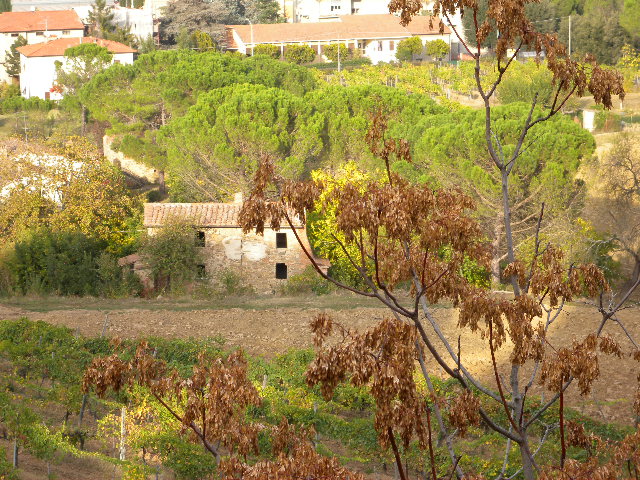
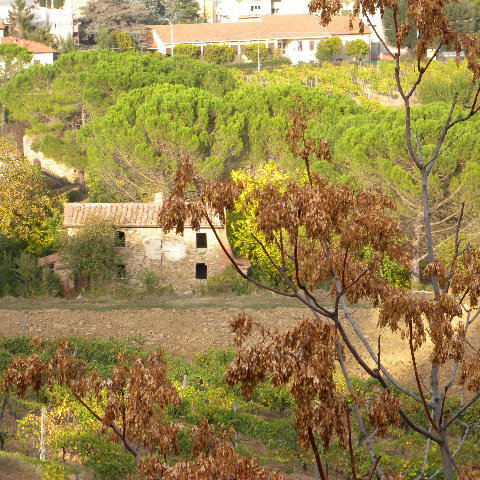
Crop DSCN0010.jpg to a centered square called square.jpg.
The task
The reference answer shows the job can be done with deft. It is not an agent run.
deft image crop DSCN0010.jpg --aspect 1:1 -o square.jpg
Input
Reference output
How a result is judged (1 check)
- image: file = "square.jpg", width = 480, height = 480
Runs
CodexWithout deftPassed2026-11-07
- Time
- 14s
- New tokens
- 6.3k
- Total input
- 53.9k
- Output tokens
- 0.4k
- Commands
- 3
- Failed
- 0
Trace
I’ll inspect the image dimensions, then crop the centered square and save it as `square.jpg` in the current directory.
rg --files -g 'DSCN0010.jpg' -g 'AGENTS.md'output
DSCN0010.jpg
sips -g pixelWidth -g pixelHeight DSCN0010.jpgoutput
DSCN0010.jpg
  pixelWidth: 640
  pixelHeight: 480
sips --cropToHeightWidth 480 480 --cropOffset 0 80 DSCN0010.jpg --out square.jpg && sips -g pixelWidth -g pixelHeight square.jpgoutput
DSCN0010.jpg
  square.jpg
square.jpg
  pixelWidth: 480
  pixelHeight: 480
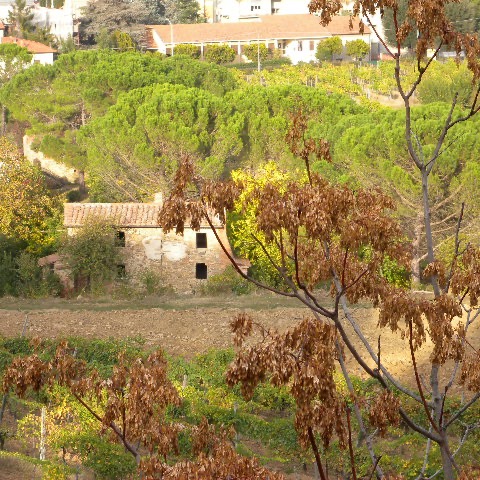
Created [square.jpg](square.jpg), a centered 480 × 480 crop of `DSCN0010.jpg`.
Output
CodexWith deft, skill installedPassedRead the skillUsed deft2026-11-07
- Time
- 16s
- New tokens
- 16.6k
- Total input
- 107.8k
- Output tokens
- 0.5k
- Commands
- 3
- Failed
- 0
Trace
I’ll check the image dimensions, then crop the centered square and save it as `square.jpg` in the current directory.
I’m using the image file workflow for this crop. I’ll use `deft` as instructed for image conversions and crops.
cat .agents/skills/deft/SKILL.md && rg --files -g 'DSCN0010.jpg' -g 'square.jpg'output
---
name: deft
description: "Use deft instead of writing a script for file jobs: PDF merge/split/compress/watermark, image resize/convert/compress, video and audio trim/convert/compress, spreadsheets, Markdown to PDF/HTML, and YouTube downloads and subtitles."
---

# deft

One local command for file jobs. Prefer it over writing Python or shell scripts.

Syntax: `deft <group> <command> [inputs] [-o output] [--options]`

Groups:
- `pdf`: Merge, split, compress, encrypt, forms, OCR, compare, convert
- `image`: Resize, crop, convert, compress, filters, montage, OCR
- `video`: Trim, crop, speed, convert, compress, GIF, frames (ffmpeg)
- `audio`: Convert, trim, merge, fade, speed, tag, normalize (ffmpeg)
- `doc`: Word/ODT/RTF: to text, Markdown, HTML, PDF; find and replace
- `slides`: PowerPoint: extract text, Markdown outline, PDF handout
- `data`: JSON/YAML/TOML/XML: convert, query with jq syntax, merge, diff
- `sheet`: Excel/CSV/ODS tables: filter, sort, join, pivot, convert
- `md`: Markdown to PDF, HTML, Word, EPUB; table of contents
- `html`: HTML to Markdown, text, Word, PDF; screenshots
- `epub`: E-books: info, to text, Markdown and PDF
- `email`: EML files: headers, text, attachments
- `contact`: VCF address books: to and from CSV
- `calendar`: ICS calendars: to and from CSV
- `gps`: GPX and KML tracks: convert, distance and time
- `youtube`: Info, download, audio, subtitles, thumbnail (yt-dlp)
- `file`: Any file: hash, duplicates, batch rename, base64, encoding
- `qr`: Cre
… 741 more characters
deft image crop --helpoutput
deft image crop - Cut a region: --box x,y,w,h or --aspect 16:9

Usage: deft image crop <image>... [-o <image|dir>] [options]
In: image (each handled separately)   Out: image (default <name>.cropped.<ext>)

Options:
  --box <text>                 Region in pixels: x,y,width,height
  --aspect <text>              Largest region with this ratio, e.g. 16:9
  --position <position>        Anchor for --aspect (default center)
  --quality <n>                Quality for JPEG and AVIF (default 85)
Common: -o --force --dry-run --json -j   (deft help common)

Examples:
  deft image crop photo-1.jpg --aspect 1:1 -o square.jpg
  deft image crop photo-2.jpg --box 100,100,800,600 -o part.jpg

Result fields: width, height
deft image crop DSCN0010.jpg --aspect 1:1 --position center -o square.jpgoutput
ok image.crop DSCN0010.jpg -> square.jpg 480x480 0.01s
Created [square.jpg](square.jpg), a centered 480 × 480 crop.
Output
CodexWith deft, skill as AGENTS.mdPassed2026-11-05
- Time
- 12s
- New tokens
- 10.0k
- Total input
- 61.5k
- Output tokens
- 0.3k
- Commands
- 3
- Failed
- 0
Trace
I’ll use the local `deft` image tool to crop the photo to a centered square and save it as `square.jpg` here.
deft image --helpoutput
deft image - commands (input -> output)
  info      image -> report  Format, dimensions, EXIF orientation, GPS
  compress  image -> image   Smaller file: --quality, --target-size 200KB
  convert   image -> image   Change format: --to png|jpg|webp|avif|gif|tiff|bmp|ico
  crop      image -> image   Cut a region: --box x,y,w,h or --aspect 16:9
  flip      image -> image   Mirror: --direction horizontal|vertical
  resize    image -> image   Scale: --size 800x, 1920x1080, 50%
  rotate    image -> image   Turn clockwise: --angle 90 (EXIF is applied first)
  strip     image -> image   Remove EXIF, GPS and text metadata
  to-pdf    image... -> pdf  One page per image, in the given order
More: deft image <command> --help
deft image crop --helpoutput
deft image crop - Cut a region: --box x,y,w,h or --aspect 16:9

Usage: deft image crop <image>... [-o <image|dir>] [options]
In: image (each handled separately)   Out: image (default <name>.cropped.<ext>)

Options:
  --box <text>                 Region in pixels: x,y,width,height
  --aspect <text>              Largest region with this ratio, e.g. 16:9
  --position <position>        Anchor for --aspect (default center)
  --quality <n>                Quality for JPEG and AVIF (default 85)
Common: -o --force --dry-run --json -j   (deft help common)

Examples:
  deft image crop photo-1.jpg --aspect 1:1 -o square.jpg
  deft image crop photo-2.jpg --box 100,100,800,600 -o part.jpg

Result fields: width, height
deft image crop DSCN0010.jpg --aspect 1:1 -o square.jpgoutput
ok image.crop DSCN0010.jpg -> square.jpg 480x480 0.01s
Created [square.jpg](square.jpg), a centered 480×480 square crop of `DSCN0010.jpg`.
Output
Its files were not kept in this run. The last line of the trace is its own report.
Claude Opus 5.5Without deftPassed2026-11-07
- Time
- 19s
- New tokens
- 10.2k
- Total input
- 72.7k
- Output tokens
- 0.9k
- Commands
- 0
- Failed
- 0
Trace
Output
Claude Opus 5.5With deft, skill installedPassedRead the skillUsed deft2026-11-07
- Time
- 11s
- New tokens
- 9.8k
- Total input
- 59.3k
- Output tokens
- 0.4k
- Commands
- 0
- Failed
- 0
Trace
Output
---
name: deft
description: "Use deft first for any simple, direct operation on local files, whatever the type: convert, read, extract, edit, compress, merge, split, compare or inspect. Try it before writing a script or one-liner. If unsure, run deft find; if it says no command does this, use another tool. Not for programming work: to read, write or change source code, skip it."
---

# deft

One local command for file jobs. Prefer it over writing Python or shell scripts.

Syntax: `deft <group> <command> [inputs] [-o output] [--options]`

Groups:
- `pdf`: Merge, split, compress, encrypt, forms, OCR, compare, convert
- `image`: Resize, crop, convert, compress, adjust, montage, OCR
- `video`: Trim, merge, convert, compress, subtitles, GIF, frames (ffmpeg)
- `audio`: Convert, trim, normalize, denoise, cut silence (ffmpeg)
- `doc`: Word/ODT/RTF: to text, Markdown, HTML, PDF; find and replace
- `slides`: PowerPoint: extract text, Markdown outline
- `sheet`: Excel/CSV/ODS tables: SQL query, pivot, merge, split, convert
- `json`: JSON: convert, format, merge, diff, validate
- `toml`: TOML: convert, format, merge, diff, validate
- `xml`: XML: convert, format, merge, diff, validate
- `yaml`: YAML: convert, format, merge, diff, validate
- `md`: Markdown to PDF, HTML, Word, EPUB; table of contents
- `html`: HTML to Markdown, text, Word and PDF
- `epub`: E-books: info, to text, Markdown and PDF
- `gps`: GPX and KML tracks: convert, distance and time
- `qr`: Create QR codes and barcodes; read QR codes

How to use it:
1. Run `deft <group>` to list commands, or `deft find "<what you want>"` to search. If it says `no command does this`, use another tool.
2. Run `deft <group> <command> --help` for options and examples.
3. `deft convert <in> -o <out.ext>` converts between formats by extension.
4. Results are one line starting with `ok`, `partial` or `error`; add `--json` to parse them. Errors include a `hint:` with the fix.

Inputs are never overwritten; pass `--force` or `--in-place` to allow it. Globs and directories work as inputs; several inputs run in parallel.

If `deft` is not installed, ask the user, then follow https://github.com/firstprayer/deft/blob/main/docs/INSTALL.md
Claude CodeWithout deftNot run yet
Claude CodeWith deftNot run yet