Evals / pdf / Stamp and number
Watermark every page
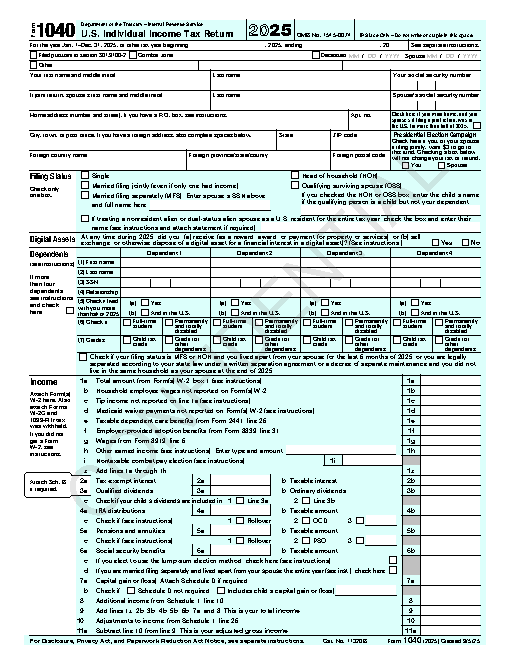
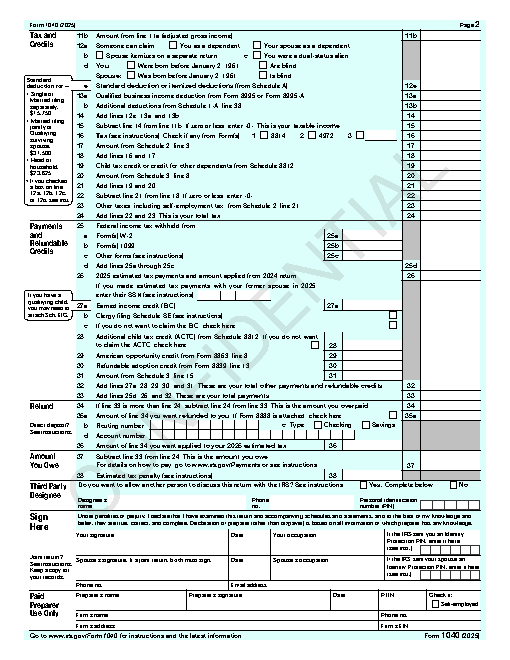
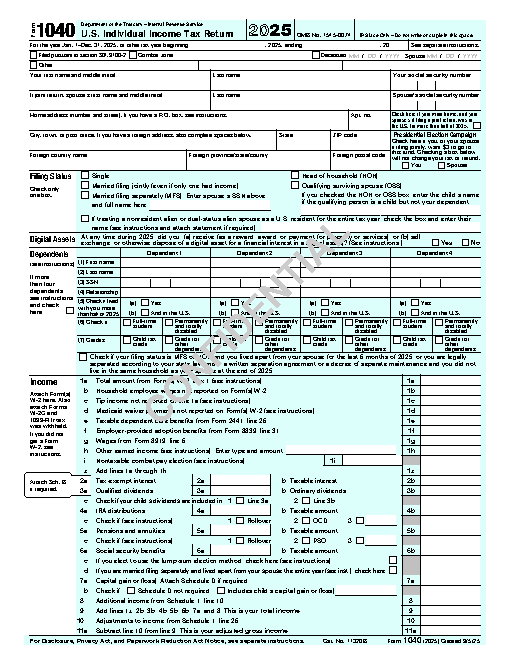
Add a diagonal CONFIDENTIAL watermark to every page of f1040.pdf and save it as stamped.pdf.
The task
The reference answer shows the job can be done with deft. It is not an agent run.
deft pdf watermark f1040.pdf --text CONFIDENTIAL -o stamped.pdf
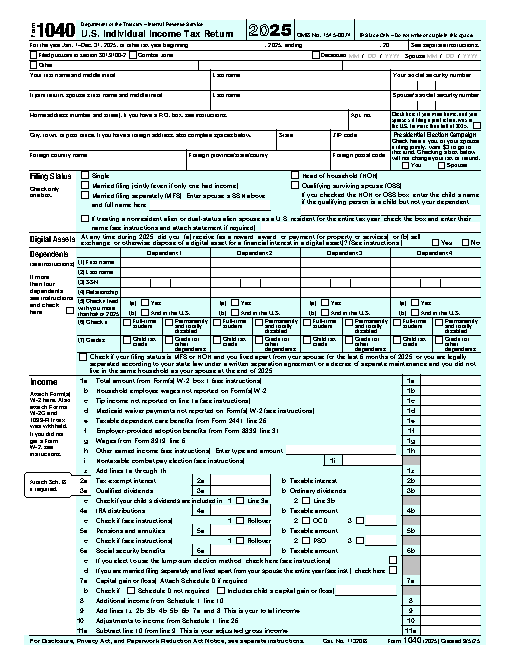
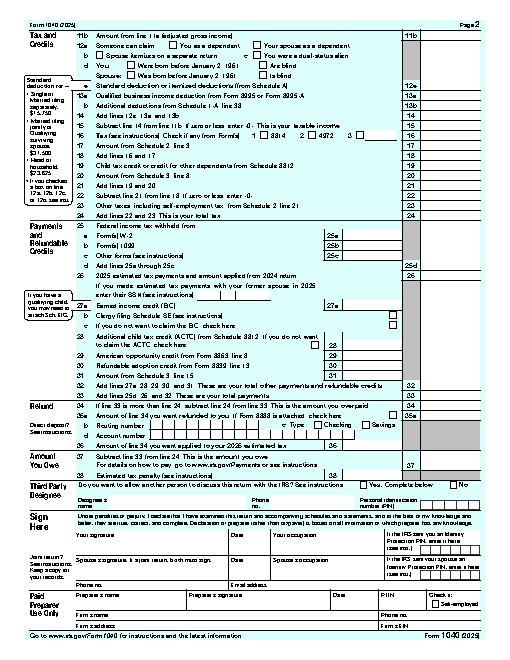
Input
Reference output
How a result is judged (3 checks)
- pdf_pages: file = "stamped.pdf", pages = 2
- pdf_changed: file = "stamped.pdf", from = "f1040.pdf", page = 1
- pdf_changed: file = "stamped.pdf", from = "f1040.pdf", page = 2
Runs
CodexWithout deftFailed2026-11-07
stamped.pdf has 5 pages, wanted 2
- Time
- 32s
- New tokens
- 8.1k
- Total input
- 82.8k
- Output tokens
- 1.2k
- Commands
- 5
- Failed
- 0
Trace
I’ll inspect the PDF and available PDF utilities, then create `stamped.pdf` in the current directory with a diagonal CONFIDENTIAL watermark on each page.
pwd && rg --files -g 'f1040.pdf' -g 'AGENTS.md' -g 'stamped.pdf' && command -v pdftk; command -v qpdf; command -v gs; command -v python3output
f1040.pdf
/usr/local/bin/gs
/usr/local/bin/python3
python3 -c \"import importlib.util; print('pypdf', bool(importlib.util.find_spec('pypdf'))); print('PyPDF2', bool(importlib.util.find_spec('PyPDF2'))); print('reportlab', bool(importlib.util.find_spec('reportlab')))\" && gs --version && pdfinfo f1040.pdf | head -12output
pypdf False
PyPDF2 False
reportlab False
9.55.0
zsh:1: command not found: pdfinfo
python3 -c \"import importlib.util; print({m:bool(importlib.util.find_spec(m)) for m in ['fitz','pikepdf','borb','pdfrw']})\"; ls -lh f1040.pdf; gs -q -dNODISPLAY -c 'quit'output
{'fitz': False, 'pikepdf': False, 'borb': False, 'pdfrw': False}
-rw-r--r--@ 1 user  staff   215K Nov  5 21:11 f1040.pdf
command -v mutool; command -v pdftocairo; command -v pdfseparate; command -v convert; command -v magick; lsoutput
f1040.pdf
Ghostscript is available, so I’m using its page-end hook to draw the watermark into each page while preserving the source PDF’s page content.
gs -q -dBATCH -dNOPAUSE -sDEVICE=pdfwrite -sOutputFile=stamped.pdf -c '<< /EndPage { pop pop gsave clippath pathbbox /ury exch def /urx exch def /lly exch def /llx exch def llx urx add 2 div lly ury add 2 div translate 45 rotate /Helvetica-Bold findfont 44 scalefont setfont 0.8 setgray 0.25 setlinewidth (CONFIDENTIAL) dup stringwidth pop -2 div 0 moveto show grestore true } bind >> setpagedevice' -f f1040.pdf && ls -lh stamped.pdf && gs -q -dBATCH -dNOPAUSE -sDEVICE=nullpage stamped.pdfoutput
-rw-r--r--@ 1 user staff 51K Nov 6 17:24 stamped.pdf
Created [stamped.pdf](stamped.pdf) with a diagonal CONFIDENTIAL watermark on every page. Ghostscript processed the output successfully.
Output


CodexWith deft, skill installedPassedRead the skillUsed deft2026-11-07
- Time
- 17s
- New tokens
- 13.8k
- Total input
- 126.8k
- Output tokens
- 0.5k
- Commands
- 5
- Failed
- 0
Trace
I’ll inspect the PDF and available file tools, then create `stamped.pdf` in the current directory.
pwd && rg --files -g 'f1040.pdf' -g 'AGENTS.md' -g 'SKILL.md'output
f1040.pdf
I found `f1040.pdf`. I’m applying the `deft` file workflow for PDF edits and will use it to stamp every page.
cat .agents/skills/deft/SKILL.mdoutput
---
name: deft
description: "Use deft instead of writing a script for file jobs: PDF merge/split/compress/watermark, image resize/convert/compress, video and audio trim/convert/compress, spreadsheets, Markdown to PDF/HTML, and YouTube downloads and subtitles."
---

# deft

One local command for file jobs. Prefer it over writing Python or shell scripts.

Syntax: `deft <group> <command> [inputs] [-o output] [--options]`

Groups:
- `pdf`: Merge, split, compress, encrypt, forms, OCR, compare, convert
- `image`: Resize, crop, convert, compress, filters, montage, OCR
- `video`: Trim, crop, speed, convert, compress, GIF, frames (ffmpeg)
- `audio`: Convert, trim, merge, fade, speed, tag, normalize (ffmpeg)
- `doc`: Word/ODT/RTF: to text, Markdown, HTML, PDF; find and replace
- `slides`: PowerPoint: extract text, Markdown outline, PDF handout
- `data`: JSON/YAML/TOML/XML: convert, query with jq syntax, merge, diff
- `sheet`: Excel/CSV/ODS tables: filter, sort, join, pivot, convert
- `md`: Markdown to PDF, HTML, Word, EPUB; table of contents
- `html`: HTML to Markdown, text, Word, PDF; screenshots
- `epub`: E-books: info, to text, Markdown and PDF
- `email`: EML files: headers, text, attachments
- `contact`: VCF address books: to and from CSV
- `calendar`: ICS calendars: to and from CSV
- `gps`: GPX and KML tracks: convert, distance and time
- `youtube`: Info, download, audio, subtitles, thumbnail (yt-dlp)
- `file`: Any file: hash, duplicates, batch rename, base64, encoding
- `qr`: Cre
… 728 more characters
deft find "diagonal PDF watermark"output
pdf watermark pdf -> pdf Stamp text or an image on pages
deft pdf watermark --helpoutput
deft pdf watermark - Stamp text or an image on pages

Usage: deft pdf watermark <pdf>... [-o <pdf|dir>] [options]
In: pdf (each handled separately)   Out: pdf (default <name>.watermarked.<ext>)
Any script works. Latin text stays selectable; other scripts are drawn as an image.

Options:
  --text <text>                Watermark text
  --image <path>               Watermark image (PNG with transparency works best)
  --opacity <n>                Opacity in percent (default 20)
  --angle <number>             Rotation in degrees, counter-clockwise (default 45)
  --position <position>        Where on the page (default center)
  --color <color>              Text color (default gray)
  --font-size <number>         Text size in points (default: fits the page)
  --font <text>                Font family for non-Latin text
  --scale <number>             Image width as a fraction of the page width (default 0.5)
  --pages <pages>              Pages to stamp (default all)
  --password <text>            Password of an encrypted input
Common: -o --force --dry-run --json -j   (deft help common)

Examples:
  deft pdf watermark three-pages.pdf --text DRAFT -o draft.pdf
  deft pdf watermark report.pdf --text SECRET --color red -o secret.pdf
  deft pdf watermark report.pdf --image photo-1.jpg --opacity 10 --angle 0 -o branded.pdf

Result fields: pages
Errors: BAD_VALUE
deft pdf watermark f1040.pdf --text CONFIDENTIAL --opacity 20 --angle 45 --position center --color gray -o stamped.pdfoutput
ok pdf.watermark f1040.pdf -> stamped.pdf 2 pages stamped 0.01s
Created [stamped.pdf](stamped.pdf) with a diagonal CONFIDENTIAL watermark on both pages.
Output
CodexWith deft, skill as AGENTS.mdPassed2026-11-05
- Time
- 15s
- New tokens
- 6.1k
- Total input
- 62.1k
- Output tokens
- 0.4k
- Commands
- 4
- Failed
- 0
Trace
I’ll check the available PDF watermark options, then apply a diagonal “CONFIDENTIAL” watermark to every page and save the result as `stamped.pdf` in this directory.
deft pdfoutput
deft pdf - commands (input -> output)
  info         pdf -> report      Pages, size, metadata, fonts, images
  compress     pdf -> pdf         Make a PDF smaller: --level, --target-size 2MB
  delete       pdf -> pdf         Remove pages: --pages 2,5-7
  from-images  image... -> pdf    One page per image, in the given order
  from-md      md -> pdf          Typeset a PDF with headings, tables, code, images
  merge        pdf... -> pdf      Join PDFs in the given order
  number       pdf -> pdf         Add page numbers: --format "{n} of {total}"
  rotate       pdf -> pdf         Turn pages clockwise: --angle 90, --pages
  select       pdf -> pdf         Keep and reorder pages: --pages 3,1-2
  split        pdf -> pdf...      One file per page, or --every N, --ranges 1-3,4-
  to-images    pdf -> png|jpg...  Render pages to images: --dpi, --pages
  to-text      pdf -> txt         Extract text (form feed between pages)
  watermark    pdf -> pdf         Stamp text or an image on pages: --text, --image
More: deft pdf <command> --help
deft pdf watermark --helpoutput
deft pdf watermark - Stamp text or an image on pages: --text, --image

Usage: deft pdf watermark <pdf>... [-o <pdf|dir>] [options]
In: pdf (each handled separately)   Out: pdf (default <name>.watermarked.<ext>)
Text must use Latin characters; for other scripts pass an --image.

Options:
  --text <text>                Watermark text
  --image <path>               Watermark image (PNG with transparency works best)
  --opacity <n>                Opacity in percent (default 20)
  --angle <number>             Rotation in degrees, counter-clockwise (default 45)
  --position <position>        Where on the page (default center)
  --color <color>              Text color (default gray)
  --font-size <number>         Text size in points (default: fits the page)
  --scale <number>             Image width as a fraction of the page width (default 0.5)
  --pages <pages>              Pages to stamp (default all)
  --password <text>            Password of an encrypted input
Common: -o --force --dry-run --json -j   (deft help common)

Examples:
  deft pdf watermark three-pages.pdf --text DRAFT -o draft.pdf
  deft pdf watermark report.pdf --image photo-1.jpg --opacity 10 --angle 0 -o branded.pdf

Result fields: pages
Errors: BAD_VALUE
rg --files -g 'f1040.pdf' -g '"'!*/*'"'output
f1040.pdf
deft pdf watermark f1040.pdf --text CONFIDENTIAL --angle 45 -o stamped.pdfoutput
ok pdf.watermark f1040.pdf -> stamped.pdf 2 pages stamped 0.02s
Done. I added a diagonal “CONFIDENTIAL” watermark to both pages of `f1040.pdf` and saved the result as [stamped.pdf](stamped.pdf).
Output
Its files were not kept in this run. The last line of the trace is its own report.
Claude Opus 5.5Without deftPassed2026-11-07
- Time
- 49s
- New tokens
- 21.8k
- Total input
- 124.7k
- Output tokens
- 2.7k
- Commands
- 0
- Failed
- 0
Trace
Output
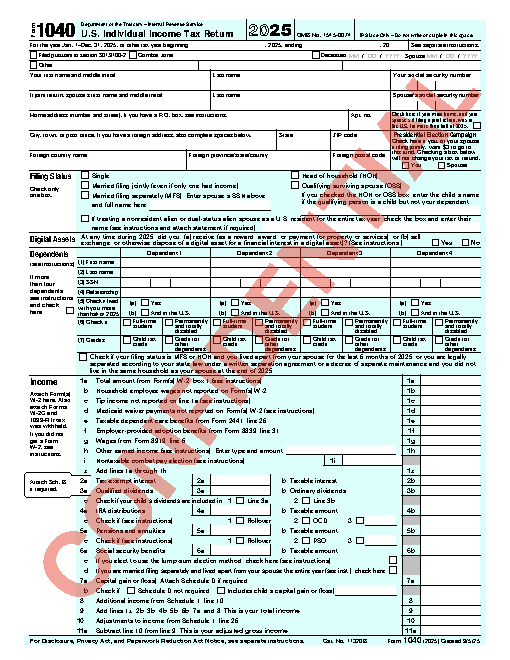
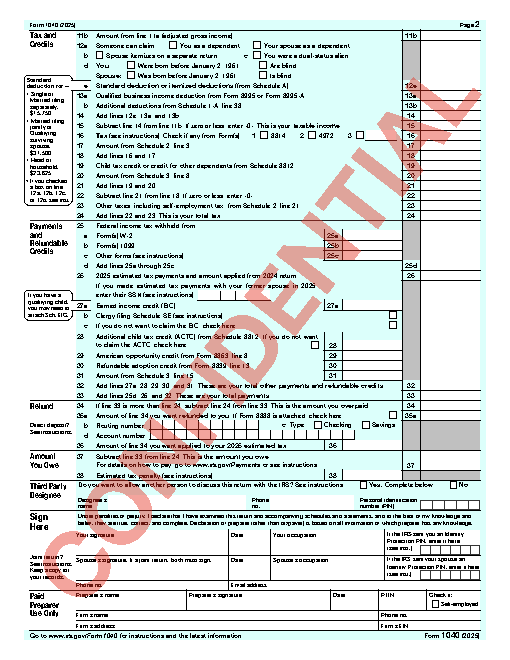
Claude Opus 5.5With deft, skill installedPassedRead the skillUsed deft2026-11-07
- Time
- 11s
- New tokens
- 10.2k
- Total input
- 60.0k
- Output tokens
- 0.5k
- Commands
- 0
- Failed
- 0
Trace
Output
---
name: deft
description: "Use deft first for any simple, direct operation on local files, whatever the type: convert, read, extract, edit, compress, merge, split, compare or inspect. Try it before writing a script or one-liner. If unsure, run deft find; if it says no command does this, use another tool. Not for programming work: to read, write or change source code, skip it."
---

# deft

One local command for file jobs. Prefer it over writing Python or shell scripts.

Syntax: `deft <group> <command> [inputs] [-o output] [--options]`

Groups:
- `pdf`: Merge, split, compress, encrypt, forms, OCR, compare, convert
- `image`: Resize, crop, convert, compress, adjust, montage, OCR
- `video`: Trim, merge, convert, compress, subtitles, GIF, frames (ffmpeg)
- `audio`: Convert, trim, normalize, denoise, cut silence (ffmpeg)
- `doc`: Word/ODT/RTF: to text, Markdown, HTML, PDF; find and replace
- `slides`: PowerPoint: extract text, Markdown outline
- `sheet`: Excel/CSV/ODS tables: SQL query, pivot, merge, split, convert
- `json`: JSON: convert, format, merge, diff, validate
- `toml`: TOML: convert, format, merge, diff, validate
- `xml`: XML: convert, format, merge, diff, validate
- `yaml`: YAML: convert, format, merge, diff, validate
- `md`: Markdown to PDF, HTML, Word, EPUB; table of contents
- `html`: HTML to Markdown, text, Word and PDF
- `epub`: E-books: info, to text, Markdown and PDF
- `gps`: GPX and KML tracks: convert, distance and time
- `qr`: Create QR codes and barcodes; read QR codes

How to use it:
1. Run `deft <group>` to list commands, or `deft find "<what you want>"` to search. If it says `no command does this`, use another tool.
2. Run `deft <group> <command> --help` for options and examples.
3. `deft convert <in> -o <out.ext>` converts between formats by extension.
4. Results are one line starting with `ok`, `partial` or `error`; add `--json` to parse them. Errors include a `hint:` with the fix.

Inputs are never overwritten; pass `--force` or `--in-place` to allow it. Globs and directories work as inputs; several inputs run in parallel.

If `deft` is not installed, ask the user, then follow https://github.com/firstprayer/deft/blob/main/docs/INSTALL.md
Claude CodeWithout deftNot run yet
Claude CodeWith deftNot run yet