Evals / documents / Make a PDF
README to PDF
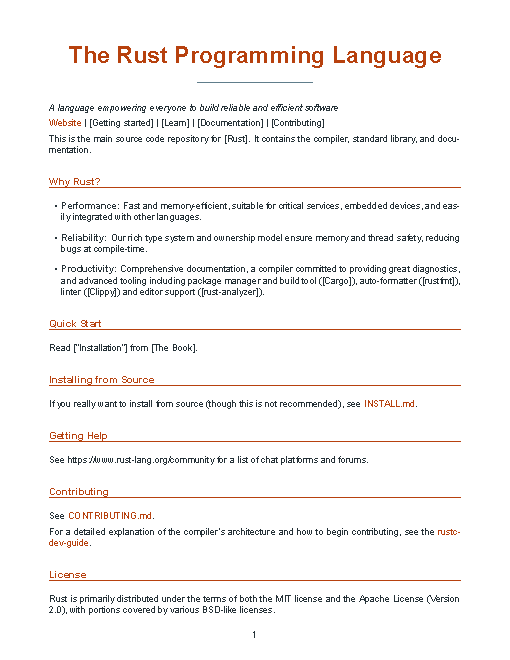
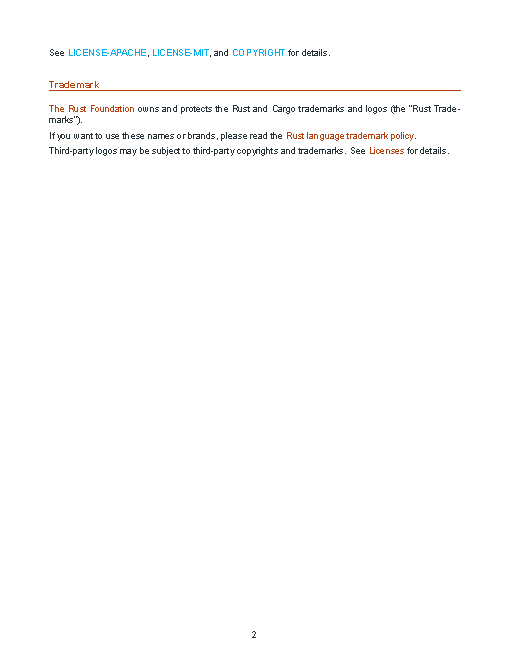
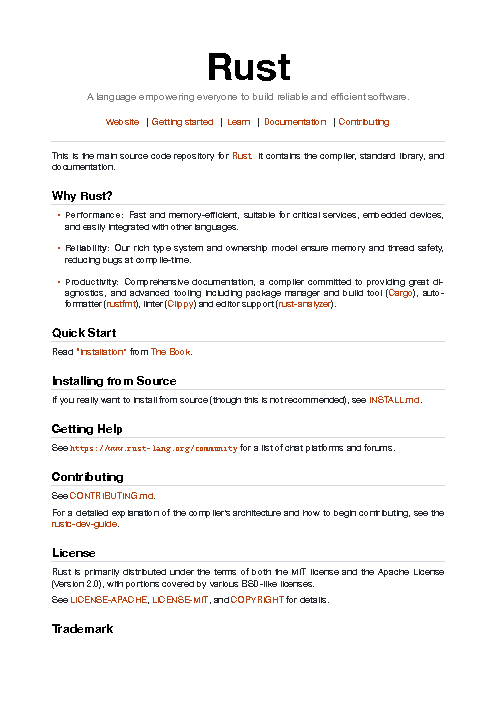
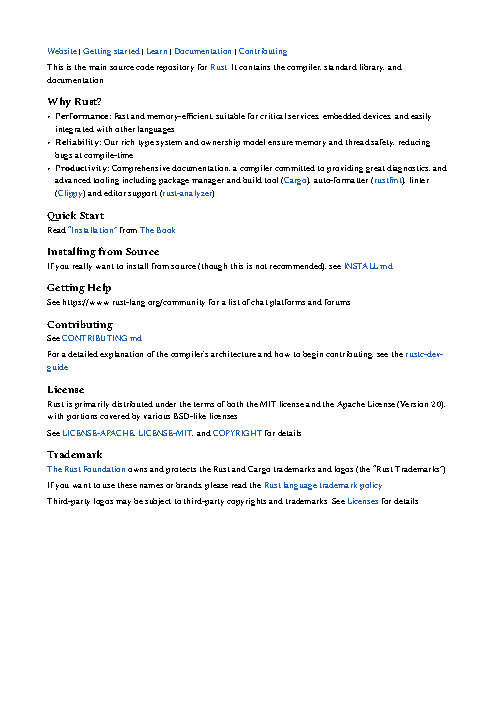
Render rust-readme.md as a nicely formatted PDF called readme.pdf.
The task
The reference answer shows the job can be done with deft. It is not an agent run.
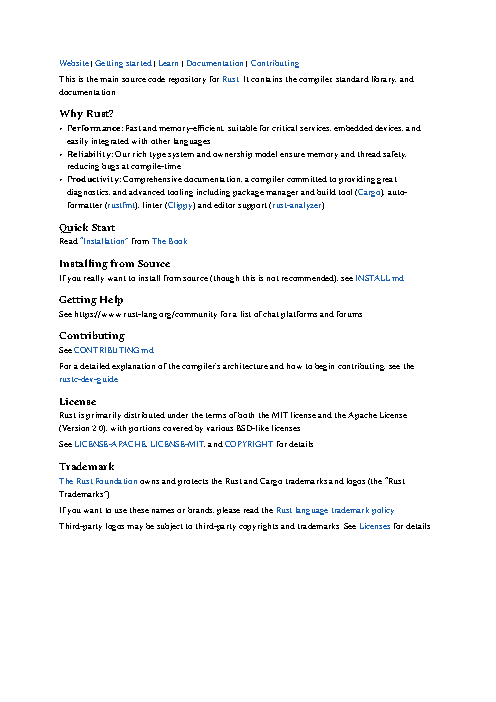
deft md to-pdf rust-readme.md -o readme.pdf
Input
<div align="center">
  <picture>
    <source media="(prefers-color-scheme: dark)" srcset="https://raw.githubusercontent.com/rust-lang/www.rust-lang.org/master/static/images/rust-social-wide-dark.svg">
    <source media="(prefers-color-scheme: light)" srcset="https://raw.githubusercontent.com/rust-lang/www.rust-lang.org/master/static/images/rust-social-wide-light.svg">
    <img alt="The Rust Programming Language: A language empowering everyone to build reliable and efficient software"
         src="https://raw.githubusercontent.com/rust-lang/www.rust-lang.org/master/static/images/rust-social-wide-light.svg"
         width="50%">
  </picture>

[Website][Rust] | [Getting started] | [Learn] | [Documentation] | [Contributing]
</div>

This is the main source code repository for [Rust]. It contains the compiler,
standard library, and documentation.

[Rust]: https://www.rust-lang.org/
[Getting Started]: https://www.rust-lang.org/learn/get-started
[Learn]: https://www.rust-lang.org/learn
[Documentation]: https://www.rust-lang.org/learn#learn-use
[Contributing]: CONTRIBUTING.md

## Why Rust?

- **Performance:** Fast and memory-efficient, suitable for critical services, embedded devices, and easily integrated with other languages.

- **Reliability:** Our rich type system and ownership model ensure memory and thread safety, reducing bugs at compile-time.

- **Productivity:** Comprehensive documentation, a compiler committed to providing great diagnostics, and advanced tooling including package manager and build tool ([Cargo]), auto-formatter ([rustfmt]), linter ([Clippy]) and editor support ([rust-analyzer]).

[Cargo]: https://github.com/rust-lang/cargo
[rustfmt]: https://github.com/rust-lang/rustfmt
[Clippy]: https://github.com/rust-lang/rust-clippy
[rust-analyzer]: https://github.com/rust-lang/rust-analyzer

## Quick Start

Read ["Installation"] from [The Book].

["Installation"]: https://doc.rust-lang.org/book/ch01-01-installation.html
[The Book]: https://doc.rust-lang.org/book/index.html

## Installing from Source

If you really want to install from source (though this is not recommended), see
[INSTALL.md](INSTALL.md).

## Getting Help

See https://www.rust-lang.org/community for a list of chat platforms and forums.

## Contributing

See [CONTRIBUTING.md](CONTRIBUTING.md).

For a detailed explanation of the compiler's architecture and how to begin contributing, see the [rustc-dev-guide](https://rustc-dev-guide.rust-lang.org/).

## License

Rust is primarily distributed under the terms of both the MIT license and the
Apache License (Version 2.0), with portions covered by various BSD-like
licenses.

See [LICENSE-APACHE](LICENSE-APACHE), [LICENSE-MIT](LICENSE-MIT), and
[COPYRIGHT](COPYRIGHT) for details.

## Trademark

[The Rust Foundation][rust-foundation] owns and protects the Rust and Cargo
trademarks and logos (the "Rust Trademarks").

If you want to use these names or brands, please read the
[Rust language trademark policy][trademark-policy].

Third-pa
… 304 more characters
Reference output
How a result is judged (2 checks)
- pdf_text: file = "readme.pdf", contains = ["Rust"]
- pdf_page: file = "readme.pdf", page = 1, ink_min = 0.01
Runs
CodexWithout deftPassed2026-11-07
- Time
- 60s
- New tokens
- 15.0k
- Total input
- 130.9k
- Output tokens
- 2.5k
- Commands
- 7
- Failed
- 2
Trace
I’ll inspect the Markdown and available renderers, then generate `readme.pdf` in the current directory.
pwd && rg --files -g 'rust-readme.md' -g 'AGENTS.md' -g 'package.json' -g 'pyproject.toml' -g 'Gemfile' -g 'Makefile' -g '*.css' -g '*.html' | head -80 && command -v pandoc || true && command -v markdown-pdf || true && command -v wkhtmltopdf || true && command -v google-chrome || true && command -v chromium || true && command -v python3 || trueoutput
rust-readme.md
/usr/local/bin/python3
sed -n '1,240p' rust-readme.md && python3 - <<'PY'
mods=['markdown','weasyprint','reportlab','mistune','markdown2','fitz']
for m in mods:
 try:
  x=__import__(m); print(m, getattr(x,'__version__','available'))
 except Exception as e: print(m,'missing')
PY
command -v firefox || true
command -v xelatex || true
command -v latexmk || true
command -v cupsfilter || true
ls -la
output
<div align="center">
  <picture>
    <source media="(prefers-color-scheme: dark)" srcset="https://raw.githubusercontent.com/rust-lang/www.rust-lang.org/master/static/images/rust-social-wide-dark.svg">
    <source media="(prefers-color-scheme: light)" srcset="https://raw.githubusercontent.com/rust-lang/www.rust-lang.org/master/static/images/rust-social-wide-light.svg">
    <img alt="The Rust Programming Language: A language empowering everyone to build reliable and efficient software"
         src="https://raw.githubusercontent.com/rust-lang/www.rust-lang.org/master/static/images/rust-social-wide-light.svg"
         width="50%">
  </picture>

[Website][Rust] | [Getting started] | [Learn] | [Documentation] | [Contributing]
</div>

This is the main source code repository for [Rust]. It contains the compiler,
standard library, and documentation.

[Rust]: https://www.rust-lang.org/
[Getting Started]: https://www.rust-lang.org/learn/get-started
[Learn]: https://www.rust-lang.org/learn
[Documentation]: https://www.rust-lang.org/learn#learn-use
[Contributing]: CONTRIBUTING.md

## Why Rust?

- **Performance:** Fast and memory-efficient, suitable for critical services, embedded devices, and easily integrated with other languages.

- **Reliability:** Our rich type system and ownership model ensure memory and thread safety, reducing bugs at compile-time.

- **Productivity:** Comprehensive documentation, a compiler committed to providing great diagnostics, and advanced tooling including p
… 2156 more characters
The source is a short Rust project README. I found XeLaTeX available, so I’m using it to create a clean, print friendly PDF with styled headings, readable spacing, and clickable links.
cat > <tmp> <<'PY'
from pathlib import Path
import re, subprocess, tempfile

src = Path('rust-readme.md').read_text()
refs = dict((k.lower(), v) for k, v in re.findall(r'"'^'"\\[(["'^'"\\]]+)\\]:\\s*(\\S+)', src, re.M))
# Replace the repository's HTML logo/header block with a compact title treatment.
src = re.sub(r'<div align=\"center\">.*?</div>', '# The Rust Programming Language\\n\\n*A language empowering everyone to build reliable and efficient software*\\n\\n[Website][Rust]  |  [Getting started]  |  [Learn]  |  [Documentation]  |  [Contributing]\\n', src, flags=re.S)
src = re.sub(r'"'^'"\\[["'^'"\\]]+\\]:.*"'$'"', '', src, flags=re.M)

def tex_escape(s):
    return ''.join({'\\\\':r'\\textbackslash{}','&':r'\\&','%':r'\\%','"'$'"':r'\\"'$'"','#':r'\\#','_':r'\\_','{':r'\\{','}':r'\\}','~':r'\\textasciitilde{}','"'^'"':r'\\textasciicircum{}'}.get(c,c) for c in s)

def inline(s):
    # Protect links and strong/emphasis before escaping remaining text.
    tokens=[]
    def put(v):
        tokens.append(v); return f'ZZTOKEN{len(tokens)-1}ZZ'
    s=re.sub(r'\\[(["'^'"\\]]+)\\]\\((["'^)]+)'"\\)',lambda m:put(r'\\href{'+m.group(2).replace('%',r'\\%').replace('_',r'\\_')+'}{'+tex_escape(m.group(1))+'}'),s)
    s=re.sub(r'\\[(["'^'"\\]]+)\\]\\[(["'^'"\\]]*)\\]',lambda m:put(r'\\href{'+refs.get((m.group(2) or m.group(1)).lower(),'')+'}{'+tex_escape(m.group(1))+'}'),s)
    s=re.sub(r'\\*\\*(.+?)\\*\\*',lambda m:put(r'\\textbf{'+tex_escape(m.group(1))+'}'),s)
    s=re.sub(r'(?<"'!'"\\*)\\*(["'^*]+)'"\\*(?"'!'"\\*)',lambda m:put(r'\\emph{'+tex_escape(m.group(1))+'}'),s)
    s=tex_escape(s)
    for i,v in enumerate(tokens): s=s.replace(f'ZZTOKEN{i}ZZ',v)
    return s

lines=src.splitlines(); body=[]; i=0
while i<len(lines):
    line=lines[i].strip()
    if not line: i+=1; contin
… 2070 more characters (exit 1)
output
<tmp> SyntaxWarning: invalid escape sequence '\p'
  body.append(inline(' '.join(para))+'\par')
This is XeTeX, Version 3.141592653-2.6-0.999994 (TeX Live 2022) (preloaded format=xelatex)
 restricted \write18 enabled.
entering extended mode

(rust-readme-0ya5k7o2/readme.t
ex
LaTeX2e <2021-11-15> patch level 1
L3 programming layer <2022-02-24>
(/usr/local/texlive/2022/texmf-dist/tex/latex/base/article.cls
Document Class: article 2021/10/04 v1.4n Standard LaTeX document class
(/usr/local/texlive/2022/texmf-dist/tex/latex/base/size11.clo))
(/usr/local/texlive/2022/texmf-dist/tex/latex/geometry/geometry.sty
(/usr/local/texlive/2022/texmf-dist/tex/latex/graphics/keyval.sty)
(/usr/local/texlive/2022/texmf-dist/tex/generic/iftex/ifvtex.sty
(/usr/local/texlive/2022/texmf-dist/tex/generic/iftex/iftex.sty)))
(/usr/local/texlive/2022/texmf-dist/tex/latex/fontspec/fontspec.sty
(/usr/local/texlive/2022/texmf-dist/tex/latex/l3packages/xparse/xparse.sty
(/usr/local/texlive/2022/texmf-dist/tex/latex/l3kernel/expl3.sty
(/usr/local/texlive/2022/texmf-dist/tex/latex/l3backend/l3backend-xetex.def
(|extractbb --version))))
(/usr/local/texlive/2022/texmf-dist/tex/latex/fontspec/fontspec-xetex.sty
(/usr/local/texlive/2022/texmf-dist/tex/latex/base/fontenc.sty)
(/usr/local/texlive/2022/texmf-dist/tex/latex/fontspec/fontspec.cfg)))
kpathsea: Running mktextfm Aptos
/usr/local/texlive/2022/texmf-dist/web2c/mktexnam: Could not map source abbreviation A for Aptos.
/usr/local/texlive/2022/texmf-dist/web2c/m
… 1245 more characters
fc-list : family | head -20output
STIXIntegralsUp
.SF Georgian Rounded
Gurmukhi MN,गुरुमुखी एमएन,ਗੁਰਮੁਖੀ ਐਮਐੱਨ
Seravek
Chalkboard
Bodoni Ornaments
Noto Sans Lepcha
Mukta Mahee,मुक्ता माही,ਮੁਕਤਾ ਮਾਹੀ,MuktaMahee ExtraLight,मुक्ता माही एक्स्ट्रा लाइट,ਮੁਕਤਾ ਮਾਹੀ ਐਕਸਟ੍ਰਾਲਾਈਟ
Arial Rounded MT Bold
Noto Sans Myanmar,Noto Sans Myanmar Blk
.SF Armenian Rounded
Heiti TC,黑體\-繁,黒体\-繁,Heiti\-번체,黑体\-繁
PT Sans
Nadeem,نديم
Noto Sans Buginese
Telugu Sangam MN,तेलुगु संगम एमएन,తెలుగు సంగం ఎమ్ఎన్
Noto Sans Tai Le
Savoye LET
Noto Sans Kannada,नोटो संस कन्नड़,ನೊಟೊ ಸ್ಯಾನ್ಸ್ ಕನ್ನಡ
Wingdings 3
sed -i '' 's/\\\\setmainfont{Aptos}/\\\\setmainfont{Arial}/' <tmp> && python3 <tmp> ><tmp> && file readme.pdf && ls -lh readme.pdf (exit 1)output
<tmp> SyntaxWarning: invalid escape sequence '\p'
  body.append(inline(' '.join(para))+'\par')
tail -30 <tmp> ls -l readme.pdf 2>&1; file readme.pdf 2>&1output
(/usr/local/texlive/2022/texmf-dist/tex/generic/kvdefinekeys/kvdefinekeys.sty)
(/usr/local/texlive/2022/texmf-dist/tex/generic/pdfescape/pdfescape.sty)
(/usr/local/texlive/2022/texmf-dist/tex/latex/hycolor/hycolor.sty)
(/usr/local/texlive/2022/texmf-dist/tex/latex/letltxmacro/letltxmacro.sty)
(/usr/local/texlive/2022/texmf-dist/tex/latex/auxhook/auxhook.sty)
(/usr/local/texlive/2022/texmf-dist/tex/latex/kvoptions/kvoptions.sty)
(/usr/local/texlive/2022/texmf-dist/tex/latex/hyperref/pd1enc.def)
(/usr/local/texlive/2022/texmf-dist/tex/generic/intcalc/intcalc.sty)
(/usr/local/texlive/2022/texmf-dist/tex/generic/etexcmds/etexcmds.sty)
(/usr/local/texlive/2022/texmf-dist/tex/latex/hyperref/puenc.def)
(/usr/local/texlive/2022/texmf-dist/tex/latex/url/url.sty)
(/usr/local/texlive/2022/texmf-dist/tex/generic/bitset/bitset.sty
(/usr/local/texlive/2022/texmf-dist/tex/generic/bigintcalc/bigintcalc.sty))
(/usr/local/texlive/2022/texmf-dist/tex/latex/base/atbegshi-ltx.sty))
(/usr/local/texlive/2022/texmf-dist/tex/latex/hyperref/hxetex.def
(/usr/local/texlive/2022/texmf-dist/tex/generic/stringenc/stringenc.sty)
(/usr/local/texlive/2022/texmf-dist/tex/latex/rerunfilecheck/rerunfilecheck.sty
(/usr/local/texlive/2022/texmf-dist/tex/latex/base/atveryend-ltx.sty)
(/usr/local/texlive/2022/texmf-dist/tex/generic/uniquecounter/uniquecounter.sty
))) (/usr/local/texlive/2022/texmf-dist/tex/latex/enumitem/enumitem.sty)
(/usr/local/texlive/2022/texmf-dist/tex/latex/titlesec/titlesec.sty)
! Missing \en
… 377 more characters
sed -i '' 's/\\\\titleformat{\\\\section\\*}/\\\\titleformat{name=\\\\section,numberless}/' <tmp> && python3 <tmp> ><tmp> && file readme.pdf && ls -lh readme.pdfoutput
<tmp> SyntaxWarning: invalid escape sequence '\p'
  body.append(inline(' '.join(para))+'\par')
readme.pdf: PDF document, version 1.5 (zip deflate encoded)
-rw-r--r--@ 1 user  staff    53K Nov  6 17:14 readme.pdf
Created [readme.pdf](readme.pdf) from `rust-readme.md`. It’s a print friendly PDF with styled headings and clickable links.
Output
mktextfm Aptos
CodexWith deft, skill installedPassedRead the skillUsed deft2026-11-07
- Time
- 15s
- New tokens
- 8.2k
- Total input
- 71.4k
- Output tokens
- 0.4k
- Commands
- 4
- Failed
- 0
Trace
I’ll check the available file conversion instructions, then render `rust-readme.md` to `readme.pdf` in the current directory.
cat .agents/skills/deft/SKILL.md && rg --files -g 'rust-readme.md' -g 'AGENTS.md' -g 'readme.pdf'output
---
name: deft
description: "Use deft instead of writing a script for file jobs: PDF merge/split/compress/watermark, image resize/convert/compress, video and audio trim/convert/compress, spreadsheets, Markdown to PDF/HTML, and YouTube downloads and subtitles."
---

# deft

One local command for file jobs. Prefer it over writing Python or shell scripts.

Syntax: `deft <group> <command> [inputs] [-o output] [--options]`

Groups:
- `pdf`: Merge, split, compress, encrypt, forms, OCR, compare, convert
- `image`: Resize, crop, convert, compress, filters, montage, OCR
- `video`: Trim, crop, speed, convert, compress, GIF, frames (ffmpeg)
- `audio`: Convert, trim, merge, fade, speed, tag, normalize (ffmpeg)
- `doc`: Word/ODT/RTF: to text, Markdown, HTML, PDF; find and replace
- `slides`: PowerPoint: extract text, Markdown outline, PDF handout
- `data`: JSON/YAML/TOML/XML: convert, query with jq syntax, merge, diff
- `sheet`: Excel/CSV/ODS tables: filter, sort, join, pivot, convert
- `md`: Markdown to PDF, HTML, Word, EPUB; table of contents
- `html`: HTML to Markdown, text, Word, PDF; screenshots
- `epub`: E-books: info, to text, Markdown and PDF
- `email`: EML files: headers, text, attachments
- `contact`: VCF address books: to and from CSV
- `calendar`: ICS calendars: to and from CSV
- `gps`: GPX and KML tracks: convert, distance and time
- `youtube`: Info, download, audio, subtitles, thumbnail (yt-dlp)
- `file`: Any file: hash, duplicates, batch rename, base64, encoding
- `qr`: Cre
… 743 more characters
I’m using the `deft` skill for the Markdown to PDF conversion. I found `rust-readme.md`; I’ll check the Markdown renderer’s options and create the requested PDF.
deft md --helpoutput
deft md - commands (input -> output)
  from-docx  doc -> md      Convert to Markdown, keeping headings, lists and tables
  from-html  html -> md     Convert to Markdown; scripts and styles are dropped
  from-pdf   pdf -> md      Text as Markdown paragraphs [beta]
  to-docx    md -> docx     Write a Word document with headings, lists, tables, images
  to-epub    md... -> epub  Make an e-book; each top-level heading starts a chapter
  to-html    md -> html     Render to a styled HTML page, or --fragment
  to-pdf     md -> pdf      Typeset Markdown as PDF
  to-pptx    md -> pptx     Make a deck: each heading or --- starts a slide [beta]
  toc        md -> md       Insert a table of contents from the headings
More: deft md <command> --help
deft md to-pdf --helpoutput
deft md to-pdf - Typeset Markdown as PDF
Same as: deft pdf from-md · deft convert

Usage: deft md to-pdf <md>... [-o <pdf|dir>] [options]
In: md (each handled separately)   Out: pdf (default <name>.<ext>)
Relative image paths resolve against the Markdown file. Non-Latin text uses system fonts.

Options:
  --page-size <a4|letter|legal|a3|a5>
      Paper (default a4)
  --margin <length>            Page margin (default 25mm)
  --font-size <number>         Body text size in points (default 11)
  --font <text>                Font family installed on this machine
Common: -o --force --dry-run --json -j   (deft help common)

Examples:
  deft md to-pdf notes.md -o notes.pdf
  deft pdf from-md notes.md --page-size letter --font-size 12 -o letter.pdf

Result fields: pages
deft md to-pdf rust-readme.md --page-size letter -o readme.pdfoutput
ok md.to-pdf rust-readme.md -> readme.pdf  1 page  0.01s
warning: raw HTML is skipped in PDF output
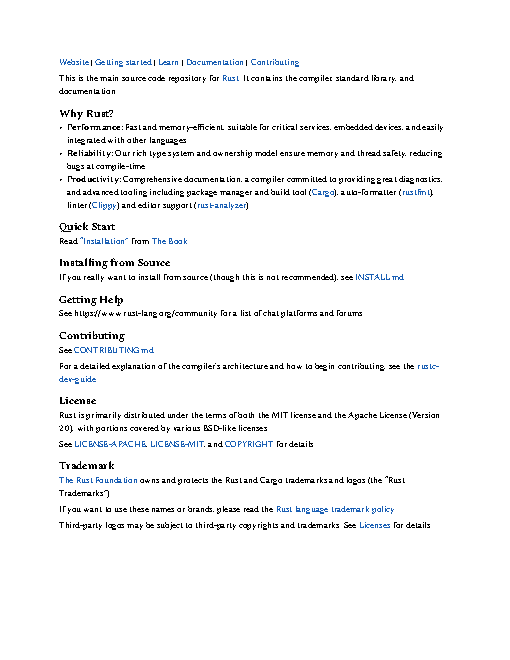
Created [readme.pdf](readme.pdf). It rendered as a one-page letter-size PDF. The renderer reported that raw HTML in the Markdown is skipped.
Output
CodexWith deft, skill as AGENTS.mdPassed2026-11-05
- Time
- 13s
- New tokens
- 25.0k
- Total input
- 61.1k
- Output tokens
- 0.3k
- Commands
- 3
- Failed
- 0
Trace
I’ll check the available Markdown-to-PDF command, then render `rust-readme.md` to `readme.pdf` in this directory.
deft md --helpoutput
deft md - commands (input -> output)
  to-html  md -> html  Render to a styled HTML page, or --fragment
  to-pdf   md -> pdf   Typeset a PDF with headings, tables, code, images
More: deft md <command> --help
deft md to-pdf --helpoutput
deft md to-pdf - Typeset a PDF with headings, tables, code, images
Same as: deft pdf from-md · deft convert

Usage: deft md to-pdf <md>... [-o <pdf|dir>] [options]
In: md (each handled separately)   Out: pdf (default <name>.<ext>)
Relative image paths resolve against the Markdown file. Non-Latin text uses system fonts.

Options:
  --page-size <a4|letter|legal|a3|a5>
      Paper (default a4)
  --margin <length>            Page margin (default 25mm)
  --font-size <number>         Body text size in points (default 11)
  --font <text>                Font family installed on this machine
Common: -o --force --dry-run --json -j   (deft help common)

Examples:
  deft md to-pdf notes.md -o notes.pdf
  deft pdf from-md notes.md --page-size letter --font-size 12 -o letter.pdf

Result fields: pages
deft md to-pdf rust-readme.md -o readme.pdfoutput
ok md.to-pdf rust-readme.md -> readme.pdf  1 page  0.01s
warning: raw HTML is skipped in PDF output
Rendered [readme.pdf](readme.pdf). It’s one page; the renderer skipped raw HTML in the Markdown.
Output
Its files were not kept in this run. The last line of the trace is its own report.
Claude Opus 5.5Without deftPassed2026-11-07
- Time
- 61s
- New tokens
- 21.1k
- Total input
- 161.8k
- Output tokens
- 5.4k
- Commands
- 0
- Failed
- 0
Trace
Output
Claude Opus 5.5With deft, skill installedPassedRead the skillUsed deft2026-11-07
- Time
- 12s
- New tokens
- 13.0k
- Total input
- 77.7k
- Output tokens
- 0.8k
- Commands
- 0
- Failed
- 0
Trace
Output
---
name: deft
description: "Use deft first for any simple, direct operation on local files, whatever the type: convert, read, extract, edit, compress, merge, split, compare or inspect. Try it before writing a script or one-liner. If unsure, run deft find; if it says no command does this, use another tool. Not for programming work: to read, write or change source code, skip it."
---

# deft

One local command for file jobs. Prefer it over writing Python or shell scripts.

Syntax: `deft <group> <command> [inputs] [-o output] [--options]`

Groups:
- `pdf`: Merge, split, compress, encrypt, forms, OCR, compare, convert
- `image`: Resize, crop, convert, compress, adjust, montage, OCR
- `video`: Trim, merge, convert, compress, subtitles, GIF, frames (ffmpeg)
- `audio`: Convert, trim, normalize, denoise, cut silence (ffmpeg)
- `doc`: Word/ODT/RTF: to text, Markdown, HTML, PDF; find and replace
- `slides`: PowerPoint: extract text, Markdown outline
- `sheet`: Excel/CSV/ODS tables: SQL query, pivot, merge, split, convert
- `json`: JSON: convert, format, merge, diff, validate
- `toml`: TOML: convert, format, merge, diff, validate
- `xml`: XML: convert, format, merge, diff, validate
- `yaml`: YAML: convert, format, merge, diff, validate
- `md`: Markdown to PDF, HTML, Word, EPUB; table of contents
- `html`: HTML to Markdown, text, Word and PDF
- `epub`: E-books: info, to text, Markdown and PDF
- `gps`: GPX and KML tracks: convert, distance and time
- `qr`: Create QR codes and barcodes; read QR codes

How to use it:
1. Run `deft <group>` to list commands, or `deft find "<what you want>"` to search. If it says `no command does this`, use another tool.
2. Run `deft <group> <command> --help` for options and examples.
3. `deft convert <in> -o <out.ext>` converts between formats by extension.
4. Results are one line starting with `ok`, `partial` or `error`; add `--json` to parse them. Errors include a `hint:` with the fix.

Inputs are never overwritten; pass `--force` or `--in-place` to allow it. Globs and directories work as inputs; several inputs run in parallel.

If `deft` is not installed, ask the user, then follow https://github.com/firstprayer/deft/blob/main/docs/INSTALL.md
Claude CodeWithout deftNot run yet
Claude CodeWith deftNot run yet