Evals / documents / Multi-step jobs
README to a web page with contents
Make a standalone web page, index.html, from README.md, with a table of contents at the top that links to every section.
The task
The reference answer shows the job can be done with deft. It is not an agent run.
deft md toc README.md -o with-toc.md
deft md to-html with-toc.md -o index.html
Input
ripgrep (rg) ------------ ripgrep is a line-oriented search tool that recursively searches the current directory for a regex pattern. By default, ripgrep will respect gitignore rules and automatically skip hidden files/directories and binary files. (To disable all automatic filtering by default, use `rg -uuu`.) ripgrep has first class support on Windows, macOS and Linux, with binary downloads available for [every release](https://github.com/BurntSushi/ripgrep/releases). ripgrep is similar to other popular search tools like The Silver Searcher, ack and grep. [](https://github.com/BurntSushi/ripgrep/actions) [](https://crates.io/crates/ripgrep) [](https://repology.org/project/ripgrep/badges) Dual-licensed under MIT or the [UNLICENSE](https://unlicense.org). ### CHANGELOG Please see the [CHANGELOG](CHANGELOG.md) for a release history. ### Documentation quick links * [Installation](#installation) * [User Guide](GUIDE.md) * [Frequently Asked Questions](FAQ.md) * [Regex syntax](https://docs.rs/regex/1/regex/#syntax) * [Configuration files](GUIDE.md#configuration-file) * [Shell completions](FAQ.md#complete) * [Building](#building) * [Translations](#translations) ### Screenshot of search results [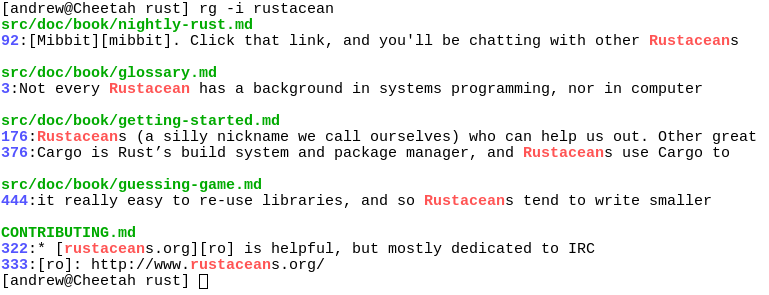](https://burntsushi.net/stuff/ripgrep1.png) ### Quick examples comparing tools This example searches the entire [Linux kernel source tree](https://github.com/BurntSushi/linux) (after running `make defconfig && make -j8`) for `[A-Z]+_SUSPEND`, where all matches must be words. Timings were collected on a system with an Intel i9-12900K 5.2 GHz. Please remember that a single benchmark is never enough! See my [blog post on ripgrep](https://blog.burntsushi.net/ripgrep/) for a very detailed comparison with more benchmarks and analysis. | Tool | Command | Line count | Time | | ---- | ------- | ---------- | ---- | | ripgrep (Unicode) | `rg -n -w '[A-Z]+_SUSPEND'` | 536 | **0.082s** (1.00x) | | [hypergrep](https://github.com/p-ranav/hypergrep) | `hgrep -n -w '[A-Z]+_SUSPEND'` | 536 | 0.167s (2.04x) | | [git grep](https://www.kernel.org/pub/software/scm/git/docs/git-grep.html) | `git grep -P -n -w '[A-Z]+_SUSPEND'` | 536 | 0.273s (3.34x) | | [The Silver Searcher](https://github.com/ggreer/the_silver_searcher) | `ag -w '[A-Z]+_SUSPEND'` | 534 | 0.443s (5.43x) | | [ugrep](https://github.com/Genivia/ugrep) | `ugrep -r --ignore-files --no-hidden -I -w '[A-Z]+_SUSPEND'` | 536 | 0.639s (7.82x) | | [git grep](https://www.kernel.org/pub/software/scm/git/docs/git-grep.html) | `LC_ALL=C git grep -E -n -w '[A-Z]+_SUSPEND'` | 536 | 0.727s (8.91x) | | [git grep (Unicode)](https://www.kernel.org/pub/software/scm/git/docs/git-grep.html) | `LC_ALL=en_US.UTF-8 git grep -E -n -w '[A-Z]+ … 18599 more characters
Reference output
<!doctype html>
<html>
<head>
<meta charset="utf-8">
<meta name="viewport" content="width=device-width,initial-scale=1">
<title>ripgrep (rg)</title>
<style>body{max-width:46rem;margin:2rem auto;padding:0 1rem;font:16px/1.6 -apple-system,'Segoe UI',Roboto,'PingFang SC','Noto Sans CJK SC',sans-serif;color:#1f2328}pre{background:#f6f8fa;padding:.8rem;overflow:auto;border-radius:6px}code{font:.9em ui-monospace,Menlo,Consolas,monospace}table{border-collapse:collapse}th,td{border:1px solid #d0d7de;padding:.3rem .6rem}blockquote{margin:0;padding:0 1rem;color:#59636e;border-left:.25rem solid #d0d7de}img{max-width:100%}</style>
</head>
<body>
<h2 id="ripgrep-rg">ripgrep (rg)</h2>
<!-- toc -->
<ul>
<li><a href="#changelog">CHANGELOG</a></li>
<li><a href="#documentation-quick-links">Documentation quick links</a></li>
<li><a href="#screenshot-of-search-results">Screenshot of search results</a></li>
<li><a href="#quick-examples-comparing-tools">Quick examples comparing tools</a></li>
<li><a href="#why-should-i-use-ripgrep">Why should I use ripgrep?</a></li>
<li><a href="#why-shouldnt-i-use-ripgrep">Why shouldn't I use ripgrep?</a></li>
<li><a href="#is-it-really-faster-than-everything-else">Is it really faster than everything else?</a></li>
<li><a href="#feature-comparison">Feature comparison</a></li>
<li><a href="#playground">Playground</a></li>
<li><a href="#installation">Installation</a></li>
<li><a href="#building">Building</a></li>
<li><a href="#running-tests">Running tests</a></li>
<li><a href="#related-tools">Related tools</a></li>
<li><a href="#vulnerability-reporting">Vulnerability reporting</a></li>
<li><a href="#translations">Translations</a></li>
</ul>
<!-- /toc -->
<p>ripgrep is a line-oriented search tool that recursively searches the current
directory for a regex pattern. By default, ripgrep will respect gitignore rules
and automatically skip hidden files/directories and binary files. (To disable
all automatic filtering by default, use <code>rg -uuu</code>.) ripgrep has first class
support on Windows, macOS and Linux, with binary downloads available for <a href="https://github.com/BurntSushi/ripgrep/releases">every
release</a>. ripgrep is similar to
other popular search tools like The Silver Searcher, ack and grep.</p>
<p><a href="https://github.com/BurntSushi/ripgrep/actions"><img src="https://github.com/BurntSushi/ripgrep/workflows/ci/badge.svg" alt="Build status" /></a>
<a href="https://crates.io/crates/ripgrep"><img src="https://img.shields.io/crates/v/ripgrep.svg" alt="Crates.io" /></a>
<a href="https://repology.org/project/ripgrep/badges"><img src="https://repology.org/badge/tiny-repos/ripgrep.svg" alt="Packaging status" /></a></p>
<p>Dual-licensed under MIT or the <a href="https://unlicense.org">UNLICENSE</a>.</p>
<h3 id="changelog">CHANGELOG</h3>
<p>Please see the <a href="CHANGELOG.md">CHANGELOG</a> for a release history.</p>
<h3 id="documentation-quick-links">Documentation quick links</h3>
<ul>
<li><a href="#installation">Installation
… 24934 more charactersripgrep (rg) ------------ <!-- toc --> - [CHANGELOG](#changelog) - [Documentation quick links](#documentation-quick-links) - [Screenshot of search results](#screenshot-of-search-results) - [Quick examples comparing tools](#quick-examples-comparing-tools) - [Why should I use ripgrep?](#why-should-i-use-ripgrep) - [Why shouldn't I use ripgrep?](#why-shouldnt-i-use-ripgrep) - [Is it really faster than everything else?](#is-it-really-faster-than-everything-else) - [Feature comparison](#feature-comparison) - [Playground](#playground) - [Installation](#installation) - [Building](#building) - [Running tests](#running-tests) - [Related tools](#related-tools) - [Vulnerability reporting](#vulnerability-reporting) - [Translations](#translations) <!-- /toc --> ripgrep is a line-oriented search tool that recursively searches the current directory for a regex pattern. By default, ripgrep will respect gitignore rules and automatically skip hidden files/directories and binary files. (To disable all automatic filtering by default, use `rg -uuu`.) ripgrep has first class support on Windows, macOS and Linux, with binary downloads available for [every release](https://github.com/BurntSushi/ripgrep/releases). ripgrep is similar to other popular search tools like The Silver Searcher, ack and grep. [](https://github.com/BurntSushi/ripgrep/actions) [](https://crates.io/crates/ripgrep) [](https://repology.org/project/ripgrep/badges) Dual-licensed under MIT or the [UNLICENSE](https://unlicense.org). ### CHANGELOG Please see the [CHANGELOG](CHANGELOG.md) for a release history. ### Documentation quick links * [Installation](#installation) * [User Guide](GUIDE.md) * [Frequently Asked Questions](FAQ.md) * [Regex syntax](https://docs.rs/regex/1/regex/#syntax) * [Configuration files](GUIDE.md#configuration-file) * [Shell completions](FAQ.md#complete) * [Building](#building) * [Translations](#translations) ### Screenshot of search results [](https://burntsushi.net/stuff/ripgrep1.png) ### Quick examples comparing tools This example searches the entire [Linux kernel source tree](https://github.com/BurntSushi/linux) (after running `make defconfig && make -j8`) for `[A-Z]+_SUSPEND`, where all matches must be words. Timings were collected on a system with an Intel i9-12900K 5.2 GHz. Please remember that a single benchmark is never enough! See my [blog post on ripgrep](https://blog.burntsushi.net/ripgrep/) for a very detailed comparison with more benchmarks and analysis. | Tool | Command | Line count | Time | | ---- | ------- | ---------- | ---- | | ripgrep (Unicode) | `rg -n -w '[A-Z]+_SUSPEND'` | 536 | **0.082s** (1.00x) | | [hypergrep](https://github.com/p-ranav/hypergrep) | `h … 19333 more characters
How a result is judged (1 check)
- python: code = "import re\npage = open('index.html', encoding='utf-8').read()\nassert '<html' in page.lower() and 'ripgrep' in page, 'not a standalone page of the README'\nids = set(re.findall(r'\\bid=\"([^\"]+)\"', page))\nlinks = {h for h in re.findall(r'href=\"#([^\"]+)\"', page) if h in ids}\n# The README links only Installation, Building and Translations by hand.\nassert len(links) >= 12, f'only {len(links)} section links: {sorted(links)}'\n"
Runs
Claude Opus 5.5Without deftPassed2026-11-15
- Time
- 47s
- New tokens
- 26.8k
- Total input
- 165.7k
- Output tokens
- 3.9k
- Commands
- 5
- Failed
- 1
Trace
ls -la; wc -l README.md; python3 -c "import markdown; print(markdown.__version__)"; which pandoc (exit 1)output
Exit code 1
total 48
drwxr-xr-x@   4 user  staff    128 Nov 14 20:06 .
drwx------@ 317 user  staff  10144 Nov 14 20:06 ..
drwxr-xr-x@   3 user  staff     96 Nov 14 20:06 .claude
-rw-r--r--@   1 user  staff  21599 Nov 14 11:00 README.md
     541 README.md
3.3.4
pandoc not found
cat > "$TMPDIR/build.py" <<'EOF' import sys, re, html, markdown src, out = sys.argv[1], sys.argv[2] text = open(src, encoding="utf-8").read() # Autolink bare URLs not already in markdown links / angle brackets text = re.sub(r'(?<![(<\[])(?<!\]\()\b(https?://[^\s)<>]+[^\s)<>.,:;])(?![^\[]*\])', r'<\1>', text) md = markdown.Markdown(extensions=["toc", "tables", "fenced_code"], extension_configs={"toc": {"toc_depth": "2-6", "anchorlink": False}}) body = md.convert(text) # Build TOC from every heading except the document title (first heading) tokens = md.toc_tokens title = tokens[0]["name"] if tokens else "README" def items(toks): s = "" for t in toks: s += f'<li><a href="#{t["id"]}">{t["name"]}</a>' if t["children"]: s += "<ul>" + items(t["children"]) + "</ul>" s += "</li>\n" return s sections = tokens[0]["children"] if len(tokens) == 1 else tokens toc = f'<nav id="table-of-contents" aria-label="Table of contents"><h2>Table of Contents</h2>\n<ul>\n{items(sections)}</ul></nav>' # Promote title heading to h1 body = re.sub(r'^<h2 id="([^"]+)">(.*?)</h2>', r'<h1 id="\1">\2</h1>', body, count=1) page = f"""<!DOCTYPE html> <html lang="en"> <head> <meta charset="utf-8"> <meta name="viewport" content="width=device-width, initial-scale=1"> <title>{title}</title> <style> :root {{ color-scheme: light dark; --fg:#1f2328; --bg:#fff; --muted:#59636e; --border:#d1d9e0; --code:#f6f8fa; --link:#0969da; }} @media (prefers-color-scheme: dark) {{ :root {{ --fg:#e6edf3; --bg:#0d1117; --muted:#9198a1; --border:#3d444d; --code:#151b23; --link:#4493f8; }} }} * {{ box-sizing: border-box; }} html {{ scroll-behavior: smooth; }} body {{ margin:0; background:var(--bg); color:var(--fg); font:16px/1.6 -apple-system,BlinkMacSystemFont … 1906 more charactersoutput
sections: ['changelog', 'documentation-quick-links', 'screenshot-of-search-results', 'quick-examples-comparing-tools', 'why-should-i-use-ripgrep', 'why-shouldnt-i-use-ripgrep', 'is-it-really-faster-than-everything-else', 'feature-comparison', 'playground', 'installation', 'building', 'running-tests', 'related-tools', 'vulnerability-reporting', 'translations']
checked
410:ripgrep: <a href="https://beyondgrep.com/feature-comparison/">https://beyondgrep.com/feature-comparison/</a></p>
grep -c '<http\|\](<' index.html; grep -c '<table>' index.html; grep -c '<pre>' index.html; grep -o '<a href="http[^"]*"' index.html | wc -loutput
5
6
31
      65
grep -n '<http\|\](<' index.html | cut -c1-250output
466:$ sudo dnf install <https://dl.fedoraproject.org/pub/epel/epel-release-latest-10.noarch.rpm> 472:$ sudo dnf install <https://dl.fedoraproject.org/pub/epel/epel-release-latest-10.noarch.rpm> 477:<pre><code>$ sudo dnf install <https://dl.fedoraproject.org/pub/epel/epel-release-latest-10.noarch.rpm> 494:<pre><code>$ curl -LO <https://github.com/BurntSushi/ripgrep/releases/download/14.1.1/ripgrep_14.1.1-1_amd64.deb> 560:<pre><code>$ git clone <https://github.com/BurntSushi/ripgrep>
My URL autolinking step also changed URLs inside code blocks. I'm limiting it to text outside code blocks and rebuilding.
cd "$TMPDIR" && python3 - <<'EOF' p="build.py"; s=open(p).read() old="text = re.sub(r'(?<![(<\\[])(?<!\\]\\()\\b(https?://[^\\s)<>]+[^\\s)<>.,:;])(?![^\\[]*\\])', r'<\\1>', text)" assert old in s new='''parts = re.split(r'(^```.*?^```[ \\t]*$)', text, flags=re.M | re.S) url_re = r'(?<![(<\\[])(?<!\\]\\()\\b(https?://[^\\s)<>]+[^\\s)<>.,:;])(?![^\\[]*\\])' text = "".join(p if p.startswith("```") else re.sub(r'(`[^`]*`)|' + url_re, lambda m: m.group(1) or "<" + m.group(2) + ">", p) for p in parts)''' open(p,"w").write(s.replace(old,new)) EOF cd - >/dev/null && python3 -I "$TMPDIR/build.py" README.md index.html >/dev/null && grep -c '<http' index.html; grep -o 'href="#[^"]*"' index.html | sort -u | sed 's/href="#//;s/"//' | while read id; do grep -q "id=\"$id\"" index.html || echo "BROKEN: $id"; done; grep -c 'href="https://beyondgrep.com/feature-comparison/"' index.htmloutput
0
1
I created `index.html` from `README.md`. It's a single HTML file with its CSS built in and no scripts. **What's in it:** - **Table of contents at the top**, linking to all 15 sections, from "CHANGELOG" to "Translations." I checked every in-page link and each one points to a heading that exists. - **Title:** "ripgrep (rg)" is the page heading, so it isn't listed in the table of contents. - **Content:** all the README content is there, including the 6 benchmark tables, all the install and build commands as code blocks, the images and the badges. - **Extras:** - A "Back to table of contents" link at the bottom. - Dark mode that follows your system setting. - Wide tables scroll sideways instead of overflowing on small screens. - The one web address the README leaves as plain text (in "Feature comparison") is now a clickable link. **One limitation:** links to `GUIDE.md`, `FAQ.md` an
Output
Its files were not kept in this run. The last line of the trace is its own report.
Claude Opus 5.5With deft, skill installedPassedRead the skillUsed deft2026-11-15
- Time
- 23s
- New tokens
- 12.1k
- Total input
- 110.6k
- Output tokens
- 1.1k
- Commands
- 5
- Failed
- 0
Trace
ls -la; wc -l README.mdoutput
total 48
drwxr-xr-x@   4 user  staff    128 Nov 14 20:06 .
drwx------@ 320 user  staff  10240 Nov 14 20:06 ..
drwxr-xr-x@   4 user  staff    128 Nov 14 20:06 .claude
-rw-r--r--@   1 user  staff  21599 Nov 14 11:00 README.md
     541 README.md
Loaded the deft skill
deft md; deft md html --help 2>&1 | head -40output
deft md - commands (input -> output)
  from-docx  doc -> md      Convert to Markdown, keeping headings, lists and tables
  from-html  html -> md     Convert to Markdown; scripts and styles are dropped
  to-docx    md -> docx     Write a Word document with headings, lists, tables, images
  to-epub    md... -> epub  Make an e-book; each top-level heading starts a chapter
  to-html    md -> html     Render to a styled HTML page, or --fragment
  to-pdf     md -> pdf      Typeset Markdown as PDF
  toc        md -> md       Insert a table of contents from the headings
More: deft md <command> --help
deft md to-html - Render to a styled HTML page, or --fragment
Same as: deft convert

Usage: deft md to-html <md>... [-o <html|dir>] [options]
In: md (each handled separately)   Out: html (default <name>.<ext>)

Options:
  --fragment                   Body only, no <html> page
  --title <text>               Page title (default: first heading)
Common: -o --force --dry-run --json -j   (deft help common)

Examples:
  deft md to-html notes.md -o notes.html
  deft md to-html notes.md --fragment -o -
deft md toc --help 2>&1 | head -30output
deft md toc - Insert a table of contents from the headings

Usage: deft md toc <md>... [-o <md|dir>] [options]
In: md (each handled separately)   Out: md (default <name>.toc.<ext>)
It replaces a <!-- toc --> line, or goes after the title.
Running it again replaces the list.

Options:
  --depth <n>                  Deepest heading level (default 3)
Common: -o --force --dry-run --json -j   (deft help common)

Examples:
  deft md toc notes.md --depth 2 -o with-toc.md

Result fields: entries
deft md toc README.md --depth 6 -o "$TMPDIR/README.toc.md" && deft md to-html "$TMPDIR/README.toc.md" -o index.htmloutput
ok md.toc README.md -> <tmp>  15 entries  0.01s
ok md.to-html <tmp> -> index.html  27KB  0.00s
Built index.html; now checking that every TOC link points to a real heading.
grep -c '^#' README.md; grep -cE '^#{1,6} ' README.md; python3 -I - <<'E'
import re
h=open('index.html').read()
links=re.findall(r'href="#([^"]+)"',h); ids=set(re.findall(r'id="([^"]+)"',h))
print(len(links),'links; missing:',[l for l in links if l not in ids])
print(re.findall(r'<(?:link|script)[^>]*(?:src|href)="http[^"]*"',h))
E
output
15
15
18 links; missing: []
[]
I made `index.html` from `README.md`. It has a table of contents at the top that links to every heading in the README, all 15, at every level. I checked it after building: every `#` link on the page points to a heading that exists, and the page loads no outside scripts or stylesheets, so the one file works on its own. I haven't opened it in a browser. I added the table of contents to a temporary copy, so `README.md` itself is unchanged.
Output
Its files were not kept in this run. The last line of the trace is its own report.