Evals / documents / Multi-step jobs
Turn a workbook into a report
Send the numbers in temperature.xlsx to a client as a PDF with a proper table, temperature.pdf, and give me a Word copy, temperature.docx, that I can edit.
The task
The reference answer shows the job can be done with deft. It is not an agent run.
deft sheet to-md temperature.xlsx -o table.md
deft md to-pdf table.md -o temperature.pdf
deft md to-docx table.md -o temperature.docx
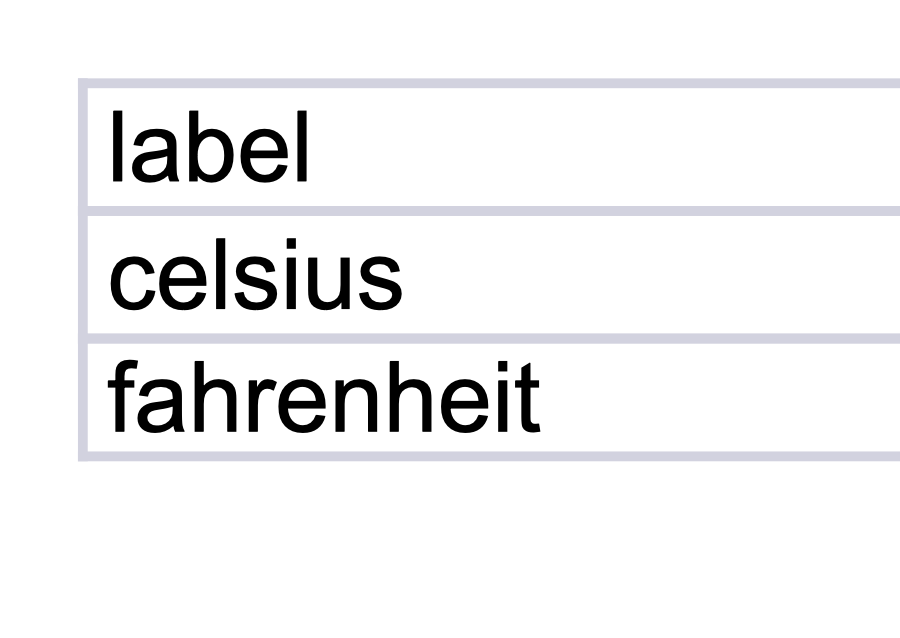
Input
Reference output
| label | value |
| --- | --- |
| celsius | 22.2222 |
| fahrenheit | 72 |
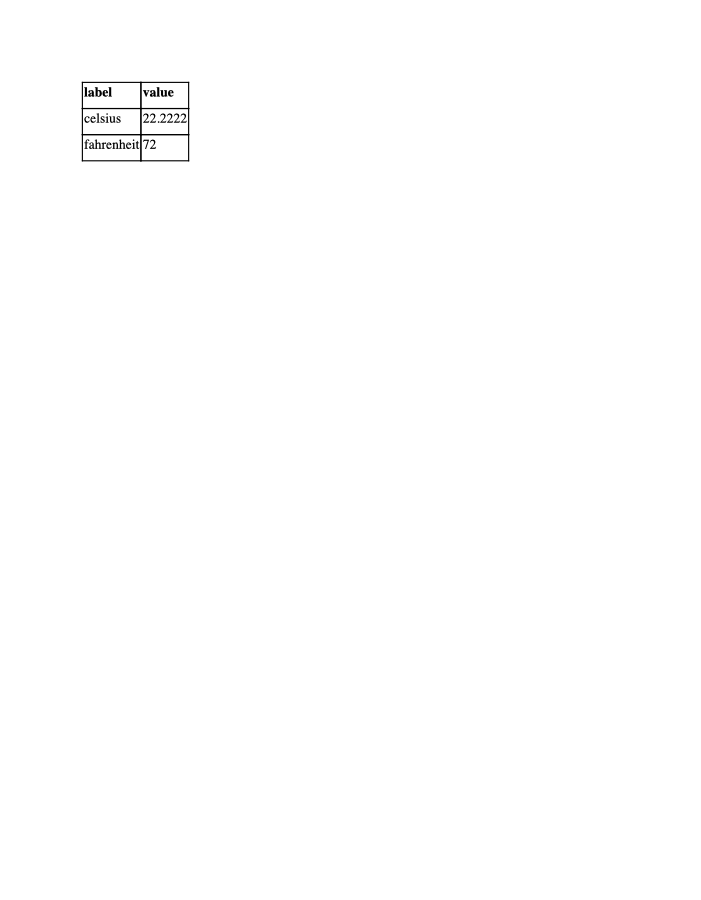
Rendered by macOS Quick Look, first page
Text inside
label
value
celsius
22.2222
fahrenheit
72

How a result is judged (1 check)
- python: code = "import subprocess, zipfile\npdf = subprocess.run(['gs', '-q', '-dNOPAUSE', '-dBATCH', '-sDEVICE=txtwrite', '-sOutputFile=-', 'temperature.pdf'], capture_output=True, text=True, errors='replace').stdout\nassert '22.2222' in pdf and '72' in pdf, pdf\ndoc = zipfile.ZipFile('temperature.docx').read('word/document.xml').decode()\nassert '<w:tbl>' in doc and '22.2222' in doc and '72' in doc\n"
Runs
CodexWithout deftPassed2026-11-07
- Time
- 64s
- New tokens
- 12.8k
- Total input
- 86.5k
- Output tokens
- 2.9k
- Commands
- 5
- Failed
- 1
Trace
I’ll inspect the workbook layout, then create a clean PDF table and an editable Word copy in the current directory.
rg --filesoutput
temperature.xlsx
python3 - <<'PY'
import importlib.util
for x in ['openpyxl','docx','reportlab','pandas']:
 print(x, bool(importlib.util.find_spec(x)))
PY
python3 - <<'PY'
from openpyxl import load_workbook
p='temperature.xlsx'; w=load_workbook(p,data_only=True)
print(w.sheetnames)
for s in w:
 print('\\nSHEET',s.title,s.max_row,s.max_column)
 for row in s.iter_rows(values_only=True): print(row)
PY (exit 1)
output
openpyxl False
docx False
reportlab False
pandas True
Traceback (most recent call last):
  File "<stdin>", line 1, in <module>
ModuleNotFoundError: No module named 'openpyxl'
which libreoffice || which soffice || which python3
python3 - <<'PY'
import importlib.util
for x in ['xlsxwriter','odf','fitz','weasyprint','fpdf']:
 print(x, bool(importlib.util.find_spec(x)))
PY
unzip -l temperature.xlsx
output
libreoffice not found
soffice not found
/usr/local/bin/python3
xlsxwriter False
odf False
fitz False
weasyprint False
fpdf False
Archive:  temperature.xlsx
  Length      Date    Time    Name
---------  ---------- -----   ----
      494  10-15-2017 20:28   xl/drawings/drawing1.xml
     1052  10-15-2017 20:28   xl/worksheets/sheet1.xml
      298  10-15-2017 20:28   xl/worksheets/_rels/sheet1.xml.rels
      251  03-22-2019 00:30   xl/sharedStrings.xml
     1305  10-15-2017 20:28   xl/styles.xml
      731  10-15-2017 20:28   xl/workbook.xml
      565  10-15-2017 20:28   xl/_rels/workbook.xml.rels
      296  10-15-2017 20:28   _rels/.rels
      936  10-15-2017 20:28   [Content_Types].xml
---------                     -------
     5928                     9 files
unzip -p temperature.xlsx xl/worksheets/sheet1.xml; unzip -p temperature.xlsx xl/sharedStrings.xml; unzip -p temperature.xlsx xl/styles.xmloutput
<?xml version="1.0" encoding="UTF-8" standalone="yes"?>
<worksheet xmlns="http://schemas.openxmlformats.org/spreadsheetml/2006/main" xmlns:r="http://schemas.openxmlformats.org/officeDocument/2006/relationships" xmlns:mx="http://schemas.microsoft.com/office/mac/excel/2008/main" xmlns:mc="http://schemas.openxmlformats.org/markup-compatibility/2006" xmlns:mv="urn:schemas-microsoft-com:mac:vml" xmlns:x14="http://schemas.microsoft.com/office/spreadsheetml/2009/9/main" xmlns:x14ac="http://schemas.microsoft.com/office/spreadsheetml/2009/9/ac" xmlns:xm="http://schemas.microsoft.com/office/excel/2006/main"><sheetViews><sheetView workbookViewId="0"/></sheetViews><sheetFormatPr customHeight="1" defaultColWidth="14.43" defaultRowHeight="15.75"/><sheetData><row r="1"><c r="A1" s="1" t="s"><v>0</v></c><c r="B1" s="2" t="s"><v>1</v></c></row><row r="2"><c r="A2" s="1" t="s"><v>2</v></c><c r="B2" s="2"><v>22.2222</v></c></row><row r="3"><c r="A3" s="1" t="s"><v>3</v></c><c r="B3" s="1"><v>72.0</v></c></row></sheetData><drawing r:id="rId1"/></worksheet><?xml version="1.0" encoding="UTF-8" standalone="yes"?>
<sst xmlns="http://schemas.openxmlformats.org/spreadsheetml/2006/main" count="4" uniqueCount="4"><si><t>label</t></si><si><t>value</t></si><si><t>celsius</t></si><si><t>fahrenheit</t></si></sst>
<?xml version="1.0" encoding="UTF-8" standalone="yes"?>
<styleSheet xmlns="http://schemas.openxmlformats.org/spreadsheetml/2006/main" xmlns:x14ac="http://schemas.microsoft.com/office/spreadsheetml/
… 1108 more characters
The workbook contains two readings: Celsius 22.2222 and Fahrenheit 72.0. I’m preserving those values and labels in a two-column table in both files.
cat > <tmp> <<'PY' from zipfile import ZipFile, ZIP_DEFLATED from xml.etree import ElementTree as ET from pathlib import Path # Read the small XLSX directly from its standard XML parts. with ZipFile('temperature.xlsx') as z: ns={'m':'http://schemas.openxmlformats.org/spreadsheetml/2006/main'} shared=ET.fromstring(z.read('xl/sharedStrings.xml')) strings=[''.join(t.text or '' for t in si.findall('.//m:t',ns)) for si in shared.findall('m:si',ns)] sheet=ET.fromstring(z.read('xl/worksheets/sheet1.xml')) rows=[] for row in sheet.findall('.//m:sheetData/m:row',ns): vals=[] for c in row.findall('m:c',ns): v=c.find('m:v',ns).text vals.append(strings[int(v)] if c.get('t')=='s' else v) rows.append(vals) headers=rows[0] data=[[r[0],r[1]] for r in rows[1:]] # Word document: editable native heading and table. def x(s): return (s.replace('&','&').replace('<','<').replace('>','>')) body='''<w:body xmlns:w=\"http://schemas.openxmlformats.org/wordprocessingml/2006/main\"> <w:p><w:pPr><w:pStyle w:val=\"Title\"/></w:pPr><w:r><w:t>Temperature Readings</w:t></w:r></w:p> <w:tbl><w:tblPr><w:tblStyle w:val=\"TableGrid\"/><w:tblW w:w=\"9360\" w:type=\"dxa\"/><w:tblBorders> <w:top w:val=\"single\" w:sz=\"8\" w:color=\"2F5597\"/><w:left w:val=\"single\" w:sz=\"4\" w:color=\"B4C7E7\"/><w:bottom w:val=\"single\" w:sz=\"8\" w:color=\"2F5597\"/><w:right w:val=\"single\" w:sz=\"4\" w:color=\"B4C7E7\"/><w:insideH w:val=\"single\" w:sz=\"4\" w:color=\"B4C7E7\"/><w:insideV w:val=\"single\" w:sz=\"4\" w:color=\"B4C7E7\"/></w:tblBorders></w:tblPr><w:tblGrid><w:gridCol w:w=\"4680\"/><w:gridCol w:w=\"4680\"/></w:tblGrid>''' for ri,row in enumerate([headers]+data): body+='<w:tr>' for val in row: if ri==0: … 4549 more charactersoutput
Created temperature.pdf and temperature.docx
-rw-r--r--@ 1 user  staff  1919 Nov  6 16:43 temperature.docx
-rw-r--r--@ 1 user  staff  1005 Nov  6 16:43 temperature.pdf
temperature.pdf:  PDF document, version 1.4, 1 pages
temperature.docx: Microsoft Word 2007+
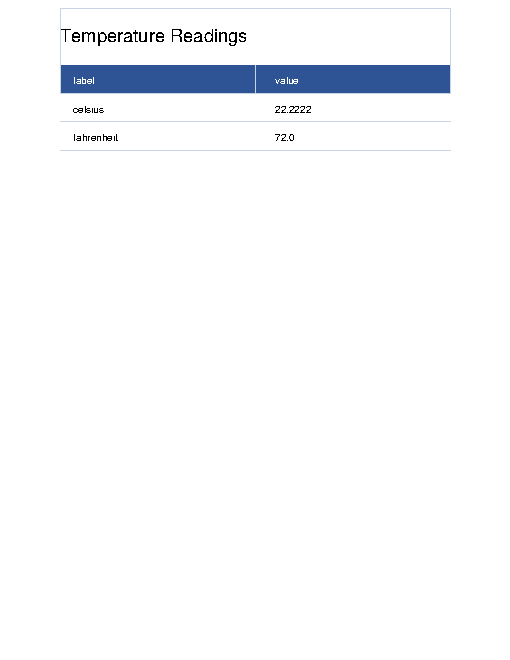
Created both files in the current directory: - [temperature.pdf](temperature.pdf) - [temperature.docx](temperature.docx) Both contain a formatted table with Celsius **22.2222** and Fahrenheit **72.0**.
Output
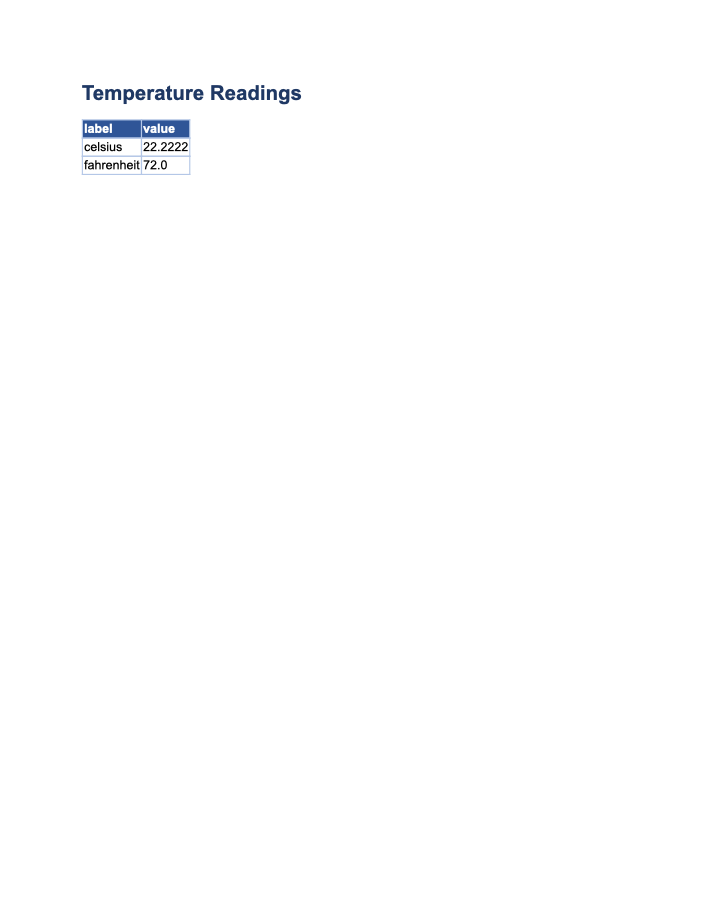
Rendered by macOS Quick Look, first page
Text inside
Temperature Readings
label
value
celsius
22.2222
fahrenheit
72.0
CodexWith deft, skill installedPassedRead the skillUsed deft2026-11-07
- Time
- 22s
- New tokens
- 6.7k
- Total input
- 88.6k
- Output tokens
- 0.8k
- Commands
- 5
- Failed
- 0
Trace
I’ll inspect the workbook, then create both files in the current directory with the same clean table layout.
cat .agents/skills/deft/SKILL.mdoutput
---
name: deft
description: "Use deft instead of writing a script for file jobs: PDF merge/split/compress/watermark, image resize/convert/compress, video and audio trim/convert/compress, spreadsheets, Markdown to PDF/HTML, and YouTube downloads and subtitles."
---

# deft

One local command for file jobs. Prefer it over writing Python or shell scripts.

Syntax: `deft <group> <command> [inputs] [-o output] [--options]`

Groups:
- `pdf`: Merge, split, compress, encrypt, forms, OCR, compare, convert
- `image`: Resize, crop, convert, compress, filters, montage, OCR
- `video`: Trim, crop, speed, convert, compress, GIF, frames (ffmpeg)
- `audio`: Convert, trim, merge, fade, speed, tag, normalize (ffmpeg)
- `doc`: Word/ODT/RTF: to text, Markdown, HTML, PDF; find and replace
- `slides`: PowerPoint: extract text, Markdown outline, PDF handout
- `data`: JSON/YAML/TOML/XML: convert, query with jq syntax, merge, diff
- `sheet`: Excel/CSV/ODS tables: filter, sort, join, pivot, convert
- `md`: Markdown to PDF, HTML, Word, EPUB; table of contents
- `html`: HTML to Markdown, text, Word, PDF; screenshots
- `epub`: E-books: info, to text, Markdown and PDF
- `email`: EML files: headers, text, attachments
- `contact`: VCF address books: to and from CSV
- `calendar`: ICS calendars: to and from CSV
- `gps`: GPX and KML tracks: convert, distance and time
- `youtube`: Info, download, audio, subtitles, thumbnail (yt-dlp)
- `file`: Any file: hash, duplicates, batch rename, base64, encoding
- `qr`: Cre
… 728 more characters
ls -la && deft sheet --helpoutput
total 8
drwxr-xr-x@    4 user  staff    128 Nov  6 16:42 .
drwx------@ 1698 user  staff  54336 Nov  6 16:42 ..
drwxr-xr-x@    3 user  staff     96 Nov  6 16:42 .agents
-rw-r--r--@    1 user  staff   3599 Nov  5 21:11 temperature.xlsx
deft sheet - commands (input -> output)
  info       sheet -> report           Sheet names, rows, columns
  convert    sheet -> sheet            Change format: --to csv|xlsx|json
  dedupe     sheet -> sheet            Drop repeated rows, by whole row or --columns
  extract    sheet -> sheet            Take a sheet or range: --sheet, --range A1:D20
  filter     sheet -> sheet            Keep matching rows: --where "age > 30 and city = 'Oslo'"
  from-pdf   pdf -> sheet              All text as one table [beta]
  group      sheet -> sheet            Group and total: --columns city --values sales --agg sum
  join       sheet... -> sheet         Join two tables on a key: --on id --how left
  merge      sheet... -> sheet         Stack tables; a shared header is kept once
  pivot      sheet -> sheet            Pivot table: --rows city --columns year --values sales
  query      sheet|sqlite... -> sheet  Run SQL over tables or a SQLite file: --sql 'select ...'
  select     sheet -> sheet            Keep, reorder or --drop columns
  sort       sheet -> sheet            Sort rows: --columns age,name --descending
  split      sheet -> sheet...         Split up: --sheets, --columns city or --every 1000
  stats      sheet -> report           Per-column counts,
… 204 more characters
deft sheet info temperature.xlsx && deft sheet to-md temperature.xlsx -o <tmp> && cat <tmp> && deft md --helpoutput
ok sheet.info temperature.xlsx  Sheet1: 3 rows x 2 columns
sheets=[{"name":"Sheet1","rows":3,"columns":2}]
ok sheet.to-md temperature.xlsx -> <tmp>  3 rows x 2 columns  0.00s
| label | value |
| --- | --- |
| celsius | 22.2222 |
| fahrenheit | 72 |
deft md - commands (input -> output)
  from-docx  doc -> md      Convert to Markdown, keeping headings, lists and tables
  from-html  html -> md     Convert to Markdown; scripts and styles are dropped
  from-pdf   pdf -> md      Text as Markdown paragraphs [beta]
  to-docx    md -> docx     Write a Word document with headings, lists, tables, images
  to-epub    md... -> epub  Make an e-book; each top-level heading starts a chapter
  to-html    md -> html     Render to a styled HTML page, or --fragment
  to-pdf     md -> pdf      Typeset Markdown as PDF
  to-pptx    md -> pptx     Make a deck: each heading or --- starts a slide [beta]
  toc        md -> md       Insert a table of contents from the headings
More: deft md <command> --help
cat > temperature.md <<'EOF' # Temperature | Scale | Temperature | | --- | ---: | | Celsius | 22.2222 °C | | Fahrenheit | 72 °F | EOF deft md to-pdf temperature.md -o temperature.pdf deft md to-docx temperature.md -o temperature.docx ls -l temperature.pdf temperature.docxoutput
ok md.to-pdf temperature.md -> temperature.pdf  1 page  0.01s
ok md.to-docx temperature.md -> temperature.docx  9 words  0.00s
-rw-r--r--@ 1 user  staff   3263 Nov  6 16:42 temperature.docx
-rw-r--r--@ 1 user  staff  12199 Nov  6 16:42 temperature.pdf
deft doc --help && rm temperature.md && ls -laoutput
deft doc - commands (input -> output)
  info       doc -> report  Title, author, words, headings, tables, images
  from-html  html -> docx   Convert the content to a Word document
  from-md    md -> docx     Write a Word document with headings, lists, tables, images
  from-pdf   pdf -> docx    Editable Word file, layout not kept [beta]
  replace    docx -> docx   Find and replace text in Word, keeping the formatting
  to-html    doc -> html    Convert to a web page
  to-md      doc -> md      Convert to Markdown, keeping headings, lists and tables
  to-pdf     doc -> pdf     Typeset as PDF, content not layout [beta]
  to-text    doc -> txt     Extract plain text
More: deft doc <command> --help
total 40
drwxr-xr-x@    6 user  staff    192 Nov  6 16:42 .
drwx------@ 1698 user  staff  54336 Nov  6 16:42 ..
drwxr-xr-x@    3 user  staff     96 Nov  6 16:42 .agents
-rw-r--r--@    1 user  staff   3263 Nov  6 16:42 temperature.docx
-rw-r--r--@    1 user  staff  12199 Nov  6 16:42 temperature.pdf
-rw-r--r--@    1 user  staff   3599 Nov  5 21:11 temperature.xlsx
Created both files in the current directory: - [temperature.pdf](temperature.pdf) — client-ready PDF with a formatted table. - [temperature.docx](temperature.docx) — editable Word copy.
Output
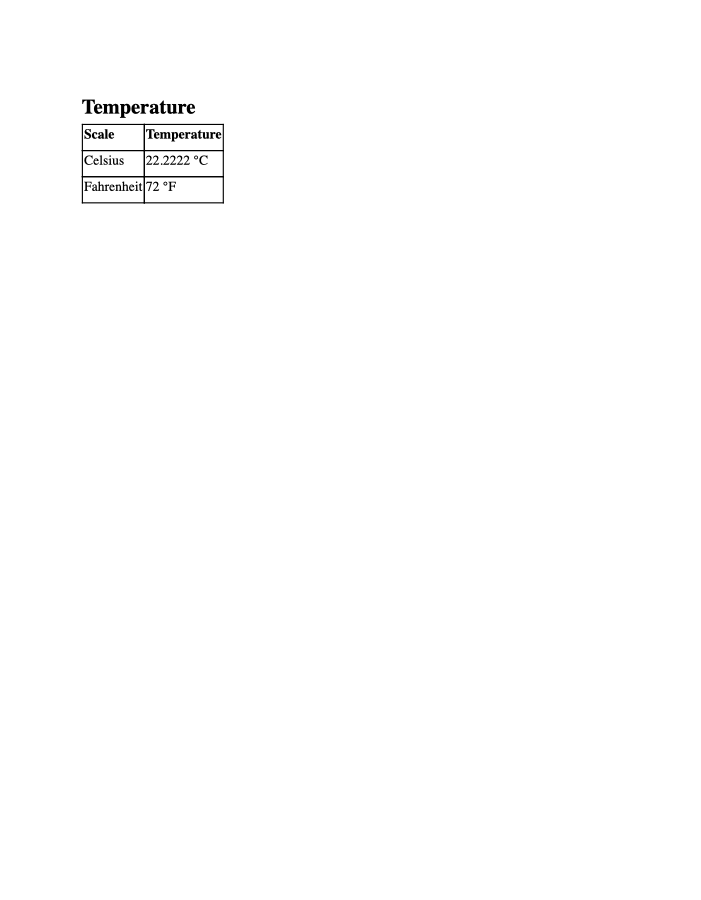
Rendered by macOS Quick Look, first page
Text inside
Temperature
Scale
Temperature
Celsius
22.2222 °C
Fahrenheit
72 °F
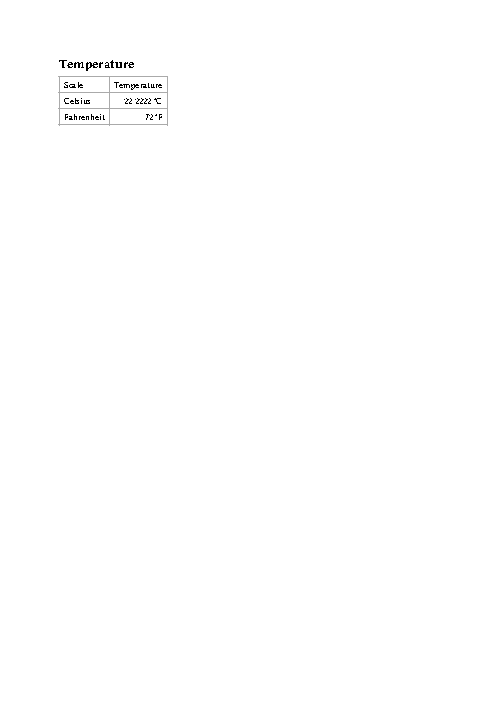
Claude Opus 5.5Without deftPassed2026-11-07
- Time
- 93s
- New tokens
- 22.6k
- Total input
- 165.2k
- Output tokens
- 6.4k
- Commands
- 0
- Failed
- 0
Trace
Output
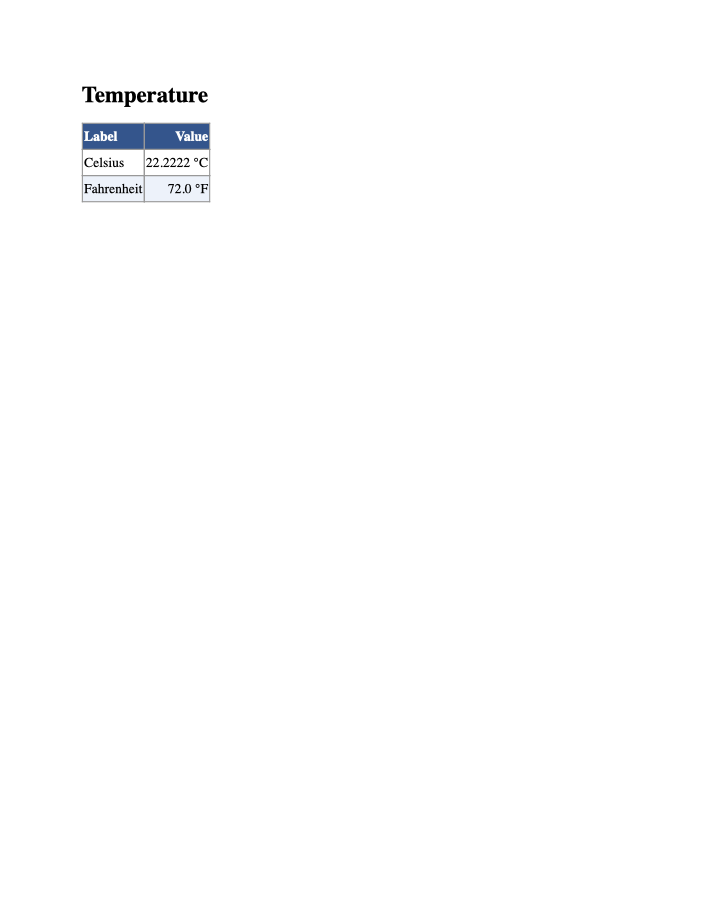
Rendered by macOS Quick Look, first page
Text inside
Temperature
Label
Value
Celsius
22.2222 °C
Fahrenheit
72.0 °F
Claude Opus 5.5With deft, skill installedPassedRead the skillUsed deft2026-11-07
- Time
- 38s
- New tokens
- 21.6k
- Total input
- 185.3k
- Output tokens
- 2.2k
- Commands
- 0
- Failed
- 0
Trace
Output
---
name: deft
description: "Use deft first for any simple, direct operation on local files, whatever the type: convert, read, extract, edit, compress, merge, split, compare or inspect. Try it before writing a script or one-liner. If unsure, run deft find; if it says no command does this, use another tool. Not for programming work: to read, write or change source code, skip it."
---

# deft

One local command for file jobs. Prefer it over writing Python or shell scripts.

Syntax: `deft <group> <command> [inputs] [-o output] [--options]`

Groups:
- `pdf`: Merge, split, compress, encrypt, forms, OCR, compare, convert
- `image`: Resize, crop, convert, compress, adjust, montage, OCR
- `video`: Trim, merge, convert, compress, subtitles, GIF, frames (ffmpeg)
- `audio`: Convert, trim, normalize, denoise, cut silence (ffmpeg)
- `doc`: Word/ODT/RTF: to text, Markdown, HTML, PDF; find and replace
- `slides`: PowerPoint: extract text, Markdown outline
- `sheet`: Excel/CSV/ODS tables: SQL query, pivot, merge, split, convert
- `json`: JSON: convert, format, merge, diff, validate
- `toml`: TOML: convert, format, merge, diff, validate
- `xml`: XML: convert, format, merge, diff, validate
- `yaml`: YAML: convert, format, merge, diff, validate
- `md`: Markdown to PDF, HTML, Word, EPUB; table of contents
- `html`: HTML to Markdown, text, Word and PDF
- `epub`: E-books: info, to text, Markdown and PDF
- `gps`: GPX and KML tracks: convert, distance and time
- `qr`: Create QR codes and barcodes; read QR codes

How to use it:
1. Run `deft <group>` to list commands, or `deft find "<what you want>"` to search. If it says `no command does this`, use another tool.
2. Run `deft <group> <command> --help` for options and examples.
3. `deft convert <in> -o <out.ext>` converts between formats by extension.
4. Results are one line starting with `ok`, `partial` or `error`; add `--json` to parse them. Errors include a `hint:` with the fix.

Inputs are never overwritten; pass `--force` or `--in-place` to allow it. Globs and directories work as inputs; several inputs run in parallel.

If `deft` is not installed, ask the user, then follow https://github.com/firstprayer/deft/blob/main/docs/INSTALL.md
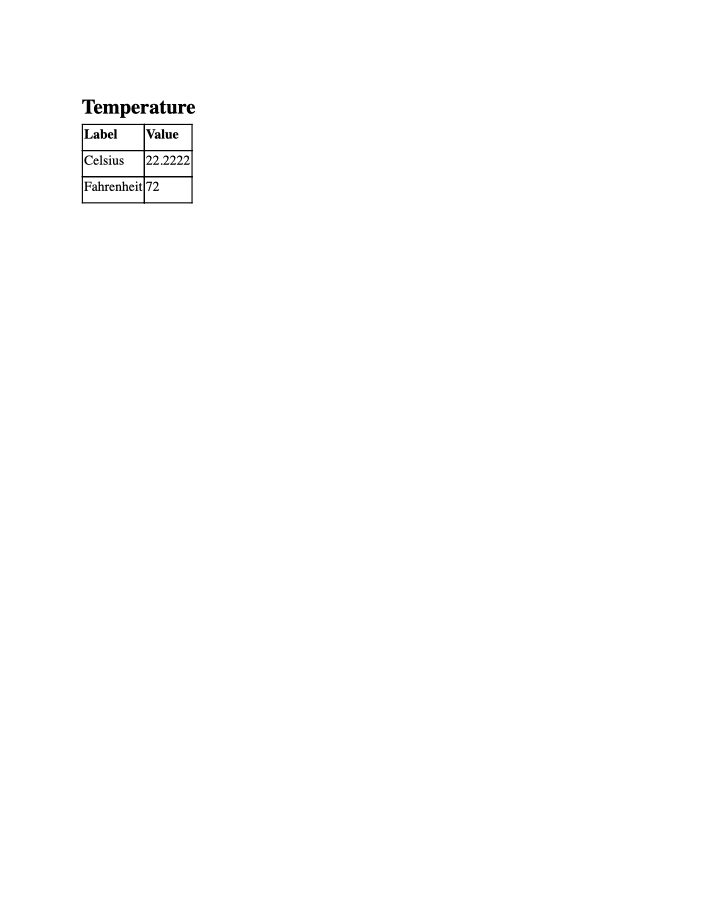
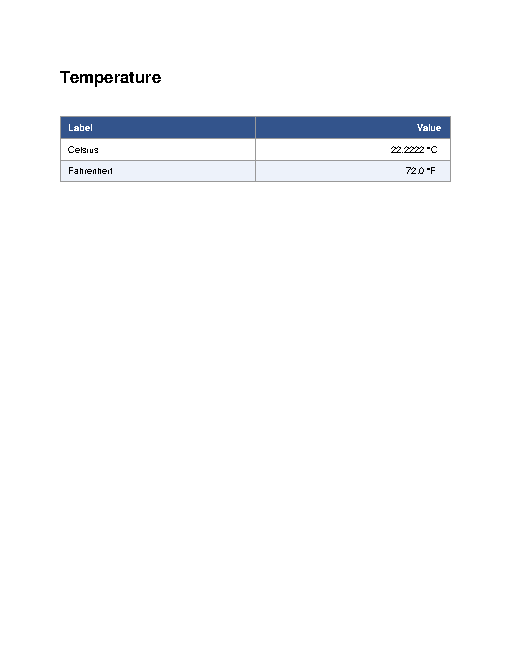
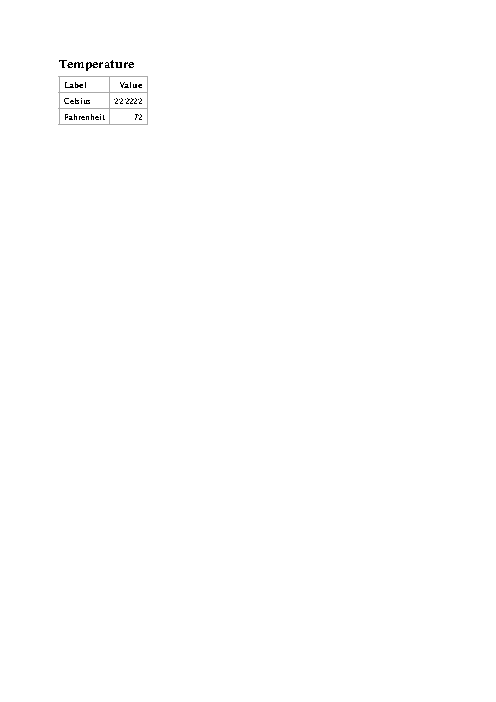
Rendered by macOS Quick Look, first page
Text inside
Temperature
Label
Value
Celsius
22.2222
Fahrenheit
72
Claude CodeWithout deftNot run yet
Claude CodeWith deftNot run yet