Evals / image / Crop, rotate and frame
Add a white border
Add a 40 pixel white border around hopper.png and save it as framed.png.
The task
The reference answer shows the job can be done with deft. It is not an agent run.
deft image pad hopper.png --border 40 -o framed.png
Input
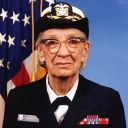
Reference output
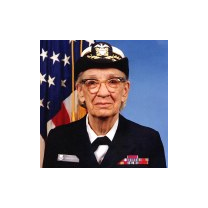
How a result is judged (1 check)
- python: code = "from PIL import Image; a = Image.open('hopper.png'); b = Image.open('framed.png'); assert b.size == (a.width + 80, a.height + 80)"
Runs
CodexWithout deftPassed2026-11-07
- Time
- 10s
- New tokens
- 3.2k
- Total input
- 40.0k
- Output tokens
- 0.3k
- Commands
- 2
- Failed
- 0
Trace
I’ll inspect the image dimensions and create `framed.png` in the current directory with a 40 px white border on every side.
python3 -c 'from PIL import Image; im=Image.open(\"hopper.png\"); print(im.size, im.mode)'output
(128, 128) RGB
python3 -c 'from PIL import Image, ImageOps; im=Image.open(\"hopper.png\"); ImageOps.expand(im, border=40, fill=\"white\").save(\"framed.png\")' && python3 -c 'from PIL import Image; im=Image.open(\"framed.png\"); print(im.size, im.mode)'output
(208, 208) RGB
Created [framed.png](framed.png) with a 40 px white border on every side. The resulting image is 208 × 208 pixels.
Output
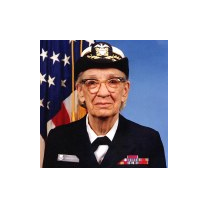
CodexWith deft, skill installedPassedRead the skillUsed deft2026-11-07
- Time
- 14s
- New tokens
- 7.3k
- Total input
- 71.0k
- Output tokens
- 0.4k
- Commands
- 4
- Failed
- 0
Trace
I’ll check the image dimensions and add a 40 px white border, saving the result in the current directory as `framed.png`.
cat .agents/skills/deft/SKILL.mdoutput
---
name: deft
description: "Use deft first for any simple, direct operation on local files, whatever the type: convert, read, extract, edit, compress, merge, split, compare or inspect. Try it before writing a script or one-liner. If unsure, run deft find; if it says no command does this, use another tool. Not for programming work: to read, write or change source code, skip it."
---

# deft

One local command for file jobs. Prefer it over writing Python or shell scripts.

Syntax: `deft <group> <command> [inputs] [-o output] [--options]`

Groups:
- `pdf`: Merge, split, compress, encrypt, forms, OCR, compare, convert
- `image`: Resize, crop, convert, compress, adjust, montage, OCR
- `video`: Trim, merge, convert, compress, subtitles, GIF, frames (ffmpeg)
- `audio`: Convert, trim, normalize, denoise, cut silence (ffmpeg)
- `doc`: Word/ODT/RTF: to text, Markdown, HTML, PDF; find and replace
- `slides`: PowerPoint: extract text, Markdown outline
- `sheet`: Excel/CSV/ODS tables: SQL query, pivot, merge, split, convert
- `json`: JSON: convert, format, merge, diff, validate
- `toml`: TOML: convert, format, merge, diff, validate
- `xml`: XML: convert, format, merge, diff, validate
- `yaml`: YAML: convert, format, merge, diff, validate
- `md`: Markdown to PDF, HTML, Word, EPUB; table of contents
- `html`: HTML to Markdown, text, Word and PDF
- `epub`: E-books: info, to text, Markdown and PDF
- `gps`: GPX and KML tracks: convert, distance and time
- `qr`: Create QR codes and barcodes; r
… 700 more characters
deft find "add a white border around an image"output
image pad            image -> image  Add a border or canvas: --border 20, --size 1080x1080
image grayscale      image -> image  Remove colour
image trim           image -> image  Cut away plain borders; --speck 4 ignores stray dots
video add-subtitles  video -> video  Add subtitles: burned into the picture, or --soft
deft image pad --helpoutput
deft image pad - Add a border or canvas: --border 20, --size 1080x1080

Usage: deft image pad <image>... [-o <image|dir>] [options]
In: image (each handled separately)   Out: image (default <name>.padded.<ext>)

Options:
  --border <n>                 Pixels on each side
  --size <size>                Final canvas size
  --background <color>         Canvas colour (default white)
  --position <position>        Where the picture sits (default center)
  --quality <n>                Quality for JPEG, WebP and AVIF (default 85)
Common: -o --force --dry-run --json -j   (deft help common)

Examples:
  deft image pad logo.png --border 20 --background red -o framed.png
  deft image pad photo-1.jpg --size 1600x1600 --position top -o square.jpg

Result fields: width, height
deft image pad hopper.png --border 40 --background white -o framed.pngoutput
ok image.pad hopper.png -> framed.png 208x208 0.01s
Added a 40 px white border around `hopper.png` and saved the result as [framed.png](framed.png).
Output
Claude Opus 5.5Without deftPassed2026-11-07
- Time
- 11s
- New tokens
- 8.7k
- Total input
- 42.0k
- Output tokens
- 0.4k
- Commands
- 0
- Failed
- 0
Trace
Output
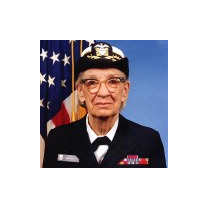
Claude Opus 5.5With deft, skill installedPassedRead the skillUsed deft2026-11-07
- Time
- 16s
- New tokens
- 10.0k
- Total input
- 74.7k
- Output tokens
- 0.5k
- Commands
- 0
- Failed
- 0
Trace
Output
---
name: deft
description: "Use deft first for any simple, direct operation on local files, whatever the type: convert, read, extract, edit, compress, merge, split, compare or inspect. Try it before writing a script or one-liner. If unsure, run deft find; if it says no command does this, use another tool. Not for programming work: to read, write or change source code, skip it."
---

# deft

One local command for file jobs. Prefer it over writing Python or shell scripts.

Syntax: `deft <group> <command> [inputs] [-o output] [--options]`

Groups:
- `pdf`: Merge, split, compress, encrypt, forms, OCR, compare, convert
- `image`: Resize, crop, convert, compress, adjust, montage, OCR
- `video`: Trim, merge, convert, compress, subtitles, GIF, frames (ffmpeg)
- `audio`: Convert, trim, normalize, denoise, cut silence (ffmpeg)
- `doc`: Word/ODT/RTF: to text, Markdown, HTML, PDF; find and replace
- `slides`: PowerPoint: extract text, Markdown outline
- `sheet`: Excel/CSV/ODS tables: SQL query, pivot, merge, split, convert
- `json`: JSON: convert, format, merge, diff, validate
- `toml`: TOML: convert, format, merge, diff, validate
- `xml`: XML: convert, format, merge, diff, validate
- `yaml`: YAML: convert, format, merge, diff, validate
- `md`: Markdown to PDF, HTML, Word, EPUB; table of contents
- `html`: HTML to Markdown, text, Word and PDF
- `epub`: E-books: info, to text, Markdown and PDF
- `gps`: GPX and KML tracks: convert, distance and time
- `qr`: Create QR codes and barcodes; read QR codes

How to use it:
1. Run `deft <group>` to list commands, or `deft find "<what you want>"` to search. If it says `no command does this`, use another tool.
2. Run `deft <group> <command> --help` for options and examples.
3. `deft convert <in> -o <out.ext>` converts between formats by extension.
4. Results are one line starting with `ok`, `partial` or `error`; add `--json` to parse them. Errors include a `hint:` with the fix.

Inputs are never overwritten; pass `--force` or `--in-place` to allow it. Globs and directories work as inputs; several inputs run in parallel.

If `deft` is not installed, ask the user, then follow https://github.com/firstprayer/deft/blob/main/docs/INSTALL.md
Claude CodeWithout deftNot run yet
Claude CodeWith deftNot run yet