Fill a PDF form
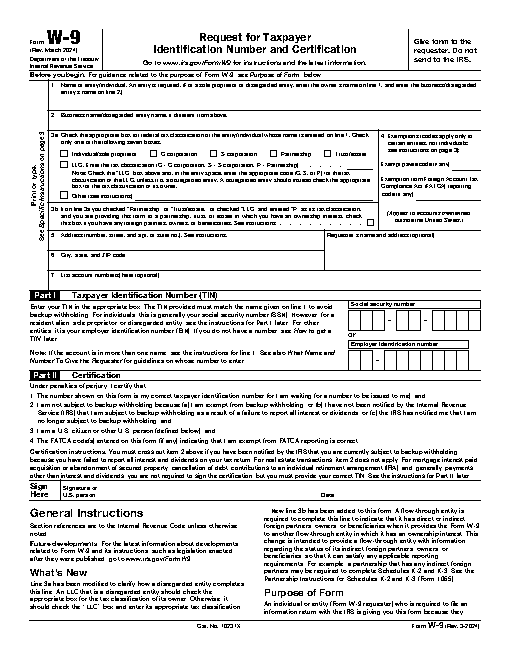
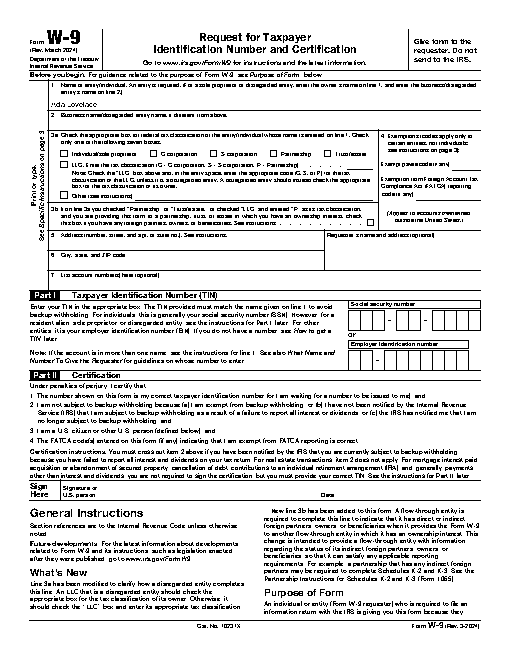
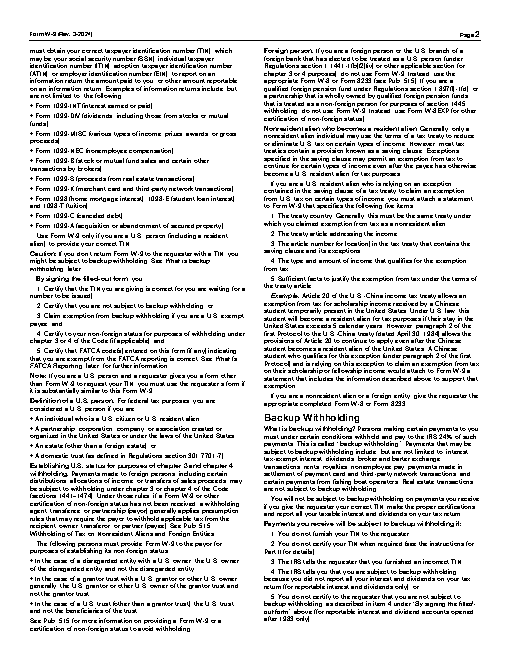
Fill in the name field on fw9.pdf with Ada Lovelace and save it as w9-filled.pdf.
The task
The reference answer shows the job can be done with deft. It is not an agent run.
(none)
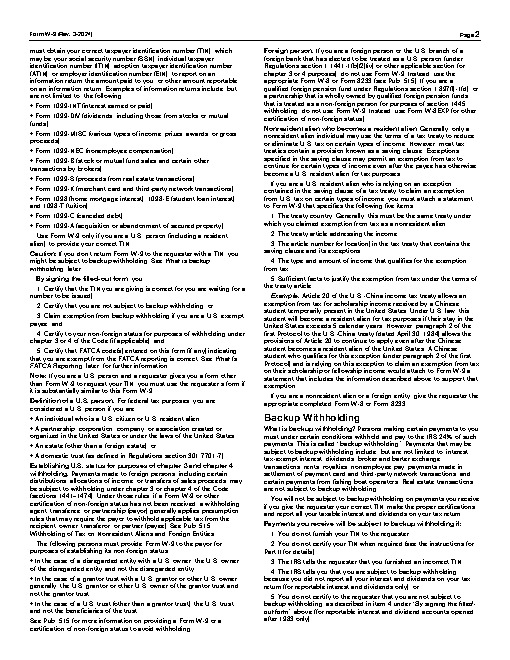
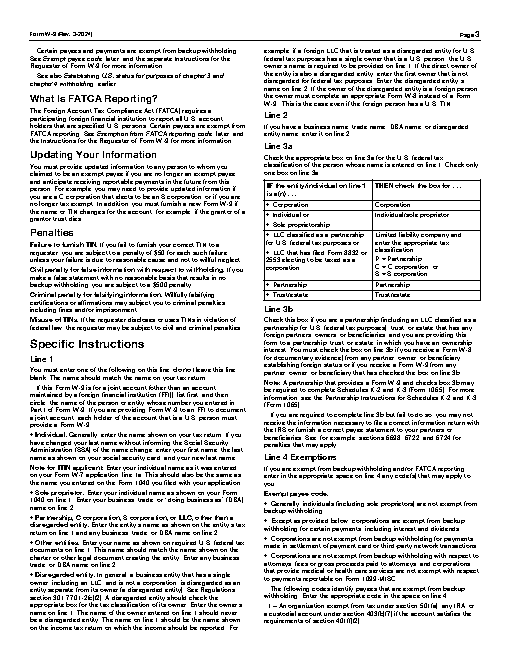
Input
Reference output
How a result is judged (2 checks)
- pdf_changed: file = "w9-filled.pdf", from = "fw9.pdf", min_difference = 0.02
- pdf_text: file = "w9-filled.pdf", contains = ["Ada Lovelace"]
Runs
CodexWithout deftPassed2026-11-07
- Time
- 62s
- New tokens
- 20.6k
- Total input
- 134.1k
- Output tokens
- 0.9k
- Commands
- 7
- Failed
- 0
Trace
I’ll inspect the PDF’s form fields, fill the name, and save the result in the current directory.
rg --files -g 'fw9.pdf' -g '*.pdf'output
fw9.pdf
which pdftk; which qpdf; which python3; python3 -c 'import importlib.util as u; print({x: bool(u.find_spec(x)) for x in [\"pypdf\",\"PyPDF2\",\"fitz\"]})'output
pdftk not found
qpdf not found
/usr/local/bin/python3
{'pypdf': False, 'PyPDF2': False, 'fitz': False}
which pdfinfo; which pdftotext; file fw9.pdf; ls -l fw9.pdfoutput
pdfinfo not found
pdftotext not found
fw9.pdf: PDF document, version 1.7 (zip deflate encoded)
-rw-r--r--@ 1 user  staff  140815 Nov  5 21:11 fw9.pdf
strings fw9.pdf | rg -i 'AcroForm|field|name|T\\s*\\(' | head -40output
<</AcroForm 1053 0 R/Extensions<</ADBE<</BaseVersion/1.7/ExtensionLevel 11>>>>/Lang 1029 0 R/MarkInfo<</Marked true>>/Metadata 55 0 R/Names 1054 0 R/Pages 1028 0 R/StructTreeRoot 63 0 R/Type/Catalog/ViewerPreferences<</DisplayDocTitle 1059 0 R>>>>
It()
l\t(
<</AcroForm 1053 0 R/Extensions<</ADBE<</BaseVersion/1.7/ExtensionLevel 11>>>>/Lang 1029 0 R/MarkInfo<</Marked true>>/Metadata 55 0 R/Names 1054 0 R/Pages 1028 0 R/StructTreeRoot 63 0 R/Type/Catalog/ViewerPreferences<</DisplayDocTitle 1059 0 R>>/Perms 1076 0 R>>
<</Type/Sig/Filter/Adobe.PPKLite/SubFilter/adbe.pkcs7.detached/Reference[<</Type/SigRef/TransformMethod/UR3/TransformParams<</V/2.2/Type/TransformParams/Msg(This is a Rights-Enabled PDF Document)/Document[/FullSave]/Annots[/Create/Delete/Modify/Copy/Import/Export/Online]/Form[/FillIn/Import/Export/SubmitStandalone/Online/Add/Delete]/Signature[/Modify]/P false/EF[/Create/Delete/Import/Modify]>>/Data 1032 0 R>>]/Name(ARE Production V8.1 G3 P24 1007685)/M(D:20240306200635-05'00')/Contents<308006092a864886f70d010702a0803080020101310b300906052b0e03021a0500308006092a864886f70d0107010000a0803082061b30820403a00302010202100901357a46c30d17b2f7d64b453c0818300d06092a864886f70d01010b05003075310b300906035504061302555331233021060355040a131a41646f62652053797374656d7320496e636f72706f7261746564311d301b060355040b131441646f6265205472757374205365727669636573312230200603550403131941646f62652050726f64756374205365727669636573204733301e170d3232303231313030303030305a170d33353132333132333539
… 12017 more characters
swift -e 'import PDFKit; import Foundation; let d=PDFDocument(url:URL(fileURLWithPath:\"fw9.pdf\"))"'!; print(d.pageCount); for p in 0..<d.pageCount { for a in d.page(at:p)!.annotations { if let f=a.fieldName { print(f, a.widgetFieldType.rawValue, a.widgetStringValue ?? "") } } }'"'output
6
topmostSubform[0].Page1[0].f1_01[0] /Tx
topmostSubform[0].Page1[0].f1_02[0] /Tx
topmostSubform[0].Page1[0].Boxes3a-b_ReadOrder[0].c1_1[0] /Btn Off
topmostSubform[0].Page1[0].Boxes3a-b_ReadOrder[0].c1_1[1] /Btn Off
topmostSubform[0].Page1[0].Boxes3a-b_ReadOrder[0].c1_1[2] /Btn Off
topmostSubform[0].Page1[0].Boxes3a-b_ReadOrder[0].c1_1[3] /Btn Off
topmostSubform[0].Page1[0].Boxes3a-b_ReadOrder[0].c1_1[4] /Btn Off
topmostSubform[0].Page1[0].Boxes3a-b_ReadOrder[0].c1_1[5] /Btn Off
topmostSubform[0].Page1[0].Boxes3a-b_ReadOrder[0].f1_03[0] /Tx
topmostSubform[0].Page1[0].Boxes3a-b_ReadOrder[0].c1_1[6] /Btn Off
topmostSubform[0].Page1[0].Boxes3a-b_ReadOrder[0].f1_04[0] /Tx
topmostSubform[0].Page1[0].Boxes3a-b_ReadOrder[0].c1_2[0] /Btn Off
topmostSubform[0].Page1[0].f1_05[0] /Tx
topmostSubform[0].Page1[0].f1_06[0] /Tx
topmostSubform[0].Page1[0].Address_ReadOrder[0].f1_07[0] /Tx
topmostSubform[0].Page1[0].Address_ReadOrder[0].f1_08[0] /Tx
topmostSubform[0].Page1[0].f1_09[0] /Tx
topmostSubform[0].Page1[0].f1_10[0] /Tx
topmostSubform[0].Page1[0].f1_11[0] /Tx
topmostSubform[0].Page1[0].f1_12[0] /Tx
topmostSubform[0].Page1[0].f1_13[0] /Tx
topmostSubform[0].Page1[0].f1_14[0] /Tx
topmostSubform[0].Page1[0].f1_15[0] /Tx
swift -e 'import PDFKit; import Foundation; let u=URL(fileURLWithPath:\"fw9.pdf\"); let d=PDFDocument(url:u)"'!; for p in 0..<d.pageCount { for a in d.page(at:p)!.annotations { print(a.fieldName ?? "", a.widgetFieldType.rawValue, a.widgetStringValue ?? "") } }'"'output
topmostSubform[0].Page1[0].f1_01[0] /Tx
topmostSubform[0].Page1[0].f1_02[0] /Tx
topmostSubform[0].Page1[0].Boxes3a-b_ReadOrder[0].c1_1[0] /Btn Off
topmostSubform[0].Page1[0].Boxes3a-b_ReadOrder[0].c1_1[1] /Btn Off
topmostSubform[0].Page1[0].Boxes3a-b_ReadOrder[0].c1_1[2] /Btn Off
topmostSubform[0].Page1[0].Boxes3a-b_ReadOrder[0].c1_1[3] /Btn Off
topmostSubform[0].Page1[0].Boxes3a-b_ReadOrder[0].c1_1[4] /Btn Off
topmostSubform[0].Page1[0].Boxes3a-b_ReadOrder[0].c1_1[5] /Btn Off
topmostSubform[0].Page1[0].Boxes3a-b_ReadOrder[0].f1_03[0] /Tx
topmostSubform[0].Page1[0].Boxes3a-b_ReadOrder[0].c1_1[6] /Btn Off
topmostSubform[0].Page1[0].Boxes3a-b_ReadOrder[0].f1_04[0] /Tx
topmostSubform[0].Page1[0].Boxes3a-b_ReadOrder[0].c1_2[0] /Btn Off
topmostSubform[0].Page1[0].f1_05[0] /Tx
topmostSubform[0].Page1[0].f1_06[0] /Tx
topmostSubform[0].Page1[0].Address_ReadOrder[0].f1_07[0] /Tx
topmostSubform[0].Page1[0].Address_ReadOrder[0].f1_08[0] /Tx
topmostSubform[0].Page1[0].f1_09[0] /Tx
topmostSubform[0].Page1[0].f1_10[0] /Tx
topmostSubform[0].Page1[0].f1_11[0] /Tx
topmostSubform[0].Page1[0].f1_12[0] /Tx
topmostSubform[0].Page1[0].f1_13[0] /Tx
topmostSubform[0].Page1[0].f1_14[0] /Tx
topmostSubform[0].Page1[0].f1_15[0] /Tx
swift -e 'import PDFKit; import Foundation; let src=URL(fileURLWithPath:\"fw9.pdf\"); let dst=URL(fileURLWithPath:\"w9-filled.pdf\"); let d=PDFDocument(url:src)"'!; for p in 0..<d.pageCount { for a in d.page(at:p)!.annotations where a.fieldName == "topmostSubform[0].Page1[0].f1_01[0]" { a.widgetStringValue = "Ada Lovelace" } }; guard d.write(to:dst) else { fatalError("write failed") }; print("saved", dst.path)'"' && ls -l w9-filled.pdfoutput
2026-11-06 17:19:19.279 swift-frontend[94841:6523140] PDFFormField with no corresponding Widget sharing the field name.
saved w9-filled.pdf
-rw-r--r--@ 1 user  staff  183808 Nov  6 17:19 w9-filled.pdf
Filled the name field with **Ada Lovelace** and saved [w9-filled.pdf](w9-filled.pdf).
Output
CodexWith deft, skill installedPassedRead the skillUsed deft2026-11-07
- Time
- 18s
- New tokens
- 6.8k
- Total input
- 105.9k
- Output tokens
- 0.6k
- Commands
- 6
- Failed
- 0
Trace
I’ll inspect the PDF form and use the available document workflow to fill the name field, then save the new file in the current directory.
cat .agents/skills/deft/SKILL.md && rg --files -g 'fw9.pdf' -g 'AGENTS.md' -g 'w9-filled.pdf' .output
---
name: deft
description: "Use deft instead of writing a script for file jobs: PDF merge/split/compress/watermark, image resize/convert/compress, video and audio trim/convert/compress, spreadsheets, Markdown to PDF/HTML, and YouTube downloads and subtitles."
---

# deft

One local command for file jobs. Prefer it over writing Python or shell scripts.

Syntax: `deft <group> <command> [inputs] [-o output] [--options]`

Groups:
- `pdf`: Merge, split, compress, encrypt, forms, OCR, compare, convert
- `image`: Resize, crop, convert, compress, filters, montage, OCR
- `video`: Trim, crop, speed, convert, compress, GIF, frames (ffmpeg)
- `audio`: Convert, trim, merge, fade, speed, tag, normalize (ffmpeg)
- `doc`: Word/ODT/RTF: to text, Markdown, HTML, PDF; find and replace
- `slides`: PowerPoint: extract text, Markdown outline, PDF handout
- `data`: JSON/YAML/TOML/XML: convert, query with jq syntax, merge, diff
- `sheet`: Excel/CSV/ODS tables: filter, sort, join, pivot, convert
- `md`: Markdown to PDF, HTML, Word, EPUB; table of contents
- `html`: HTML to Markdown, text, Word, PDF; screenshots
- `epub`: E-books: info, to text, Markdown and PDF
- `email`: EML files: headers, text, attachments
- `contact`: VCF address books: to and from CSV
- `calendar`: ICS calendars: to and from CSV
- `gps`: GPX and KML tracks: convert, distance and time
- `youtube`: Info, download, audio, subtitles, thumbnail (yt-dlp)
- `file`: Any file: hash, duplicates, batch rename, base64, encoding
- `qr`: Cre
… 738 more characters
I’m using the `deft` file workflow for this PDF form task. I’ll check its form commands and fill only the name field.
deft pdfoutput
deft pdf - commands (input -> output)
  info            pdf -> report       Pages, size, metadata, fonts, images
  compare         pdf... -> report    Compare two PDFs: text and pixels
  compress        pdf -> pdf          Make smaller: --level, --target-size 2MB
  crop            pdf -> pdf          Trim pages: --margin, --box, --auto
  decrypt         pdf -> pdf          Remove a password you know
  delete          pdf -> pdf          Remove pages: --pages 2,5-7
  encrypt         pdf -> pdf          Protect with a password (AES-256)
  extract-images  pdf -> image...     Save embedded pictures, unchanged
  extract-sheets  pdf -> csv|xlsx...  Save each table apart [beta]
  fields          pdf -> report       List form fields
  fill            pdf -> pdf          Fill a form from JSON: --data values.json
  flatten         pdf -> pdf          Bake forms into pages
  from-images     image... -> pdf     One page per image
  from-md         md -> pdf           Typeset Markdown as PDF
  grayscale       pdf -> pdf          Remove colour (Ghostscript)
  merge           pdf... -> pdf       Join PDFs in the given order
  meta            pdf -> pdf          Read or set metadata and bookmarks
  number          pdf -> pdf          Add page numbers: --format
  ocr             pdf -> pdf|txt      Make a scan searchable
  redact          pdf -> pdf          Black out for good: --box or --text
  repair          pdf -> pdf          Rebuild a damaged PDF (Ghostscript)
  resize          pdf -> p
… 892 more characters
deft pdf fields fw9.pdfoutput
ok pdf.fields fw9.pdf  23 fields
fields=[{"name":"topmostSubform[0].Page1[0].f1_01[0]","type":"text"},{"name":"topmostSubform[0].Page1[0].f1_02[0]","type":"text"},{"name":"topmostSubform[0].Page1[0].Boxes3a-b_ReadOrder[0].c1_1[0]","type":"checkbox","options":["1"]},{"name":"topmostSubform[0].Page1[0].Boxes3a-b_ReadOrder[0].c1_1[1]","type":"checkbox","options":["2"]},{"name":"topmostSubform[0].Page1[0].Boxes3a-b_ReadOrder[0].c1_1[2]","type":"checkbox","options":["3"]},{"name":"topmostSubform[0].Page1[0].Boxes3a-b_ReadOrder[0].c1_1[3]","type":"checkbox","options":["4"]},{"name":"topmostSubform[0].Page1[0].Boxes3a-b_ReadOrder[0].c1_1[4]","type":"checkbox","options":["5"]},{"name":"topmostSubform[0].Page1[0].Boxes3a-b_ReadOrder[0].c1_1[5]","type":"checkbox","options":["6"]},{"name":"topmostSubform[0].Page1[0].Boxes3a-b_ReadOrder[0].f1_03[0]","type":"text"},{"name":"topmostSubform[0].Page1[0].Boxes3a-b_ReadOrder[0].c1_1[6]","type":"checkbox","options":["7"]},{"name":"topmostSubform[0].Page1[0].Boxes3a-b_ReadOrder[0].f1_04[0]","type":"text"},{"name":"topmostSubform[0].Page1[0].Boxes3a-b_ReadOrder[0].c1_2[0]","type":"checkbox","options":["1"]},{"name":"topmostSubform[0].Page1[0].f1_05[0]","type":"text"},{"name":"topmostSubform[0].Page1[0].f1_06[0]","type":"text"},{"name":"topmostSubform[0].Page1[0].Address_ReadOrder[0].f1_07[0]","type":"text"},{"name":"topmostSubform[0].Page1[0].Address_ReadOrder[0].f1_08[0]","type":"text"},{"name":"topmostSubform[0].Page1[0].f1_09[0]","type":"text"
… 368 more characters
deft pdf fill --helpoutput
deft pdf fill - Fill a form from JSON: --data values.json

Usage: deft pdf fill <pdf>... [-o <pdf|dir>] [options]
In: pdf (each handled separately)   Out: pdf (default <name>.filled.<ext>)
The JSON is {"field name": value}. Checkboxes take true or false; radios an option.
Field names come from deft pdf fields; a short name works when it is unique.

Options:
  --data <path>                JSON file of field values (required)
  --flatten                    Make the result uneditable
  --password <text>            Password of an encrypted input
Common: -o --force --dry-run --json -j   (deft help common)

Examples:
  deft pdf fill form.pdf --data form-values.json -o filled.pdf
  deft pdf fill form.pdf --data form-values.json --flatten -o final.pdf

Result fields: filled
Errors: BAD_VALUE
printf '%s\\n' '{\"topmostSubform[0].Page1[0].f1_01[0]\":\"Ada Lovelace\"}' > <tmp>deft pdf fill fw9.pdf --data <tmp> -o w9-filled.pdfoutput
ok pdf.fill fw9.pdf -> w9-filled.pdf 1 fields 0.01s
Filled the name field with Ada Lovelace and saved the result as [w9-filled.pdf](w9-filled.pdf).
Output
CodexWith deft, skill as AGENTS.mdFailed2026-11-05
w9-filled.pdf was not created
- Time
- 41s
- New tokens
- 17.2k
- Total input
- 165.7k
- Output tokens
- 1.3k
- Commands
- 9
- Failed
- 3
Trace
I’ll inspect the PDF fields, fill the name field, and save the completed copy in this directory.
deft pdf --helpoutput
deft pdf - commands (input -> output)
  info         pdf -> report      Pages, size, metadata, fonts, images
  compress     pdf -> pdf         Make a PDF smaller: --level, --target-size 2MB
  delete       pdf -> pdf         Remove pages: --pages 2,5-7
  from-images  image... -> pdf    One page per image, in the given order
  from-md      md -> pdf          Typeset a PDF with headings, tables, code, images
  merge        pdf... -> pdf      Join PDFs in the given order
  number       pdf -> pdf         Add page numbers: --format "{n} of {total}"
  rotate       pdf -> pdf         Turn pages clockwise: --angle 90, --pages
  select       pdf -> pdf         Keep and reorder pages: --pages 3,1-2
  split        pdf -> pdf...      One file per page, or --every N, --ranges 1-3,4-
  to-images    pdf -> png|jpg...  Render pages to images: --dpi, --pages
  to-text      pdf -> txt         Extract text (form feed between pages)
  watermark    pdf -> pdf         Stamp text or an image on pages: --text, --image
More: deft pdf <command> --help
deft pdf info fw9.pdf --jsonoutput
{"elapsed_ms":3,"items":[{"facts":{"author":"SE:W:CAR:MP","fonts":9,"forms":true,"height":792.0,"images":0,"pages":6,"paper":"letter","producer":"Designer 6.5","title":"Form W-9 (Rev. March 2024)","version":"1.7","width":612.0},"inputs":["fw9.pdf"],"ok":true,"outputs":[],"warnings":[]}],"ok":true,"op":"pdf.info","v":1}which pdftk; which qpdf; which python3; ls -l fw9.pdfoutput
pdftk not found
qpdf not found
/opt/homebrew/bin/python3
-rw-r--r--@ 1 user  staff  140815 Nov  4 19:32 fw9.pdf
python3 -c 'import pypdf; print(pypdf.__version__)' (exit 1)output
Traceback (most recent call last):
  File "<string>", line 1, in <module>
    import pypdf; print(pypdf.__version__)
    ^^^^^^^^^^^^
ModuleNotFoundError: No module named 'pypdf'
python3 -c 'import fitz; print(fitz.__doc__)' (exit 1)output
Traceback (most recent call last):
  File "<string>", line 1, in <module>
    import fitz; print(fitz.__doc__)
    ^^^^^^^^^^^
ModuleNotFoundError: No module named 'fitz'
which mutool; which gs; which pdftoppm; which pdftocairo; which swift; deft pdf to-text --helpoutput
mutool not found
/usr/local/bin/gs
pdftoppm not found
pdftocairo not found
/usr/bin/swift
deft pdf to-text - Extract text (form feed between pages)
Same as: deft convert

Usage: deft pdf to-text <pdf>... [-o <txt|dir>] [options]
In: pdf (each handled separately)   Out: txt (default <name>.<ext>)

Options:
  --pages <pages>              Pages to read (default all)
  --password <text>            Password of an encrypted input
Common: -o --force --dry-run --json -j   (deft help common)

Examples:
  deft pdf to-text report.pdf -o report.txt
  deft pdf to-text three-pages.pdf --pages 2 -o -

Result fields: chars
swift -e 'import PDFKit; import Foundation; let u=URL(fileURLWithPath:\"fw9.pdf\"); let d=PDFDocument(url:u)"'!; for p in 0..<d.pageCount { for a in d.page(at:p)!.annotations { if a.widgetFieldName != nil { print(p, a.widgetFieldName!, a.widgetFieldType?.rawValue ?? "", a.widgetStringValue ?? "") } } }'"' (exit 1)output
<unknown>:0: error: unable to open output file '~/.cache/clang/ModuleCache/381PHTBH1ZI6B/SwiftShims-6PVXR3VD9JVP.pcm': 'Operation not permitted'
/Library/Developer/CommandLineTools/SDKs/MacOSX.sdk/usr/lib/swift/Swift.swiftmodule/arm64e-apple-macos.swiftinterface:5:8: error: could not build Objective-C module 'SwiftShims'
    3 | // swift-module-flags: -target arm64e-apple-macosx26.2 -target-variant arm64e-apple-ios26.2-macabi -enable-objc-interop -enable-library-evolution -module-link-name swiftCore -parse-stdlib -swift-version 5 -O -library-level api -enforce-exclusivity=unchecked -target-min-inlining-version min -enable-experimental-concise-pound-file -disable-objc-attr-requires-foundation-module -enable-experimental-feature NoncopyableGenerics2 -enable-experimental-feature SuppressedAssociatedTypes -enable-experimental-feature SE427NoInferenceOnExtension -enable-experimental-feature NonescapableTypes -enable-experimental-feature LifetimeDependence -enable-experimental-feature InoutLifetimeDependence -enable-experimental-feature LifetimeDependenceMutableAccessors -enable-experimental-feature MemberImportVisibility -enable-experimental-feature TypedThrows -enable-experimental-feature Macros -enable-experimental-feature FreestandingMacros -enable-experimental-feature BitwiseCopyable -enable-experimental-feature Extern -enable-experimental-feature AllowUnsafeAttribute -enable-experimental-feature ValueGenerics -enable-experimental-feature AddressableParameters -enable-experime
… 2700 more characters
python3 -c 'import importlib.util as u; print({x:bool(u.find_spec(x)) for x in [\"pdfrw\",\"PyPDF2\",\"reportlab\"]})'; gs --versionoutput
{'pdfrw': False, 'PyPDF2': False, 'reportlab': False}
9.55.0
deft pdf to-text fw9.pdf -o -output
ok pdf.to-text fw9.pdf -> -  37560 characters  0.00s
Form  W-9
(Rev. March 2024)Request for Taxpayer Identification Number and Certification
Department of the Treasury  Internal Revenue Service
Go to www.irs.gov/FormW9 for instructions and the latest information.
Give form to the  requester. Do not send to the IRS.
Before you begin. For guidance related to the purpose of Form W-9, see Purpose of Form, below.
Print or type. See Specific Instructions on page 3.
1    Name of entity/individual. An entry is required. (For a sole proprietor or disregarded entity, enter the owner’s name on line 1, and enter the business/disregarded entity’s name on line 2.)
2    Business name/disregarded entity name, if different from above.3a  Check the appropriate box for federal tax classification of the entity/individual whose name is entered on line 1. Check only one of the following seven boxes.
Individual/sole proprietor
C corporation
S corporation
Partnership
Trust/estate
LLC. Enter the tax classification (C = C corporation, S = S corporation, P = Partnership) ....Note: Check the “LLC” box above and, in the entry space, enter the appropriate code (C, S, or P) for the tax classification of the LLC, unless it is a disregarded entity. A disregarded entity should instead check the appropriate box for the tax classification of its owner.
Other (see instructions)
3b If on line 3a you checked “Partnership” or “Trust/estate,” or checked “LLC” and entered “P” as its tax classification, and you are
… 36112 more characters
I couldn’t complete the PDF: the available tools didn’t expose a way to edit its form fields, and the local PDF library attempt failed. No `w9-filled.pdf` was created.
Output
Its files were not kept in this run. The last line of the trace is its own report.
Claude Opus 5.5Without deftPassed2026-11-07
- Time
- 71s
- New tokens
- 26.9k
- Total input
- 222.2k
- Output tokens
- 5.9k
- Commands
- 0
- Failed
- 0
Trace
Output
Claude Opus 5.5With deft, skill installedPassedRead the skillUsed deft2026-11-07
- Time
- 17s
- New tokens
- 11.6k
- Total input
- 77.4k
- Output tokens
- 0.7k
- Commands
- 0
- Failed
- 0
Trace
Output
---
name: deft
description: "Use deft first for any simple, direct operation on local files, whatever the type: convert, read, extract, edit, compress, merge, split, compare or inspect. Try it before writing a script or one-liner. If unsure, run deft find; if it says no command does this, use another tool. Not for programming work: to read, write or change source code, skip it."
---

# deft

One local command for file jobs. Prefer it over writing Python or shell scripts.

Syntax: `deft <group> <command> [inputs] [-o output] [--options]`

Groups:
- `pdf`: Merge, split, compress, encrypt, forms, OCR, compare, convert
- `image`: Resize, crop, convert, compress, adjust, montage, OCR
- `video`: Trim, merge, convert, compress, subtitles, GIF, frames (ffmpeg)
- `audio`: Convert, trim, normalize, denoise, cut silence (ffmpeg)
- `doc`: Word/ODT/RTF: to text, Markdown, HTML, PDF; find and replace
- `slides`: PowerPoint: extract text, Markdown outline
- `sheet`: Excel/CSV/ODS tables: SQL query, pivot, merge, split, convert
- `json`: JSON: convert, format, merge, diff, validate
- `toml`: TOML: convert, format, merge, diff, validate
- `xml`: XML: convert, format, merge, diff, validate
- `yaml`: YAML: convert, format, merge, diff, validate
- `md`: Markdown to PDF, HTML, Word, EPUB; table of contents
- `html`: HTML to Markdown, text, Word and PDF
- `epub`: E-books: info, to text, Markdown and PDF
- `gps`: GPX and KML tracks: convert, distance and time
- `qr`: Create QR codes and barcodes; read QR codes

How to use it:
1. Run `deft <group>` to list commands, or `deft find "<what you want>"` to search. If it says `no command does this`, use another tool.
2. Run `deft <group> <command> --help` for options and examples.
3. `deft convert <in> -o <out.ext>` converts between formats by extension.
4. Results are one line starting with `ok`, `partial` or `error`; add `--json` to parse them. Errors include a `hint:` with the fix.

Inputs are never overwritten; pass `--force` or `--in-place` to allow it. Globs and directories work as inputs; several inputs run in parallel.

If `deft` is not installed, ask the user, then follow https://github.com/firstprayer/deft/blob/main/docs/INSTALL.md
Claude CodeWithout deftNot run yet
Claude CodeWith deftNot run yet