Evals / pdf / Multi-step jobs
Assemble an application from mixed files
Put together one application.pdf for a portal: letter.docx first, then the photo DSCN0010.jpg, then fw9.pdf. Number the pages at the bottom. The portal rejects anything over 1MB.
The task
The reference answer shows the job can be done with deft. It is not an agent run.
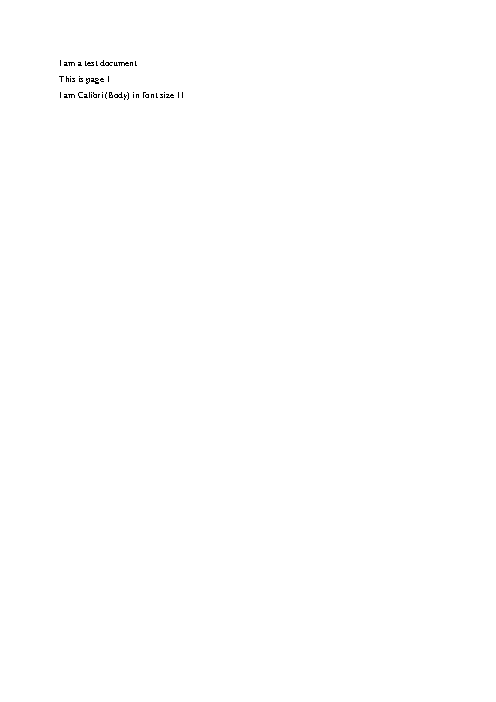
deft doc to-pdf letter.docx -o letter.pdf
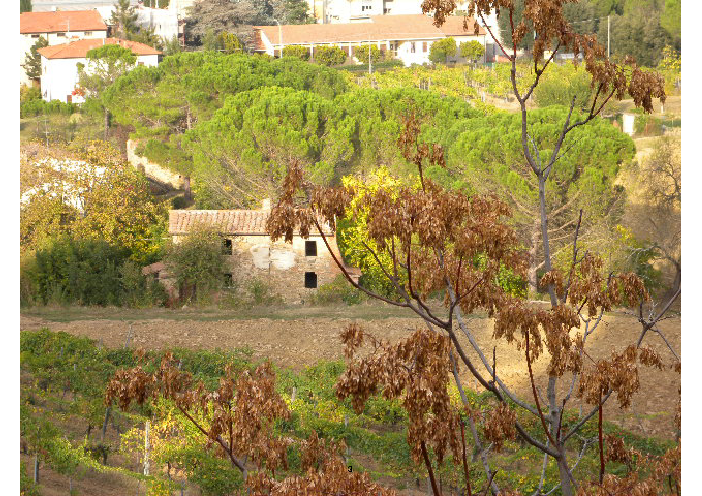
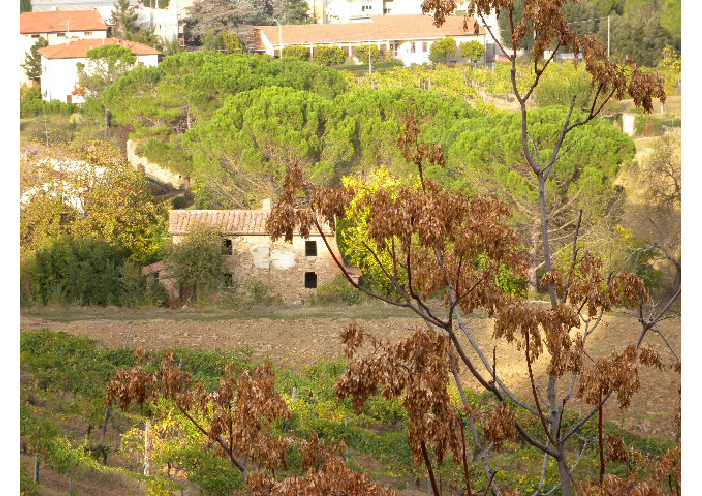
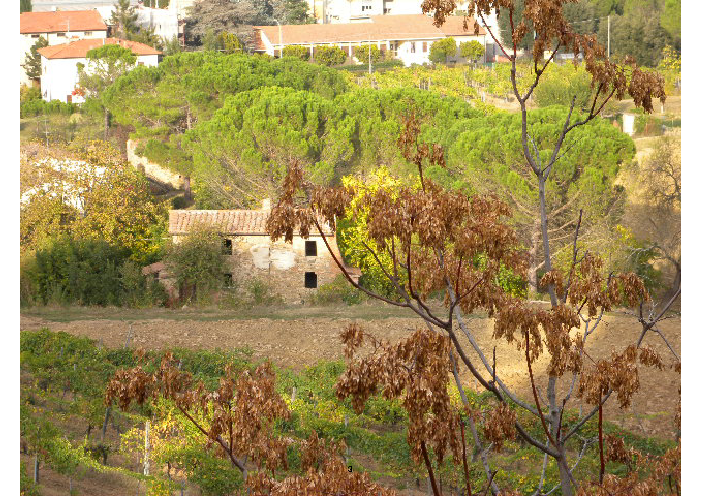
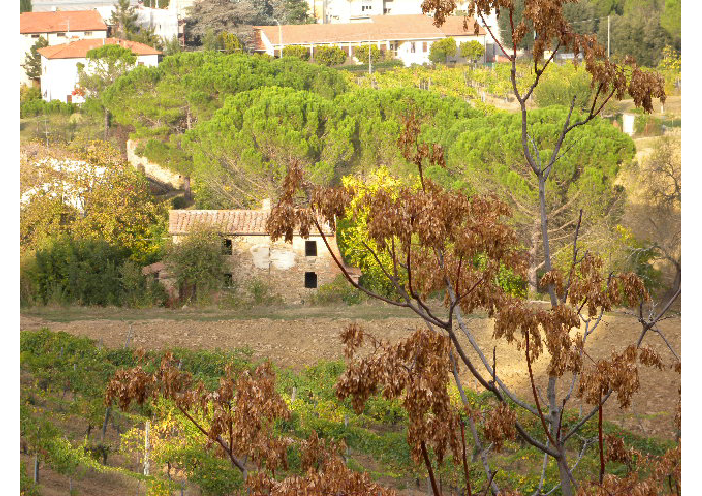
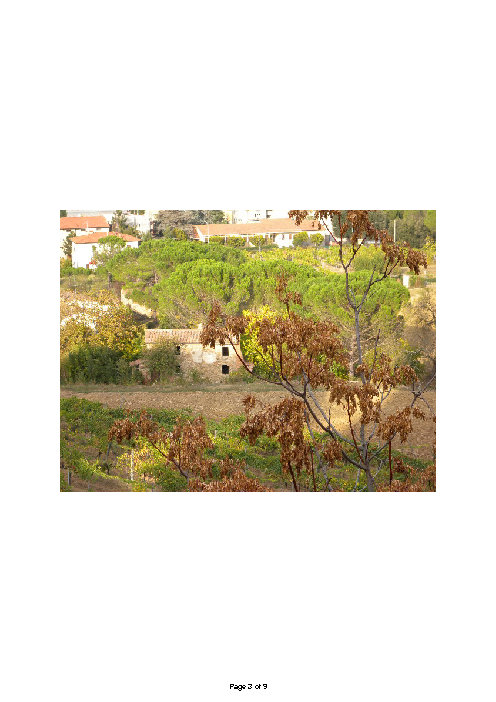
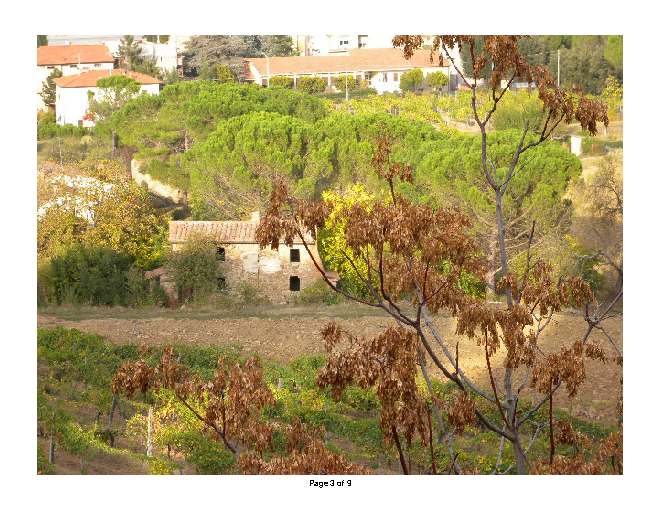
deft image to-pdf DSCN0010.jpg -o photo.pdf
deft pdf merge letter.pdf photo.pdf fw9.pdf -o joined.pdf
deft pdf number joined.pdf -o numbered.pdf
deft pdf compress numbered.pdf --target-size 1MB -o application.pdf
Input
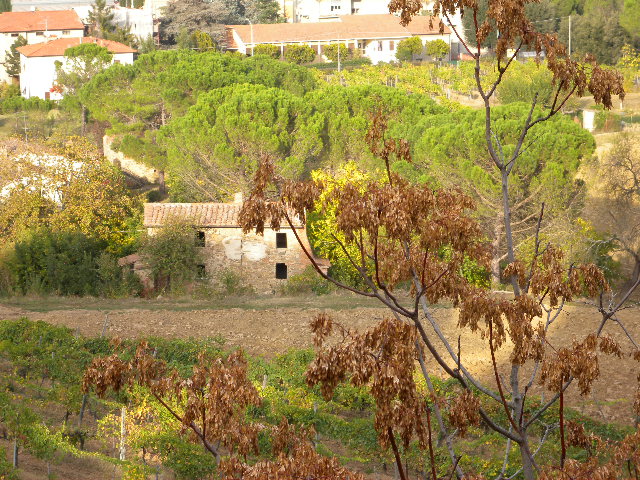
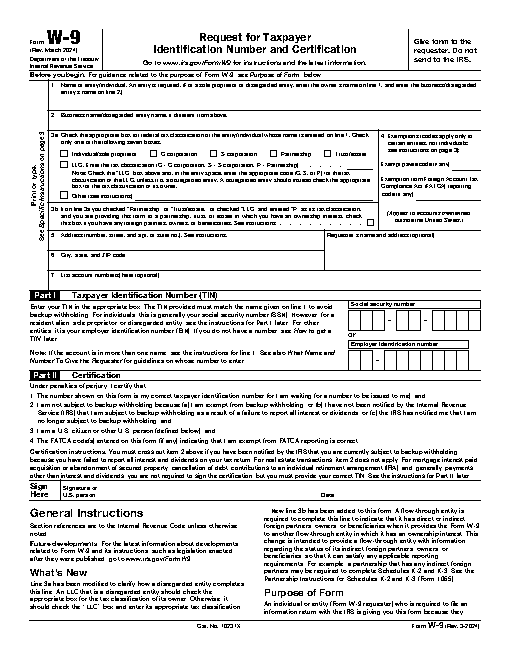
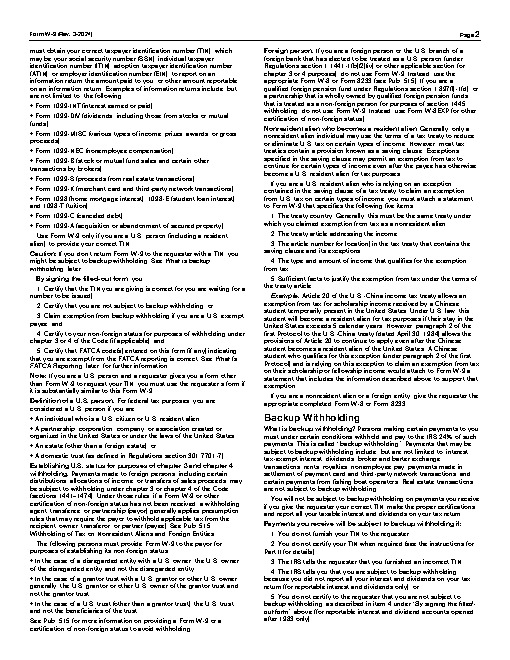
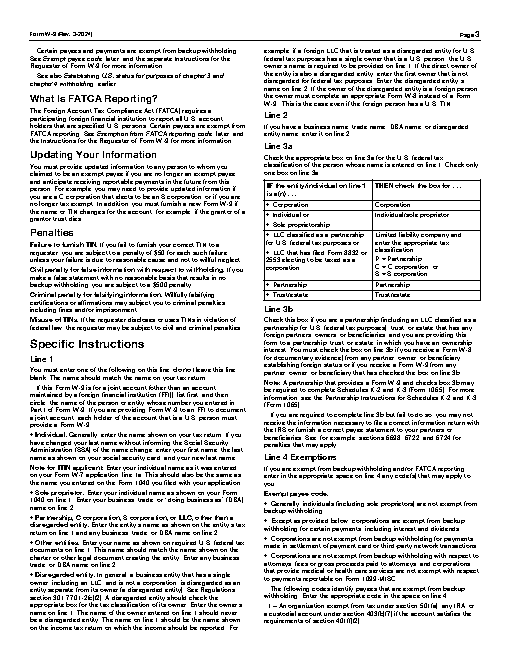
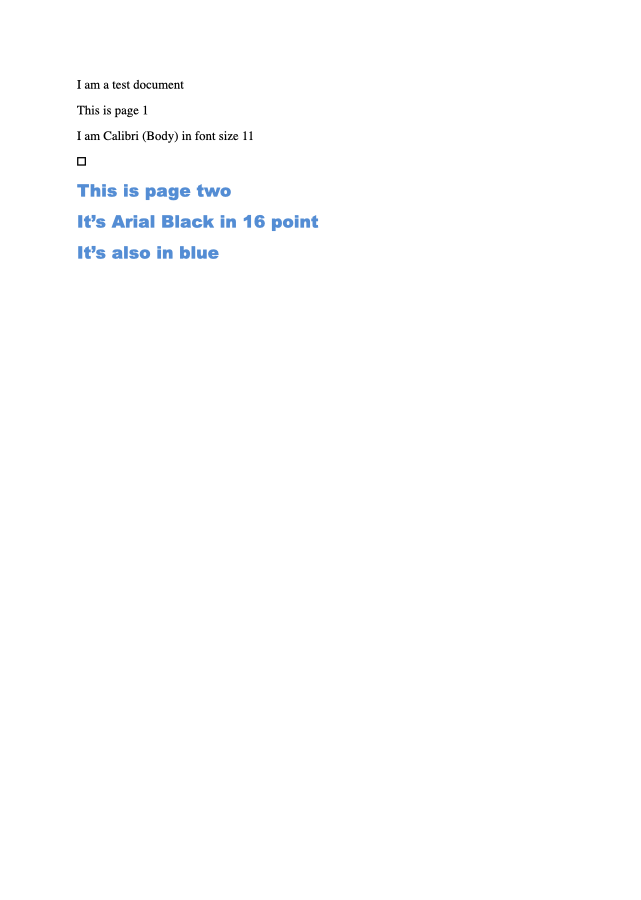
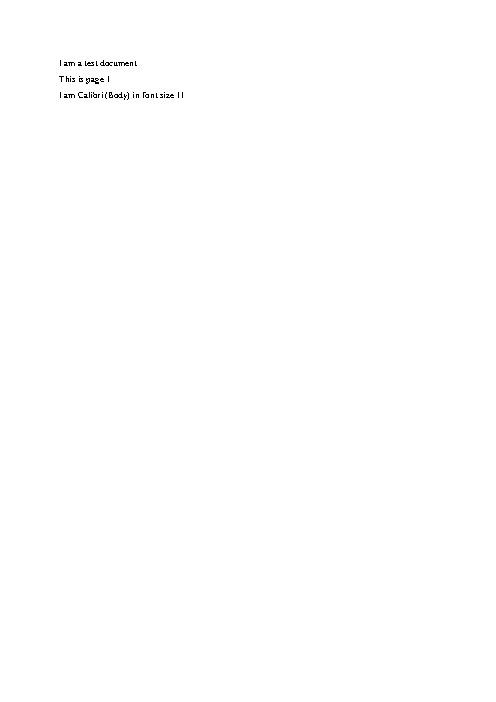
Rendered by macOS Quick Look, first page
Text inside
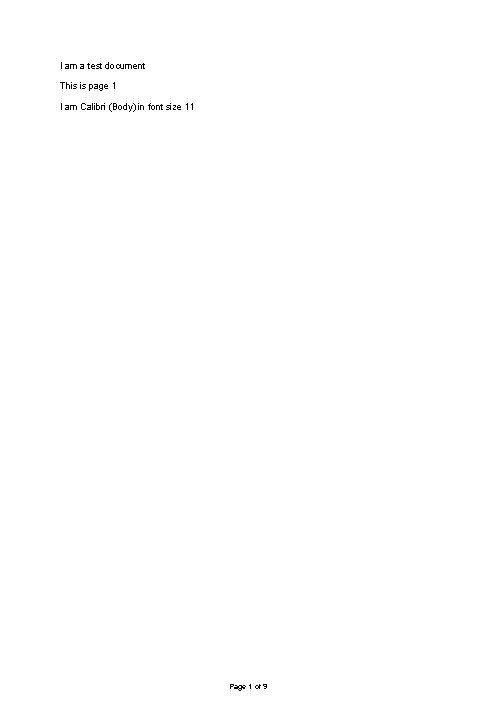
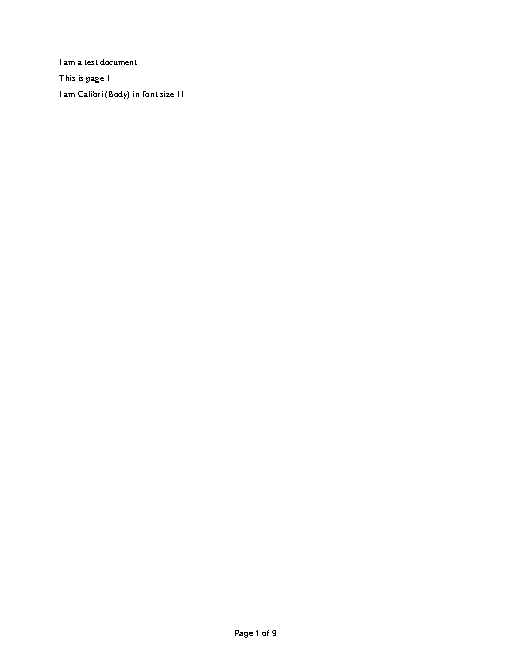
I am a test document
This is page 1
I am Calibri (Body) in font size 11

This is page two
It’s Arial Black in 16 point
It’s also in blue
Reference output






How a result is judged (2 checks)
- max_bytes: file = "application.pdf", bytes = 1048576
- python: code = "import subprocess\ndef text(first, last):\n return subprocess.run(['gs', '-q', '-dNOPAUSE', '-dBATCH', '-sDEVICE=txtwrite', f'-dFirstPage={first}', f'-dLastPage={last}', '-sOutputFile=-', 'application.pdf'], capture_output=True, text=True, errors='replace').stdout\nn = int(subprocess.check_output(['gs', '-q', '-dNODISPLAY', '--permit-file-read=application.pdf', '-c', '(application.pdf) (r) file runpdfbegin pdfpagecount = quit'], text=True).split()[-1])\nw9 = subprocess.check_output(['gs', '-q', '-dNODISPLAY', '--permit-file-read=fw9.pdf', '-c', '(fw9.pdf) (r) file runpdfbegin pdfpagecount = quit'], text=True).split()[-1]\nassert n >= int(w9) + 2, n\nassert 'W-9' in text(n - int(w9) + 1, n - int(w9) + 1), 'the form is not last'\nassert 'W-9' not in text(1, 1), 'the letter is not first'\nassert str(n) in text(n, n).split(), 'last page has no number'\n"
Runs
CodexWithout deftFailed2026-11-07
Traceback (most recent call last): File "<string>", line 8, in <module> AssertionError: the form is not last
- Time
- 104s
- New tokens
- 31.3k
- Total input
- 550.5k
- Output tokens
- 4.1k
- Commands
- 20
- Failed
- 7
Trace
I’ll inspect the three source files, combine them in the requested order, and make the finished PDF small enough for the portal while adding page numbers.
rg --files -g 'letter.docx' -g 'DSCN0010.jpg' -g 'fw9.pdf' -g 'AGENTS.md' -g '*.pdf' -g '*.docx' -g '*.jpg'output
DSCN0010.jpg
fw9.pdf
letter.docx
ls -lh letter.docx DSCN0010.jpg fw9.pdf && command -v libreoffice || command -v soffice || true && command -v gs || true && python3 - <<'PY'
import importlib.util
for x in ['docx','reportlab','pypdf','PIL','fitz']:
 print(x, bool(importlib.util.find_spec(x)))
PY
output
-rw-r--r--@ 1 user  staff   158K Nov  5 21:11 DSCN0010.jpg
-rw-r--r--@ 1 user  staff   138K Nov  5 21:11 fw9.pdf
-rw-r--r--@ 1 user  staff    11K Nov  5 21:11 letter.docx
/usr/local/bin/gs
docx False
reportlab False
pypdf False
PIL True
fitz False
command -v textutil; command -v sips; command -v pdfinfo; command -v pdftk; command -v qpdf; unzip -l letter.docx | head -25; pdfinfo fw9.pdf (exit 127)output
/usr/bin/textutil
/usr/bin/sips
Archive:  letter.docx
  Length      Date    Time    Name
---------  ---------- -----   ----
     1444  01-01-1980 00:00   [Content_Types].xml
      590  01-01-1980 00:00   _rels/.rels
      959  01-01-1980 00:00   word/_rels/document.xml.rels
     2879  01-01-1980 00:00   word/document.xml
     6992  01-01-1980 00:00   word/theme/theme1.xml
     1584  01-01-1980 00:00   word/settings.xml
      296  01-01-1980 00:00   customXml/_rels/item1.xml.rels
      341  01-01-1980 00:00   customXml/itemProps1.xml
    14814  01-01-1980 00:00   word/styles.xml
      861  01-01-1980 00:00   docProps/core.xml
      205  01-01-1980 00:00   customXml/item1.xml
     1301  01-01-1980 00:00   word/fontTable.xml
      260  01-01-1980 00:00   word/webSettings.xml
      709  01-01-1980 00:00   docProps/app.xml
---------                     -------
    33235                     14 files
zsh:1: command not found: pdfinfo
textutil -convert pdf letter.docx -output <tmp> && sips -g pixelWidth -g pixelHeight DSCN0010.jpg && gs -q -dNOPAUSE -dBATCH -sDEVICE=nullpage letter.pdf fw9.pdf 2>&1 || true && ls -lh <tmp> (exit 1)output
Invalid output format.
ls: <tmp> No such file or directory
textutil -convert txt letter.docx -stdout; sips -g pixelWidth -g pixelHeight DSCN0010.jpg; gs -q -dNOPAUSE -dBATCH -sDEVICE=nullpage fw9.pdf 2>&1 || true; command -v cupsfilteroutput
I am a test document
This is page 1
I am Calibri (Body) in font size 11

This is page two
It’s Arial Black in 16 point
It’s also in blue
DSCN0010.jpg
  pixelWidth: 640
  pixelHeight: 480
/usr/sbin/cupsfilter
The Word file has two pages. The photo is a 640×480 image, and I’m preserving the existing W‑9 PDF pages while fitting the image to a letter sized page.
textutil -convert rtf letter.docx -output <tmp> && cupsfilter -m application/pdf <tmp> > <tmp> 2><tmp> cat <tmp> ls -lh <tmp> gs -q -dNOPAUSE -dBATCH -sDEVICE=nullpage <tmp> 2>&1 || trueoutput
cupsfilter: No filter to convert from text/rtf to application/pdf.
-rw-r--r--@ 1 user  wheel     0B Nov  6 16:40 <tmp>
command -v pandoc; command -v wkhtmltopdf; command -v chromium; command -v ghostscript; python3 -m pip list --format=columnsoutput
Package            Version
------------------ -----------
contourpy          1.3.3
cycler             0.12.1
fonttools          4.62.1
kiwisolver         1.5.0
matplotlib         3.10.8
numpy              2.4.4
packaging          26.0
pandas             3.0.2
pillow             12.2.0
pip                24.3.1
pyparsing          3.3.2
python-dateutil    2.9.0.post0
quantconnect-stubs 17649
six                1.17.0
textutil -convert html letter.docx -output <tmp> && head -c 500 <tmp> cupsfilter -m application/pdf <tmp> > <tmp> 2><tmp> cat <tmp> ls -lh <tmp>output
<!DOCTYPE html PUBLIC "-//W3C//DTD HTML 4.01//EN" "http://www.w3.org/TR/html4/strict.dtd">
<html>
<head>
  <meta http-equiv="Content-Type" content="text/html; charset=utf-8">
  <meta http-equiv="Content-Style-Type" content="text/css">
  <title>Test Document</title>
  <meta name="Author" content="Nick Burch">
  <meta name="LastAuthor" content="Nick Burch">
  <meta name="Subject" content="This is a sample document">
  <meta name="Description" content="This document is used for testing text and metcupsfilter: No filter to convert from text/html to application/pdf.
-rw-r--r--@ 1 user  wheel     0B Nov  6 16:40 <tmp>
python3 - <<'PY'
import zipfile, xml.etree.ElementTree as ET
z=zipfile.ZipFile('letter.docx'); root=ET.fromstring(z.read('word/document.xml'))
ns={'w':'http://schemas.openxmlformats.org/wordprocessingml/2006/main'}
for p in root.findall('.//w:p',ns):
 print(''.join(t.text or '' for t in p.findall('.//w:t',ns)))
PY
output
I am a test document
This is page 1
I am Calibri (Body) in font size 11

This is page two
It’s Arial Black in 16 point
It’s also in blue
ls -lh <tmp> <tmp> <tmp> gs -q -dNOPAUSE -dBATCH -sDEVICE=nullpage <tmp> (exit 1)output
ls: <tmp> No such file or directory
ls: <tmp> No such file or directory
-rw-r--r--@ 1 user  wheel     0B Nov  6 16:40 <tmp>
Error: /undefinedfilename in (<tmp>
Operand stack:

Execution stack:
   %interp_exit   .runexec2   --nostringval--   --nostringval--   --nostringval--   2   %stopped_push   --nostringval--   --nostringval--   --nostringval--   false   1   %stopped_push
Dictionary stack:
   --dict:758/1123(rGPL Ghostscript 9.55.0o)(G)--   --dict:0/20(G)--   --dict:75/200(L)--
Current allocation mode is local
Last OS error: No such file or directory
: Unrecoverable error, exit code 1
ls -l <tmp>output
-rw-r--r--@ 1 user wheel 1095 Nov 6 16:41 <tmp>
python3 <tmp> (exit 134)cat > <tmp> <<'PY' from matplotlib.backends.backend_pdf import PdfPages import matplotlib.pyplot as plt from PIL import Image from pathlib import Path with PdfPages('<tmp>') as pdf: pages=[['I am a test document','This is page 1','I am Calibri (Body) in font size 11'],['This is page two','It’s Arial Black in 16 point','It’s also in blue']] for pi, lines in enumerate(pages): fig=plt.figure(figsize=(8.5,11)); ax=fig.add_axes([0,0,1,1]); ax.axis('off') y=.88 for i,line in enumerate(lines): if pi==0: size=11; color='black'; weight='normal' else: size=16 if i>0 else 11; color='blue' if i==2 else 'black'; weight='bold' if i>0 else 'normal' ax.text(.13,y,line,fontsize=size,color=color,fontweight=weight,va='top',transform=ax.transAxes) y-=.045 if size==11 else .06 pdf.savefig(fig); plt.close(fig) with PdfPages('<tmp>') as pdf: im=Image.open('DSCN0010.jpg') fig=plt.figure(figsize=(8.5,11)); ax=fig.add_axes([.08,.08,.84,.84]); ax.axis('off'); ax.imshow(im); pdf.savefig(fig); plt.close(fig) PY python3 <tmp> gs -q -dNOPAUSE -dBATCH -sDEVICE=pdfwrite -dPDFSETTINGS=/prepress -sOutputFile=<tmp> <tmp> <tmp> fw9.pdf ls -lh <tmp>output
Matplotlib is building the font cache; this may take a moment.
Error: /undefinedfilename in (<tmp>
Operand stack:

Execution stack:
   %interp_exit   .runexec2   --nostringval--   --nostringval--   --nostringval--   2   %stopped_push   --nostringval--   --nostringval--   --nostringval--   false   1   %stopped_push
Dictionary stack:
   --dict:760/1123(ro)(G)--   --dict:0/20(G)--   --dict:75/200(L)--
Current allocation mode is local
Last OS error: No such file or directory
GPL Ghostscript 9.55.0: Unrecoverable error, exit code 1
-rw-r--r--@ 1 user  wheel   2.1K Nov  6 16:41 <tmp>
gs -q -dNOPAUSE -dBATCH -sDEVICE=pdfwrite -dPDFSETTINGS=/prepress -sOutputFile=<tmp> <tmp> <tmp> fw9.pdf && ls -lh <tmp> && gs -q -dNOPAUSE -dBATCH -sDEVICE=nullpage <tmp> (exit 1)output
Error: /undefinedfilename in (<tmp>
Operand stack:

Execution stack:
   %interp_exit   .runexec2   --nostringval--   --nostringval--   --nostringval--   2   %stoppGPL Ghostscript 9.55.0: Unrecoverable error, exit code 1
ed_push   --nostringval--   --nostringval--   --nostringval--   false   1   %stopped_push
Dictionary stack:
   --dict:760/1123(ro)(G)--   --dict:0/20(G)--   --dict:75/200(L)--
Current allocation mode is local
Last OS error: No such file or directory
pwd; ls -lh <tmp> <tmp> python3 <tmp> ls -lh <tmp> <tmp> (exit 1)output
ls: <tmp> No such file or directory
-rw-r--r--@ 1 user  wheel     0B Nov  6 16:40 <tmp>
ls: <tmp> No such file or directory
-rw-r--r--@ 1 user  wheel     0B Nov  6 16:40 <tmp>
cat <tmp> python3 <tmp> echo status:$?output
from matplotlib.backends.backend_pdf import PdfPages
import matplotlib.pyplot as plt
from PIL import Image
from pathlib import Path
with PdfPages('<tmp>') as pdf:
    pages=[['I am a test document','This is page 1','I am Calibri (Body) in font size 11'],['This is page two','It’s Arial Black in 16 point','It’s also in blue']]
    for pi, lines in enumerate(pages):
        fig=plt.figure(figsize=(8.5,11)); ax=fig.add_axes([0,0,1,1]); ax.axis('off')
        y=.88
        for i,line in enumerate(lines):
            if pi==0: size=11; color='black'; weight='normal'
            else: size=16 if i>0 else 11; color='blue' if i==2 else 'black'; weight='bold' if i>0 else 'normal'
            ax.text(.13,y,line,fontsize=size,color=color,fontweight=weight,va='top',transform=ax.transAxes)
            y-=.045 if size==11 else .06
        pdf.savefig(fig); plt.close(fig)
with PdfPages('<tmp>') as pdf:
    im=Image.open('DSCN0010.jpg')
    fig=plt.figure(figsize=(8.5,11)); ax=fig.add_axes([.08,.08,.84,.84]); ax.axis('off'); ax.imshow(im); pdf.savefig(fig); plt.close(fig)
status:134
sips -s format pdf DSCN0010.jpg --out <tmp> ls -lh <tmp>output
DSCN0010.jpg
  <tmp>
-rw-r--r--@ 1 user  wheel   162K Nov  6 16:41 <tmp>
cat > <tmp> <<'PS'
%"'!PS-Adobe-3.0
%%Pages: 2
%%Page: 1 1
/Helvetica findfont 11 scalefont setfont
72 720 moveto (I am a test document) show
72 690 moveto (This is page 1) show
72 660 moveto (I am Calibri '"\\(Body\\) in font size 11) show
showpage
%%Page: 2 2
/Helvetica findfont 11 scalefont setfont
72 720 moveto (This is page two) show
/Helvetica-Bold findfont 16 scalefont setfont
72 680 moveto (It\\222s Arial Black in 16 point) show
/Helvetica findfont 16 scalefont setfont
0 0 1 setrgbcolor
72 650 moveto (It\\222s also in blue) show
showpage
%%EOF
PS
gs -q -dNOPAUSE -dBATCH -sDEVICE=pdfwrite -sOutputFile=<tmp> <tmp>
gs -q -dNOPAUSE -dBATCH -sDEVICE=pdfwrite -dPDFSETTINGS=/prepress -sOutputFile=<tmp> <tmp> <tmp> fw9.pdf
ls -lh <tmp>
gs -q -dNOPAUSE -dBATCH -sDEVICE=nullpage <tmp>
output
-rw-r--r--@ 1 user wheel 221K Nov 6 16:41 <tmp>
gs -q -dNOPAUSE -dBATCH -sDEVICE=pdfwrite -dPDFSETTINGS=/prepress -sOutputFile=application.pdf -c 'userdict /pagenum 0 put << /EndPage { pop pop userdict /pagenum pagenum 1 add put 0 setgray /Helvetica findfont 9 scalefont setfont 288 22 moveto (Page ) show userdict /pagenum get 20 string cvs show showpage true } >> setpagedevice' -f <tmp> && ls -lh application.pdf && gs -q -dNOPAUSE -dBATCH -sDEVICE=nullpage application.pdf && stat -f '%z bytes' application.pdf (exit 1)output
Error: /execstackoverflow in --showpage--
Operand stack:
   --dict:6/15(L)--   false   --dict:5/6(L)--   2   0   0   0   0   0   0   0   0   0   0   0   0   0   0   0   0   0   0   0   0   0   0   0   0   0   0   0   0   0   0   0   0   0   0   0   0   0   0   0   0   0   0   0   0   0   0   0   0   0   0   0   0   0   0   0   0   0   0   0   0   0   0   0   0   0   0   0   0   0   0   0   0   0   0   0   0   0   0   0   0   0   0   0   0   0   0   0   0   0   0   0   0   0   0   0   0   0   0   0   0   0   0   0   0   0   0   0   0   0   0   0   0   0   0   0   0   0   0   0   0   0   0   0   0   0   0   0   0   0   0   0   0   0   0   0   0   0   0   0   0   0   0   0   0   0   0   0   0   0   0   0   0   0   0   0   0   0   0   0   0   0   0   0   0   0   0   0   0   0   0   0   0   0   0   0   0   0   0   0   0   0   0   0   0   0   0   0   0   0   0   0   0   0   0   0   0   0   0   0   0   0   0   0   0   0   0   0   0   0   0   0   0   0   0   0   0   0   0   0   0   0   0   0   0   0   0   0   0   0   0   0   0   0   0   0   0   0   0   0   0   0   0   0   0   0   0   0   0   0   0   0   0   0   0   0   0   0   0   0   0   0   0   0   0   0   0   0   0   0   0   0   0   0   0   0   0   0   0   0   0   0   0   0   0   0   0   0   0   0   0   0   0   0   0   0   0   0   0   0   0   0   0   0   0   0   0   0   0   0   0   0   0   0   0   0   0   0   0   0   0   0   0   0   0   0   0   0   0   0   0   0   0   0   0   0   0   0   0   0   0   0   0   0   0   0   0   0   0
… 36678 more characters
gs -q -dNOPAUSE -dBATCH -sDEVICE=pdfwrite -dPDFSETTINGS=/prepress -sOutputFile=application.pdf -c 'userdict /pagenum 0 put << /EndPage { pop pop userdict /pagenum pagenum 1 add put 0 setgray /Helvetica findfont 9 scalefont setfont 288 22 moveto (Page ) show userdict /pagenum get 20 string cvs show true } >> setpagedevice' -f <tmp> ls -lh application.pdf; gs -q -dNOPAUSE -dBATCH -sDEVICE=nullpage application.pdf; stat -f '%z bytes' application.pdfoutput
-rw-r--r--@ 1 user  staff   229K Nov  6 16:41 application.pdf
234321 bytes
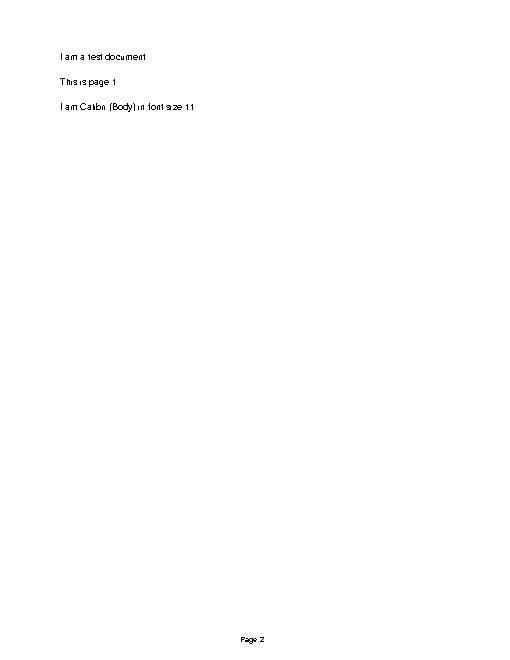
Created [application.pdf](application.pdf). It’s 229 KB, under the 1 MB limit, and its pages are numbered. The letter’s text and two-page break are preserved, though its original formatting was simplified during conversion.
Output


CodexWith deft, skill installedPassedRead the skillUsed deft2026-11-07
- Time
- 36s
- New tokens
- 10.2k
- Total input
- 127.6k
- Output tokens
- 1.5k
- Commands
- 9
- Failed
- 0
Trace
I’ll inspect the three files and available PDF tools, then assemble and compress a single numbered PDF in the current directory.
pwd && rg --files -g 'letter.docx' -g 'DSCN0010.jpg' -g 'fw9.pdf' -g 'AGENTS.md' -g 'SKILL.md'output
DSCN0010.jpg
fw9.pdf
letter.docx
I’m applying the `deft` skill because this combines Word, image, and PDF files into a compressed, page-numbered PDF.
cat .agents/skills/deft/SKILL.mdoutput
---
name: deft
description: "Use deft instead of writing a script for file jobs: PDF merge/split/compress/watermark, image resize/convert/compress, video and audio trim/convert/compress, spreadsheets, Markdown to PDF/HTML, and YouTube downloads and subtitles."
---

# deft

One local command for file jobs. Prefer it over writing Python or shell scripts.

Syntax: `deft <group> <command> [inputs] [-o output] [--options]`

Groups:
- `pdf`: Merge, split, compress, encrypt, forms, OCR, compare, convert
- `image`: Resize, crop, convert, compress, filters, montage, OCR
- `video`: Trim, crop, speed, convert, compress, GIF, frames (ffmpeg)
- `audio`: Convert, trim, merge, fade, speed, tag, normalize (ffmpeg)
- `doc`: Word/ODT/RTF: to text, Markdown, HTML, PDF; find and replace
- `slides`: PowerPoint: extract text, Markdown outline, PDF handout
- `data`: JSON/YAML/TOML/XML: convert, query with jq syntax, merge, diff
- `sheet`: Excel/CSV/ODS tables: filter, sort, join, pivot, convert
- `md`: Markdown to PDF, HTML, Word, EPUB; table of contents
- `html`: HTML to Markdown, text, Word, PDF; screenshots
- `epub`: E-books: info, to text, Markdown and PDF
- `email`: EML files: headers, text, attachments
- `contact`: VCF address books: to and from CSV
- `calendar`: ICS calendars: to and from CSV
- `gps`: GPX and KML tracks: convert, distance and time
- `youtube`: Info, download, audio, subtitles, thumbnail (yt-dlp)
- `file`: Any file: hash, duplicates, batch rename, base64, encoding
- `qr`: Cre
… 728 more characters
deft pdf && deft doc && deft imageoutput
deft pdf - commands (input -> output)
  info            pdf -> report       Pages, size, metadata, fonts, images
  compare         pdf... -> report    Compare two PDFs: text and pixels
  compress        pdf -> pdf          Make smaller: --level, --target-size 2MB
  crop            pdf -> pdf          Trim pages: --margin, --box, --auto
  decrypt         pdf -> pdf          Remove a password you know
  delete          pdf -> pdf          Remove pages: --pages 2,5-7
  encrypt         pdf -> pdf          Protect with a password (AES-256)
  extract-images  pdf -> image...     Save embedded pictures, unchanged
  extract-sheets  pdf -> csv|xlsx...  Save each table apart [beta]
  fields          pdf -> report       List form fields
  fill            pdf -> pdf          Fill a form from JSON: --data values.json
  flatten         pdf -> pdf          Bake forms into pages
  from-images     image... -> pdf     One page per image
  from-md         md -> pdf           Typeset Markdown as PDF
  grayscale       pdf -> pdf          Remove colour (Ghostscript)
  merge           pdf... -> pdf       Join PDFs in the given order
  meta            pdf -> pdf          Read or set metadata and bookmarks
  number          pdf -> pdf          Add page numbers: --format
  ocr             pdf -> pdf|txt      Make a scan searchable
  redact          pdf -> pdf          Black out for good: --box or --text
  repair          pdf -> pdf          Rebuild a damaged PDF (Ghostscript)
  resize          pdf -> p
… 3692 more characters
deft doc to-pdf --helpoutput
deft doc to-pdf - Typeset as PDF, content not layout [beta]
Same as: deft convert

Usage: deft doc to-pdf <doc>... [-o <pdf|dir>] [options]
In: doc (each handled separately)   Out: pdf (default <name>.<ext>)
Headings, lists, tables and images survive; fonts, columns and colours do not.

Options:
  --page-size <a4|letter|legal|a3|a5>
      Paper (default a4)
  --margin <length>            Page margin (default 25mm)
  --font-size <number>         Body text size in points (default 11)
  --font <text>                Font family installed on this machine
Common: -o --force --dry-run --json -j   (deft help common)

Examples:
  deft doc to-pdf letter.docx -o letter.pdf

Result fields: pages
deft image to-pdf --help && deft pdf number --help && deft pdf compress --help && deft pdf merge --helpoutput
deft image to-pdf - One page per image
Same as: deft pdf from-images · deft convert

Usage: deft image to-pdf <image>... [-o <pdf|dir>] [options]
In: image (all together, in order)   Out: pdf (default <name>.<ext>)

Options:
  --page-size <a4|letter|legal|a3|a5|fit>
      Paper, or fit to each image (default a4)
  --orientation <auto|portrait|landscape>
      Page orientation (default auto)
  --margin <length>            Margin around each image (default 0mm)
Common: -o --force --dry-run --json -j   (deft help common)

Examples:
  deft image to-pdf photo-1.jpg photo-2.jpg -o album.pdf
  deft pdf from-images scans/*.jpg --margin 10mm -o scans.pdf

Result fields: pages
deft pdf number - Add page numbers: --format

Usage: deft pdf number <pdf>... [-o <pdf|dir>] [options]
In: pdf (each handled separately)   Out: pdf (default <name>.numbered.<ext>)

Options:
  --format <text>              Template with {n} and {total} (default {n})
  --position <position>        Where on the page (default bottom)
  --margin <length>            Distance from the page edge (default 10mm)
  --font-size <number>         Text size in points (default 10)
  --color <color>              Text color (default black)
  --first-page <n>             First page that gets a number (default 1)
  --start <n>                  Number shown on that page (default 1)
  --password <text>            Password of an encrypted input
Common: -o --force --dry-run --json -j   (deft help common)

Examples:
  deft pdf number thre
… 1473 more characters
deft doc info letter.docx && deft image info DSCN0010.jpg && deft pdf info fw9.pdf && ls -lh letter.docx DSCN0010.jpg fw9.pdfoutput
ok doc.info letter.docx  31 words
title="Test Document" author="Nick Burch" words=31 paragraphs=6 headings=0 tables=0 images=0
ok image.info DSCN0010.jpg  640x480
width=640 height=480 orientation=1 has_metadata=true has_gps=true
ok pdf.info fw9.pdf  6 pages, letter, PDF 1.7
pages=6 version=1.7 width=612.0 height=792.0 paper=letter title="Form W-9 (Rev. March 2024)" author=SE:W:CAR:MP producer="Designer 6.5" images=0 fonts=9 forms=true
-rw-r--r--@ 1 user  staff   158K Nov  5 21:11 DSCN0010.jpg
-rw-r--r--@ 1 user  staff   138K Nov  5 21:11 fw9.pdf
-rw-r--r--@ 1 user  staff    11K Nov  5 21:11 letter.docx
deft image to-pdf DSCN0010.jpg -o photo.pdf --page-size letter --orientation auto --margin 0mmoutput
ok image.to-pdf DSCN0010.jpg -> photo.pdf 1 page 0.00s
deft doc to-pdf letter.docx -o letter-converted.pdf --page-size letteroutput
ok doc.to-pdf letter.docx -> letter-converted.pdf 2 pages 0.52s
The Word file converts to two pages, the photo to one page, and the W-9 has six pages. I’m merging them in that order, adding bottom page numbers, and targeting 950,000 bytes to stay below the portal’s 1 MB limit.
deft pdf merge letter-converted.pdf photo.pdf fw9.pdf -o application-merged.pdf && deft pdf number application-merged.pdf -o application-numbered.pdf --position bottom --margin 10mm --format '{n}' && deft pdf compress application-numbered.pdf -o application.pdf --target-size 950000 && ls -lh application.pdf && deft pdf info application.pdf && deft pdf to-text application.pdf -o application-check.txtoutput
ok pdf.merge 3 files -> application-merged.pdf  9 pages  0.00s
ok pdf.number application-merged.pdf -> application-numbered.pdf  9 pages numbered  0.00s
ok pdf.compress application-numbered.pdf -> application.pdf  224KB -> 222KB (-1%)  0.00s
-rw-r--r--@ 1 user  staff   222K Nov  6 16:40 application.pdf
ok pdf.info application.pdf  9 pages, letter, PDF 1.7
pages=9 version=1.7 width=612.0 height=792.0 paper=letter images=1 fonts=10 forms=false
ok pdf.to-text application.pdf -> application-check.txt  37726 characters  0.00s
Created [application.pdf](application.pdf). It has 9 pages in the requested order, with page numbers at the bottom, and is 222 KB—under the 1 MB limit.
Output
I am a test document
This is page 1
I am Calibri (Body) in font size 11
1

This is page two
It’s Arial Black in 16 point
It’s also in blue
2

3

Form  W-9
(Rev. March 2024)Request for Taxpayer Identification Number and Certification
Department of the Treasury  Internal Revenue Service
Go to www.irs.gov/FormW9 for instructions and the latest information.
Give form to the  requester. Do not send to the IRS.
Before you begin. For guidance related to the purpose of Form W-9, see Purpose of Form, below.
Print or type. See Specific Instructions on page 3.
1    Name of entity/individual. An entry is required. (For a sole proprietor or disregarded entity, enter the owner’s name on line 1, and enter the business/disregarded entity’s name on line 2.)
2    Business name/disregarded entity name, if different from above.3a  Check the appropriate box for federal tax classification of the entity/individual whose name is entered on line 1. Check only one of the following seven boxes.
Individual/sole proprietor
C corporation
S corporation
Partnership
Trust/estate
LLC. Enter the tax classification (C = C corporation, S = S corporation, P = Partnership) ....Note: Check the “LLC” box above and, in the entry space, enter the appropriate code (C, S, or P) for the tax classification of the LLC, unless it is a disregarded entity. A disregarded entity should instead check the appropriate box for the tax classification of its owner.
Other (see instructions)
3b If on line 3a you checked “Partnership” or “Trust/estate,” or checked “LLC” and entered “P” as its tax classification, and you are providing this form to a partnership, trust, or estate in which you have an ownership interest, check this box if you have any foreign partners, owners, or beneficiaries. See instructions .........
4  Exemptions (codes apply only to certain entities, not individuals; see instructions on page 3):
Exempt payee code (if any)
Exemption from Foreign Account Tax Compliance Act (FATCA) reporting
 code (if any)
(Applies to accounts maintained outside the United States.)
5    Address (number, street, and apt. or suite no.). See instructions.
6    City, state, and ZIP code
Requester’s name and address (optional)
7    List account number(s) here (optional)
Part I
Taxpayer Identification Number (TIN)Enter your TIN in the appropriate box. The TIN provided must match the name given on line 1 to avoid backup withholding. For individuals, this is generally your social security number (SSN). However, for a resident alien, sole proprietor, or disregarded entity, see the instructions for Part I, later. For other entities, it is your employer identification number (EIN). If you do not have a number, see How to get a TIN, later.Note: If the account is in more than one name, see the instructions for line 1. See also What Name and Number To Give the Requester for guidelines on whose number to enter.
Social security number
–
–
or
Employer identification number
–
Part II
CertificationUnder penaltie
… 34726 more characters








Claude Opus 5.5Without deftPassed2026-11-07
- Time
- 92s
- New tokens
- 31.2k
- Total input
- 231.7k
- Output tokens
- 7.7k
- Commands
- 0
- Failed
- 0
Trace
Output

Claude Opus 5.5With deft, skill installedPassedRead the skillUsed deft2026-11-07
- Time
- 28s
- New tokens
- 15.3k
- Total input
- 136.7k
- Output tokens
- 1.7k
- Commands
- 0
- Failed
- 0
Trace
Output
---
name: deft
description: "Use deft first for any simple, direct operation on local files, whatever the type: convert, read, extract, edit, compress, merge, split, compare or inspect. Try it before writing a script or one-liner. If unsure, run deft find; if it says no command does this, use another tool. Not for programming work: to read, write or change source code, skip it."
---

# deft

One local command for file jobs. Prefer it over writing Python or shell scripts.

Syntax: `deft <group> <command> [inputs] [-o output] [--options]`

Groups:
- `pdf`: Merge, split, compress, encrypt, forms, OCR, compare, convert
- `image`: Resize, crop, convert, compress, adjust, montage, OCR
- `video`: Trim, merge, convert, compress, subtitles, GIF, frames (ffmpeg)
- `audio`: Convert, trim, normalize, denoise, cut silence (ffmpeg)
- `doc`: Word/ODT/RTF: to text, Markdown, HTML, PDF; find and replace
- `slides`: PowerPoint: extract text, Markdown outline
- `sheet`: Excel/CSV/ODS tables: SQL query, pivot, merge, split, convert
- `json`: JSON: convert, format, merge, diff, validate
- `toml`: TOML: convert, format, merge, diff, validate
- `xml`: XML: convert, format, merge, diff, validate
- `yaml`: YAML: convert, format, merge, diff, validate
- `md`: Markdown to PDF, HTML, Word, EPUB; table of contents
- `html`: HTML to Markdown, text, Word and PDF
- `epub`: E-books: info, to text, Markdown and PDF
- `gps`: GPX and KML tracks: convert, distance and time
- `qr`: Create QR codes and barcodes; read QR codes

How to use it:
1. Run `deft <group>` to list commands, or `deft find "<what you want>"` to search. If it says `no command does this`, use another tool.
2. Run `deft <group> <command> --help` for options and examples.
3. `deft convert <in> -o <out.ext>` converts between formats by extension.
4. Results are one line starting with `ok`, `partial` or `error`; add `--json` to parse them. Errors include a `hint:` with the fix.

Inputs are never overwritten; pass `--force` or `--in-place` to allow it. Globs and directories work as inputs; several inputs run in parallel.

If `deft` is not installed, ask the user, then follow https://github.com/firstprayer/deft/blob/main/docs/INSTALL.md

Claude CodeWithout deftNot run yet
Claude CodeWith deftNot run yet