Evals / pdf / Multi-step jobs
Pull one section out of a manual as PDF and text
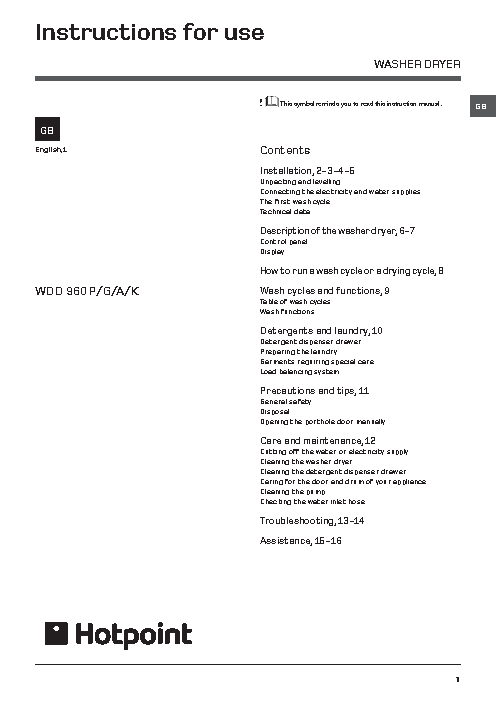
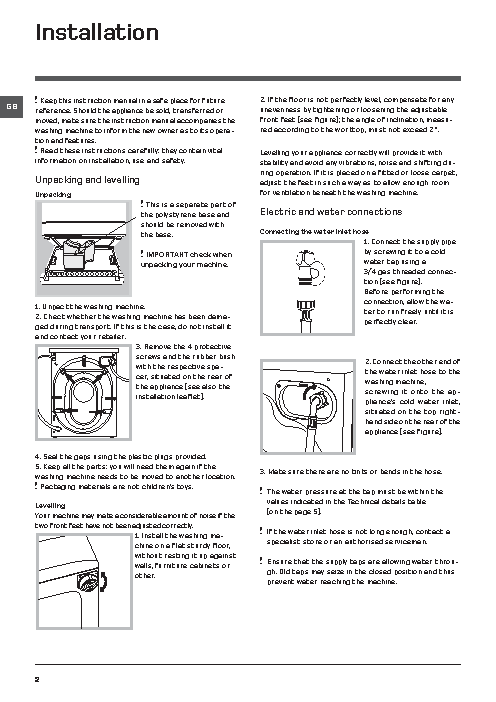
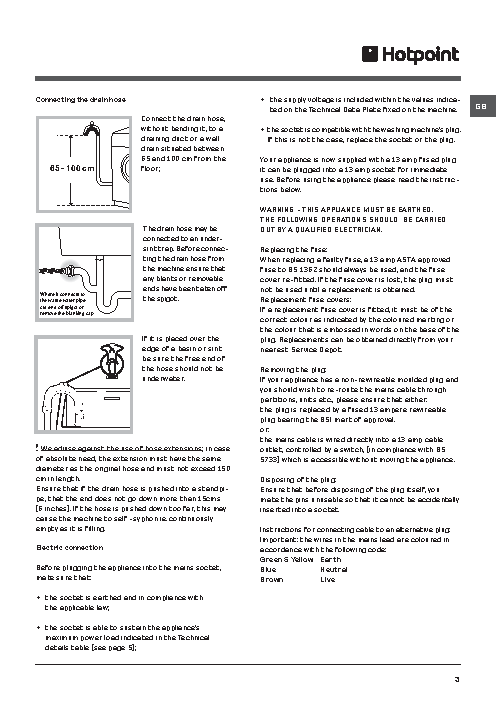
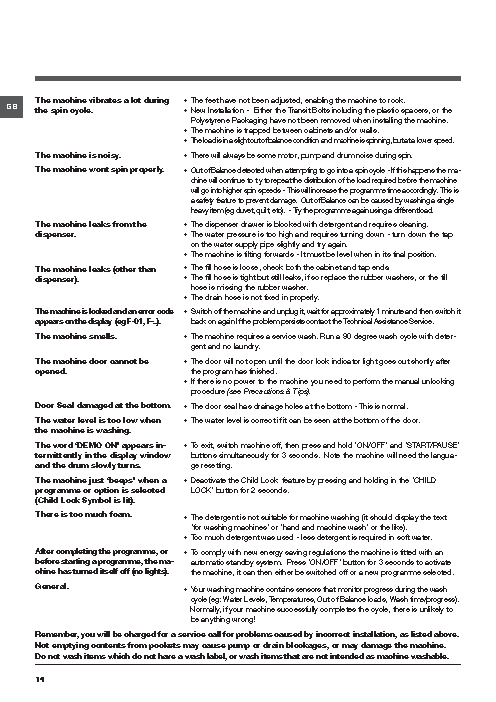
The repair technician only needs the Troubleshooting section of manual.pdf (the contents page says where it is). Save that section as troubleshooting.pdf, and its text as troubleshooting.txt so he can search it on his phone.
The task
The reference answer shows the job can be done with deft. It is not an agent run.
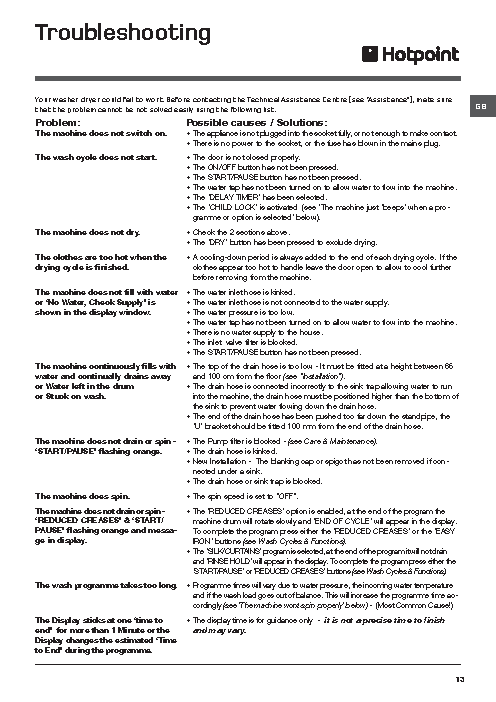
deft pdf select manual.pdf --pages 13-14 -o troubleshooting.pdf
deft pdf to-text troubleshooting.pdf -o troubleshooting.txt
Input
Reference output
GB
13
Troubleshooting
Your washer dryer could fail to work. Before contacting the Technical Assistance Centre (see “Assistance”), make sure
that the problem cannot be not solved easily using the following list.
Problem:
The machine does not switch on.
The wash cycle does not start.
The machine does not dry.
The clothes are too hot when the
drying cycle is finished.
The machine does not fill with water
or ‘No Water, Check Supply’ is
shown in the display window.
The machine continuously fills with
water and continually drains away
or Water left in the drum
or Stuck on wash.
The machine does not drain or spin -
‘START/PAUSE’ flashing orange.
The machine does spin.
The machine does not drain or spin -
‘REDUCED CREASES’ & ‘START/
PAUSE’ flashing orange and messa-
ge in display.
The wash programme takes too long.
The Display sticks at one ‘time to
end’  for more than 1 Minute or the
Display changes the estimated ‘Time
to End’ during the programme.
Possible causes / Solutions:
• The appliance is not plugged into the socket fully, or not enough to make contact.
• There is no power to the socket, or the fuse has blown in the mains plug.
• The door is not closed properly.
• The ON/OFF button has not been pressed.
• The START/PAUSE button has not been pressed.
• The water tap has not been turned on to allow water to flow into the machine.
• The ‘DELAY TIMER’ has been selected.
• The ‘CHILD LOCK’ is activated  (see ‘The machine just ‘beeps’ when a pro-
gramme or option is selected’ below).
• Check the 2 sections above.
• The ‘DRY’ button has been pressed to exclude drying.
• A cooling-down period is always added to the end of each drying cycle.  If the
clothes appear too hot to handle leave the door open to allow to cool further
before removing from the machine.
• The water inlet hose is kinked.
• The water inlet hose is not connected to the water supply.
• The water pressure is too low.
• The water tap has not been turned on to allow water to flow into the machine.
• There is no water supply to the house.
• The inlet  valve filter is blocked.
• The START/PAUSE button has not been pressed.
• The top of the drain hose is too low - It must be fitted at a height between 65
and 100 cm from the floor (see “Installation”).
• The drain hose is connected incorrectly to the sink trap allowing water to run
into the machine, the drain hose must be positioned higher than the bottom of
the sink to prevent water flowing down the drain hose.
• The end of the drain hose has been pushed too far down the standpipe, the
‘U’ bracket should be fitted 100 mm from the end of the drain hose.
• The Pump filter is blocked - (see Care & Maintenance).
• The drain hose is kinked.
• New Installation -  The blanking cap or spigot has not been removed if con-
nected under a sink.
• The drain hose or sink trap is blocked.
• The spin speed is set to “OFF”.
• The ‘REDUCED CREASES’ option is enabled, at the end of the program the
machine drum will rotate slowly and ‘END OF CYCLE’ will appear i
… 4808 more characters
How a result is judged (4 checks)
- pdf_pages: file = "troubleshooting.pdf", pages = 2
- pdf_text: file = "troubleshooting.pdf", page = 1, contains = ["Troubleshooting"]
- pdf_text: file = "troubleshooting.pdf", page = 2, contains = ["vibrates a lot"]
- python: code = "t = ' '.join(open('troubleshooting.txt', errors='replace').read().split())\nfor want in ['Troubleshooting', 'vibrates a lot', 'Technical Assistance']:\n assert want in t, f'troubleshooting.txt lacks {want!r}'\nfor other in ['Cutting off the water', 'Guarantee', 'Detergent dispenser drawer']:\n assert other not in t, f'troubleshooting.txt has {other!r} from another section'\n"
Runs
Claude Opus 5.5Without deftPassed2026-11-15
- Time
- 43s
- New tokens
- 18.0k
- Total input
- 132.8k
- Output tokens
- 2.2k
- Commands
- 7
- Failed
- 1
Trace
ls -la; which pdftotext pdfinfo qpdf pdfseparate pdfunite mutool python3; pdfinfo manual.pdf 2>&1 | head -20output
total 1016
drwxr-xr-x@   4 user  staff     128 Nov 14 20:13 .
drwx------@ 324 user  staff   10368 Nov 14 20:13 ..
drwxr-xr-x@   3 user  staff      96 Nov 14 20:13 .claude
-rw-r--r--@   1 user  staff  516313 Nov 13 23:22 manual.pdf
pdftotext not found
pdfinfo not found
qpdf not found
pdfseparate not found
pdfunite not found
mutool not found
~/opt/anaconda3/bin/python3
(eval):1: command not found: pdfinfo
python3 -I -c "
import importlib
for m in ['pypdf','PyPDF2','fitz','pdfplumber','pdfminer']:
    try: importlib.import_module(m); print('ok',m)
    except Exception as e: print('no',m)
"
output
no pypdf
no PyPDF2
no fitz
no pdfplumber
no pdfminer
python3 -m venv "$TMPDIR/venv" && "$TMPDIR/venv/bin/pip" install -q pypdf 2>&1 | tail -3; "$TMPDIR/venv/bin/python" -I -c "import pypdf;print(pypdf.__version__)" (exit 1)output
Exit code 1
WARNING: Retrying (Retry(total=0, connect=None, read=None, redirect=None, status=None)) after connection broken by 'ProxyError('Cannot connect to proxy.', OSError('Tunnel connection failed: 403 user denied'))': /simple/pypdf/
ERROR: Could not find a version that satisfies the requirement pypdf (from versions: none)
ERROR: No matching distribution found for pypdf
Traceback (most recent call last):
  File "<string>", line 1, in <module>
ModuleNotFoundError: No module named 'pypdf'

<sandbox_violations>
deny network-outbound pypi.org:443 (user denied)
deny network-outbound pypi.org:443 (user denied)
deny network-outbound pypi.org:443 (user denied)
deny network-outbound pypi.org:443 (user denied)
deny network-outbound pypi.org:443 (user denied)
deny network-outbound pypi.org:443 (user denied)
deny network-outbound pypi.org:443 (user denied)
</sandbox_violations>
Network installs are denied, so I'll use what's on the machine. Let me check for other tools.
which gs swift xcrun cpdf magick java node 2>&1; ls /usr/bin | grep -i -E "pdf|swift"output
/usr/local/bin/gs
/usr/bin/swift
/usr/bin/xcrun
cpdf not found
magick not found
/usr/bin/java
~/.nvm/versions/node/v20.10.0/bin/node
snmpdf
swift
swift-inspect
swiftc
Ghostscript is available. First, the contents page.
gs -q -dNODISPLAY -dNOSAFER -c "(manual.pdf) (r) file runpdfbegin pdfpagecount = quit" 2>&1; gs -q -dNOPAUSE -dBATCH -sDEVICE=txtwrite -dFirstPage=1 -dLastPage=3 -sOutputFile=- manual.pdf 2>&1 | head -80output
16
              Instructions for use
                                                                                                                                                    WASHER DRYER
                                                                                                       !       This symbol reminds you to read this instruction manual.
                                                                                                                                                                                           GB
                GB
              English,1                                                                                Contents
                                                                                                       Installation, 2-3-4-5
                                                                                                       Unpacking and levelling
                                                                                                       Connecting the electricity and water supplies
                                                                                                       The first wash cycle
                                                                                                       Technical data
                                                                                                       Description of the washer dryer, 6-7

… 8351 more characters
Contents says Troubleshooting is printed pages 13–14. Let me verify the printed page numbers match PDF page indices.
for p in 12 13 14 15; do echo "=== PDF page $p"; gs -q -dNOPAUSE -dBATCH -sDEVICE=txtwrite -dFirstPage=$p -dLastPage=$p -sOutputFile=- manual.pdf | sed 's/^ *//' | grep -v '^$' | (head -4; echo ...; tail -3); doneoutput
=== PDF page 12
Care and maintenance
Cutting off the water and electricity sup-                                                     2. unscrew the lid by rota-
GB       plies                                                                                          ting it anti-clockwise (see
figure): a little water may
...
=== PDF page 13
Troubleshooting
Your washer dryer could fail to work. Before contacting the Technical Assistance Centre (see “Assistance”), make sure
that the problem cannot be not solved easily using the following list.                                                           GB
Problem:                                    Possible causes / Solutions:
...
=== PDF page 14
GB        The machine vibrates a lot during              • The feet have not been adjusted, enabling the machine to rock.
the spin cycle.                                • New Installation -  Either the Transit Bolts including the plastic spacers, or the
Polystyrene Packaging have not been removed when installing the machine.
• The machine is trapped between cabinets and/or walls.
...
=== PDF page 15
Assistance
Guarantee
GB
12 Months Parts and Labour Guarantee
...
PDF pages 13–14 are the section. Extracting both outputs:
gs -q -dNOPAUSE -dBATCH -dSAFER -sDEVICE=pdfwrite -dFirstPage=13 -dLastPage=14 -sOutputFile=troubleshooting.pdf manual.pdf && gs -q -dNOPAUSE -dBATCH -dSAFER -sDEVICE=txtwrite -dFirstPage=13 -dLastPage=14 -sOutputFile=- manual.pdf | sed -E 's/^ +//; s/ +$//' | cat -s > troubleshooting.txt; ls -l troubleshooting.*; gs -q -dNODISPLAY -dNOSAFER -c "(troubleshooting.pdf) (r) file runpdfbegin pdfpagecount = quit"; cat troubleshooting.txtoutput
-rw-r--r--@ 1 user  staff  75192 Nov 14 20:14 troubleshooting.pdf
-rw-r--r--@ 1 user  staff   9060 Nov 14 20:14 troubleshooting.txt
2
Troubleshooting
Your washer dryer could fail to work. Before contacting the Technical Assistance Centre (see “Assistance”), make sure
that the problem cannot be not solved easily using the following list.                                                           GB
Problem:                                    Possible causes / Solutions:
The machine does not switch on.             • The appliance is not plugged into the socket fully, or not enough to make contact.
• There is no power to the socket, or the fuse has blown in the mains plug.
The wash cycle does not start.              • The door is not closed properly.
• The ON/OFF button has not been pressed.
• The START/PAUSE button has not been pressed.
• The water tap has not been turned on to allow water to flow into the machine.
• The ‘DELAY TIMER’ has been selected.
• The ‘CHILD LOCK’ is activated  (see ‘The machine just ‘beeps’ when a pro-
gramme or option is selected’ below).
The machine does not dry.                   • Check the 2 sections above.
• The ‘DRY’ button has been pressed to exclude drying.
The clothes are too hot when the            • A cooling-down period is always added to the end of each drying cycle.  If the
drying cycle is finished.                     clothes appear too hot to handle leave the door open to allow to cool further
before removing from th
… 7456 more characters
I saved both files in the current directory: - **`troubleshooting.pdf`**: printed pages 13–14 of `manual.pdf`, which is where the contents page puts the Troubleshooting section. I checked that these are PDF pages 13–14 too: page 13 starts with the "Troubleshooting" heading and page 15 is "Assistance", so nothing from the neighbouring sections got in. - **`troubleshooting.txt`**: the text of those two pages (about 9 KB). It covers every problem from "The machine does not switch on" to "General", plus the notes at the end. The manual lays this section out as a two-column table (Problem / Possible causes), so the text file keeps that column spacing. Some problem descriptions are split over several lines. Searching for words like "drain", "F-01" or "child lock" works fine, but on a narrow phone screen the lines may wrap in awkward places. I used Ghostscript, which was already installed, b
Output
Its files were not kept in this run. The last line of the trace is its own report.
Claude Opus 5.5With deft, skill installedPassedRead the skillUsed deft2026-11-15
- Time
- 27s
- New tokens
- 15.4k
- Total input
- 158.4k
- Output tokens
- 1.4k
- Commands
- 7
- Failed
- 0
Trace
Loaded the deft skill
ls; deft pdf; deft pdf info manual.pdf 2>&1 | head -20output
manual.pdf
deft pdf - commands (input -> output)
  info            pdf -> report      Pages, size, metadata, fonts, images
  compare         pdf... -> report   Compare two PDFs: text and pixels
  compress        pdf -> pdf         Make smaller: --level, --target-size 2MB
  crop            pdf -> pdf         Trim pages: --margin, --box, --auto
  decrypt         pdf -> pdf         Remove a password you know
  delete          pdf -> pdf         Remove pages: --pages 2,5-7
  encrypt         pdf -> pdf         Protect with a password (AES-256)
  extract-images  pdf -> image...    Save embedded pictures, unchanged
  fields          pdf -> report      List form fields
  fill            pdf -> pdf         Fill a form from JSON: --data values.json
  flatten         pdf -> pdf         Bake forms into pages
  from-images     image... -> pdf    One page per image
  from-md         md -> pdf          Typeset Markdown as PDF
  merge           pdf... -> pdf      Join PDFs in the given order
  meta            pdf -> pdf         Read or set metadata and bookmarks
  number          pdf -> pdf         Add page numbers: --format
  ocr             pdf -> txt         Read the text of a scanned PDF
  resize          pdf -> pdf         Fit pages to --page-size a4
  rotate          pdf -> pdf         Turn pages clockwise: --angle 90, --pages
  search          pdf -> report      Find text: --text invoice
  select          pdf -> pdf         Keep and reorder pages
  split           pdf -> pdf...      S
… 416 more characters
deft pdf to-text manual.pdf -o $TMPDIR/full.txt; head -80 $TMPDIR/full.txtoutput
ok pdf.to-text manual.pdf -> <tmp>  44432 characters  0.02s
GB
1
English,1 Contents
Installation, 2-3-4-5
Unpacking and levelling
Connecting the electricity and water supplies
The first wash cycle
Technical data
Description of the washer dryer, 6-7
Control panel
Display
How to run a wash cycle or a drying cycle, 8
Wash cycles and functions, 9
Table of wash cycles
Wash functions
Detergents and laundry, 10
Detergent dispenser drawer
Preparing the laundry
Garments requiring special care
Load balancing system
Precautions and tips, 11
General safety
Disposal
Opening the porthole door manually
Care and maintenance, 12
Cutting off the water or electricity supply
Cleaning the washer dryer
Cleaning the detergent dispenser drawer
Caring for the door and drum of your appliance
Cleaning the pump
Checking the water inlet hose
Troubleshooting, 13-14
Assistance, 15-16
GB
WDD 960 P/G/A/K
Instructions for use
WASHER DRYER
!  This symbol reminds you to read this instruction manual.

2
GB
Installation
Levelling your appliance correctly will provide it with
stability and avoid any vibrations, noise and shifting du-
ring operation. If it is placed on a fitted or loose carpet,
adjust the feet in such a way as to allow enough room
for ventilation beneath the washing machine.
Electric and water connections
Connecting the water inlet hose
1. Connect the supply pipe
by screwing it to a cold
water tap using a
3/4 gas threaded connec-
tion (see figure).
Before performing the
connection, allow the wa-
t
… 916 more characters
deft pdf search manual.pdf --text Troubleshooting; deft pdf search manual.pdf --text Assistanceoutput
ok pdf.search manual.pdf  2 matches on 2 pages
matches=2 pages=[{"page":1,"hits":1,"snippet":" the pump Checking the water inlet hose Troubleshooting, 13-14 Assistance, 15-16 GB WDD 960 P/G/A/K "},{"page":13,"hits":1,"snippet":"GB 13 Troubleshooting Your washer dryer could fail to work. Before contacting the Technical Assistan"}]
ok pdf.search manual.pdf  7 matches on 4 pages
matches=7 pages=[{"page":1,"hits":1,"snippet":"water inlet hose Troubleshooting, 13-14 Assistance, 15-16 GB WDD 960 P/G/A/K Instructions for use WA"},{"page":13,"hits":2,"snippet":"o work. Before contacting the Technical Assistance Centre (see “Assistance”), make sure that the pro"},{"page":14,"hits":1,"snippet":" problem persists contact the Technical Assistance Service. • The machine requires a service wash. R"},{"page":15,"hits":3,"snippet":"GB 15 Assistance Guarantee 12 Months Parts and Labour Guarantee Your appliance has the benefit of ou"}]
Printed page numbers match PDF pages (13–14).
deft pdf select manual.pdf --pages 13-14 -o troubleshooting.pdf && deft pdf to-text troubleshooting.pdf -o troubleshooting.txt && deft pdf info troubleshooting.pdf | head -1 && head -15 troubleshooting.txt && echo ... && tail -8 troubleshooting.txtoutput
ok pdf.select manual.pdf -> troubleshooting.pdf  2 pages  0.00s
ok pdf.to-text troubleshooting.pdf -> troubleshooting.txt  7808 characters  0.00s
ok pdf.info troubleshooting.pdf  2 pages, a4, PDF 1.5
GB
13
Troubleshooting
Your washer dryer could fail to work. Before contacting the Technical Assistance Centre (see “Assistance”), make sure
that the problem cannot be not solved easily using the following list.
Problem:
The machine does not switch on.
The wash cycle does not start.
The machine does not dry.
The clothes are too hot when the
drying cycle is finished.
The machine does not fill with water
or ‘No Water, Check Supply’ is
shown in the display window.
The machine continuously fills with
...
the machine, it can then either be switched off or a new programme selected.
• Your washing machine contains sensors that monitor progress during the wash
cycle (eg: Water Levels, Temperatures, Out of Balance loads, Wash time/progress).
   Normally, if your machine successfully completes the cycle, there is unlikely to
be anything wrong!
Remember, you will be charged for a service call for problems caused by incorrect installation, as listed above.
Not emptying contents from pockets may cause pump or drain blockages, or may damage the machine.
Do not wash items which do not have a wash label, or wash items that are not intended as machine washable.
sed -n 15,60p troubleshooting.txtoutput
The machine continuously fills with
water and continually drains away
or Water left in the drum
or Stuck on wash.
The machine does not drain or spin -
‘START/PAUSE’ flashing orange.
The machine does spin.
The machine does not drain or spin -
‘REDUCED CREASES’ & ‘START/
PAUSE’ flashing orange and messa-
ge in display.
The wash programme takes too long.
The Display sticks at one ‘time to
end’  for more than 1 Minute or the
Display changes the estimated ‘Time
to End’ during the programme.
Possible causes / Solutions:
• The appliance is not plugged into the socket fully, or not enough to make contact.
• There is no power to the socket, or the fuse has blown in the mains plug.
• The door is not closed properly.
• The ON/OFF button has not been pressed.
• The START/PAUSE button has not been pressed.
• The water tap has not been turned on to allow water to flow into the machine.
• The ‘DELAY TIMER’ has been selected.
• The ‘CHILD LOCK’ is activated  (see ‘The machine just ‘beeps’ when a pro-
gramme or option is selected’ below).
• Check the 2 sections above.
• The ‘DRY’ button has been pressed to exclude drying.
• A cooling-down period is always added to the end of each drying cycle.  If the
clothes appear too hot to handle leave the door open to allow to cool further
before removing from the machine.
• The water inlet hose is kinked.
• The water inlet hose is not connected to the water supply.
• The water pressure is too low.
• The water tap has not been turned on to allow water to
… 694 more characters
deft pdf to-text --helpoutput
deft pdf to-text - Extract text
Same as: deft convert

Usage: deft pdf to-text <pdf>... [-o <txt|dir>] [options]
In: pdf (each handled separately)   Out: txt (default <name>.<ext>)

Options:
  --pages <pages>              Pages to read (default all)
  --password <text>            Password of an encrypted input
Common: -o --force --dry-run --json -j   (deft help common)

Examples:
  deft pdf to-text report.pdf -o report.txt
  deft pdf to-text three-pages.pdf --pages 2 -o -

Result fields: chars
which pdftotext; pdftotext -layout troubleshooting.pdf - | sed -n 1,40poutput
pdftotext not found
(eval):1: command not found: pdftotext
I saved both files in the current directory: - **troubleshooting.pdf** is the 2-page Troubleshooting section (pages 13–14), cut from the original manual. The contents page lists the section as pages 13–14, and those page numbers match the PDF's own. I checked that page 13 begins with "Troubleshooting" and page 15 begins the next section, "Assistance". - **troubleshooting.txt** is the text of those two pages (about 7,800 characters), and every word of it can be searched. The troubleshooting guide is laid out as a two-column table, and the text file doesn't keep that layout. All the problems come first, then all the possible causes and solutions in one block. If he searches for a problem like "does not drain", he'll find it, but the fixes for it are further down rather than next to it. The PDF on its phone shows the table properly. A layout-preserving extraction tool wasn't installed her
Output
Its files were not kept in this run. The last line of the trace is its own report.