Evals / pdf / Read a PDF
Make a scan searchable
scan.pdf is a scan with no text. Produce searchable.pdf where the text can be selected and searched.
The task
The reference answer shows the job can be done with deft. It is not an agent run.
deft pdf ocr scan.pdf -o searchable.pdf
Input
Reference output
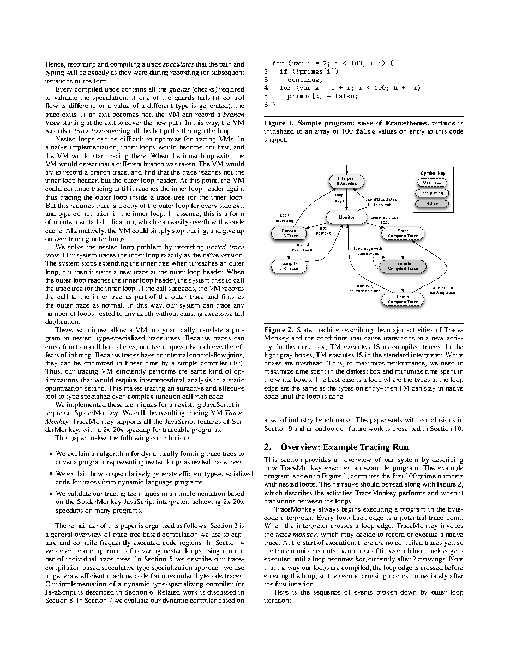
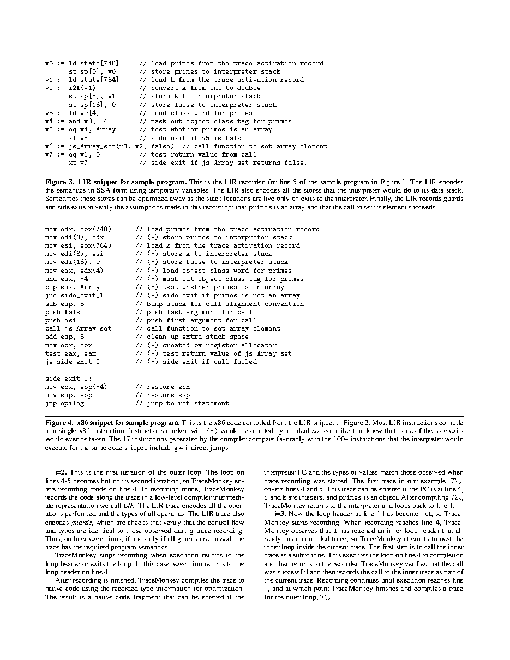
How a result is judged (2 checks)
- pdf_pages: file = "searchable.pdf", pages = 4
- pdf_text: file = "searchable.pdf", contains = ["Trace"]
Runs
CodexWithout deftPassed2026-11-07
- Time
- 59s
- New tokens
- 8.7k
- Total input
- 132.9k
- Output tokens
- 1.6k
- Commands
- 8
- Failed
- 1
Trace
I’ll check the PDF and available OCR tools, then create `searchable.pdf` in the current directory with a text layer over the scanned pages.
pwd && rg --files -g 'scan.pdf' -g 'AGENTS.md' -g 'searchable.pdf' . && command -v ocrmypdf || true && command -v tesseract || true && command -v pdftoppm || true && command -v gs || trueoutput
./scan.pdf
/opt/homebrew/bin/tesseract
/usr/local/bin/gs
ls -lh scan.pdf && file scan.pdf && command -v pdfinfo || true && tesseract --version | head -n 2 && tesseract --help-extra | rg -n 'pdf|textonly|dpi' | head -n 20output
-rw-r--r--@ 1 user  staff   245K Nov  5 21:11 scan.pdf
scan.pdf: PDF document, version 1.3, 4 pages
tesseract 5.5.0
 leptonica-1.85.0
12:  --dpi VALUE           Specify DPI for input image.
mkdir -p <tmp> && gs -dSAFER -dBATCH -dNOPAUSE -sDEVICE=png16m -r300 -sOutputFile=<tmp> scan.pdf && ls -lh <tmp>output
GPL Ghostscript 9.55.0 (2021-09-27)
Copyright (C) 2021 Artifex Software, Inc.  All rights reserved.
This software is supplied under the GNU AGPLv3 and comes with NO WARRANTY:
see the file COPYING for details.
Processing pages 1 through 4.
Page 1
Page 2
Page 3
Page 4
total 920
-rw-r--r--@ 1 user  wheel   101K Nov  6 17:19 page-01.png
-rw-r--r--@ 1 user  wheel   131K Nov  6 17:19 page-02.png
-rw-r--r--@ 1 user  wheel    95K Nov  6 17:19 page-03.png
-rw-r--r--@ 1 user  wheel   126K Nov  6 17:19 page-04.png
The scan has four pages. I’ve rasterized them at 300 dpi and am adding OCR text layers now.
for page in <tmp> do base=${page%.png}; tesseract "$page" "$base" -l eng pdf; done && gs -dSAFER -dBATCH -dNOPAUSE -sDEVICE=pdfwrite -dCompatibilityLevel=1.4 -sOutputFile=searchable.pdf <tmp> <tmp> <tmp> <tmp> && ls -lh searchable.pdf && file searchable.pdf (exit 1)output
Error in fopenReadStream: failed to open locally with tail page-01.png for filename <tmp>
Leptonica Error in findFileFormat: image file not found: <tmp>
Error in fopenReadStream: failed to open locally with tail �PNG for filename �PNG
Leptonica Error in pixRead: image file not found: �PNG
Image file �PNG cannot be read!
Error during processing.
Error in fopenReadStream: failed to open locally with tail page-02.png for filename <tmp>
Leptonica Error in findFileFormat: image file not found: <tmp>
Error in fopenReadStream: failed to open locally with tail �PNG for filename �PNG
Leptonica Error in pixRead: image file not found: �PNG
Image file �PNG cannot be read!
Error during processing.
Error in fopenReadStream: failed to open locally with tail page-03.png for filename <tmp>
Leptonica Error in findFileFormat: image file not found: <tmp>
Error in fopenReadStream: failed to open locally with tail �PNG for filename �PNG
Leptonica Error in pixRead: image file not found: �PNG
Image file �PNG cannot be read!
Error during processing.
Error in fopenReadStream: failed to open locally with tail page-04.png for filename <tmp>
Leptonica Error in findFileFormat: image file not found: <tmp>
Error in fopenReadStream: failed to open locally with tail �PNG for filename �PNG
Leptonica Error in pixRead: image file not found: �PNG
Image file �PNG cannot be read!
Error during processing.
tesseract <tmp> <tmp> -l eng pdf 2>&1; ls -l <tmp> | headoutput
Error in fopenReadStream: failed to open locally with tail page-01.png for filename <tmp>
Leptonica Error in findFileFormat: image file not found: <tmp>
Error in fopenReadStream: failed to open locally with tail �PNG for filename �PNG
Leptonica Error in pixRead: image file not found: �PNG
Image file �PNG cannot be read!
Error during processing.
total 960
-rw-r--r--@ 1 user  wheel    1990 Nov  6 17:19 out.pdf
-rw-r--r--@ 1 user  wheel    1990 Nov  6 17:19 page-01.pdf
-rw-r--r--@ 1 user  wheel  103750 Nov  6 17:19 page-01.png
-rw-r--r--@ 1 user  wheel    1990 Nov  6 17:19 page-02.pdf
-rw-r--r--@ 1 user  wheel  133866 Nov  6 17:19 page-02.png
-rw-r--r--@ 1 user  wheel    1990 Nov  6 17:19 page-03.pdf
-rw-r--r--@ 1 user  wheel   97063 Nov  6 17:19 page-03.png
-rw-r--r--@ 1 user  wheel    1990 Nov  6 17:19 page-04.pdf
-rw-r--r--@ 1 user  wheel  129401 Nov  6 17:19 page-04.png
file <tmp> && python3 -c 'from PIL import Image; im=Image.open(\"<tmp>"); print(im.size, im.mode); im.save(\"<tmp>")' && tesseract <tmp> <tmp> -l eng pdf 2>&1; ls -l <tmp>output
<tmp> PNG image data, 2550 x 3300, 8-bit/color RGB, non-interlaced
(2550, 3300) RGB
Error in fopenReadStream: failed to open locally with tail test.tif for filename <tmp>
Leptonica Error in findFileFormat: image file not found: <tmp>
Error in fopenReadStream: failed to open locally with tail II* for filename II*
Leptonica Error in pixRead: image file not found: II*
Image file II* cannot be read!
Error during processing.
-rw-r--r--@ 1 user  wheel  1990 Nov  6 17:19 <tmp>
cp <tmp> page-01.png && tesseract page-01.png <tmp> -l eng pdf && ls -lh <tmp>output
-rw-r--r--@ 1 user wheel 109K Nov 6 17:19 <tmp>
cp <tmp> . && for n in 01 02 03 04; do tesseract "page-$n.png" "<tmp>" -l eng pdf; done && gs -dSAFER -dBATCH -dNOPAUSE -sDEVICE=pdfwrite -dCompatibilityLevel=1.4 -sOutputFile=searchable.pdf <tmp> <tmp> <tmp> <tmp> && ls -lh searchable.pdf && file searchable.pdf && rm page-01.png page-02.png page-03.png page-04.pngoutput
GPL Ghostscript 9.55.0 (2021-09-27)
Copyright (C) 2021 Artifex Software, Inc.  All rights reserved.
This software is supplied under the GNU AGPLv3 and comes with NO WARRANTY:
see the file COPYING for details.
Processing pages 1 through 1.
Page 1
Processing pages 1 through 1.
Page 1
Processing pages 1 through 1.
Page 1
Processing pages 1 through 1.
Page 1
-rw-r--r--@ 1 user  staff   837K Nov  6 17:20 searchable.pdf
searchable.pdf: PDF document, version 1.4, 4 pages
Created [searchable.pdf](searchable.pdf) with OCR text layers across all four pages.
Output
CodexWith deft, skill installedPassedRead the skillUsed deft2026-11-07
- Time
- 26s
- New tokens
- 9.3k
- Total input
- 72.4k
- Output tokens
- 0.4k
- Commands
- 5
- Failed
- 0
Trace
I’ll inspect the PDF and available tools, then run OCR and save the searchable copy in this directory.
cat .agents/skills/deft/SKILL.mdoutput
---
name: deft
description: "Use deft instead of writing a script for file jobs: PDF merge/split/compress/watermark, image resize/convert/compress, video and audio trim/convert/compress, spreadsheets, Markdown to PDF/HTML, and YouTube downloads and subtitles."
---

# deft

One local command for file jobs. Prefer it over writing Python or shell scripts.

Syntax: `deft <group> <command> [inputs] [-o output] [--options]`

Groups:
- `pdf`: Merge, split, compress, encrypt, forms, OCR, compare, convert
- `image`: Resize, crop, convert, compress, filters, montage, OCR
- `video`: Trim, crop, speed, convert, compress, GIF, frames (ffmpeg)
- `audio`: Convert, trim, merge, fade, speed, tag, normalize (ffmpeg)
- `doc`: Word/ODT/RTF: to text, Markdown, HTML, PDF; find and replace
- `slides`: PowerPoint: extract text, Markdown outline, PDF handout
- `data`: JSON/YAML/TOML/XML: convert, query with jq syntax, merge, diff
- `sheet`: Excel/CSV/ODS tables: filter, sort, join, pivot, convert
- `md`: Markdown to PDF, HTML, Word, EPUB; table of contents
- `html`: HTML to Markdown, text, Word, PDF; screenshots
- `epub`: E-books: info, to text, Markdown and PDF
- `email`: EML files: headers, text, attachments
- `contact`: VCF address books: to and from CSV
- `calendar`: ICS calendars: to and from CSV
- `gps`: GPX and KML tracks: convert, distance and time
- `youtube`: Info, download, audio, subtitles, thumbnail (yt-dlp)
- `file`: Any file: hash, duplicates, batch rename, base64, encoding
- `qr`: Cre
… 728 more characters
ls -loutput
total 496
-rw-r--r--@ 1 user  staff  250636 Nov  5 21:11 scan.pdf
deft pdfoutput
deft pdf - commands (input -> output)
  info            pdf -> report       Pages, size, metadata, fonts, images
  compare         pdf... -> report    Compare two PDFs: text and pixels
  compress        pdf -> pdf          Make smaller: --level, --target-size 2MB
  crop            pdf -> pdf          Trim pages: --margin, --box, --auto
  decrypt         pdf -> pdf          Remove a password you know
  delete          pdf -> pdf          Remove pages: --pages 2,5-7
  encrypt         pdf -> pdf          Protect with a password (AES-256)
  extract-images  pdf -> image...     Save embedded pictures, unchanged
  extract-sheets  pdf -> csv|xlsx...  Save each table apart [beta]
  fields          pdf -> report       List form fields
  fill            pdf -> pdf          Fill a form from JSON: --data values.json
  flatten         pdf -> pdf          Bake forms into pages
  from-images     image... -> pdf     One page per image
  from-md         md -> pdf           Typeset Markdown as PDF
  grayscale       pdf -> pdf          Remove colour (Ghostscript)
  merge           pdf... -> pdf       Join PDFs in the given order
  meta            pdf -> pdf          Read or set metadata and bookmarks
  number          pdf -> pdf          Add page numbers: --format
  ocr             pdf -> pdf|txt      Make a scan searchable
  redact          pdf -> pdf          Black out for good: --box or --text
  repair          pdf -> pdf          Rebuild a damaged PDF (Ghostscript)
  resize          pdf -> p
… 892 more characters
`deft` has a PDF OCR command. I’m checking its options and will use it to create `searchable.pdf`.
deft pdf ocr --helpoutput
deft pdf ocr - Make a scan searchable

Usage: deft pdf ocr <pdf>... [-o <pdf|txt|dir>] [options]
In: pdf (each handled separately)   Out: pdf|txt (default <name>.ocr.<ext>)
The pages stay as they are. --lang takes tesseract codes such as eng or chi_sim+eng.
Writing to .txt gives the recognised text instead.

Options:
  --lang <text>                Language codes (default eng)
  --dpi <n>                    Resolution to read at (default 200)
  --pages <pages>              Pages to read (default all)
  --password <text>            Password of an encrypted input
Common: -o --force --dry-run --json -j   (deft help common)

Examples:
  deft pdf ocr scan.pdf -o searchable.pdf
  deft pdf ocr scan.pdf --pages 1 --dpi 150 -o scan.txt

Result fields: pages, chars
Needs: tesseract
deft pdf ocr scan.pdf -o searchable.pdfoutput
ok pdf.ocr scan.pdf -> searchable.pdf 4 pages 12.68s
Created [searchable.pdf](searchable.pdf) with searchable text on all 4 pages.
Output
CodexWith deft, skill as AGENTS.mdPassed2026-11-05
- Time
- 38s
- New tokens
- 16.3k
- Total input
- 163.8k
- Output tokens
- 0.9k
- Commands
- 7
- Failed
- 2
Trace
I’ll inspect the PDF and available local OCR commands, then create `searchable.pdf` in this directory while preserving the scanned pages.
pwd && rg --files -g 'scan.pdf' -g 'AGENTS.md' -g '*.pdf' && command -v deft && command -v ocrmypdf && command -v tesseract (exit 1)output
scan.pdf
AGENTS.md
deft
deft pdf && deft find "OCR searchable PDF add text layer" && pdfinfo scan.pdf (exit 127)output
deft pdf - commands (input -> output)
  info         pdf -> report      Pages, size, metadata, fonts, images
  compress     pdf -> pdf         Make a PDF smaller: --level, --target-size 2MB
  delete       pdf -> pdf         Remove pages: --pages 2,5-7
  from-images  image... -> pdf    One page per image, in the given order
  from-md      md -> pdf          Typeset a PDF with headings, tables, code, images
  merge        pdf... -> pdf      Join PDFs in the given order
  number       pdf -> pdf         Add page numbers: --format "{n} of {total}"
  rotate       pdf -> pdf         Turn pages clockwise: --angle 90, --pages
  select       pdf -> pdf         Keep and reorder pages: --pages 3,1-2
  split        pdf -> pdf...      One file per page, or --every N, --ranges 1-3,4-
  to-images    pdf -> png|jpg...  Render pages to images: --dpi, --pages
  to-text      pdf -> txt         Extract text (form feed between pages)
  watermark    pdf -> pdf         Stamp text or an image on pages: --text, --image
More: deft pdf <command> --help
pdf to-text  pdf -> txt  Extract text (form feed between pages)
zsh:1: command not found: pdfinfo
which tesseract ocrmypdf pdftoppm mutool gs python3; deft pdf info scan.pdfoutput
/opt/homebrew/bin/tesseract
ocrmypdf not found
pdftoppm not found
mutool not found
/usr/local/bin/gs
/opt/homebrew/bin/python3
ok pdf.info scan.pdf  4 pages, letter, PDF 1.3
fonts=0 forms=false height=792.0 images=4 pages=4 paper=letter version=1.3 width=612.0
deft pdf to-images --help && tesseract --version | head -1output
deft pdf to-images - Render pages to images: --dpi, --pages
Same as: deft convert

Usage: deft pdf to-images <pdf>... [-o <dir>] [options]
In: pdf (each handled separately)   Out: png|jpg files in <name>-images/

Options:
  --to <png|jpg>               Image format (default png)
  --dpi <n>                    Resolution (default 150)
  --quality <n>                JPEG quality (default 85)
  --pages <pages>              Pages to render (default all)
  --password <text>            Password of an encrypted input
Common: -o --force --dry-run --json -j   (deft help common)

Examples:
  deft pdf to-images three-pages.pdf -o pages/
  deft pdf to-images report.pdf --pages 1 --to jpg --dpi 300 -o cover/

Result fields: files
tesseract 5.5.0
deft pdf to-images scan.pdf -o ocr-pages --to png --dpi 300 && ls -1 ocr-pagesoutput
ok pdf.to-images scan.pdf -> ocr-pages/  4 images  0.53s
scan-001.png
scan-002.png
scan-003.png
scan-004.png
for f in ocr-pages/scan-*.png; do tesseract "$f" "${f%.png}" -l eng pdf; done
ls -1 ocr-pages
output
Estimating resolution as 283
Estimating resolution as 250
Estimating resolution as 283
Estimating resolution as 250
scan-001.pdf
scan-001.png
scan-002.pdf
scan-002.png
scan-003.pdf
scan-003.png
scan-004.pdf
scan-004.png
deft pdf merge ocr-pages/scan-001.pdf ocr-pages/scan-002.pdf ocr-pages/scan-003.pdf ocr-pages/scan-004.pdf -o searchable.pdf && deft pdf info searchable.pdf && deft pdf to-text searchable.pdf -o searchable.txt && wc -w searchable.txt && head -30 searchable.txtoutput
ok pdf.merge 4 files -> searchable.pdf  4 pages  0.01s
ok pdf.info searchable.pdf  4 pages, 2622.9x3394.3pt, PDF 1.5
fonts=8 forms=false height=3394.3 images=4 pages=4 producer="Tesseract 5.5.0" version=1.5 width=2622.9
ok pdf.to-text searchable.pdf -> searchable.txt  27301 characters  0.04s
    3876 searchable.txt
Trace-based  Just-in-Time  Type  Specialization  for  Dynamic  Languages
Andreas  Gal*t+,  Brendan  Eich’,  Mike  Shaver*,  David  Anderson*,  David  Mandelin*,  Mohammad  R.  Haghighat®,  Blake  Kaplan*,  Graydon  Hoare*,  Boris  Zbarsky’,  Jason  Orendorff’,  Jesse  Ruderman*,  Edwin  Smith*,  Rick  Reitmaier#,  Michael  Bebenita+,  Mason  Chang+*,  Michael  Franz+
Mozilla  Corporaton*  {gal  ,  brendan,  shaver,  danderson,  dmandelin,mrbeap  ,graydon,bz,  jorendorft  ,  jruderman}fmozilla.  com
Adobe  Corporation®™  {edwamith  ,rreitmai}®adabe,  com
Intel  Corporation®  {mohammad  .r.haghighat}Bintel,  com
University  of  California,  Irvine”  {mbebenit,  changm,franz}@uci.edu
Abstract
Dynamic  languages  such  as  JavaSeripe  are  more  difficult  co  com-  File  than  statically  typed  ones.  Since  no  concrete  type  information  is  available,  traditional  compilers  need  to  emit  generic  code  chat  can  handle  all  possible  type  combinations  at  runtime.  We  present  an  al-  ternative  compilation  technique  for  dynarncally-typed  languages  that  identifies  frequently  executed  loop  traces  at  run-ome  and  then  generates
… 9579 more characters
Created [searchable.pdf](searchable.pdf). It contains all 4 scanned pages with an OCR text layer; I confirmed text can be extracted from the PDF. OCR may contain recognition errors.
Output
Its files were not kept in this run. The last line of the trace is its own report.
Claude Opus 5.5Without deftFailed2026-11-07
timed out after 600s
- Time
- 600s
- New tokens
- 16.0k
- Total input
- 196.4k
- Output tokens
- 3.2k
- Commands
- 0
- Failed
- 0
Trace
Output
Claude Opus 5.5With deft, skill installedPassedRead the skillUsed deft2026-11-07
- Time
- 40s
- New tokens
- 12.0k
- Total input
- 108.8k
- Output tokens
- 1.1k
- Commands
- 0
- Failed
- 0
Trace
Output
---
name: deft
description: "Use deft first for any simple, direct operation on local files, whatever the type: convert, read, extract, edit, compress, merge, split, compare or inspect. Try it before writing a script or one-liner. If unsure, run deft find; if it says no command does this, use another tool. Not for programming work: to read, write or change source code, skip it."
---

# deft

One local command for file jobs. Prefer it over writing Python or shell scripts.

Syntax: `deft <group> <command> [inputs] [-o output] [--options]`

Groups:
- `pdf`: Merge, split, compress, encrypt, forms, OCR, compare, convert
- `image`: Resize, crop, convert, compress, adjust, montage, OCR
- `video`: Trim, merge, convert, compress, subtitles, GIF, frames (ffmpeg)
- `audio`: Convert, trim, normalize, denoise, cut silence (ffmpeg)
- `doc`: Word/ODT/RTF: to text, Markdown, HTML, PDF; find and replace
- `slides`: PowerPoint: extract text, Markdown outline
- `sheet`: Excel/CSV/ODS tables: SQL query, pivot, merge, split, convert
- `json`: JSON: convert, format, merge, diff, validate
- `toml`: TOML: convert, format, merge, diff, validate
- `xml`: XML: convert, format, merge, diff, validate
- `yaml`: YAML: convert, format, merge, diff, validate
- `md`: Markdown to PDF, HTML, Word, EPUB; table of contents
- `html`: HTML to Markdown, text, Word and PDF
- `epub`: E-books: info, to text, Markdown and PDF
- `gps`: GPX and KML tracks: convert, distance and time
- `qr`: Create QR codes and barcodes; read QR codes

How to use it:
1. Run `deft <group>` to list commands, or `deft find "<what you want>"` to search. If it says `no command does this`, use another tool.
2. Run `deft <group> <command> --help` for options and examples.
3. `deft convert <in> -o <out.ext>` converts between formats by extension.
4. Results are one line starting with `ok`, `partial` or `error`; add `--json` to parse them. Errors include a `hint:` with the fix.

Inputs are never overwritten; pass `--force` or `--in-place` to allow it. Globs and directories work as inputs; several inputs run in parallel.

If `deft` is not installed, ask the user, then follow https://github.com/firstprayer/deft/blob/main/docs/INSTALL.md
Claude CodeWithout deftNot run yet
Claude CodeWith deftNot run yet