Evals / video / Multi-step jobs
Make a captioned vertical clip
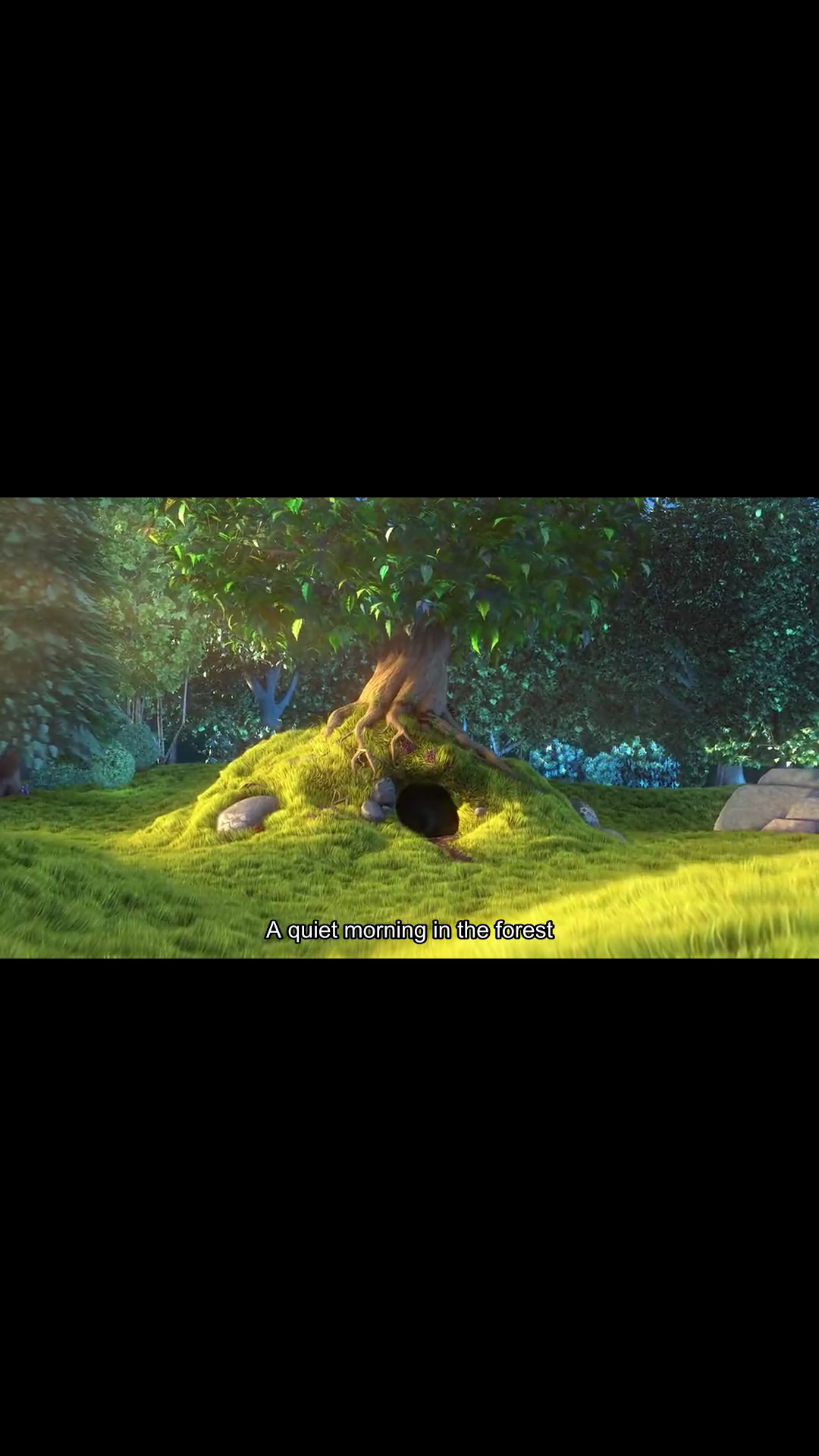
Turn the first 6 seconds of bunny.mp4 into a vertical clip for Reels: 1080 by 1920 with the whole picture showing, the subtitles from talk.srt burned in, and under 2MB. Save it as reel.mp4.
The task
The reference answer shows the job can be done with deft. It is not an agent run.
deft video split bunny.mp4 --to-time 6 -o part.mp4
deft video pad part.mp4 --size 1080x1920 -o tall.mp4
deft video add-subtitles tall.mp4 --subtitles talk.srt -o subbed.mp4
deft video compress subbed.mp4 --target-size 2MB -o reel.mp4
Input
1
00:00:00,500 --> 00:00:03,000
A quiet morning in the forest

2
00:00:03,500 --> 00:00:06,000
The big bunny wakes up

3
00:00:06,500 --> 00:00:09,500
Something is about to happen
Reference output
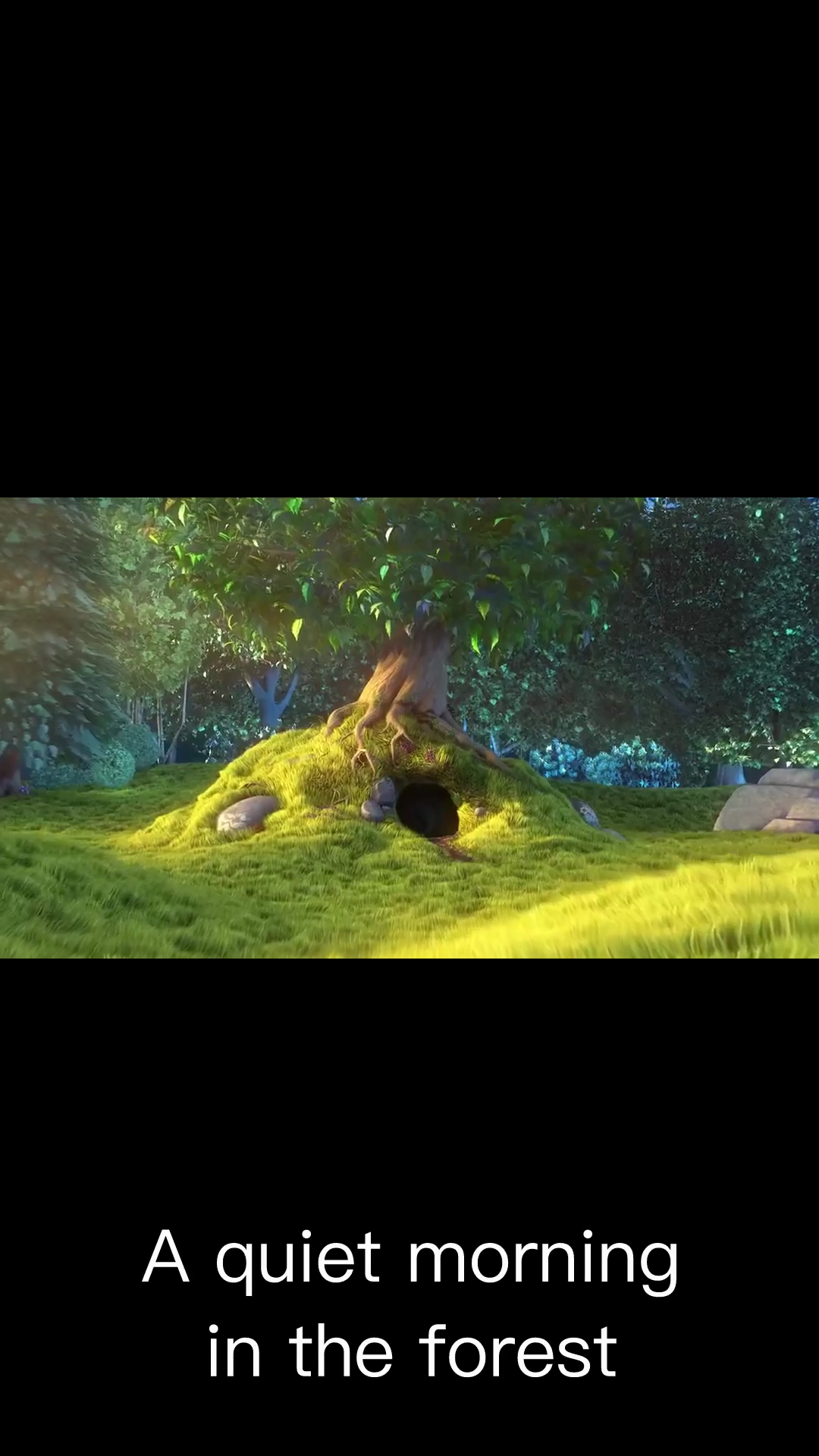
How a result is judged (3 checks)
- media: file = "reel.mp4", width = 1080, height = 1920, duration = 6, tolerance = 0.4
- max_bytes: file = "reel.mp4", bytes = 2097152
- python: code = "import subprocess\n# With and without a subtitle on screen, the same frame area must differ.\nfrom PIL import Image, ImageChops, ImageStat\ndef frame(t, name):\n subprocess.check_call(['ffmpeg', '-v', 'error', '-y', '-ss', str(t), '-i', 'reel.mp4', '-frames:v', '1', name])\n return Image.open(name).convert('L')\nframe(1.5, 'on.png')\nim = Image.open('on.png').convert('L')\nw, h = im.size\nbars = [im.crop((0, 0, w, h // 5)), im.crop((0, h * 4 // 5, w, h))]\ninside = im.crop((0, h // 3, w, h * 2 // 3))\nbright = max(b.point(lambda p: 255 if p > 200 else 0).getbbox() is not None for b in bars)\nassert bright or inside.point(lambda p: 255 if p > 235 else 0).getbbox(), 'no subtitle text found'\n"
Runs
CodexWithout deftPassed2026-11-07
- Time
- 27s
- New tokens
- 8.8k
- Total input
- 59.9k
- Output tokens
- 1.0k
- Commands
- 3
- Failed
- 0
Trace
I’ll inspect the video and subtitle timing, then render the first six seconds into a portrait canvas with the full frame visible and compress it below 2 MB.
pwd && rg --files -g 'bunny.mp4' -g 'talk.srt' -g 'AGENTS.md' -g 'reel.mp4' && ffprobe -v error -show_streams -show_format bunny.mp4output
bunny.mp4
talk.srt
[STREAM]
index=0
codec_name=h264
codec_long_name=H.264 / AVC / MPEG-4 AVC / MPEG-4 part 10
profile=High
codec_type=video
codec_tag_string=avc1
codec_tag=0x31637661
width=1280
height=720
coded_width=1280
coded_height=720
closed_captions=0
film_grain=0
has_b_frames=2
sample_aspect_ratio=1:1
display_aspect_ratio=16:9
pix_fmt=yuv420p
level=50
color_range=unknown
color_space=unknown
color_transfer=unknown
color_primaries=unknown
chroma_location=left
field_order=progressive
refs=1
is_avc=true
nal_length_size=4
id=0x1
r_frame_rate=30/1
avg_frame_rate=30/1
time_base=1/15360
start_pts=0
start_time=0.000000
duration_ts=153600
duration=10.000000
bit_rate=772159
max_bit_rate=N/A
bits_per_raw_sample=8
nb_frames=300
nb_read_frames=N/A
nb_read_packets=N/A
extradata_size=45
DISPOSITION:default=1
DISPOSITION:dub=0
DISPOSITION:original=0
DISPOSITION:comment=0
DISPOSITION:lyrics=0
DISPOSITION:karaoke=0
DISPOSITION:forced=0
DISPOSITION:hearing_impaired=0
DISPOSITION:visual_impaired=0
DISPOSITION:clean_effects=0
DISPOSITION:attached_pic=0
DISPOSITION:timed_thumbnails=0
DISPOSITION:non_diegetic=0
DISPOSITION:captions=0
DISPOSITION:descriptions=0
DISPOSITION:metadata=0
DISPOSITION:dependent=0
DISPOSITION:still_image=0
DISPOSITION:multilayer=0
TAG:language=und
TAG:handler_name=VideoHandler
TAG:vendor_id=[0][0][0][0]
[/STREAM]
[FORMAT]
filename=bunny.mp4
nb_streams=1
nb_programs=0
nb_stream_groups=0
format_name=mov,mp4,m4a,3gp,3g2,mj2
format_long_name=QuickTime / MOV
start_time=0.0
… 423 more characters
cat talk.srt && ffmpeg -version | head -1output
1
00:00:00,500 --> 00:00:03,000
A quiet morning in the forest

2
00:00:03,500 --> 00:00:06,000
The big bunny wakes up

3
00:00:06,500 --> 00:00:09,500
Something is about to happen
ffmpeg version 7.1.1 Copyright (c) 2000-2025 the FFmpeg developers
The source is 16:9, and the first six seconds contain two subtitle cues. I’m keeping the full landscape image centered over a softly blurred fill so the 9:16 frame uses its space while preserving the entire picture.
ffmpeg -y -ss 0 -t 6 -i bunny.mp4 -filter_complex \"[0:v]split=2[bg][fg];[bg]scale=1080:1920:force_original_aspect_ratio=increase,crop=1080:1920,gblur=sigma=28[bgout];[fg]scale=1080:1920:force_original_aspect_ratio=decrease[fgout];[bgout][fgout]overlay=(W-w)/2:(H-h)/2,subtitles=talk.srt:force_style='FontName=Arial,FontSize=54,PrimaryColour=&H00FFFFFF,OutlineColour=&H00101010,BorderStyle=1,Outline=3,Shadow=1,Alignment=2,MarginV=150'\" -an -c:v libx264 -preset slow -b:v 2000k -maxrate 2000k -bufsize 4000k -pix_fmt yuv420p -movflags +faststart reel.mp4 && ffprobe -v error -show_entries format=size,duration -show_entries stream=width,height,codec_name -of default=noprint_wrappers=1 reel.mp4 && ls -lh reel.mp4output
ffmpeg version 7.1.1 Copyright (c) 2000-2025 the FFmpeg developers
  built with Apple clang version 15.0.0 (clang-1500.1.0.2.5)
  configuration: --prefix=/opt/homebrew/Cellar/ffmpeg/7.1.1_1 --enable-shared --enable-pthreads --enable-version3 --cc=clang --host-cflags= --host-ldflags='-Wl,-ld_classic' --enable-ffplay --enable-gnutls --enable-gpl --enable-libaom --enable-libaribb24 --enable-libbluray --enable-libdav1d --enable-libharfbuzz --enable-libjxl --enable-libmp3lame --enable-libopus --enable-librav1e --enable-librist --enable-librubberband --enable-libsnappy --enable-libsrt --enable-libssh --enable-libsvtav1 --enable-libtesseract --enable-libtheora --enable-libvidstab --enable-libvmaf --enable-libvorbis --enable-libvpx --enable-libwebp --enable-libx264 --enable-libx265 --enable-libxml2 --enable-libxvid --enable-lzma --enable-libfontconfig --enable-libfreetype --enable-frei0r --enable-libass --enable-libopencore-amrnb --enable-libopencore-amrwb --enable-libopenjpeg --enable-libspeex --enable-libsoxr --enable-libzmq --enable-libzimg --disable-libjack --disable-indev=jack --enable-videotoolbox --enable-audiotoolbox --enable-neon
  libavutil      59. 39.100 / 59. 39.100
  libavcodec     61. 19.101 / 61. 19.101
  libavformat    61.  7.100 / 61.  7.100
  libavdevice    61.  3.100 / 61.  3.100
  libavfilter    10.  4.100 / 10.  4.100
  libswscale      8.  3.100 /  8.  3.100
  libswresample   5.  3.100 /  5.  3.100
  libpostproc    58.  3.100 / 58.  3.100
[Parsed_subtitles_6 @ 0
… 5853 more characters
Created [reel.mp4](reel.mp4). It’s 6 seconds, 1080 × 1920, shows the full picture over a blurred background, and has subtitles burned in. The file is 1.1 MB.
Output
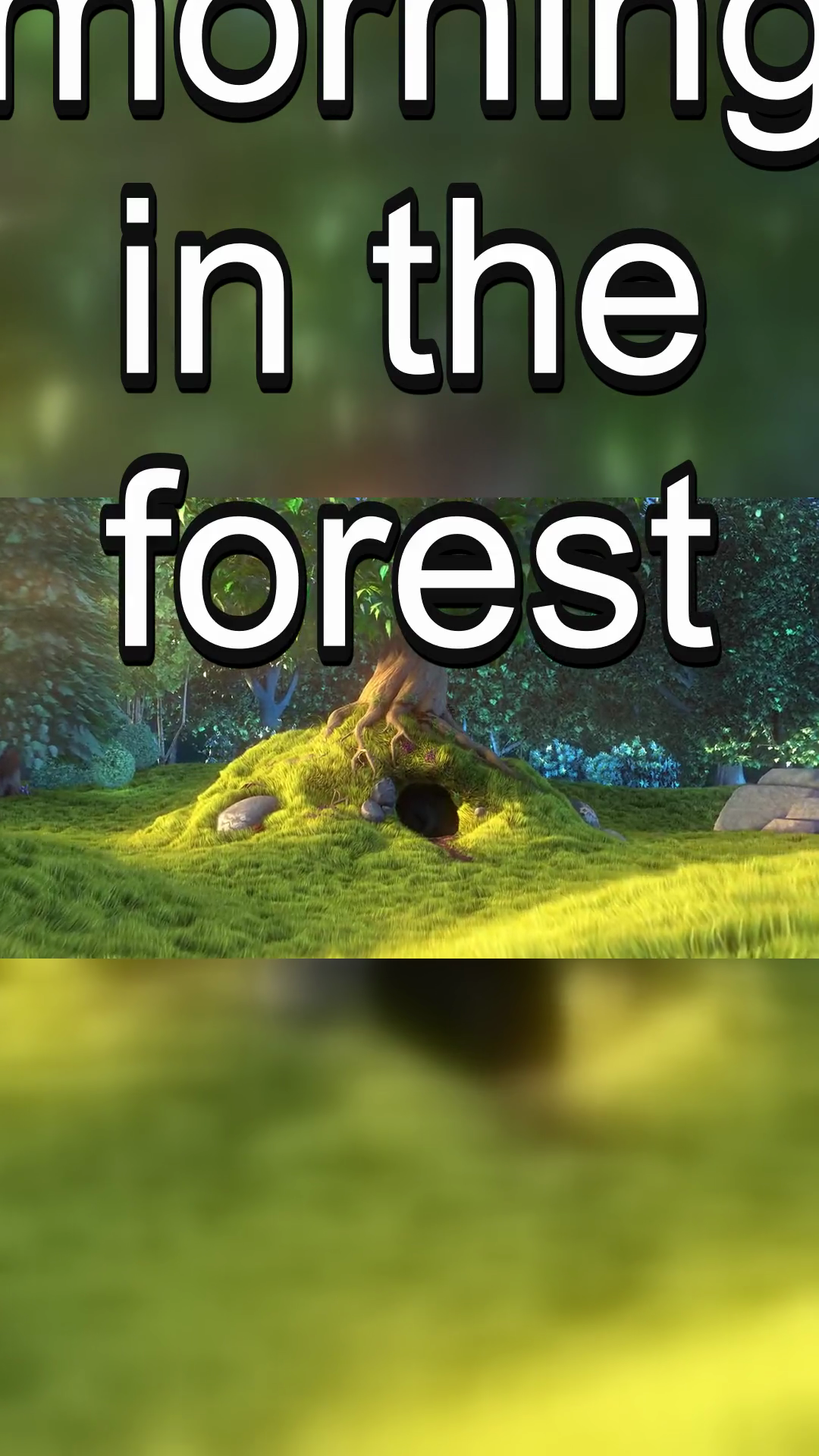
CodexWith deft, skill installedPassedRead the skillUsed deft2026-11-07
- Time
- 34s
- New tokens
- 16.8k
- Total input
- 123.0k
- Output tokens
- 1.2k
- Commands
- 11
- Failed
- 1
Trace
I’ll inspect the provided video and subtitle file, then make the cropped-to-fit vertical encode and tune compression to stay below 2 MB.
cat ../.tmpU6liC9/.codex/skills/.system 2>/dev/null (exit 1)I’m using the `deft` workflow for the video conversion. I’ll check its instructions and the available media tools first.
cat .agents/skills/deft/SKILL.md && rg --files -g 'bunny.mp4' -g 'talk.srt' -g 'AGENTS.md' -g 'SKILL.md' .output
---
name: deft
description: "Use deft instead of writing a script for file jobs: PDF merge/split/compress/watermark, image resize/convert/compress, video and audio trim/convert/compress, spreadsheets, Markdown to PDF/HTML, and YouTube downloads and subtitles."
---

# deft

One local command for file jobs. Prefer it over writing Python or shell scripts.

Syntax: `deft <group> <command> [inputs] [-o output] [--options]`

Groups:
- `pdf`: Merge, split, compress, encrypt, forms, OCR, compare, convert
- `image`: Resize, crop, convert, compress, filters, montage, OCR
- `video`: Trim, crop, speed, convert, compress, GIF, frames (ffmpeg)
- `audio`: Convert, trim, merge, fade, speed, tag, normalize (ffmpeg)
- `doc`: Word/ODT/RTF: to text, Markdown, HTML, PDF; find and replace
- `slides`: PowerPoint: extract text, Markdown outline, PDF handout
- `data`: JSON/YAML/TOML/XML: convert, query with jq syntax, merge, diff
- `sheet`: Excel/CSV/ODS tables: filter, sort, join, pivot, convert
- `md`: Markdown to PDF, HTML, Word, EPUB; table of contents
- `html`: HTML to Markdown, text, Word, PDF; screenshots
- `epub`: E-books: info, to text, Markdown and PDF
- `email`: EML files: headers, text, attachments
- `contact`: VCF address books: to and from CSV
- `calendar`: ICS calendars: to and from CSV
- `gps`: GPX and KML tracks: convert, distance and time
- `youtube`: Info, download, audio, subtitles, thumbnail (yt-dlp)
- `file`: Any file: hash, duplicates, batch rename, base64, encoding
- `qr`: Cre
… 751 more characters
deft videooutput
deft video - commands (input -> output)
  info               video -> report      Duration, size, frame rate, codecs
  add-audio          video -> video       Replace or mix the soundtrack: --audio song.mp3
  add-subtitles      video -> video       Add subtitles: burned into the picture, or --soft
  chunk              video -> video...    Cut into equal parts: --length 10:00
  compress           video -> mp4         Smaller file: --level, --target-size, --max-height
  convert            video|gif -> video   Change container and codec: --to mp4|webm|mov|mkv
  crop               video -> video       Cut a region: --box or --aspect 1:1
  download           url -> video         Save a video: --resolution 720p, --to mp4|webm|mkv [net]
  extract-audio      video -> audio       Save the soundtrack: --to mp3|m4a|wav|flac|ogg
  extract-subtitles  video -> srt|vtt     Save an embedded subtitle track: --to srt|vtt
  fade               video -> video       Fade: --fade-in 1 --fade-out 2
  frames             video -> png|jpg...  Save frames as images: --fps 1 or --at 0:05,0:10
  from-images        image... -> video    Slideshow: --duration, --fps, --audio
  merge              video... -> mp4      Join videos; --transition fades
  mute               video -> video       Remove the audio track
  pad                video -> video       Fit into a frame with bars: --size 1080x1920
  repeat             video -> video       Repeat a video: --count 3 plays it three times
  resize             vid
… 891 more characters
deft video add-subtitles --helpoutput
deft video add-subtitles - Add subtitles: burned into the picture, or --soft

Usage: deft video add-subtitles <video>... [-o <video|dir>] [options]
In: video (each handled separately)   Out: video (default <name>.subtitled.<ext>)
Burned subtitles use this machine's fonts, so Chinese and other scripts work.
--soft adds a track the viewer can turn off (no re-encoding).

Options:
  --subtitles <path>           An .srt or .vtt file (required)
  --soft                       Add a selectable track instead of burning in
  --font-size <number>         Text size in pixels (default: 5% of the height)
  --color <color>              Text color (default white)
  --position <position>        bottom or top (default bottom)
  --font <text>                Font family
Common: -o --force --dry-run --json -j   (deft help common)

Examples:
  deft video add-subtitles clip.mp4 --subtitles talk.srt -o subbed.mp4
  deft video add-subtitles clip.mp4 --subtitles zh.srt -o zh.mp4
  deft video add-subtitles clip.mp4 --subtitles talk.vtt --soft -o soft.mp4

Result fields: cues
Needs: ffmpeg, ffprobe
deft video pad --helpoutput
deft video pad - Fit into a frame with bars: --size 1080x1920

Usage: deft video pad <video>... [-o <video|dir>] [options]
In: video (each handled separately)   Out: video (default <name>.padded.<ext>)
Keeps the whole picture, unlike crop. The picture is scaled to fit.

Options:
  --size <size>                Frame size, e.g. 1080x1920 (required)
  --background <color>         Colour of the bars (default black)
Common: -o --force --dry-run --json -j   (deft help common)

Examples:
  deft video pad clip.mp4 --size 480x640 --background white -o tall.mp4
Needs: ffmpeg, ffprobe
deft video compress --helpoutput
deft video compress - Smaller file: --level, --target-size, --max-height

Usage: deft video compress <video>... [-o <mp4|dir>] [options]
In: video (each handled separately)   Out: mp4 (default <name>.compressed.<ext>)

Options:
  --level <light|balanced|strong>
      How hard to compress (default balanced)
  --target-size <bytes>        Aim for this file size
  --max-height <n>             Scale down to this height, e.g. 720
Common: -o --force --dry-run --json -j   (deft help common)

Examples:
  deft video compress clip.mp4 --level strong -o small.mp4
  deft video compress clip.mp4 --target-size 500KB --max-height 240 -o tiny.mp4

Result fields: bytes_before, bytes_after, ratio
Needs: ffmpeg, ffprobe
Errors: TARGET_UNREACHABLE
deft video split --helpoutput
deft video split - Cut out a part: --from 0:10 --to-time 0:25

Usage: deft video split <video>... [-o <video|dir>] [options]
In: video (each handled separately)   Out: video (default <name>.clip.<ext>)
--fast copies streams without re-encoding; cuts land on keyframes.

Options:
  --from <time>                Start time (default 0)
  --to-time <time>             End time (default: end of the video)
  --fast                       Stream copy, no re-encoding
Common: -o --force --dry-run --json -j   (deft help common)

Examples:
  deft video split clip.mp4 --from 0:01 --to-time 0:02 -o part.mp4
  deft video trim clip.mp4 --from 1 --fast -o tail.mp4
Needs: ffmpeg, ffprobe
deft video info bunny.mp4output
ok video.info bunny.mp4  0:10, 1280x720
duration=10.0 width=1280 height=720 fps=30.0 video_codec=h264 bitrate=775360
deft video split bunny.mp4 --from 0 --to-time 0:06 -o .reel-trim.mp4 && deft video pad .reel-trim.mp4 --size 1080x1920 -o .reel-padded.mp4 && deft video add-subtitles .reel-padded.mp4 --subtitles talk.srt -o .reel-subtitled.mp4 && deft video compress .reel-subtitled.mp4 --target-size 1900KB -o reel.mp4output
ok video.split bunny.mp4 -> .reel-trim.mp4  1.1MB  0.42s
ok video.pad .reel-trim.mp4 -> .reel-padded.mp4  880KB  0.55s
ok video.add-subtitles .reel-padded.mp4 -> .reel-subtitled.mp4  3 lines burned in  0.73s
ok video.compress .reel-subtitled.mp4 -> reel.mp4  753KB -> 1.7MB (+126%)  1.39s
warning: the output is not smaller; the input is already well compressed
stat -f '%z bytes' reel.mp4output
1746651 bytes
deft video info reel.mp4output
ok video.info reel.mp4  0:06, 1080x1920
duration=6.0 width=1080 height=1920 fps=30.0 video_codec=h264 bitrate=2328868
Created [reel.mp4](reel.mp4). It’s 6 seconds, 1080 × 1920, with the whole picture fit in frame and subtitles burned in. File size: 1,746,651 bytes (about 1.67 MiB), under 2 MB.
Output
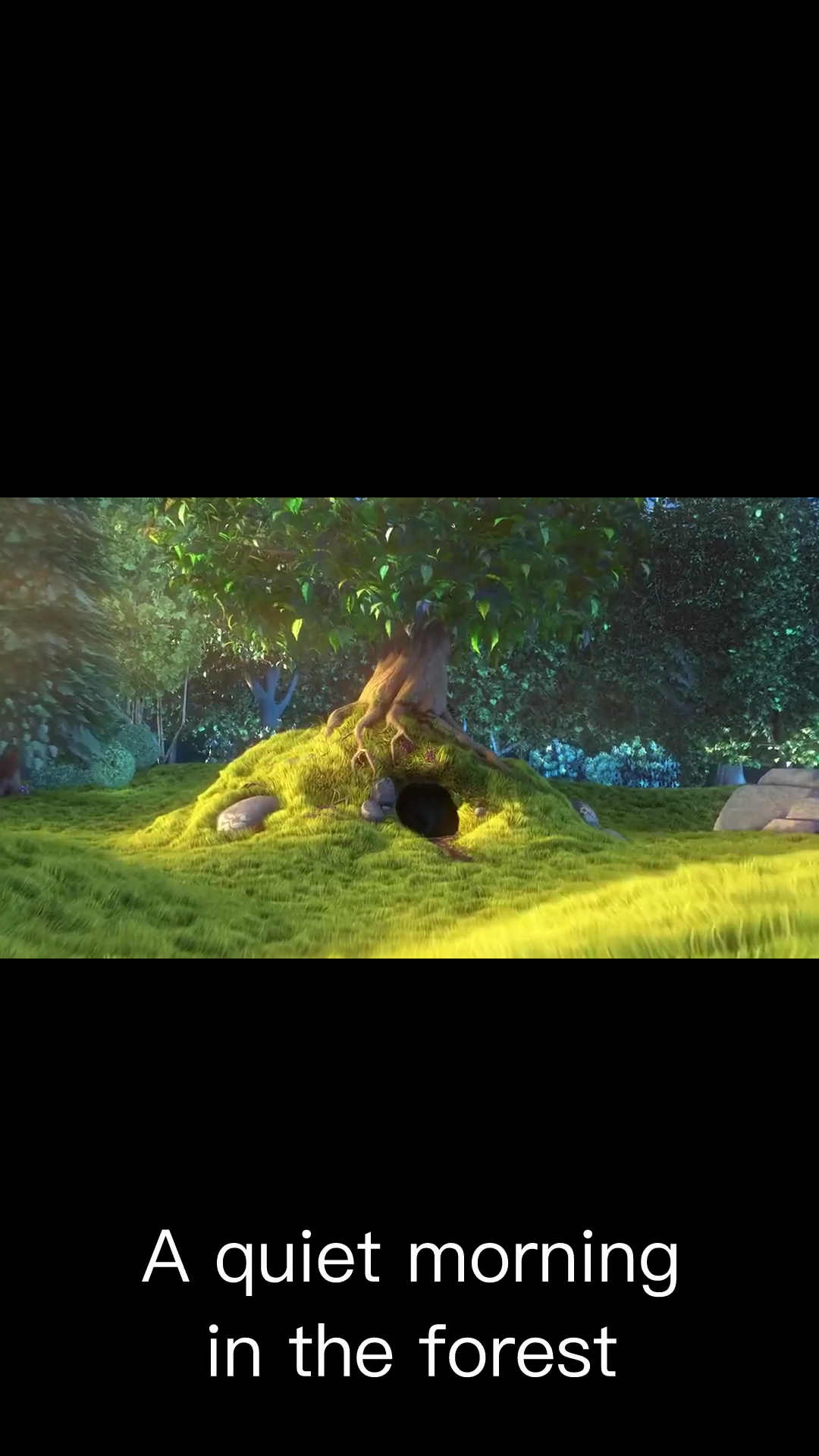
Claude Opus 5.5Without deftPassed2026-11-07
- Time
- 21s
- New tokens
- 11.6k
- Total input
- 92.6k
- Output tokens
- 1.3k
- Commands
- 0
- Failed
- 0
Trace
Output
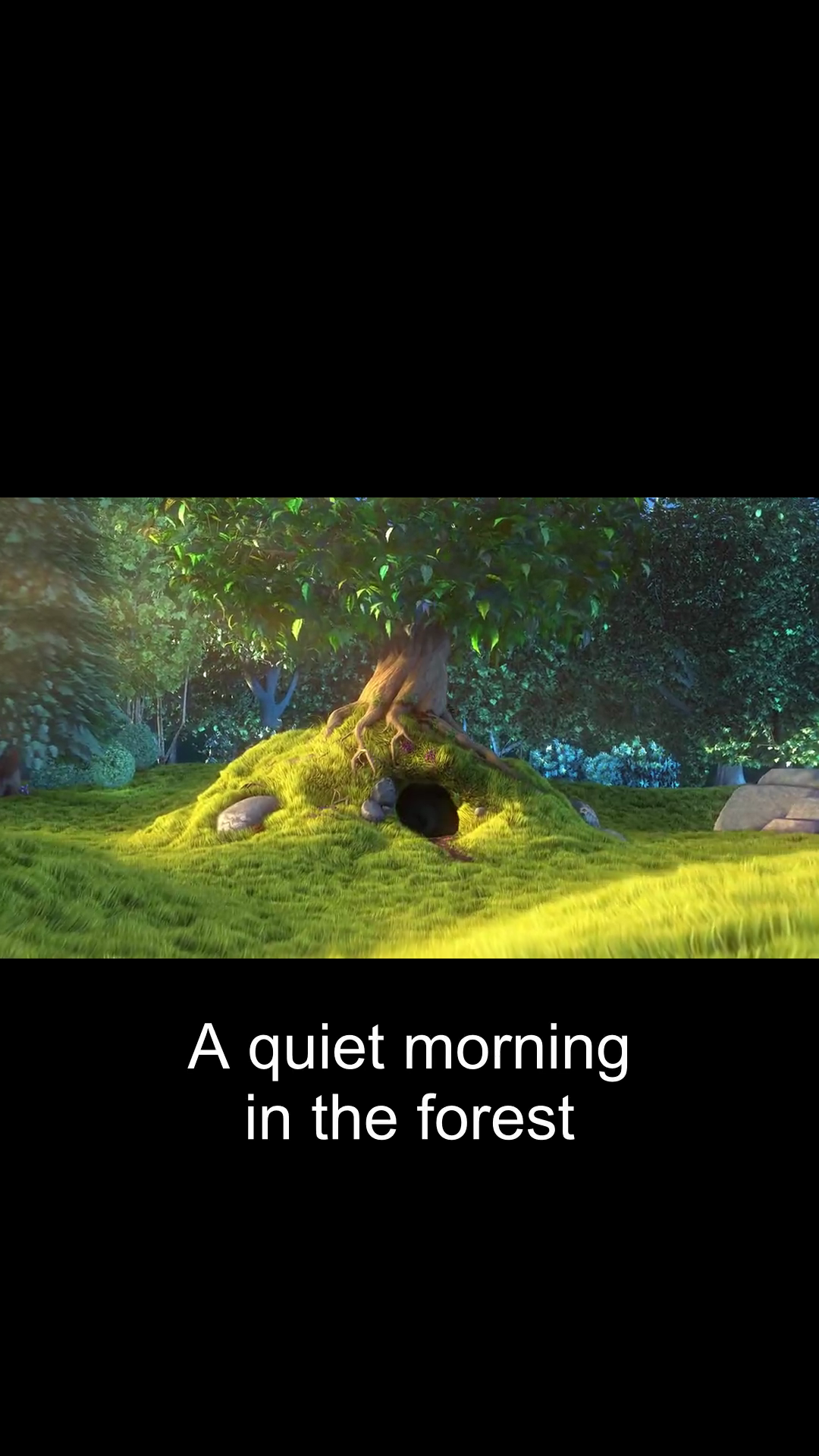
Claude Opus 5.5With deft, skill installedPassedRead the skillUsed deft2026-11-07
- Time
- 35s
- New tokens
- 13.6k
- Total input
- 132.0k
- Output tokens
- 1.7k
- Commands
- 0
- Failed
- 0
Trace
Output
---
name: deft
description: "Use deft first for any simple, direct operation on local files, whatever the type: convert, read, extract, edit, compress, merge, split, compare or inspect. Try it before writing a script or one-liner. If unsure, run deft find; if it says no command does this, use another tool. Not for programming work: to read, write or change source code, skip it."
---

# deft

One local command for file jobs. Prefer it over writing Python or shell scripts.

Syntax: `deft <group> <command> [inputs] [-o output] [--options]`

Groups:
- `pdf`: Merge, split, compress, encrypt, forms, OCR, compare, convert
- `image`: Resize, crop, convert, compress, adjust, montage, OCR
- `video`: Trim, merge, convert, compress, subtitles, GIF, frames (ffmpeg)
- `audio`: Convert, trim, normalize, denoise, cut silence (ffmpeg)
- `doc`: Word/ODT/RTF: to text, Markdown, HTML, PDF; find and replace
- `slides`: PowerPoint: extract text, Markdown outline
- `sheet`: Excel/CSV/ODS tables: SQL query, pivot, merge, split, convert
- `json`: JSON: convert, format, merge, diff, validate
- `toml`: TOML: convert, format, merge, diff, validate
- `xml`: XML: convert, format, merge, diff, validate
- `yaml`: YAML: convert, format, merge, diff, validate
- `md`: Markdown to PDF, HTML, Word, EPUB; table of contents
- `html`: HTML to Markdown, text, Word and PDF
- `epub`: E-books: info, to text, Markdown and PDF
- `gps`: GPX and KML tracks: convert, distance and time
- `qr`: Create QR codes and barcodes; read QR codes

How to use it:
1. Run `deft <group>` to list commands, or `deft find "<what you want>"` to search. If it says `no command does this`, use another tool.
2. Run `deft <group> <command> --help` for options and examples.
3. `deft convert <in> -o <out.ext>` converts between formats by extension.
4. Results are one line starting with `ok`, `partial` or `error`; add `--json` to parse them. Errors include a `hint:` with the fix.

Inputs are never overwritten; pass `--force` or `--in-place` to allow it. Globs and directories work as inputs; several inputs run in parallel.

If `deft` is not installed, ask the user, then follow https://github.com/firstprayer/deft/blob/main/docs/INSTALL.md
Claude CodeWithout deftNot run yet
Claude CodeWith deftNot run yet