Evals / video / Multi-step jobs
Prepare a landing page video
movie.mp4 will autoplay as the hero video on our landing page. It has to be silent, under 1MB and no taller than 720 pixels, saved as hero.mp4. Also save its first frame as poster.jpg.
The task
The reference answer shows the job can be done with deft. It is not an agent run.
(none)
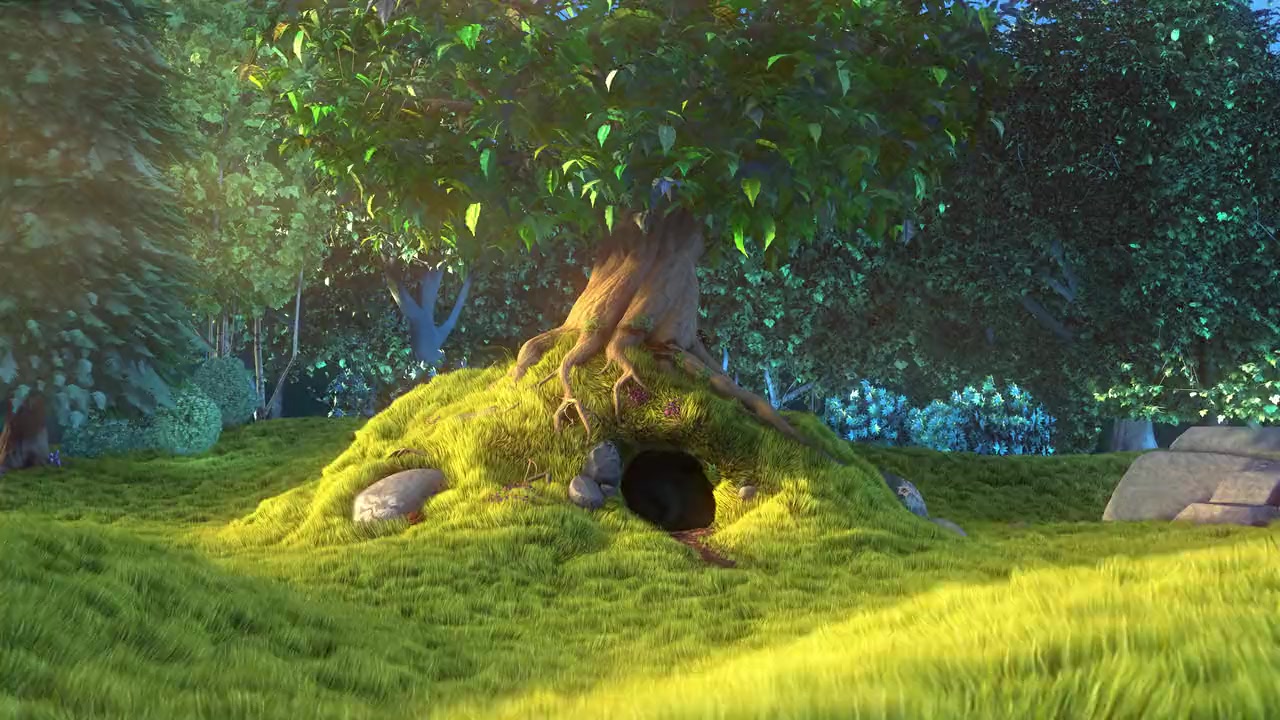
Input
Reference output
How a result is judged (3 checks)
- max_bytes: file = "hero.mp4", bytes = 1048576
- media: file = "hero.mp4", has_audio = false, duration = 10, tolerance = 0.5
- python: code = "import json, subprocess\ns = json.loads(subprocess.check_output(['ffprobe', '-v', 'error', '-select_streams', 'v:0', '-show_entries', 'stream=height', '-of', 'json', 'hero.mp4']))\nassert s['streams'][0]['height'] <= 720, s\nfrom PIL import Image\nassert Image.open('poster.jpg').format == 'JPEG'\n"
Runs
CodexWithout deftPassed2026-11-07
- Time
- 19s
- New tokens
- 7.0k
- Total input
- 57.0k
- Output tokens
- 0.6k
- Commands
- 3
- Failed
- 0
Trace
I’ll locate `movie.mp4`, then create a muted, web-ready `hero.mp4` under 1 MB and save its opening frame as `poster.jpg` in this directory.
rg --files -g 'movie.mp4' -g 'AGENTS.md' -g '"'!node_modules'"'output
movie.mp4
ls -lh movie.mp4 && ffprobe -v error -show_entries format=duration,size:stream=codec_name,width,height,codec_type -of default=noprint_wrappers=1 movie.mp4 && command -v ffmpegoutput
-rw-r--r--@ 1 user  staff   1.1M Nov  5 21:11 movie.mp4
codec_name=h264
codec_type=video
width=1280
height=720
codec_name=aac
codec_type=audio
duration=10.000000
size=1137569
/opt/homebrew/bin/ffmpeg
The source is 10 seconds at 1280×720 and includes an audio track. I’ll keep the dimensions, remove audio, and encode with a conservative bitrate so the result stays below the size limit.
ffmpeg -y -i movie.mp4 -map 0:v:0 -an -c:v libx264 -preset slow -b:v 620k -maxrate 700k -bufsize 1400k -pix_fmt yuv420p -movflags +faststart hero.mp4 && ffmpeg -y -i movie.mp4 -frames:v 1 -q:v 2 poster.jpg && ls -lh hero.mp4 poster.jpg && ffprobe -v error -show_entries format=size,duration:stream=codec_type,width,height -of default=noprint_wrappers=1 hero.mp4output
ffmpeg version 7.1.1 Copyright (c) 2000-2025 the FFmpeg developers
  built with Apple clang version 15.0.0 (clang-1500.1.0.2.5)
  configuration: --prefix=/opt/homebrew/Cellar/ffmpeg/7.1.1_1 --enable-shared --enable-pthreads --enable-version3 --cc=clang --host-cflags= --host-ldflags='-Wl,-ld_classic' --enable-ffplay --enable-gnutls --enable-gpl --enable-libaom --enable-libaribb24 --enable-libbluray --enable-libdav1d --enable-libharfbuzz --enable-libjxl --enable-libmp3lame --enable-libopus --enable-librav1e --enable-librist --enable-librubberband --enable-libsnappy --enable-libsrt --enable-libssh --enable-libsvtav1 --enable-libtesseract --enable-libtheora --enable-libvidstab --enable-libvmaf --enable-libvorbis --enable-libvpx --enable-libwebp --enable-libx264 --enable-libx265 --enable-libxml2 --enable-libxvid --enable-lzma --enable-libfontconfig --enable-libfreetype --enable-frei0r --enable-libass --enable-libopencore-amrnb --enable-libopencore-amrwb --enable-libopenjpeg --enable-libspeex --enable-libsoxr --enable-libzmq --enable-libzimg --disable-libjack --disable-indev=jack --enable-videotoolbox --enable-audiotoolbox --enable-neon
  libavutil      59. 39.100 / 59. 39.100
  libavcodec     61. 19.101 / 61. 19.101
  libavformat    61.  7.100 / 61.  7.100
  libavdevice    61.  3.100 / 61.  3.100
  libavfilter    10.  4.100 / 10.  4.100
  libswscale      8.  3.100 /  8.  3.100
  libswresample   5.  3.100 /  5.  3.100
  libpostproc    58.  3.100 / 58.  3.100
Input #0, mov,mp4,m4a,3
… 8891 more characters
Created [hero.mp4](hero.mp4) (718 KB, silent, 1280×720) and [poster.jpg](poster.jpg) (first frame).
Output
CodexWith deft, skill installedPassedRead the skillUsed deft2026-11-07
- Time
- 35s
- New tokens
- 14.1k
- Total input
- 155.2k
- Output tokens
- 1.1k
- Commands
- 14
- Failed
- 0
Trace
I’ll inspect `movie.mp4` and the available media conversion tools, then create `hero.mp4` and its first-frame `poster.jpg` in this directory.
command -v ffmpeg; command -v ffprobe; command -v deftoutput
/opt/homebrew/bin/ffmpeg
/opt/homebrew/bin/ffprobe
deft
pwd && rg --files -g 'movie.mp4' -g 'SKILL.md' | head -40output
movie.mp4
I found `movie.mp4` and have ffmpeg available. The media workflow skill says to use `deft` for video conversion, so I’m checking its instructions and will use it if it supports the needed size and silence constraints.
cat .agents/skills/deft/SKILL.mdoutput
---
name: deft
description: "Use deft instead of writing a script for file jobs: PDF merge/split/compress/watermark, image resize/convert/compress, video and audio trim/convert/compress, spreadsheets, Markdown to PDF/HTML, and YouTube downloads and subtitles."
---

# deft

One local command for file jobs. Prefer it over writing Python or shell scripts.

Syntax: `deft <group> <command> [inputs] [-o output] [--options]`

Groups:
- `pdf`: Merge, split, compress, encrypt, forms, OCR, compare, convert
- `image`: Resize, crop, convert, compress, filters, montage, OCR
- `video`: Trim, crop, speed, convert, compress, GIF, frames (ffmpeg)
- `audio`: Convert, trim, merge, fade, speed, tag, normalize (ffmpeg)
- `doc`: Word/ODT/RTF: to text, Markdown, HTML, PDF; find and replace
- `slides`: PowerPoint: extract text, Markdown outline, PDF handout
- `data`: JSON/YAML/TOML/XML: convert, query with jq syntax, merge, diff
- `sheet`: Excel/CSV/ODS tables: filter, sort, join, pivot, convert
- `md`: Markdown to PDF, HTML, Word, EPUB; table of contents
- `html`: HTML to Markdown, text, Word, PDF; screenshots
- `epub`: E-books: info, to text, Markdown and PDF
- `email`: EML files: headers, text, attachments
- `contact`: VCF address books: to and from CSV
- `calendar`: ICS calendars: to and from CSV
- `gps`: GPX and KML tracks: convert, distance and time
- `youtube`: Info, download, audio, subtitles, thumbnail (yt-dlp)
- `file`: Any file: hash, duplicates, batch rename, base64, encoding
- `qr`: Cre
… 728 more characters
deft videooutput
deft video - commands (input -> output)
  info               video -> report      Duration, size, frame rate, codecs
  add-audio          video -> video       Replace or mix the soundtrack: --audio song.mp3
  add-subtitles      video -> video       Add subtitles: burned into the picture, or --soft
  chunk              video -> video...    Cut into equal parts: --length 10:00
  compress           video -> mp4         Smaller file: --level, --target-size, --max-height
  convert            video|gif -> video   Change container and codec: --to mp4|webm|mov|mkv
  crop               video -> video       Cut a region: --box or --aspect 1:1
  download           url -> video         Save a video: --resolution 720p, --to mp4|webm|mkv [net]
  extract-audio      video -> audio       Save the soundtrack: --to mp3|m4a|wav|flac|ogg
  extract-subtitles  video -> srt|vtt     Save an embedded subtitle track: --to srt|vtt
  fade               video -> video       Fade: --fade-in 1 --fade-out 2
  frames             video -> png|jpg...  Save frames as images: --fps 1 or --at 0:05,0:10
  from-images        image... -> video    Slideshow: --duration, --fps, --audio
  merge              video... -> mp4      Join videos; --transition fades
  mute               video -> video       Remove the audio track
  pad                video -> video       Fit into a frame with bars: --size 1080x1920
  repeat             video -> video       Repeat a video: --count 3 plays it three times
  resize             vid
… 891 more characters
ffprobe -v error -show_entries format=duration,size -show_entries stream=codec_name,width,height,avg_frame_rate -of json movie.mp4output
{
    "programs": [

    ],
    "stream_groups": [

    ],
    "streams": [
        {
            "codec_name": "h264",
            "width": 1280,
            "height": 720,
            "avg_frame_rate": "30/1"
        },
        {
            "codec_name": "aac",
            "avg_frame_rate": "0/0"
        }
    ],
    "format": {
        "duration": "10.000000",
        "size": "1137569"
    }
}
deft video frames --helpoutput
deft video frames - Save frames as images: --fps 1 or --at 0:05,0:10

Usage: deft video frames <video>... [-o <dir>] [options]
In: video (each handled separately)   Out: png|jpg files in <name>-frames/

Options:
  --fps <number>               Frames per second
  --interval <time>            Time between frames, such as 2 or 0:30
  --from <time>                Start time for --fps or --interval (default 0)
  --at <times>                 Exact times
  --to <png|jpg>               Image format (default jpg)
Common: -o --force --dry-run --json -j   (deft help common)

Examples:
  deft video frames clip.mp4 --at 0:01 -o shots/
  deft video frames clip.mp4 --fps 1 --to png -o frames/
  deft video frames clip.mp4 --from 1 --interval 2 -o frames/

Result fields: files
Needs: ffmpeg, ffprobe
deft video mute --helpoutput
deft video mute - Remove the audio track

Usage: deft video mute <video>... [-o <video|dir>] [options]
In: video (each handled separately)   Out: video (default <name>.muted.<ext>)
Common: -o --force --dry-run --json -j   (deft help common)

Examples:
  deft video mute clip.mp4 -o silent.mp4
Needs: ffmpeg, ffprobe
deft video compress --helpoutput
deft video compress - Smaller file: --level, --target-size, --max-height

Usage: deft video compress <video>... [-o <mp4|dir>] [options]
In: video (each handled separately)   Out: mp4 (default <name>.compressed.<ext>)

Options:
  --level <light|balanced|strong>
      How hard to compress (default balanced)
  --target-size <bytes>        Aim for this file size
  --max-height <n>             Scale down to this height, e.g. 720
Common: -o --force --dry-run --json -j   (deft help common)

Examples:
  deft video compress clip.mp4 --level strong -o small.mp4
  deft video compress clip.mp4 --target-size 500KB --max-height 240 -o tiny.mp4

Result fields: bytes_before, bytes_after, ratio
Needs: ffmpeg, ffprobe
Errors: TARGET_UNREACHABLE
The source is 10 seconds at 1280×720 with audio, and it’s about 1.14 MB. I’ll remove the audio first, compress to a 950,000-byte target while capping height at 720, then extract the first frame from the finished video.
deft video mute movie.mp4 -o <tmp>output
ok video.mute movie.mp4 -> <tmp> 947KB 0.07s
deft video compress <tmp> --target-size 950000 --max-height 720 -o hero.mp4output
ok video.compress <tmp> -> hero.mp4 947KB -> 901KB (-5%) 4.16s
deft video thumbnail --helpoutput
deft video thumbnail - One frame as an image, or --at a time

Usage: deft video thumbnail <video>... [-o <image|dir>] [options]
In: video (each handled separately)   Out: image (default <name>.thumbnail.<ext>)

Options:
  --at <times>                 Time of the frame (default: chosen by ffmpeg)
  --size <size>                Scale, e.g. 320x or 50%
Common: -o --force --dry-run --json -j   (deft help common)

Examples:
  deft video thumbnail clip.mp4 -o cover.jpg
  deft video thumbnail clip.mp4 --at 0:01 --size 160x -o small.png
Needs: ffmpeg, ffprobe
deft video thumbnail hero.mp4 --at 0 -o poster.jpgoutput
ok video.thumbnail hero.mp4 -> poster.jpg 102KB 0.15s
ls -l hero.mp4 poster.jpgoutput
-rw-r--r--@ 1 user  staff  922382 Nov  6 16:43 hero.mp4
-rw-r--r--@ 1 user  staff  104076 Nov  6 16:43 poster.jpg
ffprobe -v error -show_entries format=size,duration -show_entries stream=codec_type,codec_name,width,height -of json hero.mp4output
{
    "programs": [

    ],
    "stream_groups": [

    ],
    "streams": [
        {
            "codec_name": "h264",
            "codec_type": "video",
            "width": 1280,
            "height": 720
        }
    ],
    "format": {
        "duration": "10.000000",
        "size": "922382"
    }
}
Created both files in the current directory: - [hero.mp4](hero.mp4) — silent, 922,382 bytes, 1280×720. - [poster.jpg](poster.jpg) — first frame from the finished video.
Output
Claude Opus 5.5Without deftPassed2026-11-07
- Time
- 19s
- New tokens
- 9.8k
- Total input
- 57.3k
- Output tokens
- 1.0k
- Commands
- 0
- Failed
- 0
Trace
Output
Claude Opus 5.5With deft, skill installedPassedRead the skillUsed deft2026-11-07
- Time
- 27s
- New tokens
- 12.1k
- Total input
- 78.3k
- Output tokens
- 1.2k
- Commands
- 0
- Failed
- 0
Trace
Output
---
name: deft
description: "Use deft first for any simple, direct operation on local files, whatever the type: convert, read, extract, edit, compress, merge, split, compare or inspect. Try it before writing a script or one-liner. If unsure, run deft find; if it says no command does this, use another tool. Not for programming work: to read, write or change source code, skip it."
---

# deft

One local command for file jobs. Prefer it over writing Python or shell scripts.

Syntax: `deft <group> <command> [inputs] [-o output] [--options]`

Groups:
- `pdf`: Merge, split, compress, encrypt, forms, OCR, compare, convert
- `image`: Resize, crop, convert, compress, adjust, montage, OCR
- `video`: Trim, merge, convert, compress, subtitles, GIF, frames (ffmpeg)
- `audio`: Convert, trim, normalize, denoise, cut silence (ffmpeg)
- `doc`: Word/ODT/RTF: to text, Markdown, HTML, PDF; find and replace
- `slides`: PowerPoint: extract text, Markdown outline
- `sheet`: Excel/CSV/ODS tables: SQL query, pivot, merge, split, convert
- `json`: JSON: convert, format, merge, diff, validate
- `toml`: TOML: convert, format, merge, diff, validate
- `xml`: XML: convert, format, merge, diff, validate
- `yaml`: YAML: convert, format, merge, diff, validate
- `md`: Markdown to PDF, HTML, Word, EPUB; table of contents
- `html`: HTML to Markdown, text, Word and PDF
- `epub`: E-books: info, to text, Markdown and PDF
- `gps`: GPX and KML tracks: convert, distance and time
- `qr`: Create QR codes and barcodes; read QR codes

How to use it:
1. Run `deft <group>` to list commands, or `deft find "<what you want>"` to search. If it says `no command does this`, use another tool.
2. Run `deft <group> <command> --help` for options and examples.
3. `deft convert <in> -o <out.ext>` converts between formats by extension.
4. Results are one line starting with `ok`, `partial` or `error`; add `--json` to parse them. Errors include a `hint:` with the fix.

Inputs are never overwritten; pass `--force` or `--in-place` to allow it. Globs and directories work as inputs; several inputs run in parallel.

If `deft` is not installed, ask the user, then follow https://github.com/firstprayer/deft/blob/main/docs/INSTALL.md
Claude CodeWithout deftNot run yet
Claude CodeWith deftNot run yet