Evals / image / Multi-step jobs
Unmirror a photo and sign it
My phone's front camera saved fox.jpg mirrored. Flip it left to right so it looks the right way round, and put '© 2026 Mia Chen' in the bottom right corner. Save it as fox-final.jpg.
The task
The reference answer shows the job can be done with deft. It is not an agent run.
deft image flip fox.jpg -o flipped.jpg
deft image watermark flipped.jpg --text '© 2026 Mia Chen' --position bottom-right -o fox-final.jpg
Input
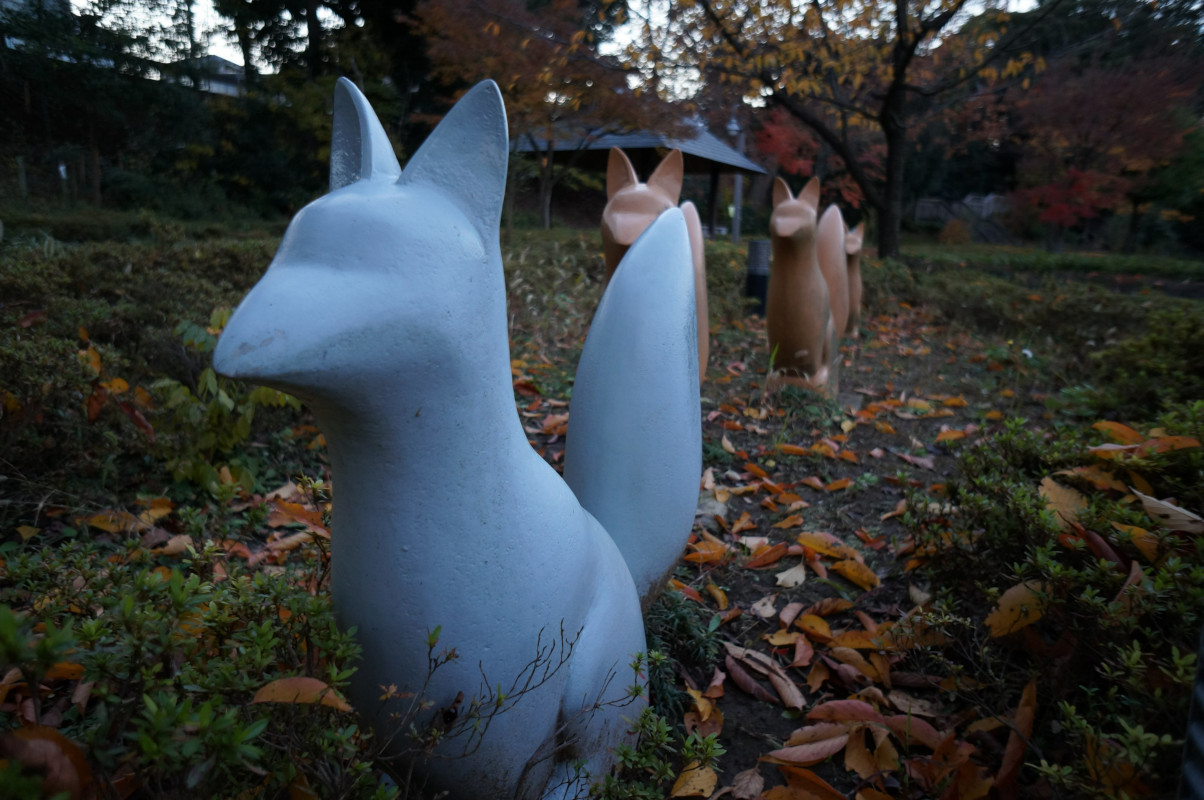
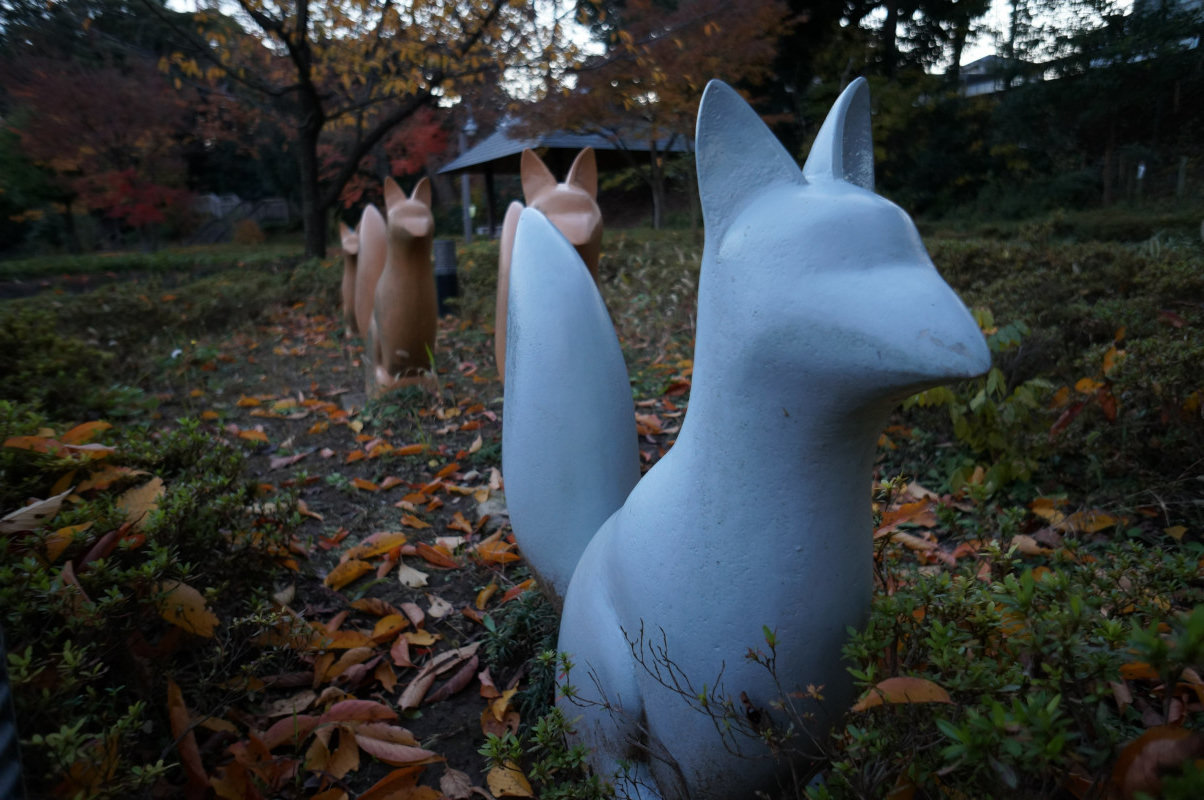
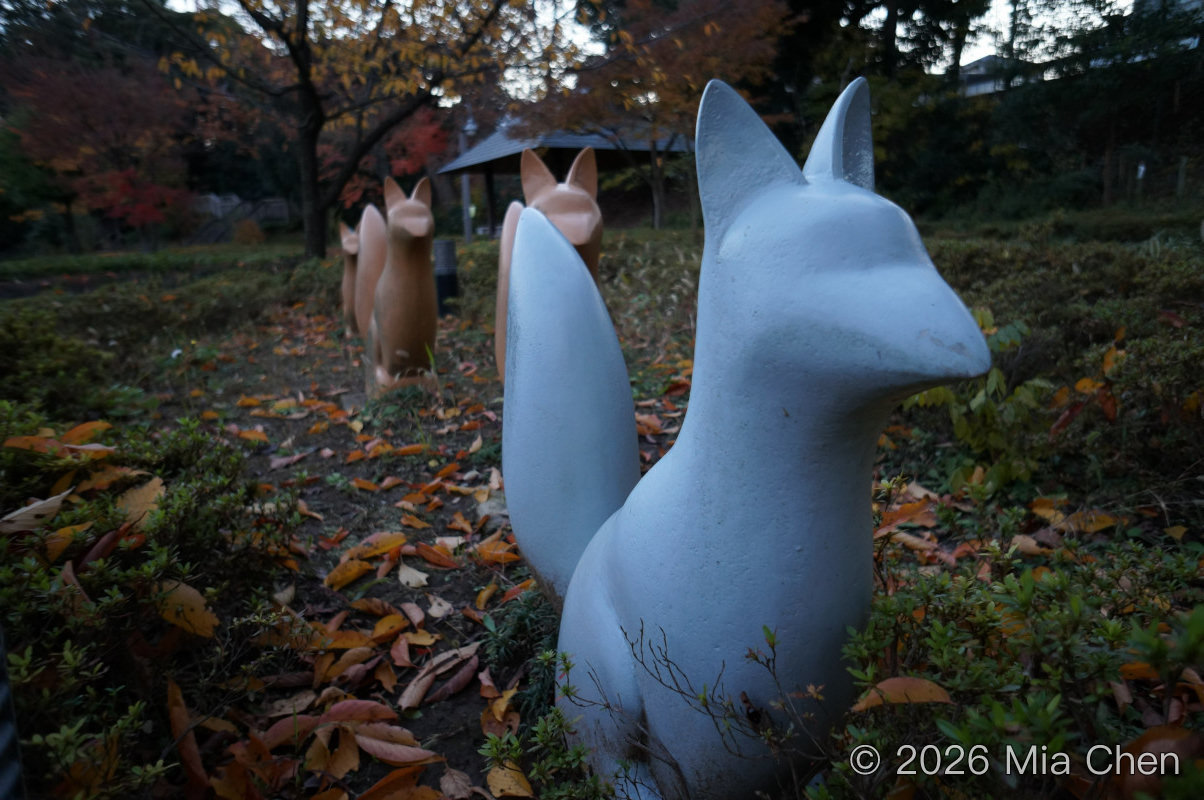
How a result is judged (1 check)
- python: code = "from PIL import Image, ImageChops, ImageOps, ImageStat\nwant = ImageOps.mirror(Image.open('fox.jpg').convert('RGB'))\nout = Image.open('fox-final.jpg').convert('RGB')\nassert out.size == want.size, out.size\nw, h = want.size\ndiff = ImageChops.difference(want, out).convert('L')\ntop = ImageStat.Stat(diff.crop((0, 0, w, h // 2))).mean[0]\nassert top < 8, ('not flipped left to right', round(top, 1))\ncorner = list(diff.crop((w // 2, h // 2, w, h)).getdata())\nmarked = sum(p > 40 for p in corner) / len(corner)\nassert marked > 0.002, ('no text in the bottom right corner', marked)\n"
Runs
Claude Opus 5.5Without deftPassed2026-11-15
- Time
- 22s
- New tokens
- 13.8k
- Total input
- 62.8k
- Output tokens
- 1.4k
- Commands
- 2
- Failed
- 0
Trace
ls -la; which magick convert; python3 -c "import PIL; print(PIL.__version__)"; sips -g all fox.jpg 2>/dev/null | head -20output
total 536
drwxr-xr-x@   4 user  staff     128 Nov 14 20:03 .
drwx------@ 308 user  staff    9856 Nov 14 20:03 ..
drwxr-xr-x@   3 user  staff      96 Nov 14 20:03 .claude
-rw-r--r--@   1 user  staff  272383 Nov 14 11:00 fox.jpg
magick not found
convert not found
9.0.1
fox.jpg
  pixelWidth: 1204
  pixelHeight: 800
  typeIdentifier: public.jpeg
  format: jpeg
  formatOptions: default
  dpiWidth: 300.000
  dpiHeight: 300.000
  samplesPerPixel: 3
  bitsPerSample: 8
  hasAlpha: no
  space: RGB
  profile: sRGB IEC61966-2.1
  creation: 2020:01:29 00:22:31
  software: GIMP 2.10.8
cd "$TMPDIR" && cat > wm.py <<'EOF'
import sys
from PIL import Image, ImageDraw, ImageFont, ImageOps
src, dst = sys.argv[1], sys.argv[2]
im = Image.open(src)
print("EXIF orientation:", im.getexif().get(274))
icc = im.info.get("icc_profile")
im = ImageOps.exif_transpose(im).convert("RGB")
im = ImageOps.mirror(im)
d = ImageDraw.Draw(im)
text = "© 2026 Mia Chen"
size = max(14, im.width // 40)
font = None
for f in ["/System/Library/Fonts/Supplemental/Arial.ttf", "/System/Library/Fonts/Helvetica.ttc", "/Library/Fonts/Arial.ttf"]:
    try: font = ImageFont.truetype(f, size); break
    except OSError: pass
font = font or ImageFont.load_default(size)
l, t, r, b = d.textbbox((0, 0), text, font=font)
m = size
x, y = im.width - m - (r - l) - l, im.height - m - (b - t) - t
d.text((x, y), text, font=font, fill=(255, 255, 255), stroke_width=max(1, size // 12), stroke_fill=(0, 0, 0))
kw = {"quality": 95}
if icc: kw["icc_profile"] = icc
im.save(dst, **kw)
print(im.size, "font", size)
EOF
python3 -I wm.py "fox.jpg" "fox-final.jpg"
output
EXIF orientation: None
(1204, 800) font 30
Shell cwd was reset to
I saved the image as `fox-final.jpg` in the current directory. It's flipped left to right, and "© 2026 Mia Chen" is in the bottom-right corner in white text with a thin dark outline so it shows up on the dark background. I checked the result and compared it with the original: the big white fox statue, which faced left, now faces right, and the text sits cleanly in the corner. - **Possible issue:** the file's details say it was last saved in GIMP 2.10.8, with a 2020 date, not by a phone camera. There's also no writing in the photo, so I can't confirm which way round is correct. If this copy had already been fixed, the flip has now mirrored it back. - **Other details:** the size is unchanged at 1204×800, it's saved as a high-quality JPEG with the colour profile kept, and `fox.jpg` is untouched.
Output
Its files were not kept in this run. The last line of the trace is its own report.
Claude Opus 5.5With deft, skill installedPassedRead the skillUsed deft2026-11-15
- Time
- 18s
- New tokens
- 13.5k
- Total input
- 98.5k
- Output tokens
- 0.9k
- Commands
- 3
- Failed
- 0
Trace
Loaded the deft skill
ls; deft image; deft find "flip image horizontally"; deft find "add text watermark to image"output
fox.jpg
deft image - commands (input -> output)
  info         image -> report                  Format, dimensions, EXIF orientation, GPS
  adjust       image -> image                   Change --brightness, --contrast, --saturation, --gamma
  blur         image -> image                   Gaussian blur: --radius 5, or a --box region
  compress     JPEG, PNG or WebP -> image       Smaller file: --quality, --target-size 200KB
  convert      image -> image                   Change format: --to png|jpg|webp|avif|gif|tiff|bmp|ico
  crop         image -> image                   Cut a region: --box x,y,w,h or --aspect 16:9
  favicon      image -> ico+png...              Website icon set: favicon.ico and PNG sizes
  flip         image -> image                   Mirror: --direction horizontal|vertical
  frames       gif -> png...                    Save each frame of an animated GIF as PNG
  grayscale    image -> image                   Remove colour
  meta         image -> image                   Read EXIF, or set --title --author --copyright --date
  montage      image... -> image                Tile images into a grid: --cols 3 --size 300x300
  ocr          image -> txt                     Read the text in an image (tesseract)
  pad          image -> image                   Add a border or canvas: --border 20, --size 1080x1080
  resize       image -> image                   Scale: --size 800x, 1920x1080, 50%
  rotate       image -> image                   Turn clockwise by any angle
… 736 more characters
deft image watermark --help; deft image info fox.jpgoutput
deft image watermark - Add text or a logo: --text, --image, --position

Usage: deft image watermark <image>... [-o <image|dir>] [options]
In: image (each handled separately)   Out: image (default <name>.watermarked.<ext>)
Any script works; text uses the fonts on this machine.

Options:
  --text <text>                Text to add
  --image <path>               Logo or picture to add
  --opacity <n>                Opacity in percent (default 70)
  --angle <number>             Rotation in degrees, counter-clockwise (default 0)
  --position <position>        Where on the image (default bottom-right)
  --color <color>              Text color (default white)
  --font-size <number>         Text size in pixels (default: 5% of the image height)
  --font <text>                Font family
  --scale <number>             Logo width as a fraction of the image width (default 0.2)
  --quality <n>                Quality for JPEG, WebP and AVIF (default 85)
Common: -o --force --dry-run --json -j   (deft help common)

Examples:
  deft image watermark photo-1.jpg --text Sample -o marked.jpg
  deft image watermark photo-2.jpg --text "© Acme" --position center -o centered.jpg
  deft image watermark photo-3.jpg --image logo.png --position top-left -o branded.jpg

Result fields: width, height
Errors: INPUT_UNSUPPORTED
ok image.info fox.jpg  1204x800
width=1204 height=800 orientation=1 has_metadata=true has_gps=false
Flip first, then watermark, so the text stays readable.
deft image flip fox.jpg --direction horizontal -o "$TMPDIR/fox-flipped.jpg" --force && deft image watermark "$TMPDIR/fox-flipped.jpg" --text "© 2026 Mia Chen" --position bottom-right -o fox-final.jpg && deft image info fox-final.jpgoutput
ok image.flip fox.jpg -> <tmp>  1204x800  0.03s
ok image.watermark <tmp> -> fox-final.jpg  1204x800  0.04s
ok image.info fox-final.jpg  1204x800
width=1204 height=800 orientation=1 has_metadata=false has_gps=false
I saved `fox-final.jpg`, 1204×800. The photo is flipped left to right, and "© 2026 Mia Chen" is in the bottom-right corner in white text at 70% opacity, so it's readable and doesn't stand out too much. I flipped the photo before adding the text so the text isn't mirrored. I opened the result to check it, and the text is clear against the dark grass. The original `fox.jpg` is unchanged. The new file has no metadata, though: the original's EXIF data, such as camera details and date taken, didn't carry over.
Output
Its files were not kept in this run. The last line of the trace is its own report.