Evals / pdf / Multi-step jobs
Turn scanned pages upright, shrink and save the text
turned.pdf is a scanned product sheet, but the pages went through the scanner in different directions. Turn every page so it reads the right way up, and keep the file under 150 KB for our website. Save it as sheet.pdf, and put its text in sheet.txt for the product page.
The task
The reference answer shows the job can be done with deft. It is not an agent run.
deft pdf rotate turned.pdf --pages 2 --angle -90 -o r2.pdf
deft pdf rotate r2.pdf --pages 3 --angle 180 -o r3.pdf
deft pdf rotate r3.pdf --pages 4 --angle 90 -o upright.pdf
deft pdf compress upright.pdf --target-size 150KB -o sheet.pdf
deft pdf ocr sheet.pdf -o sheet.txt
Input
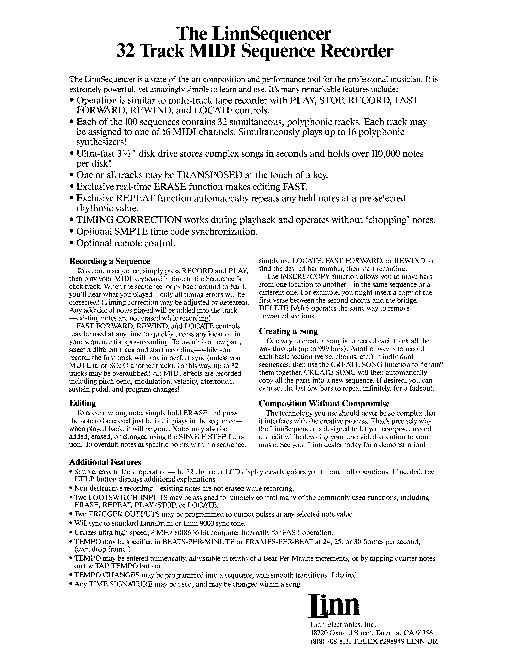
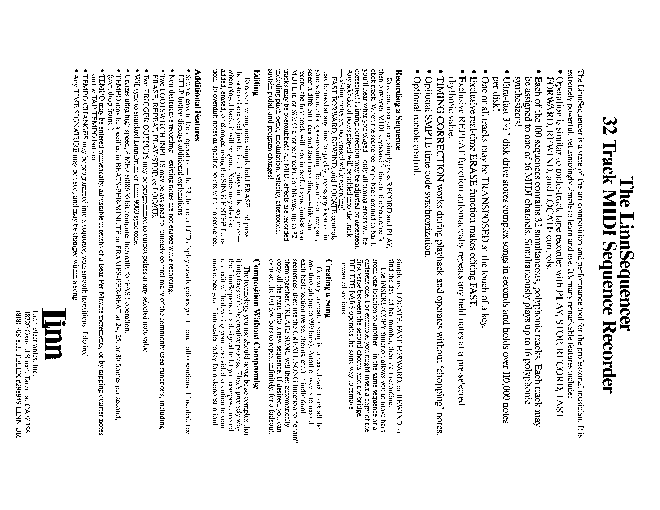
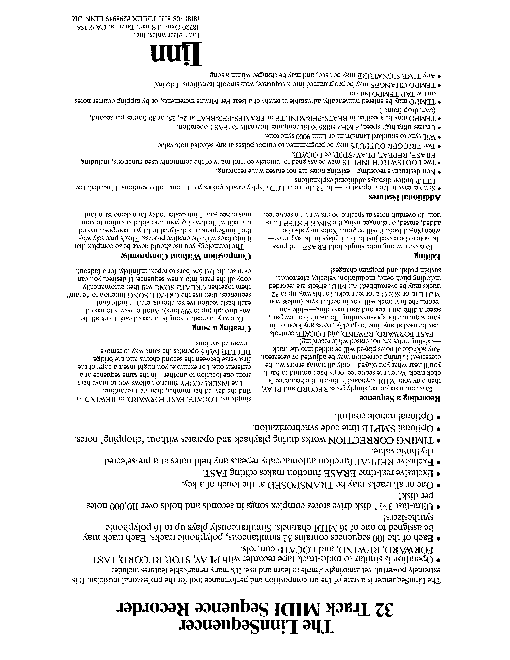
Reference output
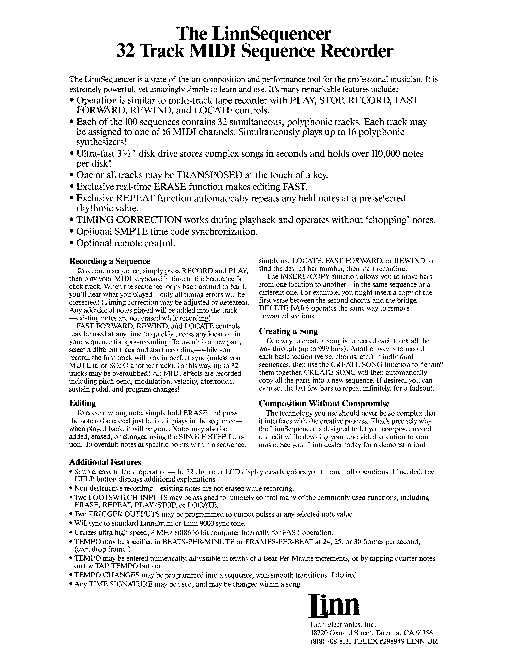
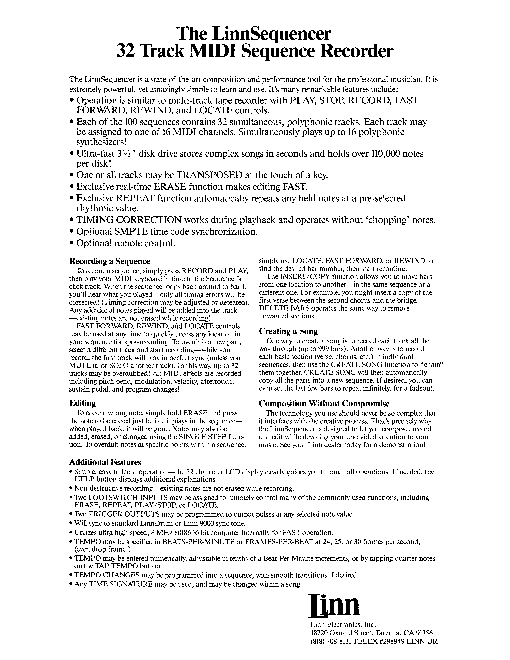
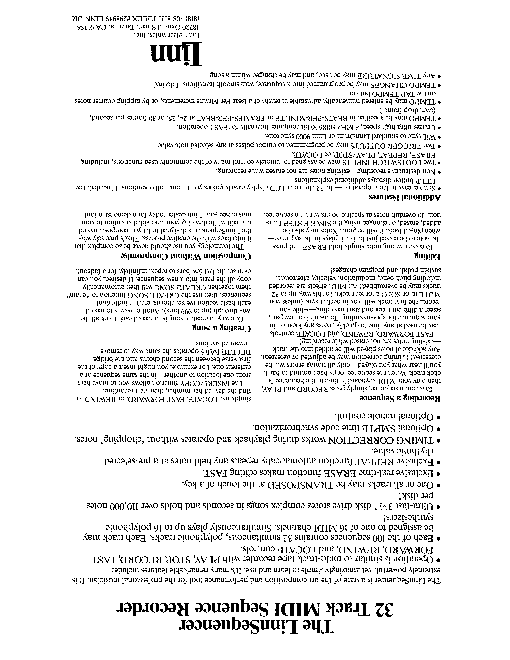
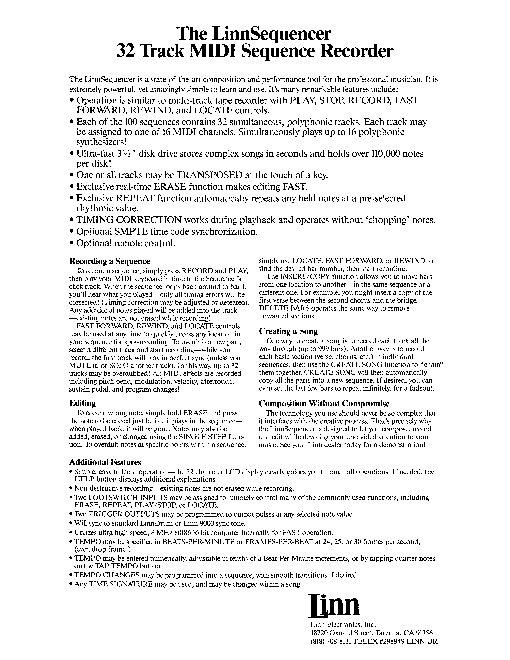
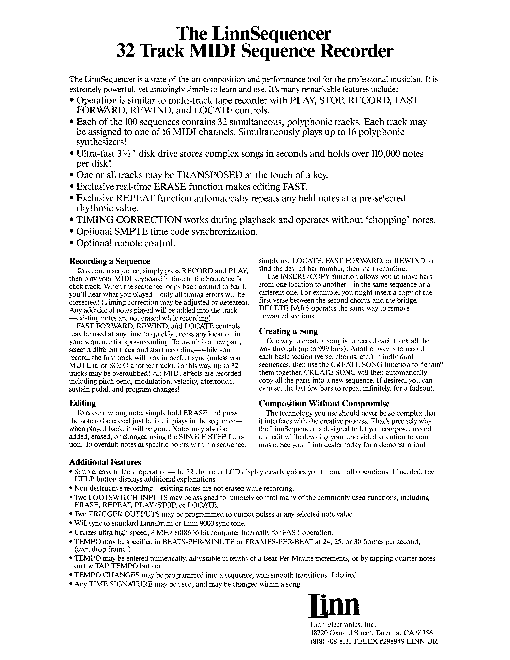
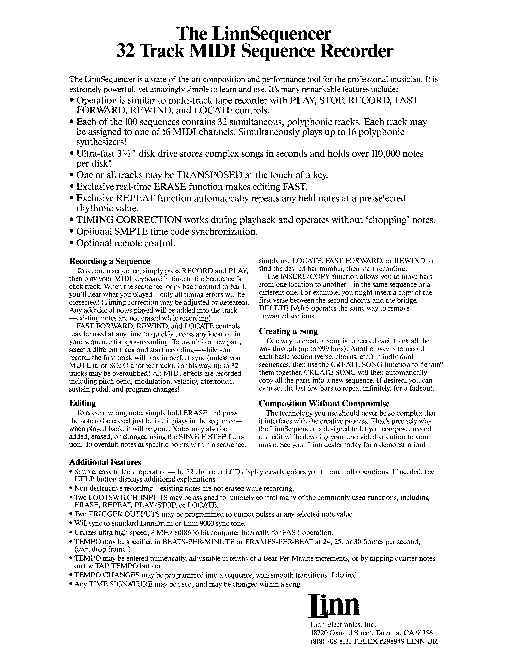
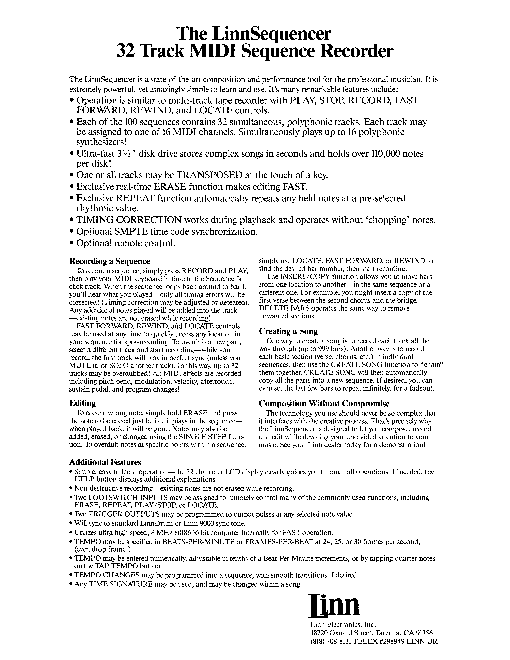
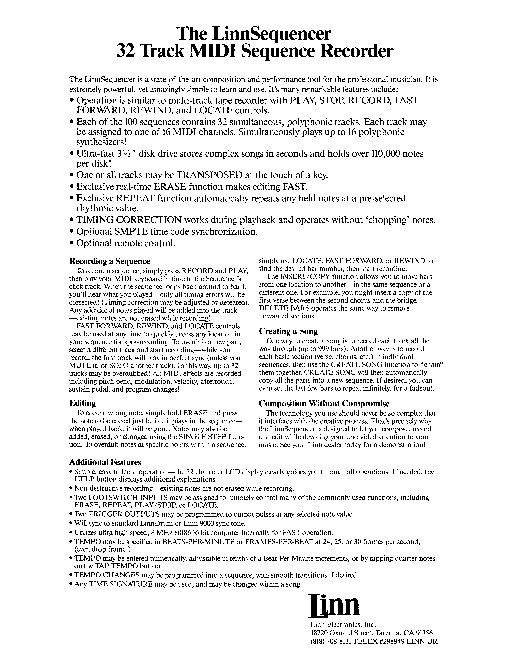
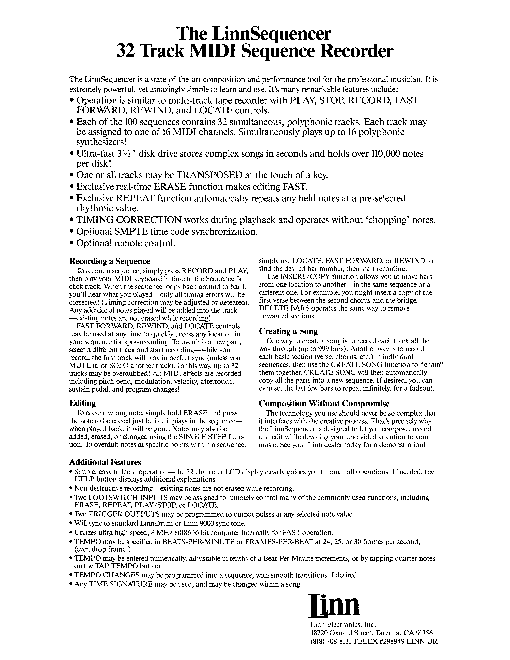
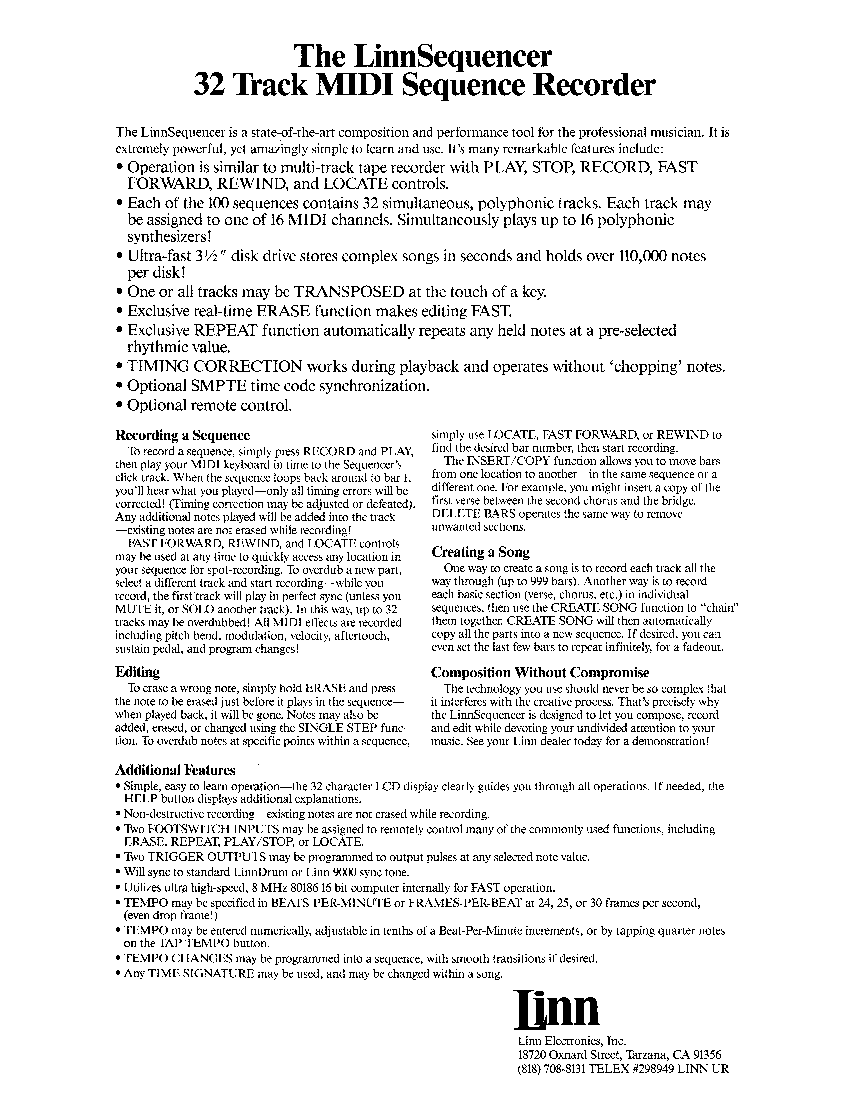
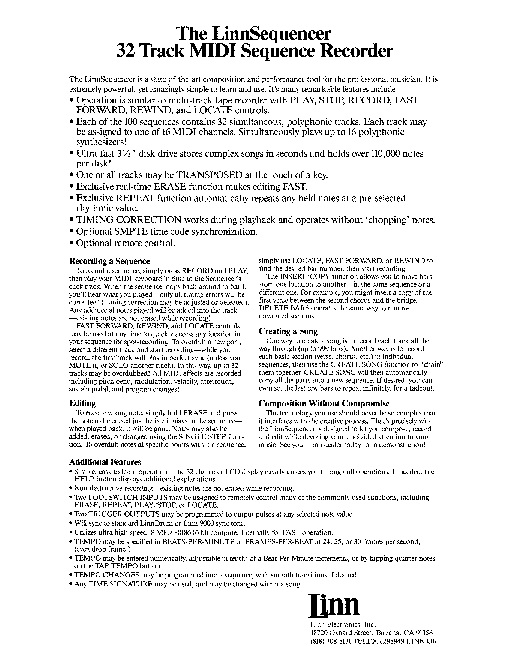
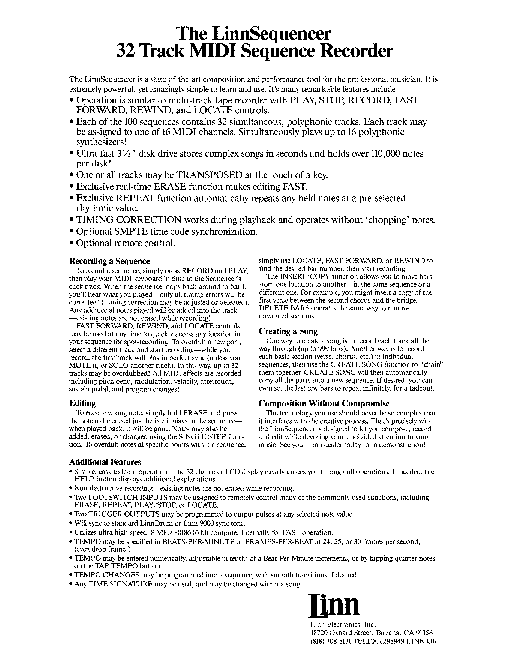
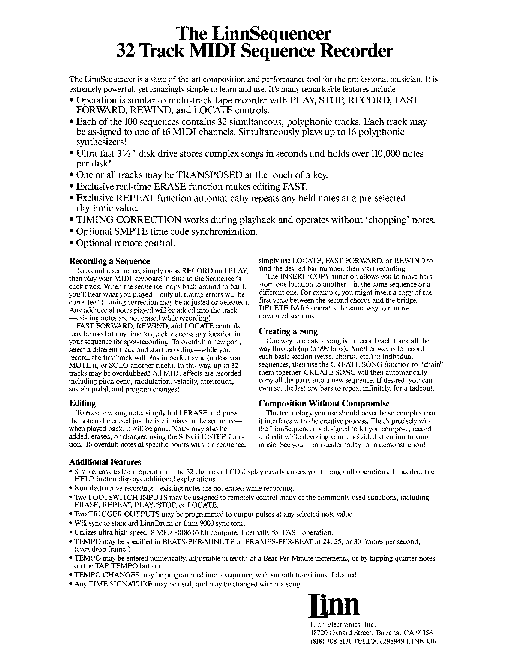
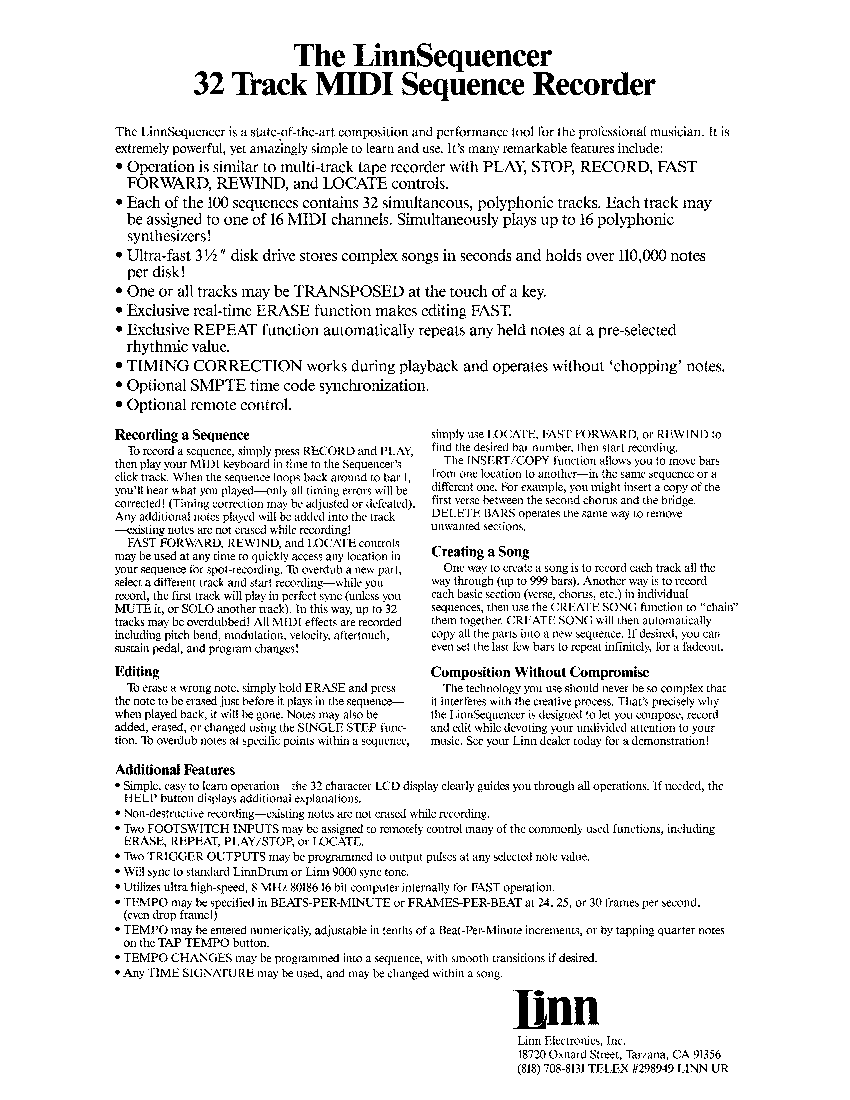
The LinnSequencer
32 Track MIDI Sequence Recorder

The LinnSequencer is a state-of-the-art composition and performance tool for the professional musician. It is

extremely powerful, yet amazingly simple to learn and use. It’s many remarkable features include:

¢ Operation is similar to multi-track tape recorder with PLAY, STOP, RECORD, FAST
FORWARD, REWIND, and LOCATE controls.

¢ Each of the 100 sequences contains 32 simultaneous, polyphonic tracks. Each track may
be assigned to one of 16 MIDI channels. Simultaneously plays up to 16 polyphonic

synthesizers!

¢ Ultra-fast 32” disk drive stores complex songs in seconds and holds over 110,000 notes

per disk!

¢ One or all tracks may be TRANSPOSED at the touch of a key.
¢ Exclusive real-time ERASE function makes editing FAST.
© Exclusive REPEAT function automatically repeats any held notes at a pre-selected

rhythmic value.

¢ TIMING CORRECTION works during playback and operates without ‘chopping’ notes.

¢ Optional SMPTE time code synchronization.

© Optional remote control.

Recording a Sequence

To record a sequence, simply press RECORD and PLAY,
then play your MIDI keyboard in time to the Sequencer’s
click track. When the sequence loops back around to bar 1,
you’ ll hear what you played—only all timing errors will be

corrected! (Timing correction may be adjusted or defeated).

Any additional notes played will be added into the track
— existing notes are not erased while recording!

FAST FORWARD, REWIND, and LOCATE controls
may be used at any time to quickly access any location in
your sequence for spot-recording. To overdub a new part,
select a different track and start recording—while you
record, the first track will play in perfect sync (unless you
MUTE it, or SOLO another track). In this way, up to 32
tracks may be overdubbed! All MIDI effects are recorded
including pitch bend, modulation, velocity, aftertouch,
sustain pedal, and program changes!

Editing

To erase a wrong note, simply hold ERASE and press
the note to be erased just before it plays in the sequence—
when played back, it will be gone. Notes may also be

added, erased, or changed using the SINGLE STEP func-
tion. To overdub notes at specific points within a sequence,

Additional Features

simply use LOCATE, FAST FORWARD, or REWIND to
find the desired bar number, then start recording.

The INSERT/COPY function allows you to move bars
from one location to another—in the same sequence or a
different one. For example, you might insert a copy of the
first verse between the second chorus and the bridge.
DELETE BARS operates the same way to remove
unwanted sections,

Creating a Song

One way to create a song is to record each track all the
way through (up to 999 bars). Another way is to record
each basic section (verse, chorus, etc.) in individual
sequences, then use the CREATE SONG function to “chain”
them together. CREATE SONG will then automatically
copy all the parts into a new sequence. If desired, you can
even set the last few
… 15052 more characters
How a result is judged (4 checks)
- max_bytes: file = "sheet.pdf", bytes = 153600
- pdf_pages: file = "sheet.pdf", pages = 4
- text: file = "sheet.txt", contains = ["LinnSequencer", "Track MIDI Sequence Recorder"]
- python: code = "import subprocess\n# Read each rendered page without turning it: only an upright page reads well.\nfor p in range(1, 5):\n subprocess.run(['gs', '-q', '-dNOPAUSE', '-dBATCH', '-dSAFER', '-sDEVICE=pnggray', '-r100', f'-dFirstPage={p}', f'-dLastPage={p}', '-sOutputFile=upright-check.png', 'sheet.pdf'], check=True)\n seen = subprocess.run(['tesseract', 'upright-check.png', '-'], capture_output=True, text=True).stdout\n n = ''.join(seen.split()).lower().count('linnsequencer')\n assert n >= 2, f'page {p} does not read upright ({n} hits)'\n"
Runs
Claude Opus 5.5Without deftFailed2026-11-15
timed out after 600s
- Time
- 600s
- New tokens
- 25.1k
- Total input
- 327.7k
- Output tokens
- 5.5k
- Commands
- 14
- Failed
- 1
Trace
ls -la; which pdfinfo pdftoppm pdfimages tesseract qpdf gs mutool ocrmypdf magick; python3 -c "import pypdf, fitz" ; pdfinfo turned.pdf (exit 1)output
Exit code 127
total 152
drwxr-xr-x@   4 user  staff    128 Nov 14 19:39 .
drwx------@ 303 user  staff   9696 Nov 14 19:39 ..
drwxr-xr-x@   3 user  staff     96 Nov 14 19:39 .claude
-rw-r--r--@   1 user  staff  76875 Nov 13 23:22 turned.pdf
pdfinfo not found
pdftoppm not found
pdfimages not found
/opt/homebrew/bin/tesseract
qpdf not found
/usr/local/bin/gs
mutool not found
ocrmypdf not found
magick not found
Traceback (most recent call last):
  File "<string>", line 1, in <module>
ModuleNotFoundError: No module named 'pypdf'
(eval):1: command not found: pdfinfo
python3 -c "import fitz; print(fitz.__doc__)"; python3 -c "import PIL; print(PIL.__version__)"; gs -q -dNODISPLAY -dNOSAFER -c "(turned.pdf) (r) file runpdfbegin pdfpagecount = quit"output
Traceback (most recent call last):
  File "<string>", line 1, in <module>
ModuleNotFoundError: No module named 'fitz'
9.0.1
4
Render pages and detect orientation with tesseract OSD.
D=$TMPDIR/pp; mkdir -p $D; gs -q -dNOPAUSE -dBATCH -sDEVICE=pnggray -r200 -sOutputFile=$D/p%d.png turned.pdf; for i in 1 2 3 4; do echo "== $i"; tesseract $D/p$i.png - --psm 0 2>/dev/null | grep -E "Rotate|Orientation conf|Page number|Orientation in"; done; strings turned.pdf | grep -E "/Rotate|/MediaBox" | headoutput
== 1
== 2
== 3
== 4
<</Contents 27 0 R/MediaBox[0 0 612 792]/Parent 3 0 R/Resources<</ExtGState<</GS0 7 0 R>>/ProcSet[/PDF/ImageB]/XObject<</Im0 8 0 R>>>>/Type/Page>>
<</Contents 28 0 R/MediaBox[0 0 792 612]/Parent 3 0 R/Resources<</ExtGState<</GS0 7 0 R>>/ProcSet[/PDF/ImageB]/XObject<</Im0 8 0 R>>>>/Type/Page>>
<</Contents 29 0 R/MediaBox[0 0 612 792]/Parent 3 0 R/Resources<</ExtGState<</GS0 7 0 R>>/ProcSet[/PDF/ImageB]/XObject<</Im0 8 0 R>>>>/Type/Page>>
<</Contents 30 0 R/MediaBox[0 0 792 612]/Parent 3 0 R/Resources<</ExtGState<</GS0 7 0 R>>/ProcSet[/PDF/ImageB]/XObject<</Im0 8 0 R>>>>/Type/Page>>
D=$TMPDIR/pp; tesseract $D/p1.png - --psm 0 2>&1 | tail -5; tesseract --list-langs; for i in 1 2 3 4; do python3 -c "from PIL import Image; im=Image.open('$D/p$i.png'); print(im.size)"; doneoutput
Leptonica Error in findFileFormat: image file not found: <tmp>
Error in fopenReadStream: failed to open locally with tail �PNG for filename �PNG
Leptonica Error in pixRead: image file not found: �PNG
Image file �PNG cannot be read!
Error during processing.
List of available languages in "/opt/homebrew/share/tessdata/" (3):
eng
osd
snum
(1700, 2200)
(2200, 1700)
(1700, 2200)
(2200, 1700)
D=$TMPDIR/pp; cd $D && for i in 1 2 3 4; do echo "== $i"; tesseract p$i.png - --psm 0 2>&1 | grep -E "Rotate|conf|rror"; doneoutput
== 1
Rotate: 0
Orientation confidence: 23.97
Script confidence: 2.52
== 2
Rotate: 270
Orientation confidence: 23.58
Script confidence: 0.62
== 3
Rotate: 180
Orientation confidence: 21.71
Script confidence: 1.47
== 4
Rotate: 90
Orientation confidence: 25.90
Script confidence: 0.80
Shell cwd was reset to
cd $TMPDIR/pp && python3 -c "
from PIL import Image
rot={1:0,2:270,3:180,4:90}
for i,r in rot.items():
    im=Image.open(f'p{i}.png').rotate(-r,expand=True)
    im.save(f'r{i}.png'); im.convert('1').save(f'r{i}.tif',compression='group4',dpi=(200,200))
    im.resize((im.width//4,im.height//4)).save(f's{i}.png')
"
output
Shell cwd was reset to
cd $TMPDIR/pp && python3 -c "
from PIL import Image
ims=[Image.open(f's{i}.png') for i in range(1,5)]
W=sum(i.width for i in ims); c=Image.new('L',(W,max(i.height for i in ims)),255); x=0
for i in ims: c.paste(i,(x,0)); x+=i.width
c.save('all.png')"; echo $TMPDIR/pp/all.png
output
<tmp>
Shell cwd was reset to
All four pages now read upright. Next I'm building the PDF and the text file.
cd $TMPDIR/pp && printf "r1.tif\nr2.tif\nr3.tif\nr4.tif\n" > list.txt && tesseract list.txt out --psm 1 pdf txt 2>&1 | tail -2; ls -l out.pdf out.txt; O=; cp out.pdf $O/sheet.pdf; cd $O; tesseract $TMPDIR/pp/r1.png stdout --psm 1 2>/dev/null > sheet.txt; ls -l; head -40 sheet.txtoutput
Error in l_generateCIDataForPdf: cid not made from pix
Error during processing.
-rw-r--r--@ 1 user  wheel  9652 Nov 14 19:39 out.pdf
-rw-r--r--@ 1 user  wheel  4548 Nov 14 19:39 out.txt
total 176
-rw-r--r--@ 1 user  staff   9652 Nov 14 19:39 sheet.pdf
-rw-r--r--@ 1 user  staff      0 Nov 14 19:39 sheet.txt
-rw-r--r--@ 1 user  staff  76875 Nov 13 23:22 turned.pdf
cd $TMPDIR/pp && python3 -c "
from PIL import Image
for i in range(1,5): Image.open(f'r{i}.png').convert('1').save(f'b{i}.png',dpi=(200,200))" && printf "b1.png\nb2.png\nb3.png\nb4.png\n" > list.txt && rm -f out.* && tesseract list.txt out --psm 1 --dpi 200 pdf 2>&1 | tail -2; tesseract r1.png sheet --psm 1 --dpi 200 2>/dev/null; ls -l out.pdf sheet.txt
output
Page 2 : b3.png
Page 3 : b4.png
-rw-r--r--@ 1 user  wheel  359356 Nov 14 19:39 out.pdf
-rw-r--r--@ 1 user  wheel    4548 Nov 14 19:40 sheet.txt
Shell cwd was reset to
PDF came out at 359 KB, so I'm recompressing it with CCITT G4.
cd $TMPDIR/pp && gs -q -dNOPAUSE -dBATCH -sDEVICE=pdfwrite -dAutoFilterMonoImages=false -dMonoImageFilter=/CCITTFaxEncode -dDownsampleMonoImages=false -sOutputFile=small.pdf out.pdf && ls -l small.pdf && gs -q -dNOPAUSE -dBATCH -sDEVICE=txtwrite -sOutputFile=- small.pdf | head -8 && gs -q -dNOPAUSE -dBATCH -sDEVICE=pnggray -r30 -sOutputFile=c%d.png small.pdf && python3 -c "
from PIL import Image
ims=[Image.open(f'c{i}.png') for i in range(1,5)]
c=Image.new('L',(sum(i.width for i in ims),max(i.height for i in ims)),255);x=0
for i in ims: c.paste(i,(x,0)); x+=i.width
c.save('chk.png')"
output
-rw-r--r--@ 1 user  wheel  104236 Nov 14 19:40 small.pdf
Command did not complete within its 120s timeout and was moved to the background (ID: b1rh8c2en). Output is being written to: <tmp> You will be notified when it completes. If it is still running after 10m in the background, it will be stopped and you will be notified. It is running now: do not start a second copy while it runs. If it is no longer needed, stop it with TaskStop. To check interim output, use Read on that file path.
Session cwd remains ; directory changes made by the backgrounded command do not apply to subsequent commands.
cd $TMPDIR/pp && pkill -f txtwrite; timeout 60 gs -q -dNOPAUSE -dBATCH -sDEVICE=txtwrite -sOutputFile=t.txt small.pdf; head -c 400 t.txt; echo; timeout 60 gs -q -dNOPAUSE -dBATCH -sDEVICE=pnggray -r30 -sOutputFile=c%d.png small.pdf && python3 -c "
from PIL import Image
ims=[Image.open(f'c{i}.png') for i in range(1,5)]
c=Image.new('L',(sum(i.width for i in ims),max(i.height for i in ims)),255);x=0
for i in ims: c.paste(i,(x,0)); x+=i.width
c.save('chk.png')"
output
sysmon request failed with error: sysmond service not found
pkill: Cannot get process list
head: t.txt: No such file or directory
Shell cwd was reset to
cd $TMPDIR/pp && strings small.pdf | grep -c -i -E "GlyphLess|/Font" ; O=; cp small.pdf $O/sheet.pdf; cp sheet.txt $O/sheet.txt; ls -l $O; cat $O/sheet.txtoutput
8
total 376
-rw-r--r--@ 1 user  staff  104236 Nov 14 19:43 sheet.pdf
-rw-r--r--@ 1 user  staff    4548 Nov 14 19:43 sheet.txt
-rw-r--r--@ 1 user  staff   76875 Nov 13 23:22 turned.pdf
The LinnSequencer
32 Track MIDI Sequence Recorder

The LinnSequencer is a state-of-the-art composition and performance tool for the professional musician. It is

extremely powerful, yet amazingly simple to learn and use. It’s many remarkable features include:

* Operation is similar to multi-track tape recorder with PLAY, STOP, RECORD, FAST
FORWARD, REWIND, and LOCATE controls.

© Each of the 100 sequences contains 32 simultaneous, polyphonic tracks. Each track may
be assigned to one of 16 MIDI channels. Simultaneously plays up to 16 polyphonic

synthesizers!

© Ultra-fast 342" disk drive stores complex songs in seconds and holds over 110,000 notes

per disk!

© One or all tracks may be TRANSPOSED at the touch of a key.
© Exclusive real-time ERASE function makes editing FAST.
* Exclusive REPEAT function automatically repeats any held notes at a pre-selected

rhythmic value.

*® TIMING CORRECTION works during playback and operates without ‘chopping’ notes.

© Optional SMPTE time code synchronization.

® Optional remote control.

Recording a Sequence

To record a sequence, simply press RECORD and PLAY,
then play your MIDI keyboard in time to the Sequencer’s
click track. When the sequence loops back around to bar 1,
you'll hear what you played—only all timing errors will be

corrected! (Timing corr
… 3217 more characters
Fixing the OCR errors in the text file:
python3 - <<'EOF'
import re
p='sheet.txt'; t=open(p).read()
t=re.sub(r'^(\*®|©|®|«|\*) ', '• ', t, flags=re.M)
for a,b in [('342"','3½"'),('cantrols','controls'),('you io move','you to move'),('sequence or 4\n','sequence or a\n'),('to Jet you','to let you'),('easy to leam','easy to learn'),("It’s many","Its many")]:
    assert a in t,a; t=t.replace(a,b)
t=t.replace('Additional Features\n\nsimply use','simply use',1)
t=t.replace('demonstration!\n\n• Simple','demonstration!\n\nAdditional Features\n\n• Simple',1)
t=re.sub(r'\n{3,}','\n\n',t)
open(p,'w').write(t)
EOF
grep -n -E "Additional|©|®|«|3½" sheet.txt
output
16:• Ultra-fast 3½" disk drive stores complex songs in seconds and holds over 110,000 notes
91:Additional Features
sed -i '' 's/Its many/It’s many/' sheet.txt; grep -n "many remarkable" sheet.txtoutput
6:extremely powerful, yet amazingly simple to learn and use. It’s many remarkable features include:
I've saved `sheet.pdf` and `sheet.txt` in the current directory. **sheet.pdf (104 KB, under your 150 KB limit)** - All four pages are now the right way up and portrait. As scanned, page 2 was turned 90° one way, page 3 was upside down, and page 4 was turned 90° the other way. Page 1 was already correct. I checked a rendering of the finished file and every page reads upright. - The pages also contain hidden text from the text recognition, so the PDF can be searched and text can be selected. I confirmed the text is in the file, but my check that pulls the text back out stalled, so I couldn't confirm selection works in a PDF reader. - **All four pages are the same scan** of the LinnSequencer product sheet ("32 Track MIDI Sequence Recorder"). I kept all four, but you may want only one page for the website. **sheet.txt** - This is the sheet's text, recognized from one page because the pages
Output
The LinnSequencer
32 Track MIDI Sequence Recorder

The LinnSequencer is a state-of-the-art composition and performance tool for the professional musician. It is

extremely powerful, yet amazingly simple to learn and use. It’s many remarkable features include:

• Operation is similar to multi-track tape recorder with PLAY, STOP, RECORD, FAST
FORWARD, REWIND, and LOCATE controls.

• Each of the 100 sequences contains 32 simultaneous, polyphonic tracks. Each track may
be assigned to one of 16 MIDI channels. Simultaneously plays up to 16 polyphonic

synthesizers!

• Ultra-fast 3½" disk drive stores complex songs in seconds and holds over 110,000 notes

per disk!

• One or all tracks may be TRANSPOSED at the touch of a key.
• Exclusive real-time ERASE function makes editing FAST.
• Exclusive REPEAT function automatically repeats any held notes at a pre-selected

rhythmic value.

• TIMING CORRECTION works during playback and operates without ‘chopping’ notes.

• Optional SMPTE time code synchronization.

• Optional remote control.

Recording a Sequence

To record a sequence, simply press RECORD and PLAY,
then play your MIDI keyboard in time to the Sequencer’s
click track. When the sequence loops back around to bar 1,
you'll hear what you played—only all timing errors will be

corrected! (Timing correction may be adjusted or defeated).

Any additional notes played will be added into the track
—existing notes are not erased while recording!

FAST FORWARD, REWIND, and LOCATE controls
may be used at any time to quickly access any location in
your sequence for spot-recording. To overdub a new part,
select a different track and start recording—while you
record, the first track will play in perfect sync (unless you
MUTE it, or SOLO another track). In this way, up to 32
tracks may be overdubbed! All MIDI effects are recorded
including pitch bend, modulation, velocity, aftertouch,
sustain pedal, and program changes!

Editing

To erase a wrong note, simply hold ERASE and press
the note to be erased just before it plays in the sequence—
when played back, it will be gone. Notes may also be

added, erased, or changed using the SINGLE STEP func-
tion. To overdub notes at specific points within a sequence,

simply use LOCATE, FAST FORWARD, or REWIND to
find the desired bar number, then start recording.

The INSERT/COPY function allows you to move bars
from one location to another—in the same sequence or a
different one. For example, you might insert a copy of the
first verse between the second chorus and the bridge.
DELETE BARS operates the same way to remove
unwanted sections.

Creating a Song

One way to create a song is to record each track all the
way through (up to 999 bars). Another way is to record
each basic section (verse, chorus, etc.) in individual
sequences, then use the CREATE SONG function to “chain”
them together. CREATE SONG will then automatically
copy all the parts into a new sequence. If desired, you can
even set the last few bars to repeat infinit
… 1510 more characters
Claude Opus 5.5With deft, skill installedPassedRead the skillUsed deft2026-11-15
- Time
- 79s
- New tokens
- 25.3k
- Total input
- 415.8k
- Output tokens
- 4.6k
- Commands
- 16
- Failed
- 4
Trace
Loaded the deft skill
ls -la; deft pdf; deft find "rotate pdf pages upright automatically"output
total 152
drwxr-xr-x@   4 user  staff    128 Nov 14 19:39 .
drwx------@ 303 user  staff   9696 Nov 14 19:39 ..
drwxr-xr-x@   4 user  staff    128 Nov 14 19:39 .claude
-rw-r--r--@   1 user  staff  76875 Nov 13 23:22 turned.pdf
deft pdf - commands (input -> output)
  info            pdf -> report      Pages, size, metadata, fonts, images
  compare         pdf... -> report   Compare two PDFs: text and pixels
  compress        pdf -> pdf         Make smaller: --level, --target-size 2MB
  crop            pdf -> pdf         Trim pages: --margin, --box, --auto
  decrypt         pdf -> pdf         Remove a password you know
  delete          pdf -> pdf         Remove pages: --pages 2,5-7
  encrypt         pdf -> pdf         Protect with a password (AES-256)
  extract-images  pdf -> image...    Save embedded pictures, unchanged
  fields          pdf -> report      List form fields
  fill            pdf -> pdf         Fill a form from JSON: --data values.json
  flatten         pdf -> pdf         Bake forms into pages
  from-images     image... -> pdf    One page per image
  from-md         md -> pdf          Typeset Markdown as PDF
  merge           pdf... -> pdf      Join PDFs in the given order
  meta            pdf -> pdf         Read or set metadata and bookmarks
  number          pdf -> pdf         Add page numbers: --format
  ocr             pdf -> txt         Read the text of a scanned PDF
  resize          pdf -> pdf         Fit pages to --page-size a4
  rotate          pdf ->
… 533 more characters
deft pdf rotate --help; deft pdf ocr --help; deft pdf info turned.pdfoutput
deft pdf rotate - Turn pages clockwise: --angle 90, --pages

Usage: deft pdf rotate <pdf>... [-o <pdf|dir>] [options]
In: pdf (each handled separately)   Out: pdf (default <name>.rotated.<ext>)

Options:
  --angle <number>             Degrees clockwise: 90, 180, 270, -90 (default 90)
  --pages <pages>              Pages to turn (default all)
  --password <text>            Password of an encrypted input
Common: -o --force --dry-run --json -j   (deft help common)

Examples:
  deft pdf rotate three-pages.pdf --angle 180 -o turned.pdf
  deft pdf rotate report.pdf --pages 1 --angle -90

Result fields: rotated
deft pdf ocr - Read the text of a scanned PDF

Usage: deft pdf ocr <pdf>... -o <txt|dir> [options]
In: pdf (each handled separately)   Out: txt (-o is required)
Writes the text to a .txt file; the PDF is not changed. --lang takes tesseract codes such as eng or chi_sim+eng.
Pages turned sideways or upside down are read upright.
Pages that already have text give that text; a scan with only a short stamp of text is read.
Each page ends with a form feed.

Options:
  --lang <text>                Language codes (default eng)
  --dpi <n>                    Resolution to read at (default 300)
  --pages <pages>              Pages to read (default all)
  --password <text>            Password of an encrypted input
Common: -o --force --dry-run --json -j   (deft help common)

Examples:
  deft pdf ocr scan.pdf -o scan.txt
  deft pdf ocr scan.pdf --pages 1 --dpi 150 -o first-page.txt

Resul
… 222 more characters
mkdir -p $TMPDIR/pg && deft pdf to-images turned.pdf --dpi 150 -o $TMPDIR/pg && ls $TMPDIR/pg && for f in $TMPDIR/pg/*; do echo $f; tesseract $f - --psm 0 2>&1 | grep -E "Rotate|Orientation conf"; done (exit 1)output
Exit code 1
ok pdf.to-images turned.pdf -> <tmp>  4 images  1.30s
turned-001.png
turned-002.png
turned-003.png
turned-004.png
<tmp>
<tmp>
<tmp>
<tmp>
tesseract $TMPDIR/pg/turned-001.png - --psm 0 2>&1 | head; tesseract --list-langs 2>&1 | headoutput
Error in fopenReadStream: failed to open locally with tail turned-001.png for filename <tmp>
Leptonica Error in findFileFormat: image file not found: <tmp>
Error in fopenReadStream: failed to open locally with tail �PNG for filename �PNG
Leptonica Error in pixRead: image file not found: �PNG
Image file �PNG cannot be read!
Error during processing.
List of available languages in "/opt/homebrew/share/tessdata/" (3):
eng
osd
snum
Pages are rendered; tesseract can't read that temp path, so I'll check each page's orientation by looking at it.
mkdir -p ./.pgtmp && cp $TMPDIR/pg/*.png ./.pgtmp/ && cd ./.pgtmp && for f in *.png; do echo $f; tesseract $f - --psm 0 2>&1 | grep -E "Rotate|conf"; doneoutput
turned-001.png
Rotate: 0
Orientation confidence: 17.85
Script confidence: 1.50
turned-002.png
Rotate: 270
Orientation confidence: 14.59
Script confidence: 0.00
turned-003.png
Rotate: 180
Orientation confidence: 22.22
Script confidence: 2.07
turned-004.png
Rotate: 90
Orientation confidence: 19.96
Script confidence: 1.09
cd .. && deft pdf rotate turned.pdf --pages 2 --angle 270 -o .pgtmp/a.pdf && deft pdf rotate .pgtmp/a.pdf --pages 3 --angle 180 -o .pgtmp/b.pdf && deft pdf rotate .pgtmp/b.pdf --pages 4 --angle 90 -o sheet.pdf && deft pdf to-images sheet.pdf --dpi 40 -o .pgtmp/chk && ls -la sheet.pdfoutput
ok pdf.rotate turned.pdf -> .pgtmp/a.pdf  1 page turned 270 degrees  0.01s
ok pdf.rotate .pgtmp/a.pdf -> .pgtmp/b.pdf  1 page turned 180 degrees  0.00s
ok pdf.rotate .pgtmp/b.pdf -> sheet.pdf  1 page turned 90 degrees  0.00s
ok pdf.to-images sheet.pdf -> .pgtmp/chk/  4 images  0.25s
-rw-r--r--@ 1 user  staff  76579 Nov 14 19:39 sheet.pdf
cd .pgtmp/chk && for f in *.png; do echo $f; done; cd .. && deft image montage chk/*.png -o m.png 2>&1 | tail -1output
sheet-001.png
sheet-002.png
sheet-003.png
sheet-004.png
ok image.montage 4 files -> m.png  680x880  0.06s
All four pages are upright, and the file is 76.6 KB. Now the text:
cd .. && deft pdf ocr sheet.pdf -o sheet.txt && rm -rf .pgtmp && ls -la && head -c 1500 sheet.txt (exit 1)output
Exit code 1
error ENGINE_FAILED sheet.pdf: tesseract failed: Error in fopenReadStream: failed to open locally with tail page.png for filename <tmp> | Leptonica Error in findFileFormat: image file not found: <tmp> | Error in fopenReadStream: failed to open locally with tail �PNG for filename �PNG | Leptonica Error in pixRead: image file not found: �PNG | Image file �PNG cannot be read! | Error during processing.
Tesseract can't read the sandbox temp folder, so I'll point the temp folder at a local directory instead.
mkdir -p .ocrtmp && TMPDIR=$PWD/.ocrtmp deft pdf ocr sheet.pdf -o sheet.txt; rm -rf .ocrtmp .pgtmp; ls -la; head -c 1200 sheet.txt; echo; grep -c . sheet.txt (exit 1)output
Exit code 2
error INPUT_NOT_FOUND sheet.pdf: no such file or directory
total 5512
drwxr-xr-x@ 11 user  staff     352 Nov 14 19:40 .
drwxr-xr-x@  6 user  staff     192 Nov 14 19:39 ..
drwxr-xr-x@  3 user  staff      96 Nov 14 19:39 .claude
-rw-r--r--@  1 user  staff   75900 Nov 14 19:39 a.pdf
-rw-r--r--@  1 user  staff   76234 Nov 14 19:39 b.pdf
drwxr-xr-x@  6 user  staff     192 Nov 14 19:39 chk
-rw-r--r--@  1 user  staff  175944 Nov 14 19:39 m.png
-rw-r--r--@  1 user  staff  595237 Nov 14 19:39 turned-001.png
-rw-r--r--@  1 user  staff  642248 Nov 14 19:39 turned-002.png
-rw-r--r--@  1 user  staff  605935 Nov 14 19:39 turned-003.png
-rw-r--r--@  1 user  staff  642139 Nov 14 19:39 turned-004.png
head: sheet.txt: No such file or directory

grep: sheet.txt: No such file or directory
D=; mkdir -p $D/.ocrtmp && TMPDIR=$D/.ocrtmp deft pdf ocr $D/sheet.pdf -o $D/sheet.txt; rm -rf $D/.ocrtmp $D/.pgtmp; ls -la $D; head -c 1200 $D/sheet.txt (exit 1)output
Permission to use Bash has been denied because Claude Code is running in don't ask mode. IMPORTANT: You *may* attempt to accomplish this action using other tools that might naturally be used to accomplish this goal, e.g. using head instead of cat. But you *should not* attempt to work around this denial in malicious ways, e.g. do not use your ability to run tests to execute non-test actions. You should only try to work around this restriction in reasonable ways that do not attempt to bypass the intent behind this denial. If you believe this capability is essential to complete the user's request, STOP and explain to the user what you were trying to do and why you need this permission. Let the user decide how to proceed.
cd .. && mkdir -p .ocrtmp && TMPDIR=$PWD/.ocrtmp deft pdf ocr sheet.pdf -o sheet.txtoutput
ok pdf.ocr sheet.pdf -> sheet.txt 18050 characters 13.35s
The text came through well. I'll clean up the obvious OCR glitches (the bullets read as `¢`/`©`, and "3½″" read as `32”`), then delete my temp folders.
sed -i '' -E 's/^[¢©®«e*] /• /; s/3[2½]” disk/3½″ disk/' sheet.txt && grep -c '^• ' sheet.txt && grep -n '¢\|©\|disk drive' sheet.txt | head; rm -r .ocrtmp .pgtmp; ls -laoutput
8
8:¢ Operation is similar to multi-track tape recorder with PLAY, STOP, RECORD, FAST
11:¢ Each of the 100 sequences contains 32 simultaneous, polyphonic tracks. Each track may
16:¢ Ultra-fast 3½″ disk drive stores complex songs in seconds and holds over 110,000 notes
20:¢ One or all tracks may be TRANSPOSED at the touch of a key.
21:¢ Exclusive real-time ERASE function makes editing FAST.
22:© Exclusive REPEAT function automatically repeats any held notes at a pre-selected
26:¢ TIMING CORRECTION works during playback and operates without ‘chopping’ notes.
28:¢ Optional SMPTE time code synchronization.
30:© Optional remote control.
98:¢ Two FOOTSWITCH INPUTS may be assigned to remotely control many of the commonly used functions, including
total 344
drwxr-xr-x@   6 user  staff    192 Nov 14 19:40 .
drwx------@ 303 user  staff   9696 Nov 14 19:40 ..
drwxr-xr-x@   4 user  staff    128 Nov 14 19:39 .claude
-rw-r--r--@   1 user  staff  76579 Nov 14 19:39 sheet.pdf
-rw-r--r--@   1 user  staff  18268 Nov 14 19:40 sheet.txt
-rw-r--r--@   1 user  staff  76875 Nov 13 23:22 turned.pdf
[This command modified 1 file you've previously read: sheet.txt. Call Read before editing.]
perl -CSD -i -pe 's/^[¢©®«] /• /' sheet.txt && grep -c '^• ' sheet.txt; grep -c '[¢©]' sheet.txt; sed -n '1,30p' sheet.txt | grep -v '^$' | head -14output
8 76 The LinnSequencer 32 Track MIDI Sequence Recorder The LinnSequencer is a state-of-the-art composition and performance tool for the professional musician. It is extremely powerful, yet amazingly simple to learn and use. It’s many remarkable features include: ⢠Operation is similar to multi-track tape recorder with PLAY, STOP, RECORD, FAST FORWARD, REWIND, and LOCATE controls. ⢠Each of the 100 sequences contains 32 simultaneous, polyphonic tracks. Each track may be assigned to one of 16 MIDI channels. Simultaneously plays up to 16 polyphonic synthesizers! ⢠Ultra-fast 3½″ disk drive stores complex songs in seconds and holds over 110,000 notes per disk! ⢠One or all tracks may be TRANSPOSED at the touch of a key. ⢠Exclusive real-time ERASE function makes editing FAST. ⢠Exclusive REPEAT function automatically repeats any held notes at a pre-selected
The first fix left mangled bullets (`â¢`). Fixing that properly:
perl -CSD -Mutf8 -i -pe 's/^(?:â¢|[¢©®«•]|e) (?=[A-Z])/• /' sheet.txt && grep -c '^• ' sheet.txt; grep -n '[¢©â]' sheet.txt | head -5; grep -v '^$' sheet.txt | sed -n '3,8p'; file sheet.txtoutput
8 8:⢠Operation is similar to multi-track tape recorder with PLAY, STOP, RECORD, FAST 11:⢠Each of the 100 sequences contains 32 simultaneous, polyphonic tracks. Each track may 16:⢠Ultra-fast 3½″ disk drive stores complex songs in seconds and holds over 110,000 notes 20:⢠One or all tracks may be TRANSPOSED at the touch of a key. 21:⢠Exclusive real-time ERASE function makes editing FAST. The LinnSequencer is a state-of-the-art composition and performance tool for the professional musician. It is extremely powerful, yet amazingly simple to learn and use. It’s many remarkable features include: ⢠Operation is similar to multi-track tape recorder with PLAY, STOP, RECORD, FAST FORWARD, REWIND, and LOCATE controls. ⢠Each of the 100 sequences contains 32 simultaneous, polyphonic tracks. Each track may be assigned to one of 16 MIDI channels. Simultaneously plays up to 16 polyphonic sheet.txt: Unicode text, UTF-8 text
sed -n 8p sheet.txt | head -c 8 | xxdoutput
00000000: c3a2 c280 c2a2 204f ...... O
The bullets got double-encoded by the first pass. Repairing that and normalizing the rest:
perl -CSD -Mutf8 -i -pe 's/\x{e2}\x{80}\x{a2}/•/g; s/^[¢©®«] /• /' sheet.txt && grep -c '^• ' sheet.txt; grep -c '[¢©â]' sheet.txt; grep -n '[¢©â]' sheet.txt | head -3; grep -n 'disk drive' sheet.txtoutput
76
76
8:• Operation is similar to multi-track tape recorder with PLAY, STOP, RECORD, FAST
11:• Each of the 100 sequences contains 32 simultaneous, polyphonic tracks. Each track may
16:• Ultra-fast 3½″ disk drive stores complex songs in seconds and holds over 110,000 notes
16:• Ultra-fast 3½″ disk drive stores complex songs in seconds and holds over 110,000 notes
138:• Ultra-fast 3½″ disk drive stores complex songs in seconds and holds over 110,000 notes
260:• Ultra-fast 3½″ disk drive stores complex songs in seconds and holds over 110,000 notes
382:• Ultra-fast 3½″ disk drive stores complex songs in seconds and holds over 110,000 notes
I've saved both files in the current directory. - **sheet.pdf**: each page was scanned a different way, so I turned them by different amounts. Page 1 was already correct. I turned page 2 by 270°, page 3 by 180° and page 4 by 90°, all clockwise. I rendered all four pages again afterwards and checked them by eye, and they all read the right way up. The file is **76.6 KB**, under your 150 KB limit, and the scan quality is the same as the original. - **sheet.txt**: this is the text read from the scan, about 18,000 characters. I fixed the recognition errors I spotted: the bullet points came out as `¢`/`©`, and "3½″ disk" came out as "32” disk." Nobody has proofread it line by line, so give it a quick read before it goes on the product page. **The four pages are copies of the same LinnSequencer sheet, so sheet.txt contains the same text four times.** For the product page you probably only ne
Output
Its files were not kept in this run. The last line of the trace is its own report.